




 Premiere Pro
 LitMedia AI
 RecCloud
 Camo Studio
 Filmora
 Restream
 Kling AI
-
Latest Version
KMPlayer 4.2.3.35 (32-bit) LATEST
-
Review by
-
Operating System
Windows 10 / Windows 11
-
User Rating
Click to vote -
Author / Product
-
Filename
KMPlayer_4.2.3.35.exe
-
MD5 Checksum
dbcdbd1d59a311206aa2a6b59c6102eb
KMPlayer is a versatile multi-media player for Windows PC that can cover various types of contained formats. Without any separate Codec, you are able to play any media files because KMP has its own internal Codec. Supported Codec is separated by internal & external.
For the sound Codec, KMPlayer 32bit supports MPEG1, 2, AAC, WMA 7, 8, OGG &, etc. and it additionally supports matrix function/normalizer function when internal sound Codec is being used.
Internal Codec gets processed inside of KMPlayer so it’s faster & safer. Also KM Player supports all the Codec from ffdshow and it additionally supports MPEG1/2. If you’re a user who finds it inconvenient to install Codec, who has a low CPU computer, and/or a user who strives for an excellent multi-media playback player, you’ll be able to modify your environment to a convenient multi-media format by using KMP.
It has an extra feature to play Incomplete/Damaged AVI file, Locked Media Files while downloading or sharing, Compressed Audio Album (zip, rar), and so on. It also supports WIDI, 3D, 4K and handles a wide range of subtitles, and allows you to capture audio, video, and screenshots in many ways. You can download KM Player for PC offline installer from the site by clicking on the free download button.
Features and Highlights
High-resolution movie support
Watch movies in superb quality with support for 3D, 4K, and UHD.
Supports Many Languages
Supports over 24 languages worldwide
Diverse Format support
RTS, MPEG1, MPEG2, AAC, WMA7, WMA8, OGG, etc
Video capture
Capture audio and video or screen capture is possible and can be saved in the format you want.
Advanced options
Provide full control over DVD selection, Movie menus, audio menus, subtitle menus, brightness/contrast, and more, to suit user needs.
Internal Codecs
The codecs come bundled with the software, hence you can watch movies quickly and efficiently.
How to Use
Download and Installation:
After installation, launch the app from your desktop or the Start menu (Windows) or Applications folder (macOS).
Opening Media Files:
To open a media file, you can either:
Once the media file is loaded, you'll see the playback controls at the bottom of the player window. These controls include play, pause, stop, forward, rewind, and volume adjustment.
Subtitle Management:
If you have subtitle files for your video, you can load them by clicking on the "Subtitle" button (usually represented by a "S" icon) and selecting "Load subtitle."
Customizing Interface:
It allows you to customize the player's interface to your liking. You can change skins, and themes, and adjust settings such as aspect ratio and screen size.
Advanced Playback Features:
It allows you to take screenshots during playback. Look for options related to capturing images or recording video clips in the player's menu or interface.
Network and Online Features:
Depending on the version of KMPlayer you're using, you might have access to online streaming and network-related features. Explore the menus and options to learn more about these capabilities.
Closing the app:
When you're done using KMPlayer, you can simply close the application like any other program.
Alternatives
VLC Media Player: A widely known open-source media player with extensive format support and features similar to KMPlayer.
PotPlayer: Another versatile media player offering a customizable interface and comprehensive codec support.
GOM Player: Known for its user-friendly interface and ability to play damaged or incomplete files.
Media Player Classic - Home Cinema: A lightweight media player with a classic Windows look and a focus on playback performance.
Pricing
KMPlayer is available for FREE, offering a range of features for multimedia playback.
System Requirements
Recommended
Windows 10/11 64-bit or 32-bit, Direct X 9 or higher and 150Mb of installation space required
Minimum
Windows Vista 32-bit, Direct X 9 or higher, and 150Mb of installation space required
PROS
All in all, KMPlayer is a multimedia player software that offers a range of features for playing various video and audio formats. Its key strengths include extensive codec support, a customizable interface, and the ability to handle a wide variety of media files. It has been known for its user-friendly design and versatility.
Also Available: KMPlayer (64-bit) and KMPlayer for Mac
For the sound Codec, KMPlayer 32bit supports MPEG1, 2, AAC, WMA 7, 8, OGG &, etc. and it additionally supports matrix function/normalizer function when internal sound Codec is being used.
Internal Codec gets processed inside of KMPlayer so it’s faster & safer. Also KM Player supports all the Codec from ffdshow and it additionally supports MPEG1/2. If you’re a user who finds it inconvenient to install Codec, who has a low CPU computer, and/or a user who strives for an excellent multi-media playback player, you’ll be able to modify your environment to a convenient multi-media format by using KMP.
It has an extra feature to play Incomplete/Damaged AVI file, Locked Media Files while downloading or sharing, Compressed Audio Album (zip, rar), and so on. It also supports WIDI, 3D, 4K and handles a wide range of subtitles, and allows you to capture audio, video, and screenshots in many ways. You can download KM Player for PC offline installer from the site by clicking on the free download button.
Features and Highlights
High-resolution movie support
Watch movies in superb quality with support for 3D, 4K, and UHD.
Supports Many Languages
Supports over 24 languages worldwide
Diverse Format support
RTS, MPEG1, MPEG2, AAC, WMA7, WMA8, OGG, etc
Video capture
Capture audio and video or screen capture is possible and can be saved in the format you want.
Advanced options
Provide full control over DVD selection, Movie menus, audio menus, subtitle menus, brightness/contrast, and more, to suit user needs.
Internal Codecs
The codecs come bundled with the software, hence you can watch movies quickly and efficiently.
How to Use
Download and Installation:
- Visit the official website or a trusted software download source like FileHorse to download the latest version of KMPlayer for your operating system (Windows or macOS).
- Run the installer and follow the on-screen instructions to install the software.
After installation, launch the app from your desktop or the Start menu (Windows) or Applications folder (macOS).
Opening Media Files:
To open a media file, you can either:
- Drag and drop the media file onto the KMPlayer window.
- Click on the "Open File" option in the player's interface and navigate to the location of your media file.
Once the media file is loaded, you'll see the playback controls at the bottom of the player window. These controls include play, pause, stop, forward, rewind, and volume adjustment.
Subtitle Management:
If you have subtitle files for your video, you can load them by clicking on the "Subtitle" button (usually represented by a "S" icon) and selecting "Load subtitle."
Customizing Interface:
It allows you to customize the player's interface to your liking. You can change skins, and themes, and adjust settings such as aspect ratio and screen size.
Advanced Playback Features:
- Changing playback speed: You can adjust the playback speed using the speed control option.
- A-B repeat: Set specific points to loop a section of the video using the A-B repeat feature.
- Frame-by-frame navigation: Use arrow keys to move frame by frame through the video.
It allows you to take screenshots during playback. Look for options related to capturing images or recording video clips in the player's menu or interface.
Network and Online Features:
Depending on the version of KMPlayer you're using, you might have access to online streaming and network-related features. Explore the menus and options to learn more about these capabilities.
Closing the app:
When you're done using KMPlayer, you can simply close the application like any other program.
Alternatives
VLC Media Player: A widely known open-source media player with extensive format support and features similar to KMPlayer.
PotPlayer: Another versatile media player offering a customizable interface and comprehensive codec support.
GOM Player: Known for its user-friendly interface and ability to play damaged or incomplete files.
Media Player Classic - Home Cinema: A lightweight media player with a classic Windows look and a focus on playback performance.
Pricing
KMPlayer is available for FREE, offering a range of features for multimedia playback.
System Requirements
Recommended
Windows 10/11 64-bit or 32-bit, Direct X 9 or higher and 150Mb of installation space required
Minimum
Windows Vista 32-bit, Direct X 9 or higher, and 150Mb of installation space required
PROS
- Wide format compatibility without the need for external codecs.
- Customizable user interface with skins and themes.
- Built-in subtitle support and 360-degree video playback.
- Internal codec for smooth playback of high-resolution content.
- Limited online streaming capabilities.
- Mac version might have fewer features compared to the Windows version.
All in all, KMPlayer is a multimedia player software that offers a range of features for playing various video and audio formats. Its key strengths include extensive codec support, a customizable interface, and the ability to handle a wide variety of media files. It has been known for its user-friendly design and versatility.
Also Available: KMPlayer (64-bit) and KMPlayer for Mac
Why is this app published on FileHorse? (More info)
-
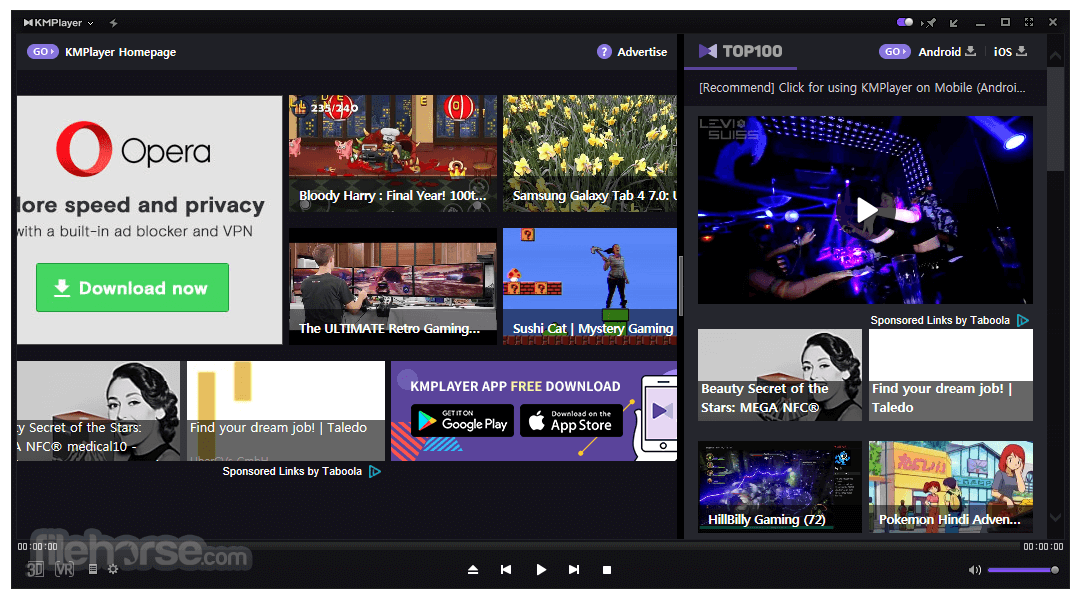
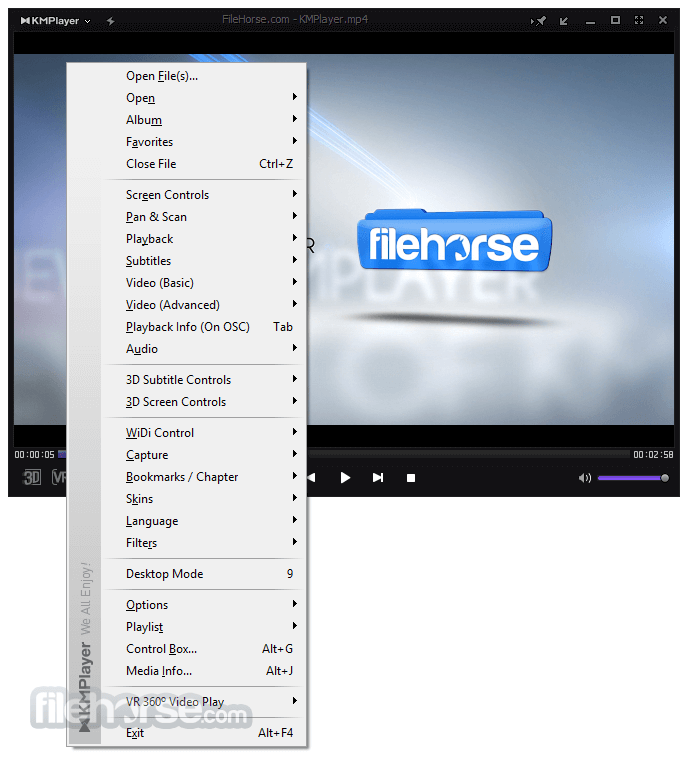
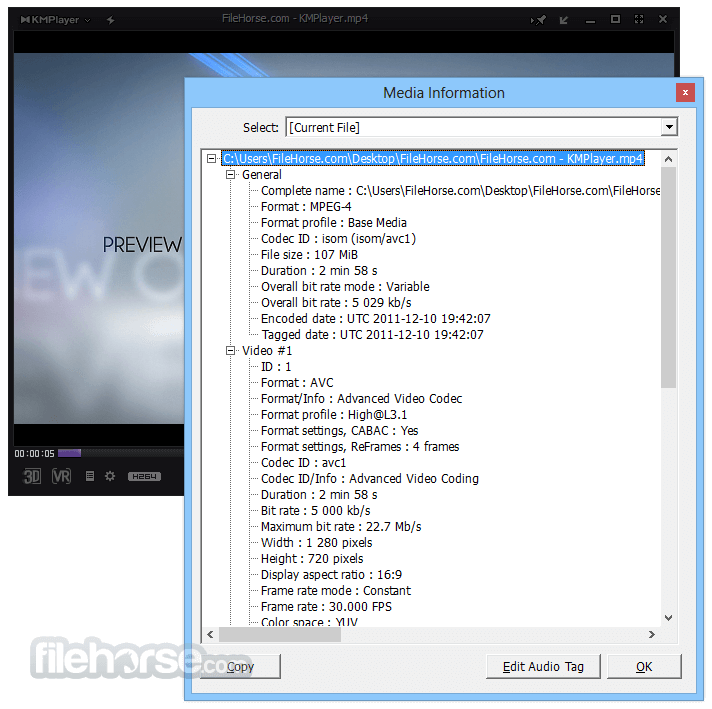
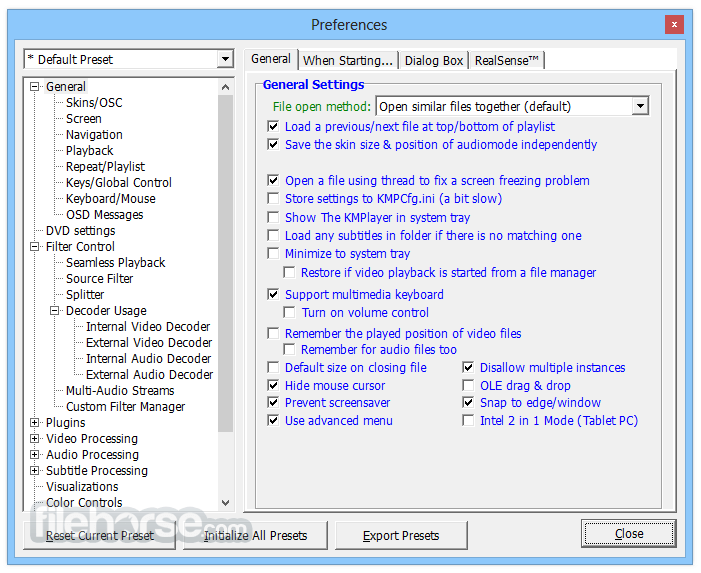
KMPlayer 4.2.3.35 (32-bit) Screenshots
The images below have been resized. Click on them to view the screenshots in full size.
-

-
-
-
 OperaOpera 132.0 Build 5905.22 (64-bit)
 AdsPowerAdsPower - Antidetect Browser
 PhotoshopAdobe Photoshop CC 2026 27.7 (64-bit)
 BlueStacks AIBlueStacks AI
 OKXOKX - Buy Bitcoin or Ethereum
 CapCutCapCut Desktop 8.5.0
 PC RepairPC Repair Tool 2026
 Hero WarsHero Wars - Online Action Game
 TradingViewTradingView - Trusted by 100 Million Traders
 Forza HorizonForza Horizon 6
Comments and User Reviews