




 Image Upscaler
 Leonardo AI
 CorelDRAW Go
 Affinity
 Luminar Neo
 Envato
 Lightroom
-
Latest Version
LightShot 5.5.0.7 LATEST
-
Review by
-
Operating System
Windows XP / Vista / Windows 7 / Windows 8 / Windows 10
-
User Rating
Click to vote -
Author / Product
-
Filename
setup-lightshot.exe
-
MD5 Checksum
a1f6923e771b4ff0df9fec9555f97c65
LightShot allows you to select any area on a desktop and take its screenshot with 2 clicks. Simple interface, nothing useless, and lightweight make your work with the app easier.
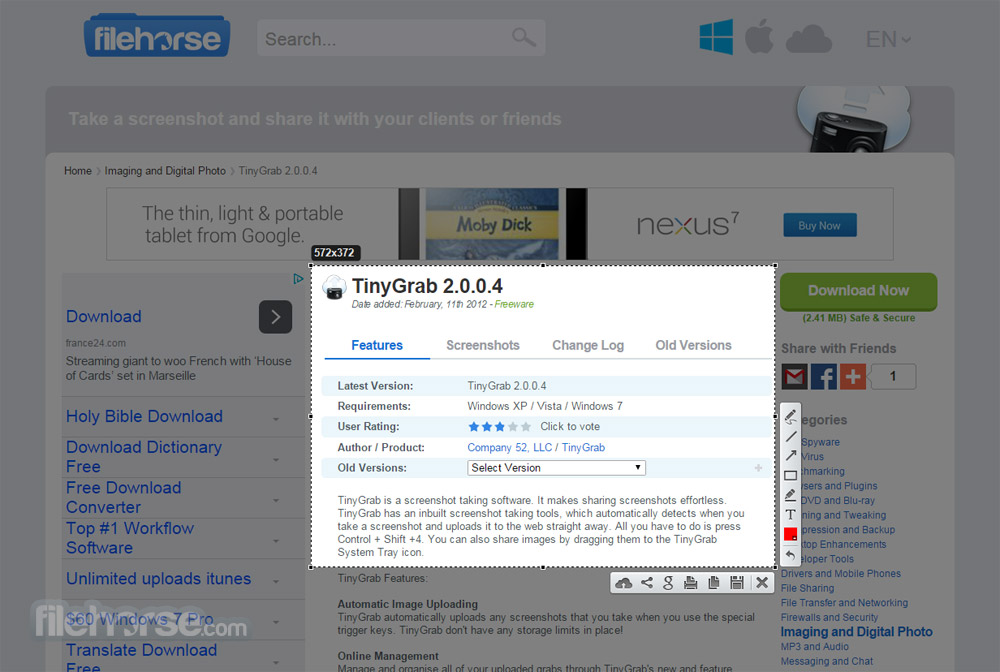
Upload your screenshots to the server to get a fast web link to it. Edit your screenshots as soon as you make them. LightShot desktop app is the fastest and easiest way to take a customizable screenshot.
LightShot is a lightweight and user-friendly screen capture tool available for Windows and macOS. Developed by Skillbrains, this software is designed to make the process of taking screenshots quick and efficient.
It allows users to capture any area of their screen, edit the captured image, and share it instantly with others via the cloud or social media. It's particularly popular among users who need a simple yet powerful tool for capturing and annotating screenshots without the complexity often associated with more robust software.

Highlights
Fast screenshot of a selected area
Lightshot Application for Windows allows you to select any area on your desktop and take its screenshot with 2 button clicks.
Easy-to-use application
The simple interface of the app, its useful features, and its lightweight make your work so very fast and pleasant.
Share screenshots via the Internet
Upload your screenshot to the server and get its short link right away.
Powerful editors
You can edit screenshots instantly when taking them or later using a powerful online editor.
Similar image search
Find similar images. Select any image on your screen and find dozens of similar images.
Various Platforms
This app is available for Windows/Mac, Chrome, Firefox, & Opera.
Key Features
Customizable Screenshot Area: It allows you to select any area of your screen for a screenshot with just two clicks. This feature is especially useful when you need to capture specific parts of the screen rather than the entire display.
Built-in Image Editor: Once a screenshot is taken, it provides basic editing tools directly in the program. Users can add text, draw shapes, highlight areas, or use the pen tool to annotate the image before saving or sharing.
Instant Sharing: It integrates with cloud services to upload screenshots instantly. You receive a unique URL that you can share with others, making it easy to disseminate information quickly.
Search Similar Images: This feature allows you to search for similar images on the web by right-clicking on a screenshot. It’s particularly useful for finding related content or verifying information.
Hotkey Support: It supports custom hotkeys, allowing you to take screenshots without even launching the application manually. This enhances productivity, especially for users who frequently need to capture screen content.
Cross-Platform Availability: The app is available for both Windows and macOS, ensuring a consistent experience across different operating systems.
User Interface
It boasts a clean and intuitive user interface that is easy to navigate, even for first-time users. The main window is minimalist, with only the essential tools displayed.

When you take a screenshot, a toolbar appears at the top of the captured area, providing quick access to editing tools and sharing options. The simplicity of the interface contributes to the software's ease of use, making it accessible to users of all experience levels.
Installation and Setup
How to Use

FAQ
Can I capture the entire screen with LightShot?
Yes, you can capture the entire screen by selecting the entire display area or using the Print Screen hotkey to capture full-screen screenshots.
Is LightShot for PC free to use?
Yes, this tool is completely FREE to use for both personal and commercial purposes.
Does LightShot have a mobile version?
No, this app is currently only available for Windows and macOS. However, there are similar screenshot tools available for mobile devices.
Can I capture scrolling screenshots with LightShot?
No, this app does not support scrolling screenshots. For this feature, you may need to use other software like Snagit or PicPick.
Where are my screenshots saved?
By default, screenshots are saved in the Pictures folder on your computer. You can change the save location in the settings.
Alternatives
Snagit - A comprehensive screen capture and recording tool with a robust set of annotation and editing features.
PicPick - A simpler, lightweight alternative focused on quick screenshots and basic annotations.
OBS Studio - A powerful, open-source software for video recording and live streaming, ideal for users needing advanced video capture capabilities.
Greenshot - A free and open-source screenshot tool that offers basic capture and annotation features.
ShareX - An advanced, open-source screen capture and file-sharing tool with a wide range of customization options.
Pricing
LightShot is FREE to use without any hidden costs or premium versions.
All features are available to users without restrictions, making it an attractive option for those who need a reliable screenshot tool without spending money.
System Requirements
LightShot is an excellent tool for anyone in need of a quick and easy way to capture and share screenshots. Its intuitive interface, basic editing tools, and instant sharing capabilities make it a standout option for users who value simplicity and efficiency.
While it may not have all the bells and whistles of more advanced tools like Snagit or ShareX, it excels at what it does—providing a hassle-free screenshot experience.
Also Available: Download LightShot for Mac
Upload your screenshots to the server to get a fast web link to it. Edit your screenshots as soon as you make them. LightShot desktop app is the fastest and easiest way to take a customizable screenshot.
LightShot is a lightweight and user-friendly screen capture tool available for Windows and macOS. Developed by Skillbrains, this software is designed to make the process of taking screenshots quick and efficient.
It allows users to capture any area of their screen, edit the captured image, and share it instantly with others via the cloud or social media. It's particularly popular among users who need a simple yet powerful tool for capturing and annotating screenshots without the complexity often associated with more robust software.
Highlights
Fast screenshot of a selected area
Lightshot Application for Windows allows you to select any area on your desktop and take its screenshot with 2 button clicks.
Easy-to-use application
The simple interface of the app, its useful features, and its lightweight make your work so very fast and pleasant.
Share screenshots via the Internet
Upload your screenshot to the server and get its short link right away.
Powerful editors
You can edit screenshots instantly when taking them or later using a powerful online editor.
Similar image search
Find similar images. Select any image on your screen and find dozens of similar images.
Various Platforms
This app is available for Windows/Mac, Chrome, Firefox, & Opera.
Key Features
Customizable Screenshot Area: It allows you to select any area of your screen for a screenshot with just two clicks. This feature is especially useful when you need to capture specific parts of the screen rather than the entire display.
Built-in Image Editor: Once a screenshot is taken, it provides basic editing tools directly in the program. Users can add text, draw shapes, highlight areas, or use the pen tool to annotate the image before saving or sharing.
Instant Sharing: It integrates with cloud services to upload screenshots instantly. You receive a unique URL that you can share with others, making it easy to disseminate information quickly.
Search Similar Images: This feature allows you to search for similar images on the web by right-clicking on a screenshot. It’s particularly useful for finding related content or verifying information.
Hotkey Support: It supports custom hotkeys, allowing you to take screenshots without even launching the application manually. This enhances productivity, especially for users who frequently need to capture screen content.
Cross-Platform Availability: The app is available for both Windows and macOS, ensuring a consistent experience across different operating systems.
User Interface
It boasts a clean and intuitive user interface that is easy to navigate, even for first-time users. The main window is minimalist, with only the essential tools displayed.
When you take a screenshot, a toolbar appears at the top of the captured area, providing quick access to editing tools and sharing options. The simplicity of the interface contributes to the software's ease of use, making it accessible to users of all experience levels.
Installation and Setup
- Download: Visit the official website or FileHorse and download the latest installer for your operating system.
- Run the Installer: Double-click the downloaded file to start the installation process. Follow the on-screen instructions to complete the setup.
- Configuration: Once installed, you can customize the software by setting your preferred hotkeys, output format (PNG or JPEG), and cloud storage options.
How to Use
- Activate the Tool: Press the Print Screen key (or your custom hotkey) to activate this app.
- Select the Area: Click and drag your mouse to select the area of the screen you want to capture.
- Edit: Use the toolbar to add annotations, draw shapes, or make other adjustments to your screenshot.
- Save or Share: Once you’re satisfied with your edits, you can save the screenshot to your computer, upload it to the cloud, or share it via the provided URL.
FAQ
Can I capture the entire screen with LightShot?
Yes, you can capture the entire screen by selecting the entire display area or using the Print Screen hotkey to capture full-screen screenshots.
Is LightShot for PC free to use?
Yes, this tool is completely FREE to use for both personal and commercial purposes.
Does LightShot have a mobile version?
No, this app is currently only available for Windows and macOS. However, there are similar screenshot tools available for mobile devices.
Can I capture scrolling screenshots with LightShot?
No, this app does not support scrolling screenshots. For this feature, you may need to use other software like Snagit or PicPick.
Where are my screenshots saved?
By default, screenshots are saved in the Pictures folder on your computer. You can change the save location in the settings.
Alternatives
Snagit - A comprehensive screen capture and recording tool with a robust set of annotation and editing features.
PicPick - A simpler, lightweight alternative focused on quick screenshots and basic annotations.
OBS Studio - A powerful, open-source software for video recording and live streaming, ideal for users needing advanced video capture capabilities.
Greenshot - A free and open-source screenshot tool that offers basic capture and annotation features.
ShareX - An advanced, open-source screen capture and file-sharing tool with a wide range of customization options.
Pricing
LightShot is FREE to use without any hidden costs or premium versions.
All features are available to users without restrictions, making it an attractive option for those who need a reliable screenshot tool without spending money.
System Requirements
- Operating System: Windows 11, 10, 8, or 7
- Processor: Any modern processor capable of running Windows or macOS
- RAM: 512 MB minimum
- Storage: 50 MB of free space
- Easy to use with a minimal learning curve
- Free to use with no hidden costs
- Quick sharing and cloud storage integration
- Lightweight and doesn’t consume many system resources
- Basic editing tools are sufficient for most needs
- Lacks advanced editing features
- No support for scrolling screenshots
LightShot is an excellent tool for anyone in need of a quick and easy way to capture and share screenshots. Its intuitive interface, basic editing tools, and instant sharing capabilities make it a standout option for users who value simplicity and efficiency.
While it may not have all the bells and whistles of more advanced tools like Snagit or ShareX, it excels at what it does—providing a hassle-free screenshot experience.
Also Available: Download LightShot for Mac
Why is this app published on FileHorse? (More info)
-
LightShot 5.5.0.7 Screenshots
The images below have been resized. Click on them to view the screenshots in full size.
-
-
-
-

 OperaOpera 132.0 Build 5905.22 (64-bit)
 AdsPowerAdsPower - Antidetect Browser
 PhotoshopAdobe Photoshop CC 2026 27.7 (64-bit)
 BlueStacks AIBlueStacks AI
 OKXOKX - Buy Bitcoin or Ethereum
 CapCutCapCut Desktop 8.5.0
 PC RepairPC Repair Tool 2026
 Hero WarsHero Wars - Online Action Game
 TradingViewTradingView - Trusted by 100 Million Traders
 Forza HorizonForza Horizon 6
Comments and User Reviews