




 Luminar Neo
 FotorPea
 Lightroom
 CorelDRAW Go
 Image Upscaler
 Envato
 Leonardo AI
-
Latest Version
CBR Reader 1.10.33 (32-bit) LATEST
-
Review by
-
Operating System
Windows 7 / Windows 8 / Windows 10 / Windows 11
-
User Rating
Click to vote -
Author / Product
-
Filename
CDisplayExWin32v1.10.33.exe
-
MD5 Checksum
084d1cd4e70e33edda2c8257c868451d
CBR Reader 32bit is a light, efficient, and Free CBR Reader for PC, and it is also the most popular comic book viewer. It is able to read all comic book formats (.cbr file, .cbz, .pdf, etc) and Manga. Everything is designed to give you the best comic-reading experience. It loads comic books immediately, reading is fluid and comfortable, even on a slow computer. It uses advanced resize techniques to provide a smooth rendering. Enjoy!
CDisplayEx 32bit also installs a thumbnail plugin in Windows Explorer. It will help you to find your comics quickly, visualizing the covers.
Old scanned comic books can be horrible to read because of bland colors and transparency. So the app provides a specific algorithm to apply the needed corrections to fix it.

The best CBZ Reader is fully configurable and can be easily adapted to your habits. All functions can be assigned to one or more keyboard shortcuts. CDisplayEx CBR Opener Software is compatible with Windows and supports Leap Motion.
Main Features
Wide Format Support
It supports a plethora of comic book formats, including CBR, CBZ, PDF, and more, ensuring compatibility with virtually any digital comic file.
Customizable Viewing Options
Users can customize their reading experience with various viewing options such as single or double page view, fit to width, fit to height, and more.
Library Management
Organize your comic collection effortlessly with CDisplayEx's intuitive library management features, allowing users to sort and categorize comics for easy access.
Customizable Controls
Tailor the reading experience to your preferences with customizable keyboard shortcuts and mouse controls.
Image Enhancements
Enhance the visual quality of your comics with built-in image enhancement tools like color correction, sharpening, and contrast adjustments.
How to use Comic Book Reader Software? Here are some tips:
What is CDisplayEx mainly used for, and which formats does it support?
CDisplayEx is a lightweight comic and manga reader optimized for smooth viewing. It supports popular comic formats like CBR, CBZ, PDF, and image folders, with features like double-page view, zoom, and automatic page scaling.
Is CDisplayEx safe to use on Windows?
Yes, when downloaded from the official website. It is a well-known and widely used comic reader, and the official version is considered safe. As always, avoid unofficial sources and keep the app updated.
What makes CDisplayEx better than basic image viewers for comics?
It’s optimized specifically for reading, with features like page preloading, smooth navigation, library management, and reading modes tailored for comics and manga, which regular image viewers don’t provide.
System Requirements
CDisplayEx 32bit also installs a thumbnail plugin in Windows Explorer. It will help you to find your comics quickly, visualizing the covers.
Old scanned comic books can be horrible to read because of bland colors and transparency. So the app provides a specific algorithm to apply the needed corrections to fix it.
The best CBZ Reader is fully configurable and can be easily adapted to your habits. All functions can be assigned to one or more keyboard shortcuts. CDisplayEx CBR Opener Software is compatible with Windows and supports Leap Motion.
Main Features
Wide Format Support
It supports a plethora of comic book formats, including CBR, CBZ, PDF, and more, ensuring compatibility with virtually any digital comic file.
Customizable Viewing Options
Users can customize their reading experience with various viewing options such as single or double page view, fit to width, fit to height, and more.
Library Management
Organize your comic collection effortlessly with CDisplayEx's intuitive library management features, allowing users to sort and categorize comics for easy access.
Customizable Controls
Tailor the reading experience to your preferences with customizable keyboard shortcuts and mouse controls.
Image Enhancements
Enhance the visual quality of your comics with built-in image enhancement tools like color correction, sharpening, and contrast adjustments.
How to use Comic Book Reader Software? Here are some tips:
- Set full-screen mode: press the F11 key
- Improve image quality: menu > Options > Resize algorithme > Lanczos
- Go to menu > Options > Configure > General
- Uncheck "Smooth scrolling."
- Uncheck "Show on-screen information."
- Check "Cache pages."
- Check "small cursor."
- Set "Scrolling attempts before changing page" to 1
- Go to menu > Option > Configure > Keyboard.
- Select the item on the left side.
- Focus on the edit field.
- Use your keyboard to set the combination.
- Use "<<" buttons to assign the shortcut.
What is CDisplayEx mainly used for, and which formats does it support?
CDisplayEx is a lightweight comic and manga reader optimized for smooth viewing. It supports popular comic formats like CBR, CBZ, PDF, and image folders, with features like double-page view, zoom, and automatic page scaling.
Is CDisplayEx safe to use on Windows?
Yes, when downloaded from the official website. It is a well-known and widely used comic reader, and the official version is considered safe. As always, avoid unofficial sources and keep the app updated.
What makes CDisplayEx better than basic image viewers for comics?
It’s optimized specifically for reading, with features like page preloading, smooth navigation, library management, and reading modes tailored for comics and manga, which regular image viewers don’t provide.
System Requirements
- Operating System: Windows 7/8/10/11 (32bit or 64bit)
- Processor: Intel Pentium 4 or higher
- RAM: 512MB or higher
- Disk Space: 50MB of free space
- Graphics: DirectX 9 compatible GPU
- Wide format support for various comic book file types.
- Clean and intuitive user interface.
- Customizable viewing options and controls.
- Free to use with no subscription fees.
- Lightweight and fast performance.
- Limited platform support (Windows only).
- Lacks advanced features like cloud syncing.
- UI customization options are limited.
Why is this app published on FileHorse? (More info)
-
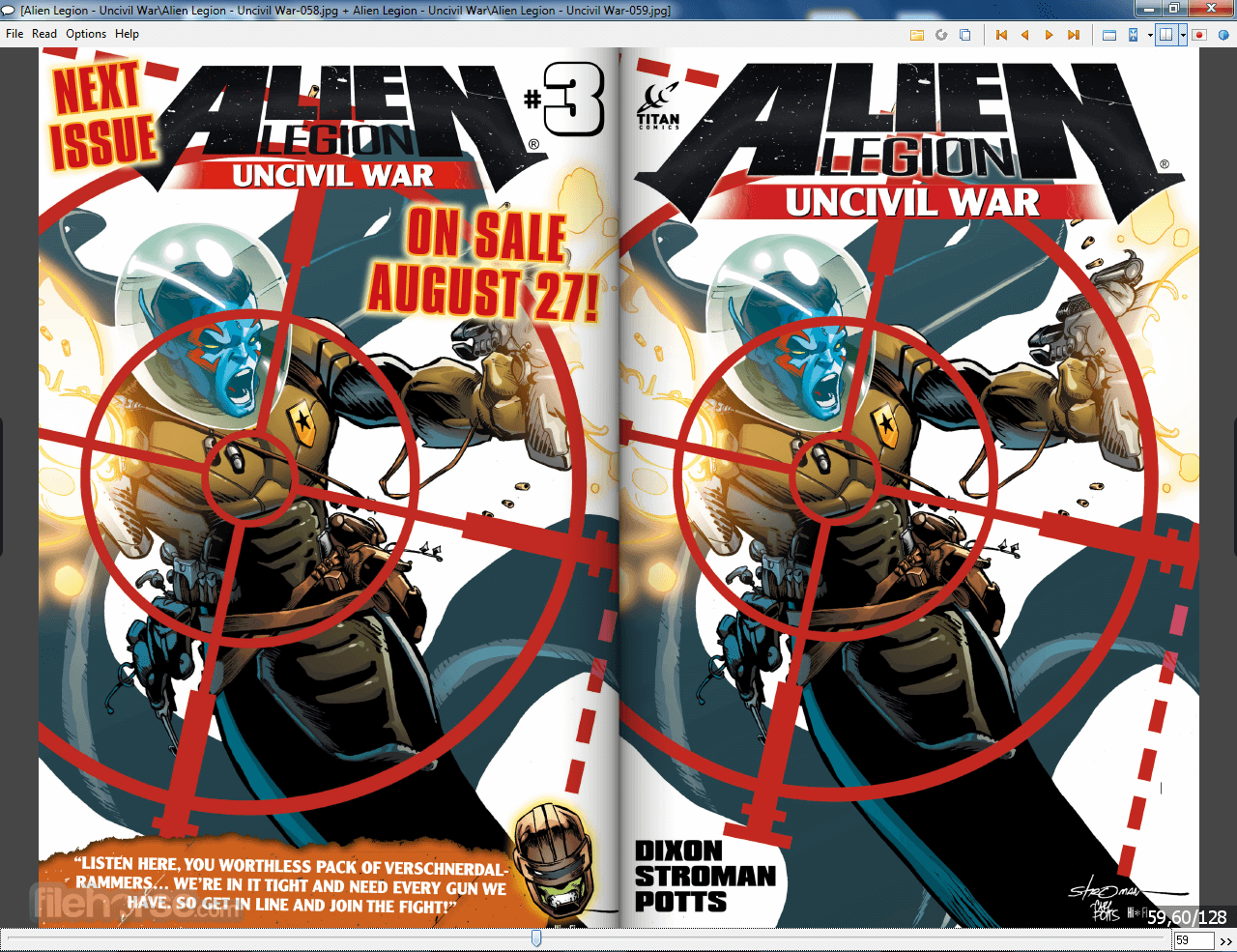
CBR Reader 1.10.33 (32-bit) Screenshots
The images below have been resized. Click on them to view the screenshots in full size.
-

-

-
-

What's new in this version:
- Fixed bug when opening a folder, Previous/Next File was not working
 OperaOpera 131.0 Build 5877.24 (64-bit)
 Kling AIKling AI - Text or Image to Video
 PhotoshopAdobe Photoshop CC 2026 27.5 (64-bit)
 BlueStacks AIBlueStacks AI
 OKXOKX - Buy Bitcoin or Ethereum
 CapCutCapCut 8.5.0
 PC RepairPC Repair Tool 2026
 Hero WarsHero Wars - Online Action Game
 TradingViewTradingView - Trusted by 100 Million Traders
 AdGuard VPNAdGuard VPN 2.9.0
Comments and User Reviews