




 Replit
 SQL Server
 Cursor
 OnSpace AI
 Antigravity
 Lovable
 10Web
10Web Windsurf
-
Latest Version
RStudio 2026.06.0 LATEST
-
Review by
-
Operating System
Windows 10 / Windows 11
-
User Rating
Click to vote -
Author / Product
-
Filename
RStudio-2026.06.0-242.exe
RStudio is a powerful integrated development environment (IDE) designed specifically for R, a popular programming language for statistical computing and data analysis. This open-source IDE is widely recognized as one of the most comprehensive and user-friendly tools for R programming. It provides an extensive set of features, making it an essential choice for data scientists, statisticians, researchers, and anyone working with R.
RStudio (The Premier IDE for R) is available in open source and commercial editions and runs on the desktop (Windows, Mac, and Linux) or in a browser connected to RStudio Server or RStudio Server Pro (Debian/Ubuntu, RedHat/CentOS, and SUSE Linux).
Highlights
- Syntax highlighting, code completion, and smart indentation
- Execute R code directly from the source editor
- Quickly jump to function definitions
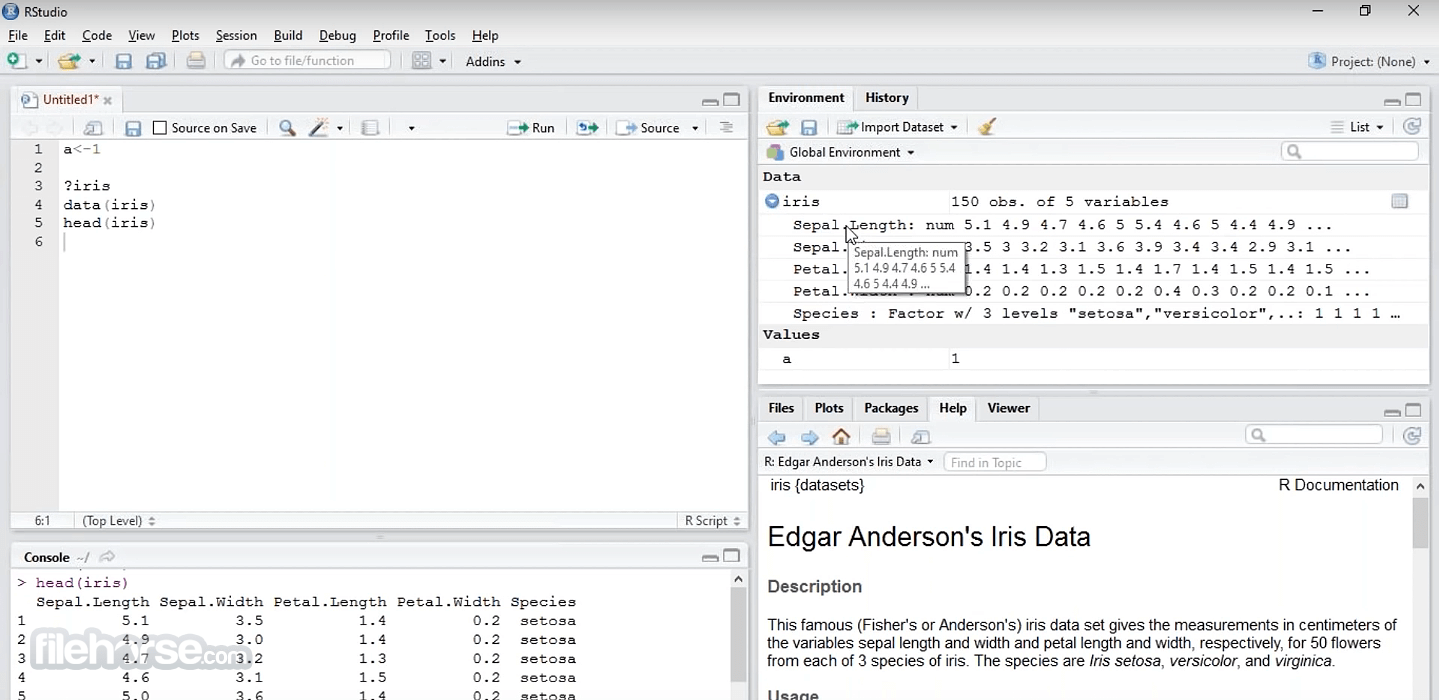
- Integrated R help and documentation
- Easily manage multiple working directories using projects
- Workspace browser and data viewer
- Interactive debugger to diagnose and fix errors quickly
- Extensive package development tools
- Authoring with Sweave and R Markdown
Script Editor
It offers a robust script editor with syntax highlighting, code autocompletion, and error checking, making it easy to write and debug R code.
Data Visualization
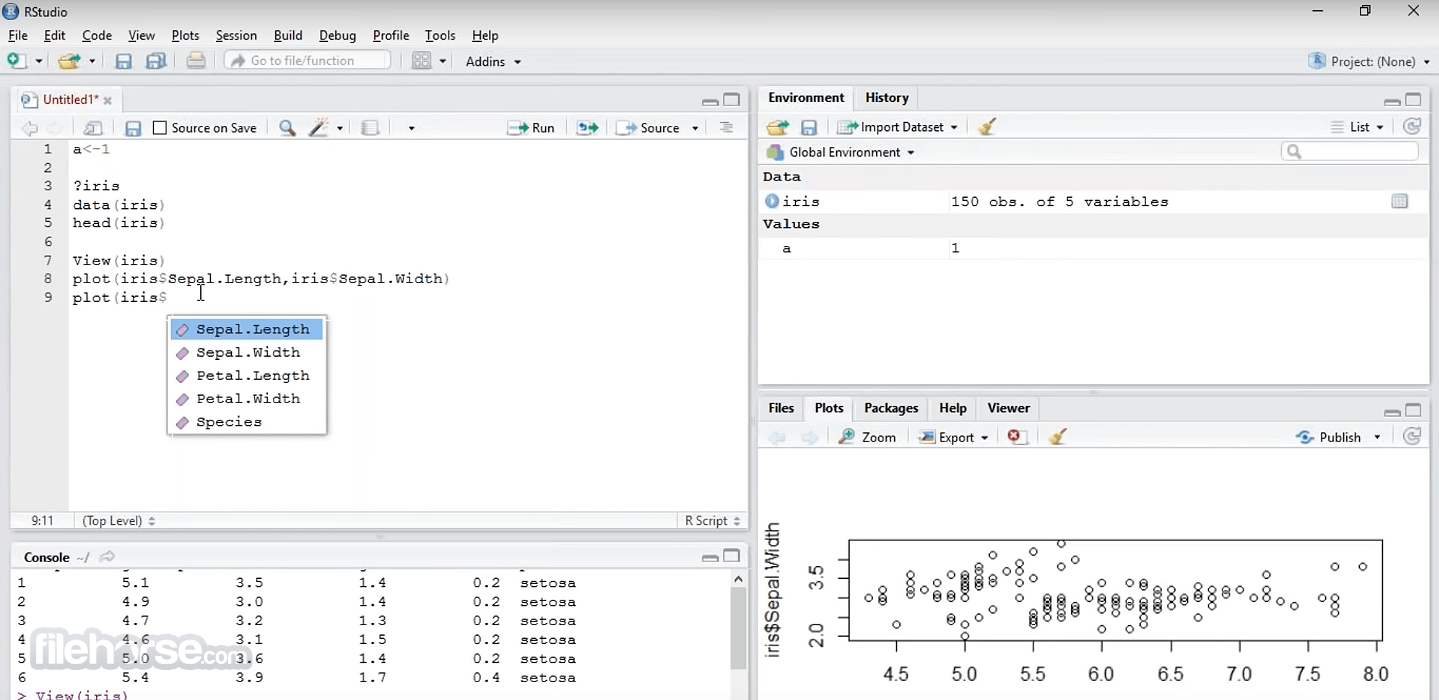
The software includes a built-in graphical interface for creating interactive and static data visualizations using popular R packages like ggplot2 and lattice.
Data Manipulation
The app facilitates data manipulation with a dedicated viewer for data frames, integration with dplyr and tidyr packages, and interactive data filtering.
Package Management
Manage R packages effortlessly with an integrated package manager. Install, update, and load packages with a few clicks.
Version Control
Git and GitHub integration is seamless, allowing you to track changes, collaborate with others, and manage your R projects efficiently.
R Markdown
Create dynamic reports and documents with R Markdown. Combine R code, visualizations, and narrative text for reproducible research.
Shiny Apps
Build interactive web applications directly from the app using the Shiny framework, ideal for sharing data-driven insights.
Integrated Help
Access R documentation, help files, and community resources from within the IDE, ensuring you have the support you need while coding.
Customization
Customize your workspace with various themes, editor layouts, and configurable shortcuts to tailor the app to your workflow.
Cross-Platform Compatibility
RStudio is available for Windows, macOS, and Linux, ensuring a consistent experience across different operating systems.
Installation and Setup
- Download the appropriate version for your operating system from the official website or FileHorse.
- Run the installer and follow the on-screen instructions.
- During installation, you may be prompted to install R if it's not already on your system. It requires R to function.
- Once installed, launch the app, and you're ready to start coding in R.
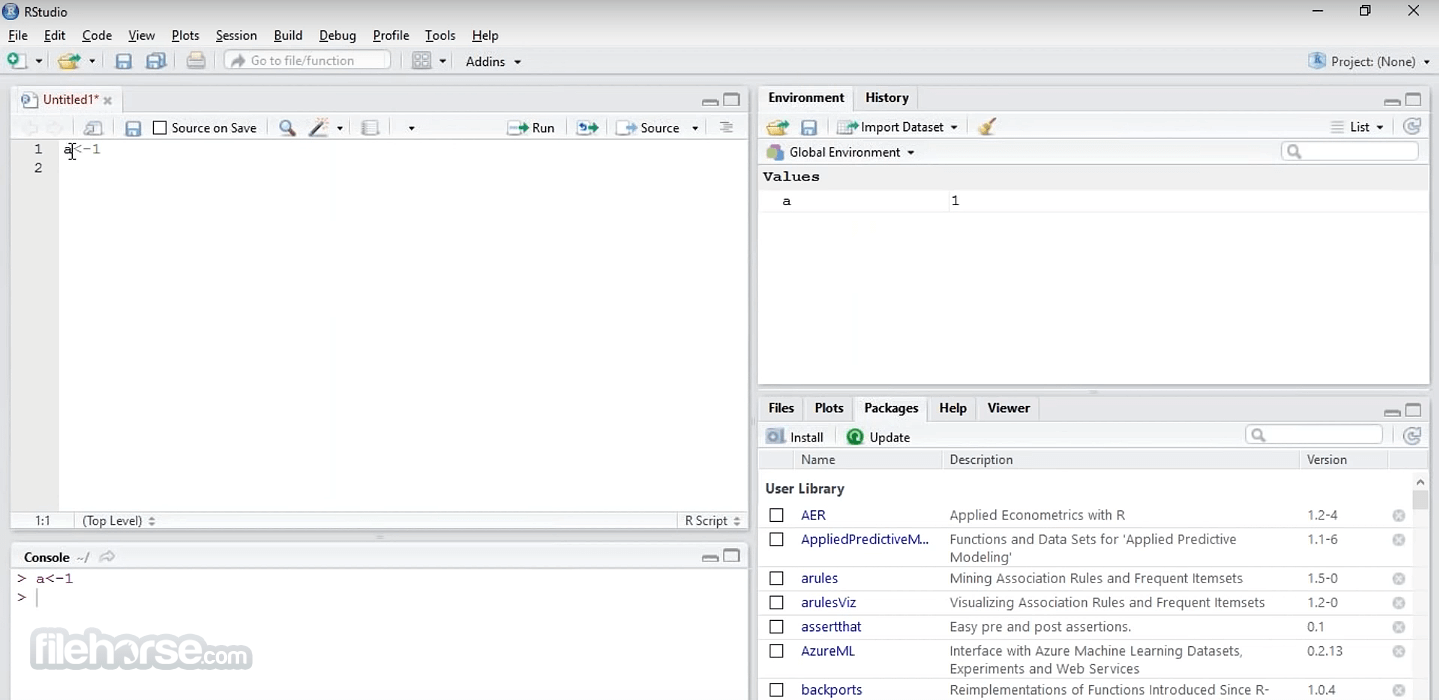
- Script Editor: Write and edit your R code here.
- Console: Interact with R directly through the console.
- Environment/History: View and manage your workspace and command history.
- Files/Plots/Packages/Help: Access files, plots, packages, and help resources.
- Create or open an R script in the script editor.
- Write your R code.
- Execute code by selecting and running lines or sections.
- View results in the console or graphical plots pane.
Is RStudio FREE to use?
Yes, the app is open-source software and is available for free under the AGPLv3 license. There's also a commercial version called RStudio Desktop Pro with additional features and support.
Can I use RStudio on my Mac?
Yes, RStudio is compatible with macOS, Windows, and Linux, making it versatile for various platforms.
How do I install packages in RStudio?
To install packages, use the install.packages("package_name") command in the console or use the package manager pane in RStudio's interface.
Does RStudio support version control?
Yes, It has built-in support for Git and GitHub, making it easy to manage your R projects and collaborate with others.
Can I create interactive web applications with RStudio?
Absolutely!! It allows you to build interactive web applications using the Shiny framework, making it a powerful tool for creating data-driven web apps.
Alternatives
Visual Studio Code: Offers R extensions and is a versatile code editor with a wide range of programming languages supported.
Jupyter Notebook: Ideal for interactive data analysis, especially when working with multiple languages, including R and Python.
R Tools for Visual Studio: A Windows-specific option with excellent R integration for those who prefer the Visual Studio environment.
Pricing
The software is primarily an open-source project, and you can download and use it for FREE. However, it offers a commercial version called RStudio Desktop Pro, which includes features like enhanced support, offline usage, and more. Pricing for RStudio Desktop Pro is available on the official website.
Open Source Edition - FREE
The Premier IDE for R
- Access the RStudio IDE locally
- Syntax highlighting, code completion, and smart indentation
- Execute R and Python code directly from the source editor
- Quickly jump to function definitions
- View content changes in real time with the Visual Markdown Editor
- Easily manage multiple working directories using projects
- Integrated R help and documentation
- Interactive debugger to diagnose and fix errors
- Extensive package development tools
- Support: Community forums only
- License: AGPL v3
The RStudio IDE, is superpowered for your professional workflow
ALL OF THE FEATURES OF OPEN SOURCE; PLUS:
- A commercial license for organizations not able to use AGPL software
- Access to priority support
- Posit Professional Drivers
- Priority Email Support
- 8-hour response during business hours (ET)
- License: Posit License Agreement
- Operating System: Windows 7/8/10/11
- CPU: 1 GHz or faster.
- RAM: 1 GB minimum (2 GB or more recommended).
- Disk Space: 1.5 GB of free disk space.
- User-friendly and feature-rich IDE for R programming.
- Excellent data visualization and manipulation capabilities.
- Seamless Git and GitHub integration.
- R Markdown support for reproducible research.
- Cross-platform compatibility.
- The learning curve for beginners unfamiliar with R.
- Some advanced features are only available in the commercial version.
- Resource-intensive for very large datasets and complex operations.
RStudio is a top-tier integrated development environment for R, tailored to meet the needs of data scientists, statisticians, and researchers. With its extensive features, excellent documentation, and active community, it's the go-to choice for anyone working with R.
Whether you're analyzing data, building interactive web apps, or creating dynamic reports, it provides the tools you need to excel in the world of statistical computing and data analysis. Plus, its open-source nature ensures accessibility to all, making it a valuable asset to the R community.
So, if you're diving into R programming or already well-versed in it, the dev app is an essential tool that will streamline your workflow and enhance your productivity. Download it today and experience the power of RStudio for yourself.
Note: Requires R for Windows.
Also Available: Download RStudio for Mac
-
RStudio 2026.06.0 Screenshots
The images below have been resized. Click on them to view the screenshots in full size.
-
-
-

What's new in this version:
New:
- Add a Code menu and command-palette entry to re-enable the editor’s missing-package banner for a file after dismissing it, and rename the banner’s dismissal label to “Don’t show for this file” to make the per-file scope explicit.
- Support em dashes and box-drawing characters as native R code section delimiters.
-Add a “Change active editor tab with mouse wheel” preference (General > Basic > Other) to disable switching the active editor tab by scrolling the mouse wheel over the tab bar.
-Add an Appearance pane to Project Options for setting a project-specific editor theme; leaving it at “(Default)” uses the global theme. A new “Ignore project-specific appearance settings” option (Global Options > Appearance) keeps the global editor theme even when a project sets its own.
- Posit Assistant now runs R code expression by expression, interleaving each expression with its output in the chat pane, rather than running the whole block at once and showing all output at the end.
- The Insert Pipe Operator command (Ctrl+Shift+M / Cmd+Shift+M) now inserts the native R pipe operator |> by default; the magrittr pipe %>% can be restored via the “Use R’s native pipe operator, |>” preference.
- Move the Find in Files refresh button to the right side of the toolbar, matching the convention used by other panes, and make the replace preview’s match highlight colors theme-aware so they no longer look out of place under dark editor themes.
- Add a project-trust-required session option (off by default) that treats all projects as untrusted by default – including projects in the user’s home directory – prompting users to trust each project when opened even if it contains no auto-executing files. Additionally, the visual editor is now disabled in untrusted projects, whether or not this option is set; only the source editor is available for markdown documents.
- When “Use Air for code formatting” is enabled, Air now formats R documents even when no air.toml file is present, using the editor’s indentation settings (indent style and width). The previous behavior of formatting only in projects containing an air.toml can be restored with the new “Only use Air when an air.toml file is found” option (Global Options > Code > Formatting).
Posit Workbench:
- (rstudio-pro#11215): Kubernetes admins can now offer a preview version of Positron to users. Enable it with the new launcher-positron-preview-init-container-enabled rserver.conf option.
- (rstudio-pro#10954): The session init container and Positron init container now run as the configured server user by default. Set the new launcher-sessions-init-container-run-user rserver.conf option to root for the legacy behavior.
- (rstudio-pro#10956): Launcher sessions can now run rootless in Kubernetes when using SCIM or JIT through NSS.
- (rstudio/launcher#1350): Slurm cluster admins can now configure a default value for custom placement constraints (e.g. Time=time:1:30:00); the session launch dialog pre-fills the input and the default is submitted when the user leaves it empty.
- (rstudio-pro#10835): Added --uid and --home arguments to rstudio-server add-user.
- (rstudio-pro#10835): Added rstudio-server update-user|user-info|delete-user.
- (rstudio-pro#10890): rstudio-server verify-installation prints a filesystem permission summary for the invoking user, covering /etc/rstudio, the secure cookie and session RPC keys, database.conf, and the Positron install directory.
- (rstudio-workbench-vscode-ext#471): Added Foundry Audience configuration option for use with Foundry models in Positron Pro sessions.
- (rstudio-pro#11114): The Projects table on the homepage now defaults to a smart sort order: running sessions appear first, followed by the most recent projects based on user activity or session state changes.
- (rstudio/launcher#1443): Added opt-in container-images-mode option to launcher.kubernetes.conf to control how the Launcher Kubernetes plugin resolves container-images when a user matches multiple profile levels. See the Kubernetes plugin documentation for details.
Fixed:
- Fix the data viewer becoming unusable when a numeric column’s histogram computation fails; such a failure now leaves that one column without a sparkline instead of aborting the whole data frame.
- Fix the Object Explorer showing the first element’s contents for every same-named element when a list has duplicated names; such elements are now retrieved by index instead of by name.
- Fix the Source pane occasionally restoring the wrong active tab after a reload or session restart when tabs had been drag-reordered or documents opened mid-session; the active document is now remembered by ID rather than by tab position.
- Fix R Notebook previews failing with “object not found” when the document contains inline R code referencing objects in the global environment; inline chunks are now evaluated in the user’s R session and their outputs passed to the background notebook render. This can be disabled with the new “Execute inline R code when previewing notebooks” preference (Global Options > R Markdown).
- Fix the secondary toolbars in the Find in Files and Presentation panes rendering 2px shorter than the space reserved for them, which left a small dead strip below the toolbar border.
- Added a “Use the system certificate store” option (Tools > Global Options > Assistant) so the GitHub Copilot agent and Posit Assistant trust the operating system certificate store (Windows Certificate Store, macOS Keychain) when connecting – useful behind a TLS-inspecting proxy on RStudio Desktop.
- Recognize the Posit Assistant’s .posit/assistant project-state directory (in addition to the legacy .positai) when updating a project’s .gitignore, .Rbuildignore, and svn:ignore files, so it is ignored automatically once it appears. The rest of .posit – such as the Posit Publisher extension’s .posit/publisher – is left tracked.
- Fix code suggestions being silently accepted off-screen. Inline (at-cursor) ghost text is now dismissed when the cursor moves elsewhere; accepting a next edit suggestion that is scrolled out of view first navigates to it, with a second key press accepting it; an arrow indicator pinned to the edge of the gutter now points toward an active off-screen suggestion, and clicking it navigates there.
- Fix Find in Files (and project code search) returning no results in a Quarto or R Markdown website project whose output directory is set to the project directory itself (for example output-dir: . in _quarto.yml); the project root is no longer treated as ignored output content.
- Fixed an issue where RStudio Desktop could hang on startup when offline or on an unreliable network connection.
- Honor newline characters in rstudioapi::showDialog() and rstudioapi::showPrompt() messages.
- Show distinct copy in the Posit Assistant chat pane and preferences install prompt when the recommended Posit Assistant version is older than the installed one.
- Fix file.edit() (and other Source pane open events) silently dropping when invoked during an in-flight closeAllSourceDocs.
- Fix the bundled air formatter being copied without the .exe extension on Windows, which prevented format-on-save with Air from working.
- Cache the resolved path to the Air formatter, and prefer an already-installed copy of Air over querying GitHub for the latest release, so format-on-save with the auto-installed Air no longer pings GitHub (a delay of 600ms or more) on every save.
- Fix the automatic download of the Air formatter failing on slow connections. The download now uses the curl binary when available, which only times out on inactivity rather than on total download time; when curl is unavailable, the download.file() fallback raises R’s download timeout to at least 300 seconds for this download.
- Restore the “Show .Last.value in environment listing” preference, which had stopped surfacing .Last.value in the Environment pane.
- Fix the debugger failing to capture the browser environment for functions loaded by the box package.
- Fix Quarto rendering failing on Windows when the user’s home folder path contains an ampersand.
- Avoid re-scanning the watched directory on every Files pane notification on macOS by enabling FSEvents per-file event reporting for non-recursive watches.
- Handle the ANSI cursor-movement escape sequences cursor-up (CSI A), cursor-down (CSI B), cursor-next-line (CSI E), cursor-previous-line (CSI F), and cursor-horizontal-absolute (CSI G) in the console so that multiple cli progress bars render on separate lines instead of overwriting each other.
- Fix duplicate entries appearing in the recent projects list when the same project was recorded under both aliased (~/...) and absolute path forms.
- Fix “Import Dataset” from the Environment pane failing with “could not find function ‘.rs.digest’” when previewing a CSV (or other readr/readxl/haven source).
-The Windows terminal now uses the native Windows pseudoconsole (ConPTY) instead of the legacy winpty library, improving Ctrl+C handling in console programs.
- Fix the data viewer’s horizontal scrollbar staying hidden after returning to the tab, and fix Ctrl+C/Cmd+C copying only the active cell instead of the user’s multi-cell text selection.
- Restore the data viewer’s End and Ctrl+End behavior: they once again scroll to the last row of the current column instead of jumping to the last column, and the jump now lands with the last row fully visible rather than stopping a header-height short of the bottom.
- Fix the data viewer becoming slow to open, scroll, and search – and freezing for several seconds when opening very wide data frames – when there are many columns or the summary panel is shown. The grid now renders only the rows and columns currently in view.
- Fix a pinned column in the data viewer jumping to a different column after paging to another set of columns in a very wide data frame; the pinned column now stays visible and tracks its original column across column pagination.
- Preserve the data viewer’s scroll position when the displayed data is refreshed in place – for example after adding or removing a column, or changing values in an existing column – so the grid no longer jumps back to the first row. The view still returns to the top when the underlying row count changes (the data was subset, reassigned, or had rows added or removed). Adding a column to a viewed data frame now also displays the new column, instead of keeping the previous set of columns.
- Fix a data.table returned invisibly from a := update (e.g. dt[, x := y]) being auto-printed in notebook chunks, when its output should be suppressed as it is in the console.
- Fix the “Run Tests” button modifying the active test file’s timestamp even when the file had no unsaved changes.
- Hide the redundant column-summary sidebar in the data frame preview shown in the Help pane.
- (posit-dev/positron#13964): Serve Positron docs with an .html fallback so links like Show Release Notes resolve.
- Fix the Assistant preferences pane showing a stale code-assistant account after switching back and forth between GitHub Copilot and Posit Assistant.
- On RStudio Desktop, serve Viewer pane content via 127.0.0.1 instead of localhost, so HTML files and htmlwidgets display on systems where localhost does not resolve to the IPv4 loopback address that R’s help server binds to.
- Stop requesting code completions and next-edit suggestions while editing in visual mode, where suggestions aren’t shown, so document contents are no longer sent to the completion backend for suggestions there.
- Fix the comment/uncomment shortcut inserting the comment character at the start of an empty indented line instead of after the indent.
- Restrict the Python help URL handler (/python/) to valid help-topic names, accepting only plain dotted qualified names.
- Fix saving a file silently appearing to succeed when the write actually failed (for example, when the disk is full or a disk quota is exceeded); such failures are now reported and the document keeps its unsaved state.
- Fix Find in Files “Replace All” overwriting a source file with truncated or empty contents when the write failed (for example, when the disk is full or a disk quota is exceeded); the replacement is now written atomically and durably, so on failure the original file is left untouched and the error is reported.
- Fix the Data Viewer entering a “Failed to fetch” error state when clicking the header of a list column to sort it; such columns are no longer sortable.
- Fix the Render button reusing a running Quarto preview and ignoring changes to project options in _quarto.yml / _quarto.yaml (for example pdf-engine); RStudio now restarts the preview when the project config changes so the new options take effect.
- Fix a newly added file appearing at the bottom of the Files pane instead of in its sorted position when the pane is sorted by a column.
- Fix the Shiny app window (Run App > Run in Window) becoming impossible to close – and staying orphaned in a grayed-out state across subsequent runs – when the app registers a beforeunload handler that prevents unload. RStudio Desktop now shows a “Leave page?” confirmation (mirroring browser behavior) and closes the window when the user confirms.
- Fix project paths on a mapped network drive (e.g. S:) being resolved to their UNC target (e.g. \\server\share) on Windows, which caused functions such as here::here() and getwd() to report the UNC path instead of the mapped drive.
- Fix an uncaught “Object has been destroyed” error in RStudio Desktop when quitting with a plot zoom (or other child) window still open.
- Fix the data viewer not clearing a data set’s saved sorts and filters when its tab is explicitly closed, so reopening the data set no longer restores stale filters; the saved state still persists across a session suspend/restore or a page reload. Restored filters now also reveal the filter row, instead of being applied with no visible filter UI.
- Fix RStudio locking up when clicking “Run examples” in a help page whose examples launch a blocking application such as a Shiny app. Such examples now run in the console (like example()) instead of being rendered inline by the help server.
- Fix the Files pane on macOS briefly showing and then emptying the contents of a symlinked directory; file change events are now reported against the path the directory was opened as, rather than its resolved target. Opening a project via a symlinked path on macOS also no longer rewrites the project directory (as reported by getwd() and here::here()) to the symlink’s target.
- Fix the “Show code suggestions after keyboard idle (ms)” field never appearing in the Assistant preferences pane (Global Options > Assistant), so the automatic code-completion delay can again be configured from the options UI.
- Fix the Data Viewer’s Summary sidebar visibility resetting to the preference default when the viewed object’s columns changed (for example, after adding a column from the console).
- Fix the terminal silently dropping entire output chunks when a multi-byte UTF-8 character was split across PTY reads and the terminal was connected over WebSockets (the default), which severely corrupted the output of programs emitting non-ASCII output at volume (modern TUIs, R packages printing Unicode). A split character is now reassembled across chunks, which also fixes the stray replacement characters previously seen at chunk boundaries when the “Connect with WebSockets” option was disabled.
- Fix View() failing with “missing value where TRUE/FALSE needed” on data frames containing an integer column whose range exceeds .Machine$integer.max (for example, values spanning -2000000000 to 2000000000).
- Fix data viewer column filters being silently re-applied after being dismissed – a value typed or brushed just before pressing Escape, clicking the clear button, or clicking away could land after the header had reverted to “All”, leaving the grid filtered with no visible filter. A factor filter restored when its column scrolls back into view now displays its level name instead of a blank box, and pressing Enter in the numeric filter popup now applies the typed value immediately.
- Fix switching AI assistants while the previous agent was still initializing occasionally double-initializing the new agent and applying the previous assistant’s configuration to it; a stale initialization callback is now discarded when cancelled.
- Fix an “Error” dialog (“Cannot read properties of null (reading ‘document’)”) appearing if Global Options was dismissed while the editor theme preview was still finishing its initial Ace JavaScript load; the deferred load callbacks now bail out cleanly when the preview frame has already been detached.
- Fix the macOS desktop GWT output cache occasionally producing installer builds without the visual editor’s panmirror.js bundle (which manifested as a 404 and a visual editor that never finished mounting); the panmirror build output now lands inside the cached gwt directory rather than the source tree, so cache-hit builds keep it. Affects builds that reuse the cached GWT output via --build-gwt=0.
- On Windows, fix the final chunk of a child process’s standard output being dropped, and fix a rare session crash when draining a process’s output at exit; the remaining output is now read directly instead of on a short-lived helper thread.
Posit Workbench:
- (rstudio/launcher#1562): Fixed Kubernetes plugin watch reconnect loop that could cause the plugin to stop tracking running sessions on busy clusters.
- (rstudio-pro#11274): Fixed missing OpenTelemetry session events when suspending, ending, or killing a session from the home screen on file-storage deployments.
- (rstudio-pro#7471): Fixed rstudio-server delete-user|lock-user|unlock-user silently accepting multiple usernames and operating only on the first.
- (rstudio-pro#11269): Fixed sessions failing to start when www-frame-origin is configured with multiple space-separated origins.
- (rstudio-pro#11269): Fixed /workspaces/perf returning 404 in single-session deployments.
- (rstudio-pro#6968): Fixed SCIM-driven user deletion so that orphaned username-keyed records are cleaned up alongside the user.
- (rstudio-pro#10835): Fixed rstudio-server list-users always reporting Admin as false.
- (rstudio-pro#10842): Event username and data fields are no longer truncated to 32 characters in the session audit log (r-sessions.jsonl/.csv), so full file paths and long usernames are recorded for compliance auditing.
- (rstudio-pro#11281): Fixed Slurm session launches sending an empty placement constraint argument (e.g. --account=, --time=) when a constraint has no configured default and the field is left blank, which SLURM rejected. Empty constraints are now omitted, and user-typed values are applied on named (non-custom) profiles.
- (rstudio-pro#11251): Fixed Positron sessions failing to launch when a registered enforced-settings file contains a single quote (or other shell metacharacters) by passing the settings to the session via the environment instead of interpolating them into the launch command.
- (rstudio-pro#10789): Fixed the encrypted sign-in form so that empty-field validation errors are programmatically associated with the Username and Password inputs (aria-describedby), letting screen readers announce the error when focus is on the field (WCAG 3.3.1).
Upgrade Instructions:
Posit Workbench:
- Removed feature-flag-user-deletion. User deletion is officially supported.
Dependencies:
- Ace 1.43.5
- Copilot Language Server 1.500.0
- Electron 41.7.2
- Job Launcher 2.25.0
- Node.js 22.22.2 (copilot, Posit AI)
- PWB Code Server 2026.06-b2861, Code OSS 1.118.0
- Quarto 1.9.38
- xterm.js 6.0.0
- Positron 2026.06.1-6
 OperaOpera 133.0 Build 5932.24 (64-bit)
 LDPlayerLDPlayer - Android Emulator
 PhotoshopAdobe Photoshop CC 2026 27.7 (64-bit)
 BlueStacks AIBlueStacks AI
 GTA 6GTA 6 for PS5
 CapCutCapCut Desktop 8.7.0
 PC RepairPC Repair Tool 2026
 Hero WarsHero Wars - Online Action Game
 TradingViewTradingView - Trusted by 100 Million Traders
 Forza HorizonForza Horizon 6
Comments and User Reviews