




 Antigravity
 Replit
 Lovable
 SQL Server
 Windsurf
 10Web
10Web Cursor
 OnSpace AI
-
Latest Version
MongoDB 8.3.8 LATEST
-
Review by
-
Operating System
Windows 7 / Windows 8 / Windows 10 / Windows 11
-
User Rating
Click to vote -
Author / Product
-
Filename
mongodb-windows-x86_64-8.3.8-signed.msi
It provides a rich set of GUI tools for anyone who uses the program including database developers and DBAs.
Key features include: full functional embedded MongoDB Shell, user-friendly Map-Reduce operations editor, ability to create/drop databases, managing collections and their indices, user-friendly GridFS Editor, managing users, and roles.
Build innovative modern applications that create a competitive advantage!
Mongo DB Enterprise Advanced features the app Enterprise Server and a finely-tuned package of advanced software, support, certifications, and other services.
More than one-third of the Fortune 100 rely on MongoDB Enterprise Advanced to help run their mission-critical applications.
MongoDB Professional gives you access to the 24/7 support team, Cloud Manager, the most comprehensive monitoring and management platform for the app, and Mongo DB Compass, a sophisticated GUI that allows you to easily visualize your schema and explore your data.
Features and Highlights
Expressive Query Language & Secondary Indexes
Access and manipulate your data in sophisticated ways, out of the box.
Strong Consistency
Provide your users with the most up-to-date copy of the data.
Enterprise Management & Integration
Operationalize your database with enterprise-grade security, automation, monitoring, and integrations with your existing IT infrastructure.
Flexibility
Improve productivity and accelerate iteration with a data model that easily accommodates changes in your applications.
Scalability & Performance
Scale horizontally to deliver incredible performance at massive scale: millions of ops/sec, 100s of billions of documents, petabytes of data.
Always-On, Global Deployments
Replicate your data across geographic regions to build highly available systems that provide a consistent, high-quality experience for users all around the world.
How to Use
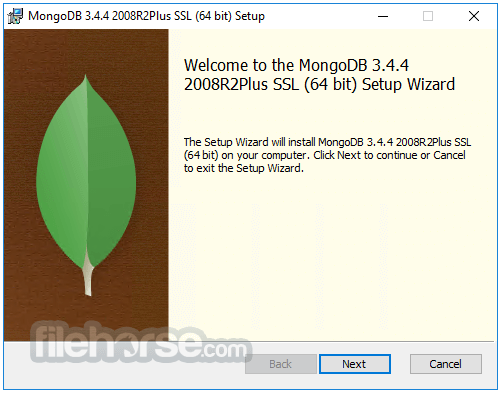
- Install MongoDB following the setup wizard
- Configure MongoDB environment variables
- Start MongoDB using the command prompt
- Use MongoDB Compass for GUI-based management
- Create and manage databases with MongoDB shell
- Insert, update, and query data using MongoDB commands
- Integrate MongoDB with programming languages
- Secure MongoDB with authentication and roles
- Optimize performance with indexing and aggregation
- Windows 10 or Windows 11
- Minimum 2GB RAM (4GB recommended)
- 200MB of disk space for installation
- x86_64 architecture with SSE4.2 support
- Administrative privileges for installation
- Flexible schema design
- High scalability and performance
- Easy integration with multiple languages
- Built-in replication and sharding
- Powerful query language
- High memory usage
- Limited multi-document transactions
- Complex backup and restore process
- Steeper learning curve for beginners
- Potential data consistency issues
-
MongoDB 8.3.8 Screenshots
The images below have been resized. Click on them to view the screenshots in full size.
-

-

-

-

What's new in this version:
Security:
- Suppress $_internalFle* operator counters for FLE2 metrics
Storage:
WiredTiger:
- WT-17767 test_corrupt01, test_salvage03, test_txn18 suppressed from ASan due to in-memory page leaks on panicked or failed connection close
- WT-17866 Missing WT_RET in __recovery_file_scan silently discards incomplete-table cleanup errors
Operations:
- WT-16954 Eviction thread panic due to buffer overflow in transaction state dump
Build and Packaging:
- WT-17852 Fix PPC clang backend crash compiling PALite
Tools:
- WT-17840 s_all errors due to unpinned clang-format version
Internals:
- Enable QE IFR flags targeting 8.3.x
- Add Logs for fragility in the transaction coordinator
- Extend timeseries_explain_delete.js to handle sharded operations
- Improve $lookup local-read fallback in sharded_agg_helpers
- Disable fle2 tests in sharding_jscore_passthrough_with_config_transitions_and_add_remove_shard suite
- Add queuing support to the IngressRequestRateLimiter
- Synchronize spill engine dropIdent with cleanShutdown
- Update PGO check-in bot to assign tickets to the backport performance team for backports
- Add tests for injector tag and configOnly disabled to server_selector_test.cpp
- Filter NaN from $percentile/$median window function inputs
- delinquent_ops.js assert failure on overdue counter due to unsynced wall clock
- Add appName and driverName to system.buckets metric command log (ID 11259900)
- Duplicate insert into a clustered collection whose _id contains a Decimal128 throws a KeyString format error
- Add simple aggregation microbenchmark(s)
- Fix initialization order of unwind in graph lookup
- Make feature flag checks in ExpressionContext tolerate a null opCtx
- Avoid aggregation deprioritization if it has a currentOp stage
- Reorder blockShutdown and WT session cleanup
- Reduce job count factor for sharded_collections_causally_consistent_jscore_txns_passthrough suite TSAN variants
- Re-enable GenerateAndCheckPerfResults on benchmarks_sep on release branches
- Fix race condition in GenerateAndCheckPerfResults
- Update PGO profiles
- make evergreen bazel builds (not test) retry in all cases
- Ban local/foreign field joins with hybrid search
- Tolerate setFCV error 8531600 (FCV document not found due to retryable error) in FCV background hook
- bucket_exceed_uncompressed_mem_limit.js builds a >200MB uncompressed bucket that the shell now rejects before insert
- Add support for "just log" semantics from message filter hooks
- Config-only mongos rejects fixed admin/config namespace reads
- [v8.3] Remove extra entry in backports_required_for_multiversion_tests.yml
- Update PGO profiles
- Multiplanner's totalWorks counter can overflow and trigger a tassert
- Auto-reverter should be allowed to bypass benchmarks_sep in PR checks
- Update PGO profiles
- Fix project resolution in GenerateAndCheckPerfResults for newer Evergreen projects
 OperaOpera 134.0 Build 5954.46 (64-bit)
 BlueStacksBlueStacks 10.42.252.1003
 PhotoshopAdobe Photoshop CC 2026 27.9.1 (64-bit)
 LDPlayerLDPlayer - Android Emulator
 GTA 6GTA 6 for PS5
 CapCutCapCut Desktop 9.1.0
 PC RepairPC Repair Tool 2026
 Hero WarsHero Wars - Online Action Game
 TradingViewTradingView - Trusted by 100 Million Traders
 Halo: CampaignHalo: Campaign Evolved
Comments and User Reviews