




 SQL Server
 Replit
 OnSpace AI
 10Web
10Web Lovable
 Antigravity
 Windsurf
 Cursor
-
Latest Version
Notepad++ 8.9.7 (32-bit) LATEST
-
Review by
-
Operating System
Windows 7 / Windows 8 / Windows 10
-
User Rating
Click to vote -
Author / Product
-
Filename
npp.8.9.7.Installer.exe
Based on a powerful editing component Scintilla, Notepad++ 32bit is written in C++ and uses pure Win32 API and STL which ensures a higher execution speed and smaller program size. By optimizing as many routines as possible without losing user friendliness, Notepad Plus Plus is trying to reduce the world's carbon dioxide emissions. When using less CPU power, the PC can throttle down and reduce power consumption, resulting in a greener environment. Download the Notepad++ offline installer for PC from FileHorse now.
The program comes with many useful features that make working with large text files extremely easy. Some of them are:
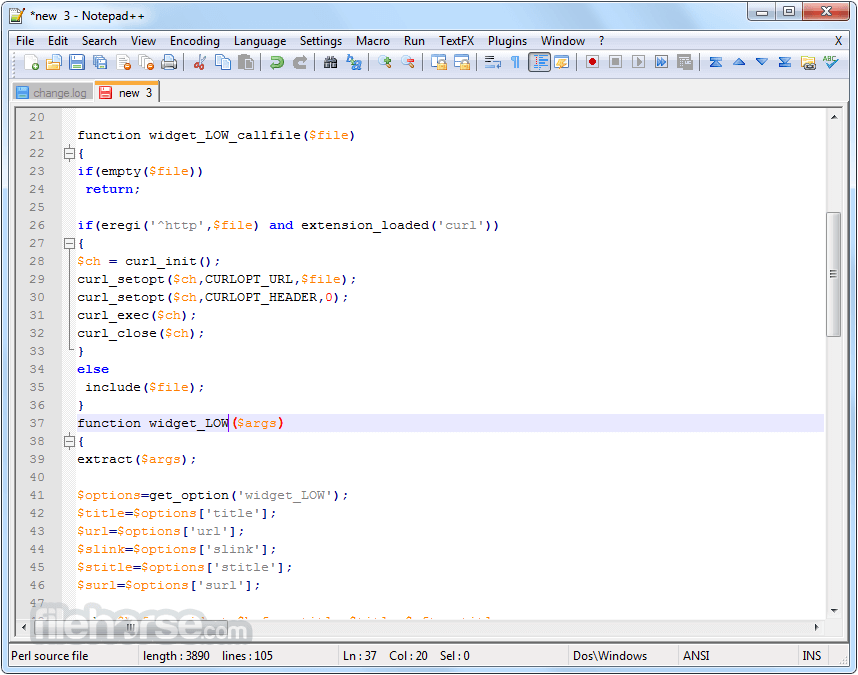
- Syntax Highlighting and Syntax Folding
- User-Defined Syntax Highlighting and Folding
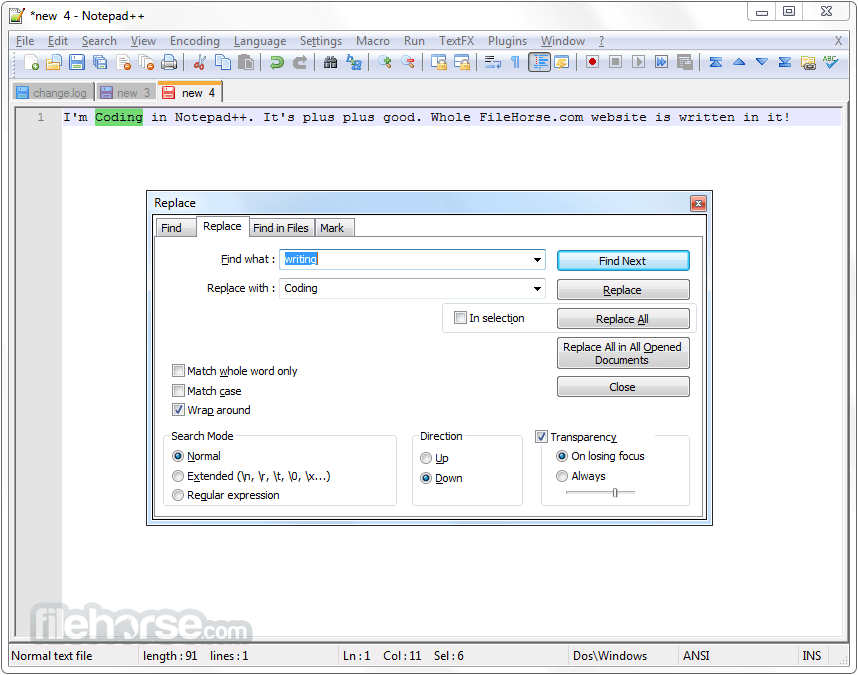
- PCRE (Perl Compatible Regular Expression) Search/Replace
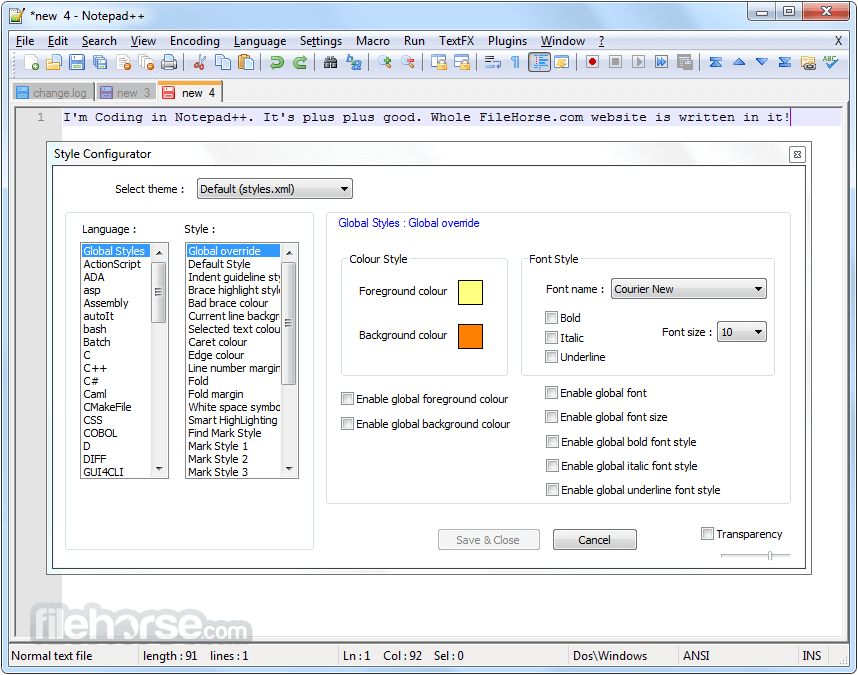
- GUI entirely customizable: minimalist, tab with close button, multi-line tab, vertical tab, and vertical document list
- Document Map
- Auto-completion: Word completion, Function completion, and Function parameters hint
- Multi-Document (Tab interface)
- Multi-View
- WYSIWYG (Printing)
- Zoom in and zoom out
- Multi-Language environment supported
- Bookmark
- Macro recording and playback
Visual Studio Code: A highly extensible, free, and open-source code editor that runs on Windows, macOS, and Linux. It's feature-packed and supports a wide range of programming languages.
Sublime Text: A cross-platform text editor known for its speed and elegant interface. It offers a free trial version with a one-time purchase fee.
Brackets: An open-source text editor focused on web development. It's available for Windows, macOS, and Linux and provides live previews for web projects.
Vim: A highly configurable text editor built to create and change any text.
Emacs: A highly extensible and customizable text editor with a steep learning curve but powerful features, available on multiple platforms.
Pricing
The program is completely FREE to use, and there are no hidden costs or subscriptions. It's an excellent choice for those on a budget or who prefer open-source software.
System Requirements
- Operating System: Windows 7, 8, 10 or 11 (32-bit or 64-bit)
- CPU: Intel Pentium III CPU or an equivalent CPU from another compatible brand.
- Memory: A minimum of 2GB of RAM.
- Storage: You will need 20MB of available hard disk space to install the app, along with additional space for your files.
- Free and open-source
- Lightweight and fast
- Extensive syntax highlighting support
- Multi-tab interface for easy multitasking
- Plugin support for extended functionality
- Regular updates and active community
- Only available for Windows
-
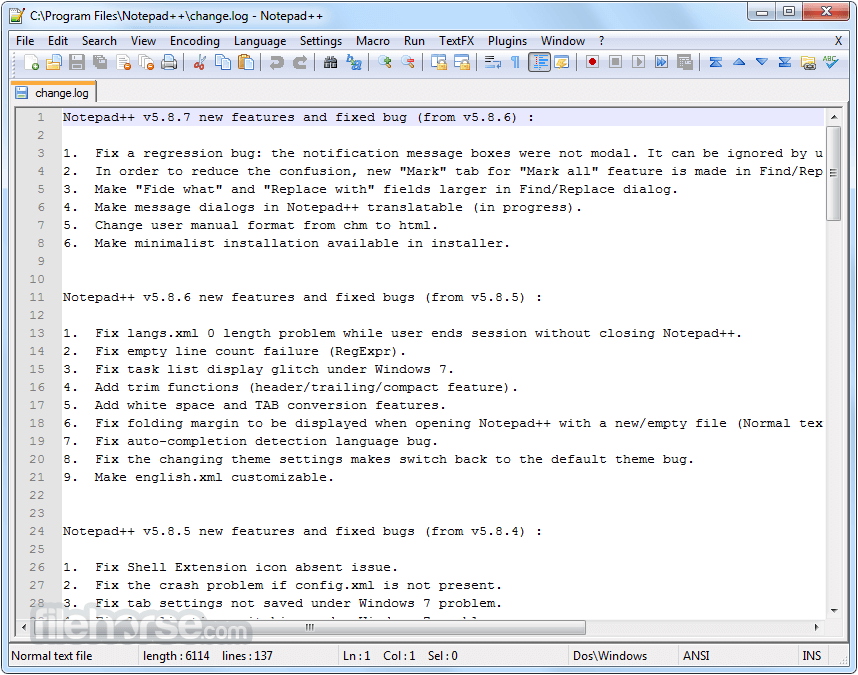
Notepad++ 8.9.7 (32-bit) Screenshots
The images below have been resized. Click on them to view the screenshots in full size.
-
-

-
-
What's new in this version:
- Vulnerability: Fix Stack Buffer Overflow in expandNppEnvironmentStrs
- Vulnerability: Enhance loading session.xml security by normalizing the file paths
- Vulnerability: Fix updater (WinGUp) path traversal (Zip Slip) issue
- Vulnerability: Fix shortcuts.xml macro HMAC bypass issue
- Vulnerability: Improve robustness of Powershell command in installer
- Fix “Find in Files” unresponsive issue
- Fix regression where opening relative paths as file & in Explorer didn’t work
- Fix disappearing or duplicated file items in Folder as Workspace
- Fix freeze caused by directory symbolic links in Folder as Workspace root
- Update to Scintilla 5.6.4 & Lexilla 5.5.1
- Fix undo in cloned document not scrolling to undone change in original document
- Fix crash issue caused by LexBaan
- Make XML CDATA color different from the enclosed elements
- Update pugixml to v1.16
- Remember Folder as Workspace expand/collapse state across sessions
- Add “Count” option to improve Incremental Search performance
- Add “nth of count” information to Incremental Search
- Improve “Count” performance in Incremental Search
- Add full ANSI EscapeSequence lexing
- Fix plugin toolbar icon not scaling correctly on high DPI displays
- Fix incorrectly disabled Paste command
- Add “Print FormFeed as Page Break” option
- Make message boxes dark via task dialogs
- Enhance color picker to remember custom colors across sessions
- Ensure searchResult stays last after styles XML merge
- Update PHP keywords / auto-completion
- Update CSS keywords / auto-completion
- Fix truncted INS/OVR indicator on Status bar
 OperaOpera 133.0 Build 5932.60 (64-bit)
 BlueStacksBlueStacks 10.42.251.1002
 PhotoshopAdobe Photoshop CC 2026 27.7 (64-bit)
 WPS OfficeWPS Office Free 12.2.0.23196
 GTA 6GTA 6 for PS5
 CapCutCapCut Desktop 8.9.1
 PC RepairPC Repair Tool 2026
 Hero WarsHero Wars - Online Action Game
 TradingViewTradingView - Trusted by 100 Million Traders
 Forza HorizonForza Horizon 6
Comments and User Reviews