




 dbForge Studio
 SQL Server
 Portfolio
 Instapage
 10Web
10Web Access
 Dreamweaver
 Antigravity
-
Latest Version
-
Operating System
Windows 7 64 / Windows 8 64 / Windows 10 64 / Windows 11
-
User Rating
Click to vote -
Author / Product
-
Filename
qt-creator-opensource-windows-x86_64-18.0.0.exe
Sometimes latest versions of the software can cause issues when installed on older devices or devices running an older version of the operating system.
Software makers usually fix these issues but it can take them some time. What you can do in the meantime is to download and install an older version of Qt Creator 18.0.0.
For those interested in downloading the most recent release of Qt Creator or reading our review, simply click here.
All old versions distributed on our website are completely virus-free and available for download at no cost.
We would love to hear from you
If you have any questions or ideas that you want to share with us - head over to our Contact page and let us know. We value your feedback!
-
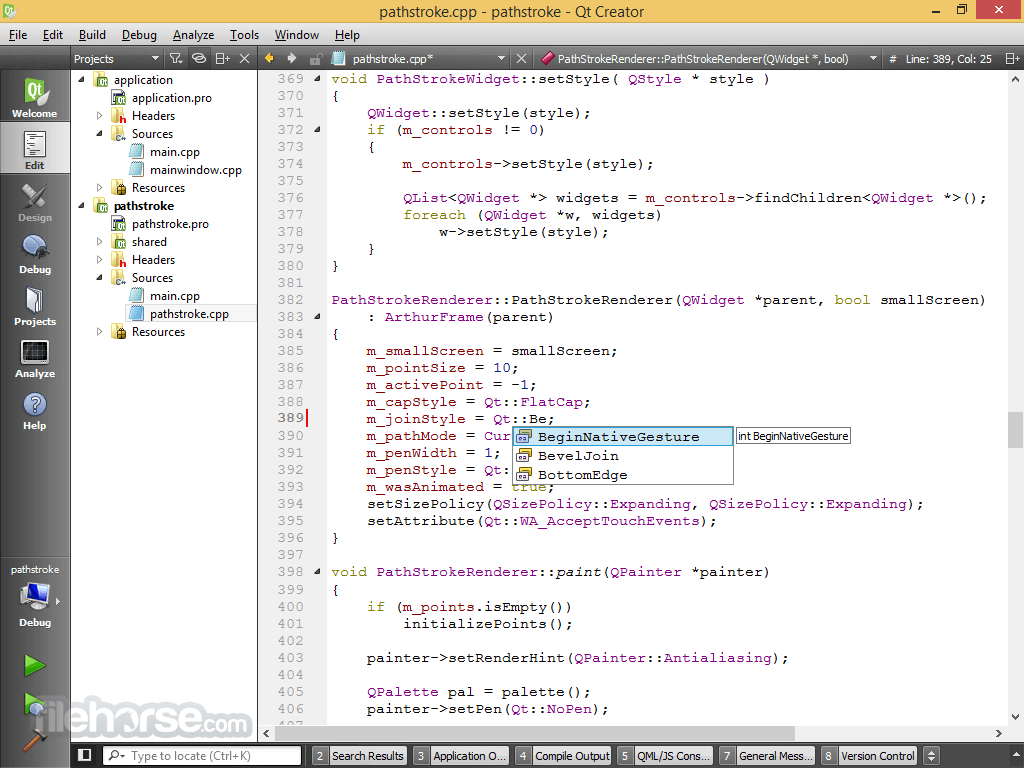
Qt Creator 18.0.0 Screenshots
The images below have been resized. Click on them to view the screenshots in full size.
-

What's new in this version:
- Moved some messages from the `General Messages` to `Issues`
- Changed the notifications to popups with the option to opt-out with `Environment > Interface > Prefer banner style info bars over pop-ups`
- Added the `HostOs:DocumentsLocation`, `HostOs:GenericDataLocation`, `HostOs:HomeLocation`, and `HostOs:TempLocation` Qt Creator variables that map to the corresponding `QStandardPaths`
- Added the `:DirName` postfix for Qt Creator variables that map to file paths
- Fixed a freeze when installing large plugins
- Fixed the resolution of symlinks with directory links
- Fixed a performance regression when watching many files
Welcome:
- Added an `Overview` tab
Locator:
- Made `Use Tab Completion` (when pressing the `Tab` key) optional
Editing:
- Added the option `Environment > Interface > Use tabbed editors`
- Added `Window > Previous Tab` and `Window > Next Tab`
- Added `File > Save Without Formatting`
- Added `Open With > Cycle to Next Editor`
- Fixed that error markers were not removed when fixing the error
C++:
- Updated the prebuilt binaries to LLVM 21.1
- Added automatic insertion of the closing part of a raw string literal prefix
- Fixed that trailing white space was removed from raw string literals
- Fixed the generation of `compile_commands.json` for remote projects
Quick fixes:
- Added `Remove Curly Braces`
- Added `Add definition` for static data members
- `Re-order Member Function Definitions According to Declaration Order`did not move comments accordingly
- Fixed issues with templates and nested classes
- Fixed issues with nested template parameters
- Fixed that `Add Definition in .cpp` could be missing
Built-in:
- Added support for template deduction guides
- Added support for fold expressions
- Added support for `decltype(auto)` as function return types
- Added support for `if consteval` and `if not consteval`
- Added support for __int128
- Fixed the preprocessor expansion in include directives
- Fixed issues with defaulted and deleted functions
- Fixed the parsing of friend declarations with a simple type specifier
- Fixed the parsing of attributes after an operator name
QML:
- Added the option to install Qt Design Studio via the Qt Online Installer
- Added the option to override the path to `qmlls`
- Fixed an issue with `auto-format` on `.js` files
Copilot:
- Added support for GitHub Enterprise environments
- Fixed configuration issues with Copilot >= v1.49.0
Markdown:
- Improved table rendering
- Fixed the scaling of images
- Fixed the positioning of the transition arrow
GLSL:
- Fixed the handling of interface blocks
Projects:
- Moved the project settings to a `.qtcreator` subdirectory in the project directory. The `.user` file at the old location in the project directory is kept up to date in addition, for old projects
- Changed the `Build` and `Run` subitems to tabs in `Projects` mode and separated `Deploy Settings` from `Run Settings`
- Changed the `Current Project` advanced search to `Single Project` with an explicit choice of the project to search
- Removed the `Code Snippet` wizard from `File > New Project > Other Project`. Use `Plain C++` instead
- Made options from the global `Build & Run` settings available as project specific options
- Made `Copy Steps From Another Kit` available without first enabling the kit
- Made the default deploy configuration available for all target devices
- Added a configuration for various tools on devices, like GDB server, CMake, clangd, rsync, qmake, and more, and the option to auto-detect them
- Added the tool button `Create Issues From External Build Output` to the `Issues` view
- Added the `Preferences > Build & Run > Default Build Properties > Default working directory`setting for run configurations
- Added keyboard shortcuts for editing the active build and run configurations
- Added the option to add a file to a project directly from the `This file is not part of any project` warning
- Added the `Project` Qt Creator variable for the build configuration settings that maps to the project file path
- Added a Qt Interface Framework project wizard
- Added the `Enable logging category filtering` option for desktop run configurations with Qt 6.11 and later
- Added the option to hide unsuitable kits from the list in `Projects` mode
- Fixed `Duplicate File` for remote projects
- Fixed that changing the build device of a kit could update the kit settings UI without actually applying the change
- Fixed the navigation of remote projects with the `File System` view
CMake:
- Added more detailed information to the build progress tool tip
- Added the `ct` locator filter for running CTest tests
- Improved the search for `ninja`
- Fixed `Build for All Configurations`
- Fixed issues with rewriting `CMakeLists.txt` files with the UTF-8 BOM set
- Fixed that `CMAKE_TEST_LAUNCHER` was set for non-test targets
qmake:
- Fixed various issues with opening remote projects
- Python:
- Removed PySide2 from the project wizard options
Workspace:
- Changed projects to be automatically configured for the default kit on first use
- Added minimal support for Cargo build projects (Rust)
Autotools:
- Fixed issues with parsing projects
Debugging:
C++:
- Fixed `Load QML Stack`
- Fixed the pretty printing of `std::optional` and `std::vector`
- Fixed the option to override the debug server channel
Analyzer:
Clang:
- Added Clang-Tidy and Clazy issues from the current document to the `Issues` view
- Improved the performance of loading diagnostics from a file
- Fixed freezes when applying multiple fix-its
QML Profiler:
- Fixed that the zoom slider kept resetting
Axivion:
- Added a request for the user to add a path mapping when opening files from the issues table and none exist
Coco:
- Fixed issues with MinGW
Version Control Systems:
Git:
- Added `Git > Local Repository > Patch > Apply from Clipboard`
- Added `Git > Local Repository > Patch > Create from Commits`
Commit editor:
- Added `Recover File`, `Revert All Changes to File`, and `Revert Unstaged Changes to File` to the context menu on files
- Added `Stage`, `Unstage`, and `Add to .gitignore` to the context menu on untracked files
- Added actions for resolving conflicts
- Added an error indicator and error messages to the `Add Branch` dialog
- Added `Diff & Cancel` to the `Checkout Branch` dialog
- Added a visualization of the version control state to the `File System` view
- Improved performance of file modification status updates
- Fixed updating the `Branch` view after changes
Test Integration:
- Improved Qt Test and Qt Quick Test wizards
- Fixed the output parsing when debugging Qt Tests
Windows:
- Fixed that a Windows SDK download folder was unnecessarily created
 OperaOpera 129.0 Build 5823.44 (64-bit)
 Kling AIKling AI - Text or Image to Video
 PhotoshopAdobe Photoshop CC 2026 27.4 (64-bit)
 BlueStacksBlueStacks 10.42.167.1001
 OKXOKX - Buy Bitcoin or Ethereum
 CapCutCapCut 7.9.0
 PC RepairPC Repair Tool 2026
 Hero WarsHero Wars - Online Action Game
 TradingViewTradingView - Trusted by 100 Million Traders
 AdGuard VPNAdGuard VPN 2.9.0
Comments and User Reviews