




 Lovable
 Replit
 SQL Server
 Antigravity
 10Web
10Web Cursor
 OnSpace AI
 Windsurf
-
Latest Version
-
Operating System
Windows 7 64 / Windows 8 64 / Windows 10 64 / Windows 11
-
User Rating
Click to vote -
Author / Product
-
Filename
qt-creator-opensource-windows-x86_64-19.0.0.exe
Sometimes latest versions of the software can cause issues when installed on older devices or devices running an older version of the operating system.
Software makers usually fix these issues but it can take them some time. What you can do in the meantime is to download and install an older version of Qt Creator 19.0.0.
For those interested in downloading the most recent release of Qt Creator or reading our review, simply click here.
All old versions distributed on our website are completely virus-free and available for download at no cost.
We would love to hear from you
If you have any questions or ideas that you want to share with us - head over to our Contact page and let us know. We value your feedback!
-
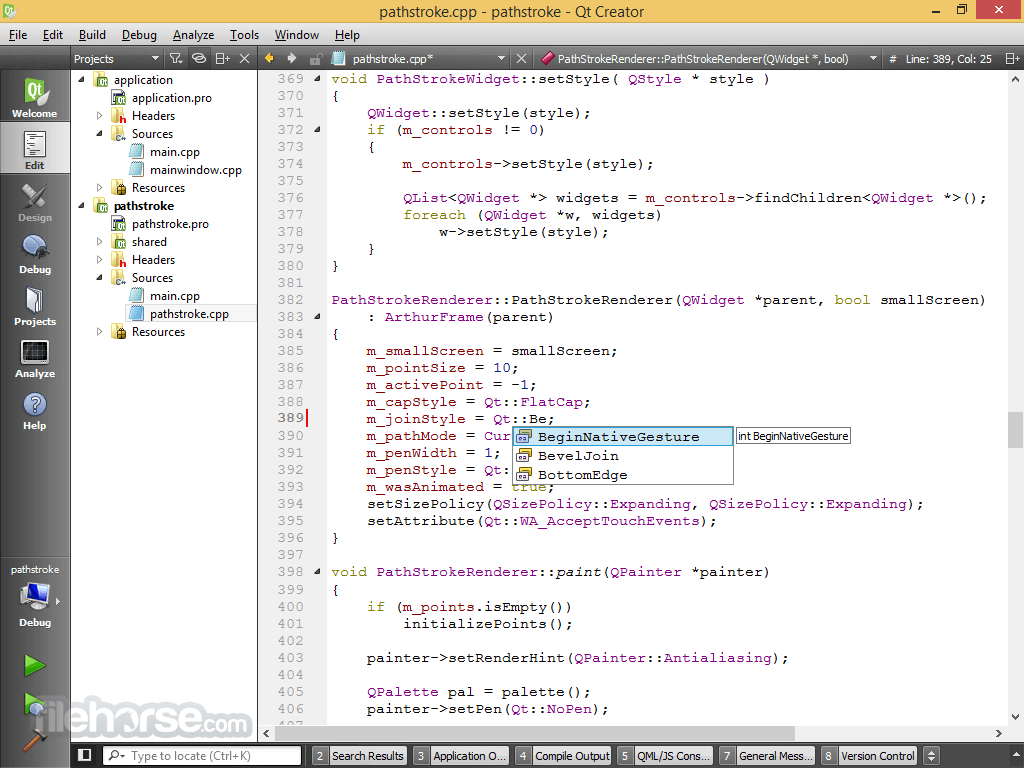
Qt Creator 19.0.0 Screenshots
The images below have been resized. Click on them to view the screenshots in full size.
-

What's new in this version:
MCP Server:
- A basic [MCP server] for Qt Creator that lets AI assistants control opening files and projects, as well as building, running, and debugging, and a few other actions.
Ant:
- Lightweight support for projects using the [Ant build system]. Open `build.xml` files as workspace projects that use `ant build` for building.
Cargo:
- Lightweight support for projects using [Cargo], the Rust package manager. Open `Cargo.toml` files as workspace projects that use `cargo build` for building, and `cargo run` for running.
Dotnet:
- Lightweight support for [.NET projects]. Open `.csproj` files as workspace projects that use `dotnet build` for building and `dotnet run` for running. It offers to set up the `csharp-ls` language server, if found.
Gradle:
- Lightweight support for projects using the [Gradle Build Tool]. Open `.gradle` or `.gradle.kts` files as workspace projects that offer to run `gradlew` or `gradle` for building, and `gradlew run` or `gradle run` for running.
Swift:
- Lightweight support for [Swift] projects. Open `Package.swift` files as workspace projects that use `swift build` for building and `swift run` for running. It offers to set up the `sourcekit-lsp` Swift language server, if found.
General:
Added:
- The root folders of connected devices to the `File System` view
- The option to `Ignore generated files` in `Advanced Find` and Locator
- Support for [freedesktop.org compatible file managers](
- The option to explicitly remove categories in `External Tools`:`Environment > External Tools > Remove`
- The Qt Creator variable `HostOs:BatchFileSuffix`
- The option to define custom separators for list-style environment variables: `Environment > System > Variable separators`
- Auto-correction of the pattern separators in `Advanced Find` and `Preferences > Environment > MIME Types`
- The option to `Copy Expanded Value` to the context menu of path choosers
- The option to rearrange mode icons with drag & drop
Changed:
- Moved `Preferences` from a dialog to a mode
Fixed:
- That buttons in moved notifications could not be clicked
Editing:
Added:
- The option to show a minimap in text editors:
- `Text Editor > Display > Enable minimap`
Tabbed editors:
- `Close All Tabs` and `Close Other Tabs` to the context menu
- A pinned indicator that also acts as an unpin button to tabs for
- pinned documents
- Tabs for pinned documents are kept at the front
Fixed:
- Code folding with multi-line comments
- C++
Added:
- A quick fix for adding a class or struct definition from a forward
- declaration
- An image preview when hovering over references to image resources
Fixed:
- Issues with parameter packs when refactoring
- `Add Definition` was not available for `friend` functions
- Indenting with the `TAB` key after braced initializer
- Missing `struct` keywords when generating code
Built-in:
- The memory footprint of the index
- Indentation within lambda functions
- An issue with `QVariant` default constructors
- Issues with statement attributes, `constinit`, and `consteval`
Clangd:
- Issues with parse contexts for header files
QML:
Added:
- The option to `Set QT_QML_GENERATE_QMLLS_INI to ON in CMake` to the
- `Qt Quick Application` wizard
- An image preview when hovering over references to image resources
- The option to rename all usages of a QML component when renaming the file
- qmlls
- The option to `Enable qmlls's CMake integration`
- The option to `Deploy INI File to Current Project`
Changed:
- Improved the performance of scanning for QML files
- Improved the `qmlformat` settings
Fixed:
- A wrong warning `Duplicate Id. (M15)`
- `Split Initializer` did not remove unneeded semicolons
- That Qt Quick Designer unnecessarily listened on a local port
qmlls:
- The handling of custom indentation sizes when reformatting
Diff Viewer:
Added:
- The option to `Fold All` and `Unfold All`
- `Copy Cleaned Text` to remove leading dashes and plus signs
SCXML:
Fixed:
- The handling of the implicit initial state
GLSL:
Added:
- Support for Vulkan
- `.geom`, `.comp`, `.tesc`, and `.tese` to the recognized GLSL file extensions
Changed:
- Updated the parser to GLSL 4.60
 OperaOpera 133.0 Build 5932.34 (64-bit)
 LDPlayerLDPlayer - Android Emulator
 PhotoshopAdobe Photoshop CC 2026 27.7 (64-bit)
 BlueStacks AIBlueStacks AI
 GTA 6GTA 6 for PS5
 CapCutCapCut Desktop 8.7.0
 PC RepairPC Repair Tool 2026
 Hero WarsHero Wars - Online Action Game
 TradingViewTradingView - Trusted by 100 Million Traders
 Forza HorizonForza Horizon 6
Comments and User Reviews