




 RecCloud
 Kling AI
 Camo Studio
 Restream
 Premiere Pro
 Filmora
 LitMedia AI
-
Latest Version
-
Operating System
Windows 7 64 / Windows 8 64 / Windows 10 64 / Windows 11
-
User Rating
Click to vote -
Author / Product
-
Filename
shotcut-win64-26.2.26.exe
Sometimes latest versions of the software can cause issues when installed on older devices or devices running an older version of the operating system.
Software makers usually fix these issues but it can take them some time. What you can do in the meantime is to download and install an older version of Shotcut 26.2.26.
For those interested in downloading the most recent release of Shotcut or reading our review, simply click here.
All old versions distributed on our website are completely virus-free and available for download at no cost.
We would love to hear from you
If you have any questions or ideas that you want to share with us - head over to our Contact page and let us know. We value your feedback!
-
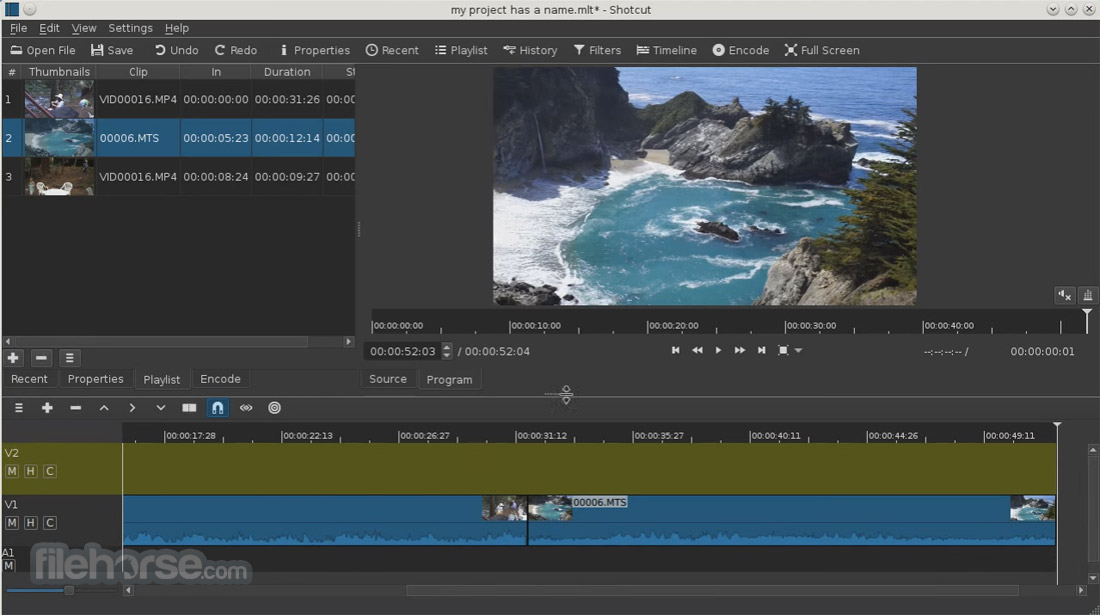
Shotcut 26.2.26 Screenshots
The images below have been resized. Click on them to view the screenshots in full size.

-

-
-

-

What's new in this version:
Fixed:
- Fixed crash when adding long video to Timeline with Qt 6.10.1 (broke in v26.1)
- Fixed black or green bottom bar on Windows with HEVC video source and Settings > Preview Scaling > Use Hardware Decoder plus preview scaling (broke in v26.1)
- Restored Generate to the main toolbar with View > Show Text Under Icons (changed in v26.1)
- Fixed crash in the RGB Shift video filter (broke in v25.12)
- Fixed FLAC export has a bad duration disabling scrub bars in players (broke in v25.12)
Fixed crash on various enabled Playlist actions with nothing selected:
- GoTo
- Move Up
- Move Down
- Add Selected to Timeline
- Add Selected to Slideshow
- Sort By Name
- Sort By Date
- Fixed Show In Files for a reverse job
- Fixed choosing Export > Codec > h264_videotool on macOS not reliably setting B frames to 0
- Fixed keyframes for Text: Typewriter > Position & Size not working
Changed:
- Added support for the underline and strikethrough options in the font dialog for the text filters
- Added a search field to Subtitles
- Added holding Alt while clicking Mute and Hide on the Timeline track to toggle all of the other tracks
- Added holding Shift with the mouse wheel to Zoom the player
- Added Playlist > Log Event (Shift+E) to append a 6 second clip (±3 secs) at the current Source player time
- Improved the performance of Timeline and Keyframes waveforms rendering
Changed mouse wheel behavior for the Video Zoom video scope:
- The wheel alone (no modifier key) now scrolls vertically
- Hold Ctrl to zoom
- Hold Alt to scroll horizontally
- Removed Settings > Player > Deinterlacer > Linear Blend (obsolete, removed in FFmpeg)
 OperaOpera 132.0 Build 5905.73 (64-bit)
 AdsPowerAdsPower - Antidetect Browser
 PhotoshopAdobe Photoshop CC 2026 27.7 (64-bit)
 BlueStacks AIBlueStacks AI
 NitradoNitrado - Rent a Gaming Server
 CapCutCapCut Desktop 8.7.0
 PC RepairPC Repair Tool 2026
 Hero WarsHero Wars - Online Action Game
 TradingViewTradingView - Trusted by 100 Million Traders
 Forza HorizonForza Horizon 6
Comments and User Reviews