




 AOMEI Cloner
 Windhawk
 4WinKey
 SystemCare
 Drive Monitor
 CCleaner
 GearUP Booster
-
Latest Version
TreeSize Free Portable 4.8.1 LATEST
-
Review by
-
Operating System
Windows Vista / Windows 7 / Windows 8 / Windows 10 / Windows 11
-
User Rating
Click to vote -
Author / Product
-
Filename
TreeSizeFreePortable_4.8.1.610.paf.exe
-
MD5 Checksum
a9d0283c8819683ac83bc3be21c9853a

The freeware can be started from the context menu of a folder or drive and shows you the size of this folder, including its subfolders in an Explorer-like fashion. Large folders can be identified at a glance thanks to the gradient bar displayed in the background. All scan results can be drilled down to file level and filters, e.g. for files of a certain type, can be applied.
It scans network drives and locally synchronized cloud shares (except on Windows servers and within a Windows domain) - just like TreeSize Personal!
The column view presents more detailed information for each file and folder. Here you will find the size or number of files as well as the last access date and the owner (and other useful facts).
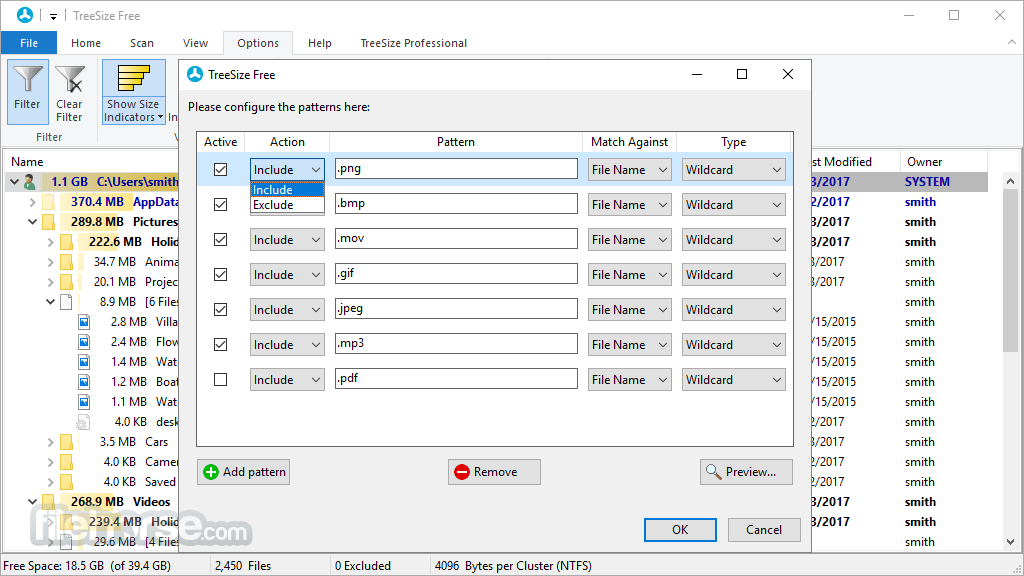
Scan results can be broken down with the flexible filter feature. You can use the filters, for example, to find files of a certain type, such as temporary files, text files, or images, and use this information to clean up your hard disks.
It works on the MFT (Master File Table) and reaches extremely high scan speeds. Scanning operations run in a thread, so you will see results almost instantly while TreeSize Free Portable is working in the background. The Explorer context menu and drag & drop operations are supported within the application.
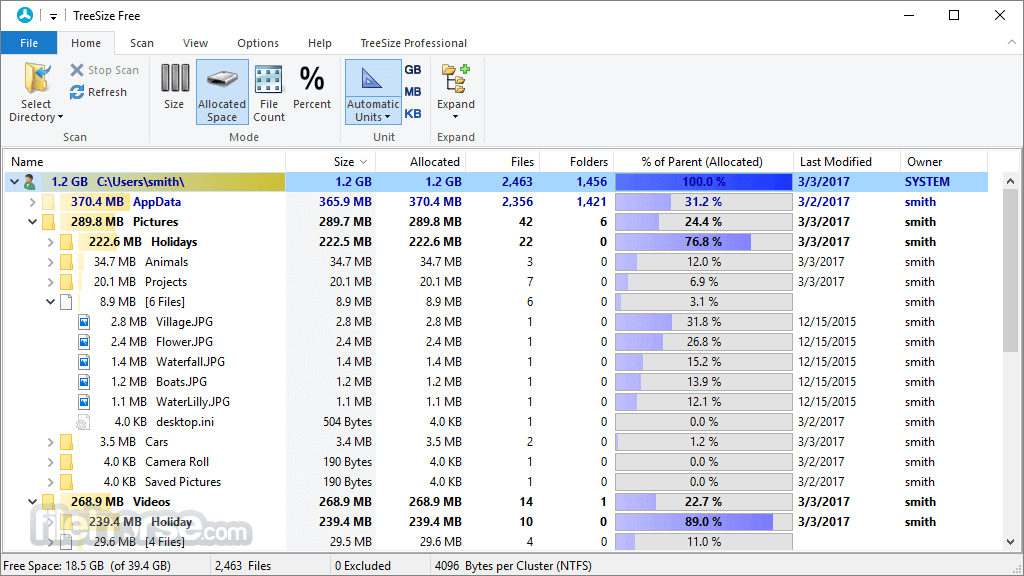
TreeSize Free Portable can display the NTFS compression rate and apply the NTFS compression to directory branches.
Startup Tree Size Free as an Administrator to calculate the size of all folders - even directories for which you do not have access permission.
Since the content of the files will not be read automatically during this procedure, Windows security and data privacy remain guaranteed.
How to Use
- Download the portable version
- Extract the ZIP file
- Launch TreeSize Free
- Select a directory to scan
- View disk usage
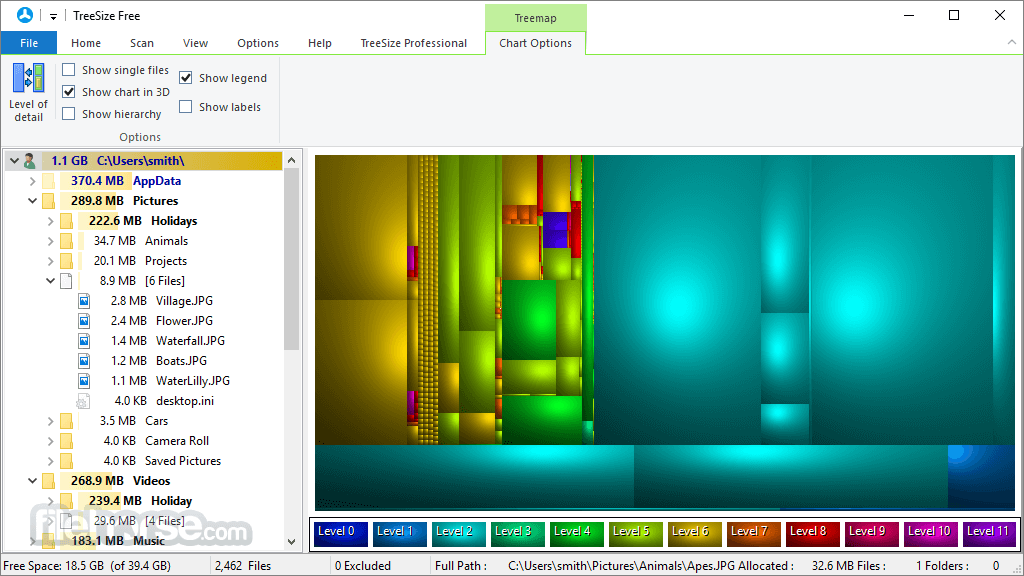
- Use treemap visualization
- Filter and customize views
- Manage files
System Requirements
Operating System: Windows 11, 10, 8 or 7
Processor: 1 GHz or faster
Memory: At least 2 GB RAM
Hard Disk Space: Minimum of 50 MB available
PROS
- Portable and no installation needed
- Fast and efficient disk analysis
- Intuitive user interface
- Detailed visualization options
- Freeware with comprehensive features
- Lacks advanced features of Pro version
- No automation or scheduling options
- Limited export formats available
- Cannot modify system files
- No real-time monitoring feature
-
TreeSize Free Portable 4.8.1 Screenshots
The images below have been resized. Click on them to view the screenshots in full size.
-
-
-

-
What's new in this version:
Improved:
- TreeSize Free is now available again in the Windows context menu for drives, allowing you to quickly check the size of folders and files directly by right-clicking
Fixed:
- A possible vulnerability due to a DLL hijacking attack during installation in the user profile has been fixed
 OperaOpera 129.0 Build 5823.15 (64-bit)
 Kling AIKling AI - Text or Image to Video
 PhotoshopAdobe Photoshop CC 2026 27.4 (64-bit)
 BlueStacksBlueStacks 10.42.167.1001
 OKXOKX - Buy Bitcoin or Ethereum
 CapCutCapCut 7.9.0
 PC RepairPC Repair Tool 2026
 Hero WarsHero Wars - Online Action Game
 TradingViewTradingView - Trusted by 100 Million Traders
 AdGuard VPNAdGuard VPN 2.9.0
Comments and User Reviews