




 Restream
 LitMedia AI
 Premiere Pro
 RecCloud
 FocuSee
 Filmora
-
Latest Version
-
Operating System
Windows 10 / Windows 11
-
User Rating
Click to vote -
Author / Product
-
Filename
Wirecast-16.5.0.exe
Sometimes latest versions of the software can cause issues when installed on older devices or devices running an older version of the operating system.
Software makers usually fix these issues but it can take them some time. What you can do in the meantime is to download and install an older version of Wirecast 16.5.0.
For those interested in downloading the most recent release of Wirecast or reading our review, simply click here.
All old versions distributed on our website are completely virus-free and available for download at no cost.
We would love to hear from you
If you have any questions or ideas that you want to share with us - head over to our Contact page and let us know. We value your feedback!
-
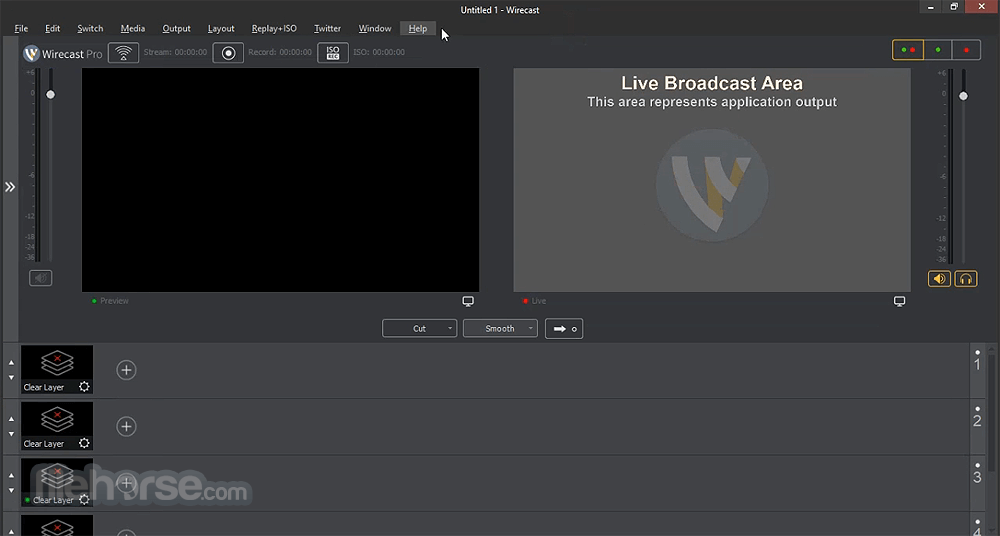
Wirecast 16.5.0 Screenshots
The images below have been resized. Click on them to view the screenshots in full size.
What's new in this version:
Fixed:
- a hang when deleting assets from Asset Manager
- unable to mute user’s microphone in a Zoom Meeting
- a rare crash when starting an output
- a rare crash when opening the Stock Media Library
- an issue where users on certain networks could not stream to Facebook
- an audio issue with sources that produce 24 kHz audio
- Zoom Panelist audio disappears when the Panelist leaves then re-joins the Webinar
- Stock Media Library shows nothing after entering a search query, then erasing it
- flickering issues when using Video Filters, especially with the Multi-Viewer enabled
- user needs to refresh connection to PTZ cameras when opening a saved document
- an issue where the clock overlay would get ahead of the system clock
- an issue that caused Gatekeeper to block Wirecast from launching on some macOS systems
- an issue where Wirecast did not recognize anonymous Zoom guests
- applying a virtual PTZ or Background Removal filter to an SRT source causes the source to drop frames on Windows with D3D12
- an issue where Zoom shots would not reconnect after reconnecting to the internet
- an issue where the Virtual Camera did not show up in the list of video sources for certain third-party apps on macOS
 OperaOpera 129.0 Build 5823.15 (64-bit)
 Kling AIKling AI - Text or Image to Video
 PhotoshopAdobe Photoshop CC 2026 27.4 (64-bit)
 BlueStacksBlueStacks 10.42.167.1001
 OKXOKX - Buy Bitcoin or Ethereum
 CapCutCapCut 7.9.0
 PC RepairPC Repair Tool 2026
 Hero WarsHero Wars - Online Action Game
 TradingViewTradingView - Trusted by 100 Million Traders
 AdGuard VPNAdGuard VPN 2.9.0
Comments and User Reviews