




 Kling AI
 Camo Studio
 Premiere Pro
 Restream
 OpusClip
 Artlist
 LitMedia AI
-
Latest Version
Zoom Player MAX 22.5 LATEST
-
Review by
-
Operating System
Windows 7 / Windows 8 / Windows 10 / Windows 11
-
User Rating
Click to vote -
Author / Product
-
Filename
zp2250max.exe
-
MD5 Checksum
89d104c50df126972b292db770985e3a
Unlike standard media players, Zoom Player MAX is designed with a modular structure and extensive support for third-party codecs and filters.
It’s built for users who need both high-quality playback and total control over their viewing experience.
Key Features
Smart Play Technology: Ensures stable and smooth playback by automatically selecting the most appropriate codecs and filters.
Media Library System: Organizes media content into easily navigable categories with metadata scraping support.
Advanced Audio/Video Controls: Adjust playback speed, zoom, aspect ratio, color settings, equalizer, and subtitle synchronization.
Streaming and IPTV Support: Supports streaming video, audio, and IPTV services via direct URL input or playlist files.
Customization and Skins: Full skinning support, keyboard/mouse customization, and scripting options for automation.
Playback History and Resume: Remembers playback position for multiple files.
Kiosk Mode & Remote Control Support: Ideal for digital signage and HTPC setups.
Installation and Setup
Installation is straightforward, with a setup wizard guiding users through codec installation and initial configuration. The software can also auto-detect missing components and offer to download them.
A codec pack is included, but it allows the use of third-party codecs for advanced scenarios.
How to Use
- Launch the app and load media via drag-and-drop, file browser, or network streaming.
- Use the Media Library to organize your files or watch network content.
- Customize playback settings from the right-click menu or the advanced options dialog.
- Enable Smart Play for optimal codec usage.
- Use keyboard shortcuts or a remote to control playback.
Zoom Player latest version introduces a Modern UI with a semi-transparent Control Overlay appearing over the video area, replacing the traditional skinned interface.
This overlay is highly customizable, allowing adjustments to button layouts, sizes, text fonts, colors, and transparency.
New settings enable automatic display of the Control Overlay during specific actions like pausing or seeking. Additional features include snap zones for quick window positioning, a redesigned color control overlay, enhanced media library search, and improved IPTV Group Manager.
Numerous optimizations and bug fixes have also been implemented to enhance performance and user experience.
Full Features
- Highly customizable interface with windowed and fullscreen modes, great for all screen sizes and accessibility needs.
- Supports DirectShow, libVLC, and Chromium engines; optimized Smart Play tech ensures smooth playback.
- Full 4K HDR hardware decoding; dynamic skins with scalable UI modes (F4–F7).
- Rich Media Library with metadata scraping, filtering, sorting, and parental controls.
- Output to any audio device with 10-band equalizer, S/PDIF, and bitstreaming.
- Auto-resume subtitles/audio tracks, aspect ratio controls, zoom/pan, and magnetic docking.
- Hover previews, timeline chapters, and action sound FX system.
- Extensive playlist, image slideshow, and multi-monitor video wall support.
- GuardDog auto-restart, Wake-on-LAN, screen-burn protection, and network drive keep-alive.
- DVD/Blu-ray playback, IPTV, YouTube, RSS, Emby/Plex/Jellyfin support.
- Subtitle downloads, playlist switching, ring tone creator, and virtual editing.
- Visualizations, contact sheet creation, GoPro sequence auto-play, and screenshot tools.
- Full HTPC control with keyboard, mouse, remotes, gamepads, and Android app.
- Customizable keyboard/mouse, gestures, screen corners, and smart audio device switching.
- Extensive automation/API control, detachable control bar, and web remote.
- Resume playback across PCs, change resolution, blank monitors, and parental locks.
Does Zoom Player MAX support 4K and HDR content?
Yes, it supports 4K UHD and HDR playback, provided the system has compatible hardware and codecs.
Can it play Blu-ray discs?
Zoom Player MAX can play Blu-ray folder structures, but it doesn’t support encrypted Blu-ray discs out of the box due to licensing restrictions.
Is it suitable for HTPC setups?
Absolutely. It supports remote control, fullscreen kiosk mode, and highly customizable navigation interfaces.
Does it require external codec packs?
It comes with its own install center for essential codecs, but also allows use of external packs like LAV Filters for advanced playback.
Can it stream from YouTube or network shares?
Yes, it supports streaming from direct video URLs and network locations (SMB/UPnP), though YouTube streaming requires configuration.
Alternatives
VLC Media Player – Simpler, free, and highly portable with strong codec support.
PotPlayer – Feature-rich and lightweight with a modern interface.
KMPlayer – Advanced controls and 3D playback support.
MPC-HC with codec packs – Highly customizable but no longer in active development.
Pricing
Zoom Player MAX is a paid software, typically priced at $29.95 for a single-user license, with discounted upgrades and lifetime license options.
A free version, Zoom Player FREE, is available with fewer features.
Supported
Video formats supported: Plays DVD, BluRay (decrypted), MKV, AV1, H.264, H.265, WebM, AVI, FLV, WMV, MOV, MP4, VOB, TS, MTS, 3GP, Real Media, QuickTime, DV, MXF, SWF, and more.
Audio formats supported: Compatible with MP3, FLAC, AAC, WMA, OGG, OPUS, AC3, DTS, WAV, ALAC, RA, APE, CDA, TTA, MIDI, SHOUTcast, and others.
Interactive formats supported: Handles DVD menus, HTML-based content, and Flash (SWF) interactivity.
Image formats supported: Opens JPG, PNG, GIF, BMP, TIFF, PSD, ICO, TGA, PCD, PSP, and many additional image formats.
System Requirements
- OS: Windows 7, 8, 10, 11 (32-bit or 64-bit)
- CPU: Dual-core or better recommended
- RAM: Minimum 2 GB
- GPU: DirectX-compatible graphics card for hardware acceleration
- Disk: ~100 MB for installation
- Extremely customizable and powerful
- Excellent format and codec support
- Stable playback with Smart Play
- Remote control and HTPC-ready features
- Active development and support
- Interface may be too complex for beginners
- Some features locked behind the paid version
- Streaming configuration can be tricky
Zoom Player MAX is a top-tier choice for users seeking a highly configurable and performance-oriented media player for Windows. While it may not be the best option for casual viewers, power users, HTPC enthusiasts, and digital signage setups will find it exceptionally capable.
With features like Smart Play, streaming support, and deep customization, it stands out as a premium alternative in a crowded media player market.
Note: 30 days trial version.
-
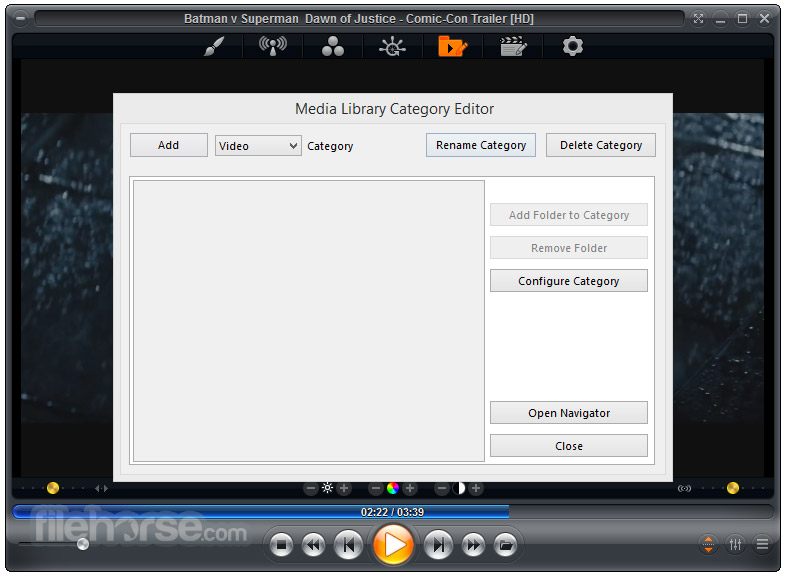
Zoom Player MAX 22.5 Screenshots
The images below have been resized. Click on them to view the screenshots in full size.

-

-

-
-

What's new in this version:
New:
- A while back, the owners of the OpenSubtitles.org decided on a change of directions and switched the entire website to OpenSubtitles.com along with new authentication requirements and an updated JSON based API. These changes broke Zoom Player's subtitle Search & Download features.
- Introducing Zoom Player new OpenSubtitles.com subtitle plugin! Specify your OpenSubtitles.com user/password under "Adv. Options / Playback / Video / Subtitles" by selecting the OpenSubtitles.com plugin and then clicking the "Configure" button.
- Added support for Windows' SMTC (System Media Transport Controls), the little card fly-out you see when using the keyboard's volume control or on some PC's lock screens.
- In theory, you should be able to use HASS to use this feature to automate multiple Zoom Player instances
- New Settings (Adv. Options / Interface / Playlist) to show additional columns on the playlist editor window (disabled by default): Artist, Album, Release Year, Genre
- You can resize the columns and their size is saved across sessions.
- New Settings (Adv. Options / Interface / Playlist) to show a header above the playlist entries (enabled by default).
- New Settings (Adv. Options / Interface / Playlist) that allows you to specify the playlist editor's column margins.
- The media library's search feature (using the magnifying glass or now the "Quick Search" option on the functions page) will now show a full multi-lingual virtual keyboard, allowing you to search for items within a media library category with only the mouse, keyboard or a remote control (previously you had to use both a mouse and a keyboard to utilize this feature).
- New Setting (Adv. Options / Interface / Home Theater) that lets you control the media library's Virtual Keyboard size relative to the currently active monitor.
- New "Mark as Unseen" option in Zoom Player's media library's functions page to make it easier to setup when re-watching. When used, selected entries or entire folders can be easily removed from the play history.
- Added support for custom keyboard actions based on the Home, End, PgUp and PgDn keys (Adv. Options / Interface / Keyboard) when Zoom Player isn't navigating through the Home Theater fullscreen interface.
- Previously, the PgUp/PgDn keyboard actions were hard-coded to the use the "Play previous/next file in the playing folder with the same file extension" functions and these remain as defaults.
- The Home/End keyboard actions were previously unassigned and are now set to "Main Home Theater interface" for the Home key and "Play History Home Theater interface" for the End key.
- Added two new settings to "Advanced Options / System" allowing you to automatically scale (multiply) the default PixelArt skin elements based on the start-up or current monitor.
- Split the Video Streaming download timeout (Adv. Options / Playback / Video Streaming) to include a separate value when downloading meta-data as sometimes the authentication/update server may be slower to respond compared to the meta-data server.
- Added a more accurate "Duration" listing on the info page ("I" keyboard shortcut).
- DirectShow Zoom & Pan features are now supported when using MPC-VR as the video renderer.
I've added a new libVLC feature that allows you to specify custom libVLC startup options:
- New setting (Adv. Options / Interface / Position & Size) to automatically position the playback window to a specified screen snap zone (position on screen) when a new media is loaded
- The increase/decrease play rate functions assigned by default to the Alt+"Home" (increase) and Alt+"End" (decrease) keyboard shortcuts now work when using the default YouTube IFRAME Javascript media engine
- On YouTube, each video has it's own assigned play rates, with some videos not having any play rates at all (e.g. Live video), using the increase or decrease play rate functions will cycle between the available play rates and finally, back to standard play speed
Changed:
- When designing the control overlay interface, I made the mistake of designing it to automatically adjust element sizes (buttons, volume bar, etc) to scale based on the monitor's resolution instead of the monitor's DPI (dots per inch, dots being Pixels in this context) value. This miscalculation caused cases where a 24" monitor at 1920x1080 had smaller buttons than a 27" monitor at 2560x1440 while essentially, their physical DPI was nearly the same (Windows was set to 100% DPI for both). To fix this issue in the upcoming version, I modified the element-size
math to conform to the DPI setting. Here what this means for existing installations:
- If you're using an 1920x1080 monitor at 100% DPI, you shouldn't notice any difference.
- If you're using a higher resolution monitor or using a Windows DPI setting above 100%, you may need to adjust the control overlay element sizes under "Advanced Options / Interface / Control Overlay" to return the element sizes to your preference.
Fixed:
- The Windowed (Ctrl+G) and Home Theater (Shift+G) versions of the Video Streaming interfaces did not properly adjust the program guide's time display to automatically account for timezone and daylight saving
- If you previously used the time-shift feature to compensate for this issue, you may need to reset the time-shift back to 0
- The media library's search feature did not refresh the screen following a search under some conditions
- Zoom Player should now use the default Windows fonts for interfaces that are not skinned (e.g. Options dialog). This should fix cases where fonts may not appear to have anti-aliasing enabled on foreign language version of Windows.
- Hopefully fixed a case where the "new version available" pop-up doesn't show on a turned-off secondary monitor
- When using the Media Server browser (PLEX/Emby/Jellyfin), right clicking a media entry could result in the media's extended information window appearing behind the Media Server browser window
- The "Reset user interface size to default" function (Ctrl+"`" keyboard shortcut) accidentally remained functional while in fullscreen mode
- The playlist editor's selected item(s) border color was not being set for the default skin causing it to be corrupted when switching skins. Control Overlay button hints that appears when hovering over buttons in the "Fixed" and "Dynamic" zones showed the hints in a bad position, partially covering the buttons.
- Media with encoded rotation value (e.g. shot vertically on an iPhone) are now automatically rotated to the specified orientation when using MPC-VR as the video renderer
- Fixed meta-data and embedded image display for music files (e.g. mp3) edited by Directory Opus and possibly other software
- After a fresh reboot, on some systems, running Zoom Player Windows triggered multiple "WM_DEVICECHANGE" events in sequence, causing Zoom Player to crash and become unresponsive
- Fixed a rare crash on exit, probably didn't have any affect
- The "Opening a new media shows the control overlay" setting did not always work as intended
- The "Auto-select last viewed media/folder on entering a folder" media library setting did not work when using the "Reset filters" feature
- Fixed a crash when using the home theater confirmation dialog
 OperaOpera 133.0 Build 5932.60 (64-bit)
 LDPlayerLDPlayer - Android Emulator
 PhotoshopAdobe Photoshop CC 2026 27.7 (64-bit)
 BlueStacks AIBlueStacks AI
 GTA 6GTA 6 for PS5
 CapCutCapCut Desktop 8.9.1
 PC RepairPC Repair Tool 2026
 Hero WarsHero Wars - Online Action Game
 TradingViewTradingView - Trusted by 100 Million Traders
 Forza HorizonForza Horizon 6
Comments and User Reviews