




 Comet
Comet Norton Browser
 Firefox
 Incogniton
 Chrome
 iTop Browser
 Opera GX
-
Latest Version
Java JRE 8 Update 481 (32-bit) LATEST
-
Review by
-
Operating System
Windows 7 / Windows 8 / Windows 10
-
User Rating
Click to vote -
Author / Product
-
Filename
jre-8u481-windows-i586.exe
-
MD5 Checksum
162f8da431095c72c35803fadfbce151
It's also integral to the intranet applications and other e-business solutions that are the foundation of corporate computing.
It provides the libraries, the Java Virtual Machine, and other components to run applets and applications written in the Java programming language.
In addition, two key deployment technologies are part of the JRE: Java Plug-in, which Enables Applets to Run in Popular Browsers; and Web Start, which deploys standalone applications over a network. Many cross-platform applications also require Java to operate properly.
It is a programming language and computing platform first released by Sun Microsystems in 1995. There are lots of applications and websites that will not work unless you have Java installed, and more are created every day.
The program is fast, secure, and reliable. From laptops to data centers, game consoles to scientific supercomputers, and cell phones to the Internet, Java is everywhere! It is at the heart of the digital lifestyle.
It's the platform for launching careers, exploring human-to-digital interfaces, architecting the world's best applications, and unlocking innovation everywhere—from garages to global organizations.
Why should I upgrade to the latest version?
The latest version contains important enhancements to improve the performance, stability, and security of the applications that run on your machine. Installing this free update will ensure that your applications continue to run safely and efficiently.
What will I get when I download software?
The Java Runtime Environment (JRE) 32bit is what you get when you download software. The JRE consists of the Java Virtual Machine (JVM), Java platform core classes, and supporting Java platform libraries. The JRE is the runtime portion of the software, which is all you need to run it in your Web browser.
What is Java Plug-in software?
The program is a component of the (JRE). It allows applets written in the programming language to run inside various web browsers. The Plug-in software is not a standalone program and cannot be installed separately.
I have heard the terms Virtual Machine and JVM. Is this software?
The Virtual Machine is only one aspect of software that is involved in web interaction. The Virtual Machine is built right into your software download and helps run Java apps.
Here's an overview of the key components and features of the Java Runtime Environment:
Java Virtual Machine (JVM): The JVM is the cornerstone of the app. It is responsible for executing Java bytecode, which is the compiled form of Java source code. The JVM provides a runtime environment for Java applications, handling tasks such as memory management, garbage collection, and dynamic bytecode interpretation.
Core Libraries: It includes a set of core libraries that provide fundamental functionality to Java programs. These libraries offer a wide range of APIs (Application Programming Interfaces) for tasks such as input/output operations, networking, file handling, database connectivity, and graphical user interfaces (GUI).
Class Loader: The class loader is a component of the JVM that loads Java classes into memory as they are referenced by the running program. It is responsible for locating and loading class files from the file system, network, or other sources. The class loader also performs bytecode verification to ensure the integrity and security of the loaded classes.
Just-In-Time (JIT) Compiler: It includes a JIT compiler that dynamically compiles parts of the Java bytecode into native machine code for improved performance. The JIT compiler identifies frequently executed code segments and optimizes them for faster execution. By combining interpretation and compilation, the JIT compiler aims to achieve a balance between execution speed and startup time.
Security: The JRE incorporates various security features to protect against malicious or unauthorized actions. It includes a security manager that enforces a security policy, restricting the actions that a Java application can perform. Additionally, the implements a sandbox environment for untrusted applets and provides mechanisms for digital signatures, encryption, and authentication.
Deployment Tools: It provides tools for deploying and managing Java applications. For example, the Java Web Start technology allows users to launch Java applications directly from a web browser without manual installation. It also includes utilities for packaging Java applications as executable JAR (Java Archive) files.
Platform Independence: One of the key advantages of Java is its platform independence. It allows Java programs to run on different operating systems without requiring modification. The JVM, along with the abstraction provided by the core libraries, abstracts away the underlying hardware and operating system details, enabling "write once, run anywhere" portability.
It's important to note that the JRE is primarily intended for running Java applications and does not include development tools such as compilers and debuggers. For Java development, you would typically use the Java Development Kit (JDK), which includes the JRE along with additional tools for compiling, debugging, and packaging Java applications.
Overview
It consists of a collection of functions and services designed for Java applications. It acts as a meta-operating system that runs on top of the computer's operating system, providing additional services specifically for Java applications.
The main purpose of the JRE, also known as the Java Virtual Machine (JVM), is to enable Java applications to run on different operating systems without any need for modification.
In addition to its core functionality, it includes various components and libraries that are essential for the proper functioning of Java applications. These components include memory allocation and management, Java Web Start and Plug-in, Java Naming and Directory Interface (JNDI), Java Archive (JAR), and Java for XML Processing (JAX-WS), among others.
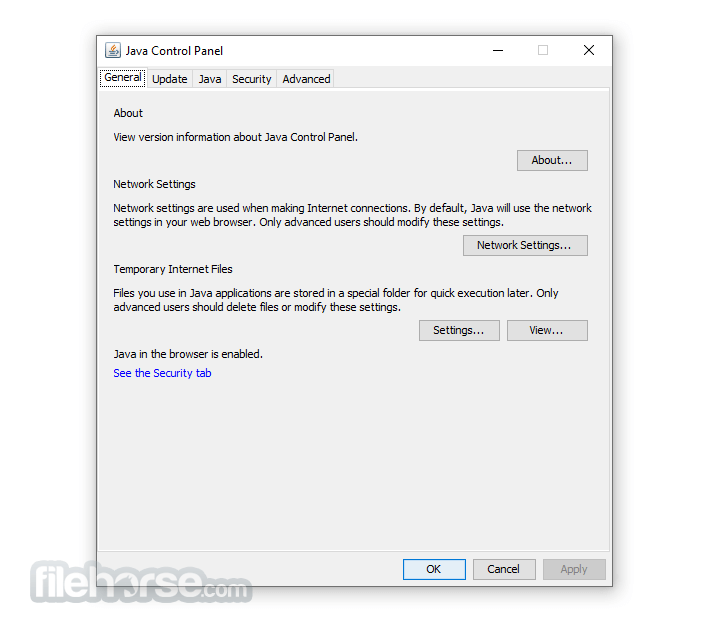
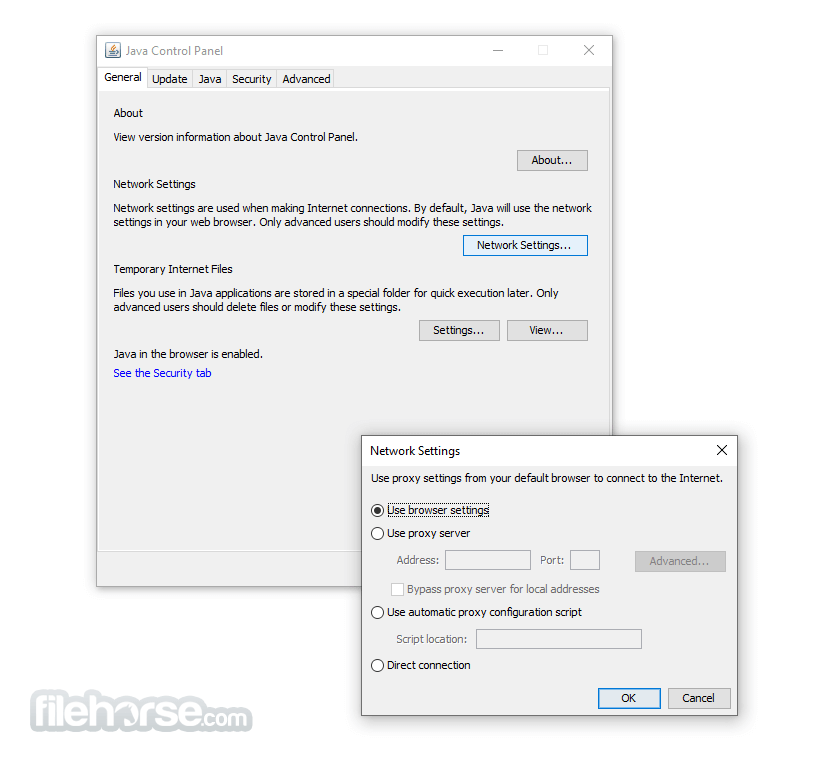
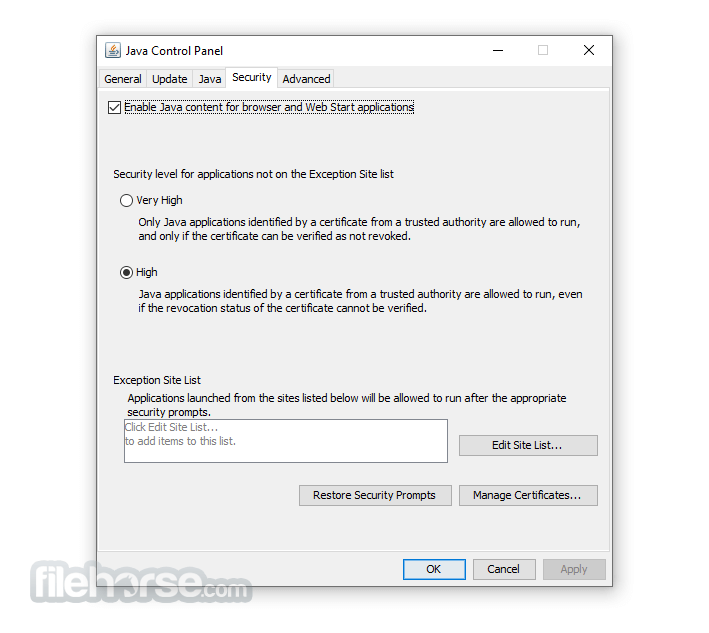
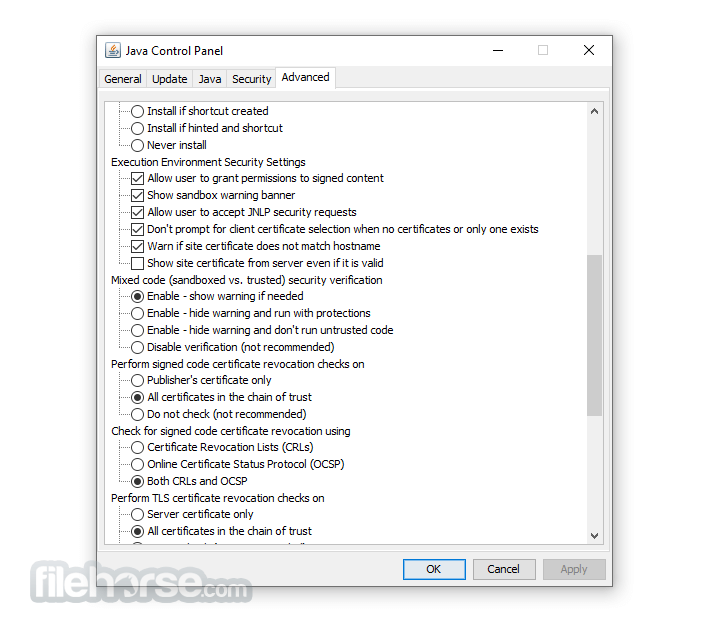
It offers customizable settings through its Control Panel, which is part of Oracle Technologies. This Control Panel allows users to configure security certificates and network settings according to their specific requirements. Users can access and modify various functions of the program, including advanced features like the Java console, debugging tools, JavaFX runtime, and default Java settings for web browsers.
A JRE file is a system file that contains all the necessary libraries and class files needed to execute Java code. Without the JRE, it is not possible to run software programs written in Java. The latest version of the app includes performance improvements, stability fixes, enhanced features, and better security measures. Once installed, the tool ensures efficient and secure execution of Java applications on your device.
Install
Installing the Java Runtime Environment is a straightforward process. After downloading the app, you simply need to follow the on-screen instructions, and the program will install itself.
However, you may need to enable the latest version for it to function properly. This can be done by accessing the Java tab in the Control Panel, verifying the enabled version of the app, and saving the updated settings.
To check if the Java Runtime Environment is installed on your computer, you can navigate to the Control Panel and click on the Programs button. This will display a list of all the installed software programs on your device. Look for Java Runtime Environment or Java Development Kit (JDK) in the list, as JRE is a component of JDK. Most computers will only show JDK installed, which includes the JRE.
Java programs rely on the presence of the app to run. When you launch a Java application, it requires the JRE to execute properly. If the JRE is not installed or outdated, the application will not run. Occasionally, the app may not automatically update to the latest version, so it is advisable to check the installed version on your computer. If you are seeking an alternative, you can consider JavaExe. Additionally, if you wish to develop Java applications, you can download the Java Development Kit (JDK).
Note: When your installation completes, you may need to restart your browser (close all browser windows and re-open) to enable the installation.
System Requirements
- OS: Windows 7, 8, 8.1, 10, 11, Windows Server 2012, Windows Server 2016, and Windows Server 2019
- Processor: It requires a minimum of a Pentium 2 266 MHz processor, although a faster processor is recommended for optimal performance.
- Memory: It requires a minimum of 128 MB of RAM, although a larger amount of RAM is recommended for running complex Java programs.
- Disk space: It requires a minimum of 124 MB of disk space for installation, although a larger amount of disk space is recommended for running Java programs.
- Display: It requires a minimum display resolution of 800 x 600 pixels, although a higher resolution is recommended for better display quality.
- Widely Supported Language
- Platform Independence
- Robust Standard Library
- Automatic Memory Management
- Strong Community Support
- Slower Execution Speed
- Steeper Learning Curve
- Verbosity of Code
-
Java JRE 8 Update 481 (32-bit) Screenshots
The images below have been resized. Click on them to view the screenshots in full size.
-

-
-
-
What's new in this version:
New Features:
- core-libs/java.rmi
- ➜ Endpoint Identification Enabled By Default for RMI Connections Over TLS (JDK-8341496 (not public))
- RMI will use TLS connections if the [javax.rmi.ssl.SslRMIClientSocketFactory] class is used. These connections now have TLS endpoint identification enabled by default. This may cause some previously-working TLS connections to fail. If this occurs, ensure that the certificate presented by the server has a Subject Alternative Name that matches the server's hostname. Alternatively, endpoint identification for RMI TLS connections can be disabled on the client side by setting the jdk.rmi.ssl.client.enableEndpointIdentification system property to false.
Other Notes:
security-libs/javax.net.ssl➜ Disabled SHA-1 in TLS 1.2 and DTLS 1.2 Handshake Signatures (JDK-8340321):
- The SHA-1 algorithm has been disabled by default in TLS 1.2 and DTLS 1.2 handshake signatures, by adding "rsa_pkcs1_sha1 usage HandshakeSignature, ecdsa_sha1 usage HandshakeSignature, dsa_sha1 usage HandshakeSignature" to the jdk.tls.disabledAlgorithms security property in the java.security config file. RFC 9155 deprecates the use of SHA-1 in TLS 1.2 and DTLS 1.2 digital signatures. Users can, at their own risk, re-enable the SHA-1 algorithm in TLS 1.2 and DTLS 1.2 handshake signatures by removing "rsa_pkcs1_sha1 usage HandshakeSignature, ecdsa_sha1 usage HandshakeSignature, dsa_sha1 usage HandshakeSignature" from the jdk.tls.disabledAlgorithms security property.
install/install➜ Windows Installers to Return to Full Version Directory and Use of Junction (JDK-8310932 (not public)):
- For the JDK11+ LTS families, the JDK will install into a version-specific installation directory by default. The installation directory of 11+ will have a - before the version-specific string to keep consistency with the past 11+ conventions per family. A junction, also known as a symlink for Windows, will also be created in a "latest" directory. It will point to the latest version of that family. Here is a breakdown example of installation and junction locations 11+ families
- Each junction will always point to the latest JDK of the matching LTS family. The junction for each family will be removed when the last JDK of the matching LTS family is uninstalled.
- install/install➜ Make jcmd Command Available in the Headless JDK RPM (JDK-8359443 (not public)):
- jcmd command will be available in the headless JDK RPM instead of the headful JDK RPM.
- It will be added to the java alternatives group instead of the javac alternatives group.
- security-libs/javax.net.ssl➜ Disabled TLS_RSA Cipher Suites (JDK-8245545):
The TLS_RSA cipher suites have been disabled by default, by adding "TLS_RSA_" to the jdk.tls.disabledAlgorithms security property in the java.security configuration file. The TLS_RSA cipher suites do not preserve forward-secrecy and are not commonly used. Some TLS_RSA cipher suites are already disabled because they use DES, 3DES, RC4, or NULL, which are disabled. This action disables all remaining TLS_RSA cipher suites. Any attempts to use cipher suites starting with "TLS_RSA_" will fail with an SSLHandshakeException. Users can, at their own risk, re-enable these cipher suites by removing "TLS_RSA_" from the jdk.tls.disabledAlgorithms security property. The following previously enabled cipher suites are now disabled:
- TLS_RSA_WITH_AES_256_GCM_SHA384
- TLS_RSA_WITH_AES_128_GCM_SHA256
- TLS_RSA_WITH_AES_256_CBC_SHA256
- TLS_RSA_WITH_AES_128_CBC_SHA256
- TLS_RSA_WITH_AES_256_CBC_SHA
- TLS_RSA_WITH_AES_128_CBC_SHA
- core-libs/java.util:i18n➜ Changes to the Default Time Zone Detection on Debian-based Linux (JDK-8345213):
- On Debian-based Linux distributions such as Ubuntu, the /etc/timezone file was previously used to determine the JDK's default time zone (TimeZone.getDefault()). According to Debian's Wiki, /etc/localtime is now the primary source for the system's default time zone, making /etc/timezone redundant. As a result, the JDK's default time zone detection logic has been updated to use /etc/localtime instead of /etc/timezone. If /etc/localtime and /etc/timezone are inconsistent for any reason, the JDK's default time zone is now determined solely based on /etc/localtime file.
- core-svc/tools➜ jcmd -l and jps Commands Do Not List Java Processes Running in Docker Containers (JDK-8193710):
- The HotSpot runtime code has been updated to allow the jcmd -l and jps commands discover JVMs running in a container.
security-libs/java.security➜ Filter Rules for URIs in the Authority Info Access Extension for Certificates (JDK-8368032 (not public)):
- A new system and security property, com.sun.security.allowedAIALocations, has been introduced. This property allows users the ability to define one or more filtering rules to be applied to URIs obtained from the authority info access extension on X.509 certificates. These filter rules are applied specifically to the CA issuers access method. Any CA issuers URIs in X.509 certificates are only followed when the com.sun.security.enableAIAcaIssuers system property is enabled and the filter allows the URI.
- In order to set the rules, the user must set either the com.sun.security.allowedAIALocations security property or the system property by the same name. If the system property has a value, it will override the security property. By default the property is blank, which enacts a deny-all ruleset.
- For either property, the value consists of a set of space-separated rules that take the form of a URI, with the following constraints:
- The URI must be absolute and hierarchical.
- The URI must only use one of the following schemes: http, https, ldap, or ftp (case-insensitive).
- A hostname or address must be specified and must match (case-insensitive). No name resolution is performed on hostnames to match URIs with IP addresses.
- The port number must match. Where a port number is omitted, the well-known port will be used in the comparison.
For hierarchical schemes (http[s], ftp):
- A rule's normalized path portion of the URI is matched in a case-sensitive manner. If the final component does not end in a slash (/), it is considered to be a file path and must match the CA issuer URI path component. If the rule's path component ends in a slash, then it must match or be a prefix of the CA issuer URI path component. (for example, a filter path of /ab/cd/ will match a CA issuer path of /ab/cd/, /ab/cd/ef and /ab/cd/ef/ghi.).
- Query strings and fragments will be ignored when matching CA issuer URIs.
For ldap URIs:
- The base DN must be an exact match (case-insensitive)
- Any query string in the rule, if specified, will be ignored
Fixed:
- Memory leak in getAllConfigs of awt_GraphicsEnv.c:386
- Enforce limits on the size of an XBM image
- Crashes in getConfigColormap, getConfigVisualId, XVisualIDFromVisual on Linux
- Device.getDisplayMode() doesn't report refresh rate on Linux in case of dual screen
- Cannot list all the available display modes on Ubuntu linux in case of two screen devices
- Memory leak in getAllConfigs of awt_GraphicsEnv.c:585
- java.awt.TextField allows to identify the spaces in a password when double clicked at the starting and end of the text
- java/awt/Frame/FrameLocationTest/FrameLocationTest.java fails
- Cannot resize CheckBoxItemMenu in Synth L&F with setHorizontalTextPosition
- JFileChooser renders file names as HTML document
- JFileChooser in GTK L&F still displays HTML filename
- JPasswordField identifies spaces in password via delete shortcuts
- Right to Left Orientation Issues with MenuItem Component
- Move SimpleSSLContext to jdk/testlibrary
- sun/net/www/protocol/http/RedirectOnPost.java failing
- vmTestbase/gc/lock/malloc/malloclock04/TestDescription.java crashes intermittently
- Solaris: deprecated <pwd.h> and <gid.h> interfaces should be replaced
- Safepoint sync time did not increase
- ClassVerifier::ends_in_athrow() should be removed
- @ignore CheckEBCDICLocaleTest
- NullPointerException in sun.launcher.LauncherHelper.checkJavaFXRemoval
 OperaOpera 129.0 Build 5823.28 (64-bit)
 Kling AIKling AI - Text or Image to Video
 PhotoshopAdobe Photoshop CC 2026 27.4 (64-bit)
 BlueStacksBlueStacks 10.42.167.1001
 OKXOKX - Buy Bitcoin or Ethereum
 CapCutCapCut 7.9.0
 PC RepairPC Repair Tool 2026
 Hero WarsHero Wars - Online Action Game
 TradingViewTradingView - Trusted by 100 Million Traders
 AdGuard VPNAdGuard VPN 2.9.0
Comments and User Reviews