




 UniGetUI
 Smart Booster
 Drive Monitor
 PC Internals
 SANDISK
 Windhawk
 GearUP Booster
-
Latest Version
CCleaner Free 7.10.1464 LATEST
-
Review by
-
Operating System
Windows 7 / Windows 8 / Windows 10 / Windows 11
-
User Rating
Click to vote -
Author / Product
-
Filename
ccsetup_offline_setup.exe
CCleaner Free is a freeware system optimization, privacy and cleaning tool for Windows PC. It removes unused files from your system allowing Windows to run faster and freeing up valuable hard disk space. It also cleans traces of your online activities such as your Internet history.
Additionally, it contains a fully featured registry cleaner. CCleaner Free by Gen Digital Inc. (formerly Piriform), clean temporary files, optimize & speed up your Computer with the world's leading PC Cleaner.
Features and Highlights
Performance Optimizer - NEW!
Get up to 34% more speed and 30% more battery life from your PC with a new proven, patented feature, plus enjoy an enhanced gaming experience and more!
Driver Updater - NEW!
Program's new Driver Updater improves things like your PC's visuals, sound, and internet connectivity while preventing software bugs, hardware problems, and crashes.
PC Health Check
App's new Health Check analyzes your PC and recommends quick fixes, then automatically tunes and updates it so it starts and runs faster, and is more secure.
1-Click Updates All Your Software
Outdated apps are a security risk. Old software can have vulnerabilities, which are quickly discovered and shared amongst cybercriminals. It updates your software automatically to close security holes before they can be found.
Award-winning PC Optimization
Trusted by millions and critically acclaimed. There’s a reason why the app is the world’s favorite PC optimization tool! Easy to use, one-click cleaning so beginners can optimize their computers in seconds and packed with advanced features for power users.
Faster Computer
Is your computer running slow? As it gets older it collects unused files and settings which take up hard drive space making it slower and slower. CCleaner 2026 version cleans up these files and makes it faster instantly.
Safer Browsing
Advertisers and websites track your behavior online with cookies that stay on your computer. It erases your browser search history and cookies so any internet browsing you do stays confidential and your identity remains anonymous.
Fewer Errors & Crashes
Over time your registry can become cluttered with errors and broken settings which lead to crashes. C Cleaner’s patented registry cleaner clears out this clutter to make your PC more stable.
Quicker Startup
Many programs run silently in the background when you start up your computer. It helps you get to work or play faster by letting you disable unneeded programs.
What's New
Take back control of your Google Drive and Microsoft OneDrive. Scan them for duplicates, large and old files. Quickly see how much space you can free up and choose what to delete. Reclaim valuable space easily and fast with Cloud Drive Cleaner.
With latest version, it has improved cookie cleaning and updated the user interface to offer quicker access to the Software Updater, ensuring a smoother, more efficient user experience.
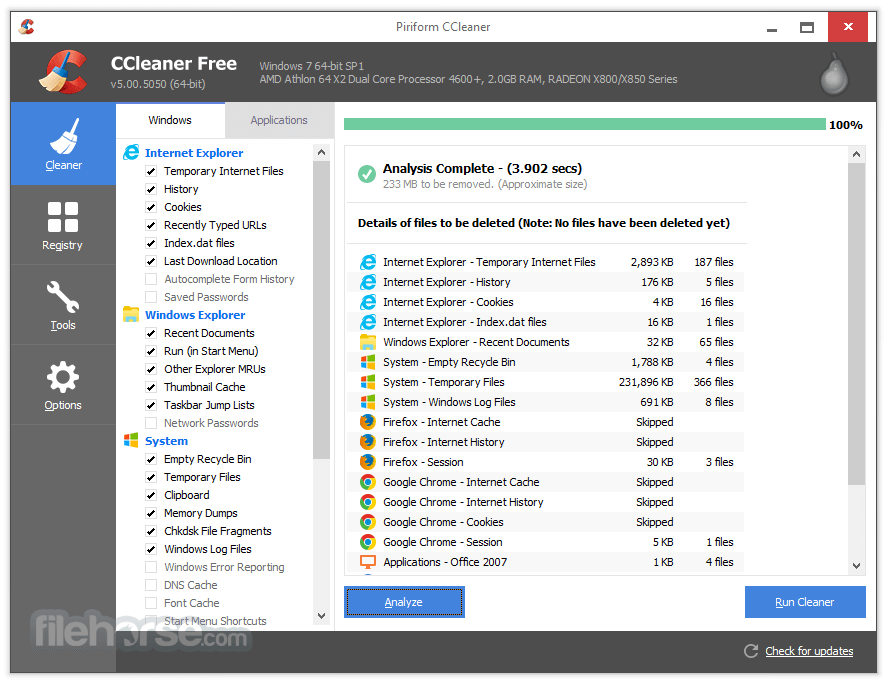
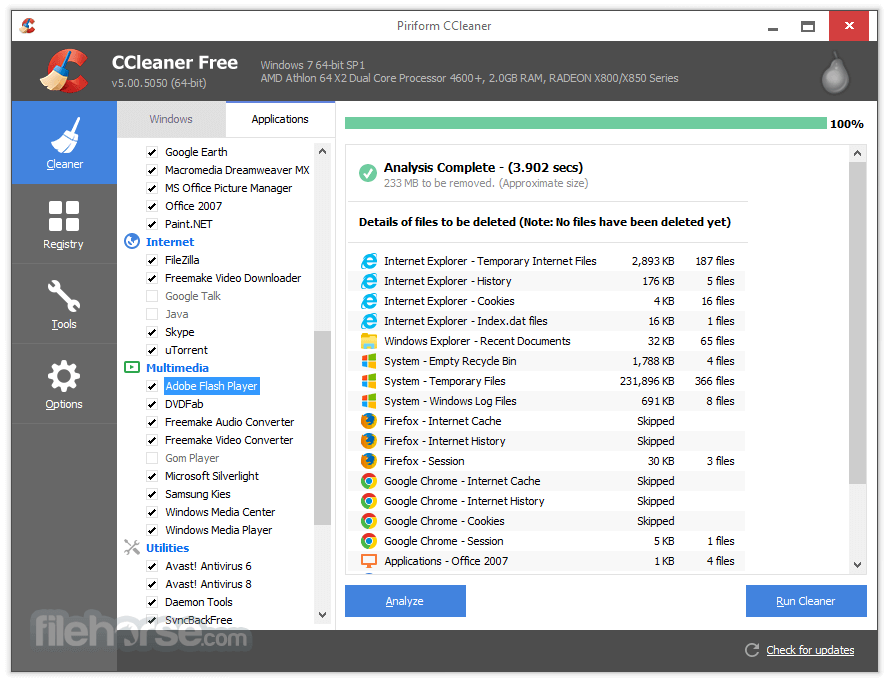
To use CCleaner, you will first need to download and install the program on your computer. Once it is installed, you can open the program and select the areas of your computer that you want to clean, such as your browser history, temporary files, and the recycle bin.
You can also use the program to remove unnecessary programs and files from your computer, as well as to manage your startup programs. Additionally, CCleaner Free also has a registry cleaner to help fix any errors or broken settings in your Windows registry. Once you have selected the areas you want to clean, simply click the "Run Cleaner" button and CCleaner will remove the selected files.
Other Features
FAQ
Can CCleaner be trusted?
Answer: 100% Absolutely. The program is both reliable and safe for use.
What is CCleaner, and what does it do?
Answer: CCleaner is a system optimization and cleaning tool that helps to remove unwanted files, temporary files, and other junk that accumulates on your PC. It also has features to optimize your computer's performance.
Is CCleaner safe to use?
Answer: Yes, CCleaner is safe to use. It has been around for many years and has a good reputation. However, it's always important to download CCleaner from the official website to avoid downloading a fake or malicious version.
Does CCleaner delete important files?
Answer: CCleaner is designed to only delete files that are safe to remove, such as temporary files and other unnecessary data. However, it's always a good idea to review the items that CCleaner suggests deleting before giving the final approval.
Is CCleaner free to use?
Answer: It offers a free version of the software that provides basic cleaning and optimization features. However, there is also a paid version, CCleaner Professional, that provides additional features and support.
Can CCleaner speed up my computer?
Answer: Yes, it can help speed up your computer by removing unnecessary files and optimizing your system settings. However, it's important to note that CCleaner is just one tool that can help improve your computer's performance.
Can CCleaner remove viruses?
Answer: No, the app is not an antivirus program and cannot remove viruses. However, it can help remove temporary files and other junk that may be contributing to a slow or infected system.
How often should I run CCleaner?
Answer: It's recommended to run CCleaner at least once a week to keep your system clean and optimized.
Will CCleaner delete my browsing history?
Answer: Yes, It can delete your browsing history, cookies, and other temporary files associated with your web browser. However, you can configure the program to leave certain items untouched if desired.
How do I use CCleaner to clean my PC?
Answer: To use CCleaner Free to clean your PC, simply download and install the program, select the items you want to clean, and then click the "Run Cleaner" button. CCleaner will then scan your system for unnecessary files and delete them accordingly.
Why is my PC so slow?
Answer: A slow computer can be caused by a range of factors, including an excessive accumulation of junk files and settings, too many background apps running, a fragmented hard drive, or the presence of malware and viruses.
How do you fix a slow PC
Answer: Before considering purchasing a new computer or hardware, there are a range of solutions you can try. One useful tool is CCleaner or PC Repair, which can help you identify the causes of your slow computer and guide you on how to address them. By using the app, you can clean up unnecessary files and optimize your system settings to help improve your computer's performance.

Alternatives
Advanced SystemCare Pro - A popular all-in-one system optimization tool that cleans junk files, fixes registry errors, optimizes system performance, and provides real-time protection against malware.
PC Repair - The overall package of tools for your Windows PC issues! Take the bull by the horns: identify and resolve performance issues that might be affecting your PC.
System Mechanic Pro - Help you keep your Windows PC free of problem files and other junk!
Ashampoo WinOptimizer - A feature-rich system optimization suite that cleans up junk files, optimizes system settings, improves privacy, and offers various tools for disk management and performance enhancement.
System Requirements
Overall, CCleaner is a useful tool for maintaining and optimizing your Windows 11/10, but it's important to always backup your important files before using it, and to download it from our website to ensure you have a clean and safe version.
All in all, CCleaner is a popular system optimization and cleaning tool that can help improve the performance and speed of your computer. It offers a range of features, including cleaning temporary files, removing junk data, and optimizing system settings. CCleaner is easy to use and has a good reputation in the industry. However, while it can help improve the performance of your computer, it's important to note that it is just one tool that can be used in combination with other methods to keep your computer running smoothly.
Additionally, it's important to review the items that CCleaner suggests deleting to ensure that you do not accidentally delete any important files. Overall, the app is a useful tool for keeping your computer clean and optimized.
Also Available: Download CCleaner for Mac and CCleaner Portable
Additionally, it contains a fully featured registry cleaner. CCleaner Free by Gen Digital Inc. (formerly Piriform), clean temporary files, optimize & speed up your Computer with the world's leading PC Cleaner.
Features and Highlights
Performance Optimizer - NEW!
Get up to 34% more speed and 30% more battery life from your PC with a new proven, patented feature, plus enjoy an enhanced gaming experience and more!
Driver Updater - NEW!
Program's new Driver Updater improves things like your PC's visuals, sound, and internet connectivity while preventing software bugs, hardware problems, and crashes.
PC Health Check
App's new Health Check analyzes your PC and recommends quick fixes, then automatically tunes and updates it so it starts and runs faster, and is more secure.
1-Click Updates All Your Software
Outdated apps are a security risk. Old software can have vulnerabilities, which are quickly discovered and shared amongst cybercriminals. It updates your software automatically to close security holes before they can be found.
Award-winning PC Optimization
Trusted by millions and critically acclaimed. There’s a reason why the app is the world’s favorite PC optimization tool! Easy to use, one-click cleaning so beginners can optimize their computers in seconds and packed with advanced features for power users.
Faster Computer
Is your computer running slow? As it gets older it collects unused files and settings which take up hard drive space making it slower and slower. CCleaner 2026 version cleans up these files and makes it faster instantly.
Safer Browsing
Advertisers and websites track your behavior online with cookies that stay on your computer. It erases your browser search history and cookies so any internet browsing you do stays confidential and your identity remains anonymous.
Fewer Errors & Crashes
Over time your registry can become cluttered with errors and broken settings which lead to crashes. C Cleaner’s patented registry cleaner clears out this clutter to make your PC more stable.
Quicker Startup
Many programs run silently in the background when you start up your computer. It helps you get to work or play faster by letting you disable unneeded programs.
What's New
- Enhanced Uninstaller: Reliably remove apps using the upgraded uninstall engine, skip pop-ups, delete multiple programs at once, and clear leftover files.
- Improved Disk Analyzer: Detect and remove duplicate files in bulk with flexible deletion and preview options.
- Sleek New Design: A modern, responsive interface with full customization features, including the new dark mode.
- Expanded Support: Now fully compatible with ARM64 architecture for next-generation devices.
Take back control of your Google Drive and Microsoft OneDrive. Scan them for duplicates, large and old files. Quickly see how much space you can free up and choose what to delete. Reclaim valuable space easily and fast with Cloud Drive Cleaner.
With latest version, it has improved cookie cleaning and updated the user interface to offer quicker access to the Software Updater, ensuring a smoother, more efficient user experience.
- Improved Performance Optimizer – Smarter detection of resource-heavy background apps to free up RAM and boost system speed.
- Enhanced Driver Updater – Expanded driver database with better compatibility checks and safer update process.
- Software Updater Improvements – Faster scanning and support for more third-party applications.
- Health Check Refinements – More accurate system diagnostics with clearer recommendations for cleanup and optimization.
- Browser Cleaning Updates – Improved detection of tracking files, cookies, and cache across Chromium-based and other major browsers.
- User Interface Enhancements – Cleaner dashboard layout with simplified navigation and clearer status indicators.
- Stability and Bug Fixes – Reduced crashes and improved reliability during deep cleaning operations.
- Security Improvements – Strengthened protection against malicious files and safer registry cleaning processes.
- Faster Scan Engine – Optimized scanning algorithms for quicker results with lower CPU usage.
- Updated Privacy Features – Improved tracking protection and more detailed privacy reports.
- Enhanced cookie cleaning in Chromium browsers for increased thoroughness.
- The Software Updater is now easily accessible in the main navigation, simplifying the process of updating your apps with the latest features, bug fixes, and security patches.
- Registry Cleaning can now be found under the Tools section.
- The Health Check results screen has been revamped for a clearer display of identified issues and their details.
To use CCleaner, you will first need to download and install the program on your computer. Once it is installed, you can open the program and select the areas of your computer that you want to clean, such as your browser history, temporary files, and the recycle bin.
You can also use the program to remove unnecessary programs and files from your computer, as well as to manage your startup programs. Additionally, CCleaner Free also has a registry cleaner to help fix any errors or broken settings in your Windows registry. Once you have selected the areas you want to clean, simply click the "Run Cleaner" button and CCleaner will remove the selected files.
Other Features
- PC cleaner
- System cleaning
- Registry cleaner
- Junk file remover
- Browser history cleaner
- Temporary file cleaner
- Startup program manager
- Disk cleanup
- Windows optimization
- Privacy protection
- Malware removal
- System optimization
- Disk space recovery
- PC performance improvement
- PC maintenance tool
- Advanced system care
- Cleaning software
- Uninstaller tool
- PC optimization software
FAQ
Can CCleaner be trusted?
Answer: 100% Absolutely. The program is both reliable and safe for use.
What is CCleaner, and what does it do?
Answer: CCleaner is a system optimization and cleaning tool that helps to remove unwanted files, temporary files, and other junk that accumulates on your PC. It also has features to optimize your computer's performance.
Is CCleaner safe to use?
Answer: Yes, CCleaner is safe to use. It has been around for many years and has a good reputation. However, it's always important to download CCleaner from the official website to avoid downloading a fake or malicious version.
Does CCleaner delete important files?
Answer: CCleaner is designed to only delete files that are safe to remove, such as temporary files and other unnecessary data. However, it's always a good idea to review the items that CCleaner suggests deleting before giving the final approval.
Is CCleaner free to use?
Answer: It offers a free version of the software that provides basic cleaning and optimization features. However, there is also a paid version, CCleaner Professional, that provides additional features and support.
Can CCleaner speed up my computer?
Answer: Yes, it can help speed up your computer by removing unnecessary files and optimizing your system settings. However, it's important to note that CCleaner is just one tool that can help improve your computer's performance.
Can CCleaner remove viruses?
Answer: No, the app is not an antivirus program and cannot remove viruses. However, it can help remove temporary files and other junk that may be contributing to a slow or infected system.
How often should I run CCleaner?
Answer: It's recommended to run CCleaner at least once a week to keep your system clean and optimized.
Will CCleaner delete my browsing history?
Answer: Yes, It can delete your browsing history, cookies, and other temporary files associated with your web browser. However, you can configure the program to leave certain items untouched if desired.
How do I use CCleaner to clean my PC?
Answer: To use CCleaner Free to clean your PC, simply download and install the program, select the items you want to clean, and then click the "Run Cleaner" button. CCleaner will then scan your system for unnecessary files and delete them accordingly.
Why is my PC so slow?
Answer: A slow computer can be caused by a range of factors, including an excessive accumulation of junk files and settings, too many background apps running, a fragmented hard drive, or the presence of malware and viruses.
How do you fix a slow PC
Answer: Before considering purchasing a new computer or hardware, there are a range of solutions you can try. One useful tool is CCleaner or PC Repair, which can help you identify the causes of your slow computer and guide you on how to address them. By using the app, you can clean up unnecessary files and optimize your system settings to help improve your computer's performance.
Alternatives
Advanced SystemCare Pro - A popular all-in-one system optimization tool that cleans junk files, fixes registry errors, optimizes system performance, and provides real-time protection against malware.
PC Repair - The overall package of tools for your Windows PC issues! Take the bull by the horns: identify and resolve performance issues that might be affecting your PC.
System Mechanic Pro - Help you keep your Windows PC free of problem files and other junk!
Ashampoo WinOptimizer - A feature-rich system optimization suite that cleans up junk files, optimizes system settings, improves privacy, and offers various tools for disk management and performance enhancement.
System Requirements
- OS: Windows 11, Windows 10, Windows 8.1, Windows 7 (32-bit and 64-bit versions)
- Processor: Intel Pentium 4 or later, or equivalent AMD processor
- RAM: Minimum of 1 GB (recommended 2 GB or more for optimal performance)
- Hard Drive Space: At least 50 MB of free space for installation and temporary files
- An internet connection is required for product activation and updates
- Administrator rights are necessary to install and run CCleaner
- Cloud Drive Cleaner - NEW
- Efficient Junk File Cleanup
- Performance Optimizer
- Registry Cleaning
- Browser Privacy Protection
- Uninstalling Unwanted Applications
- System Startup Management
- Limited Customization Options
- Potentially Unnecessary Registry Cleaning
- Lack of Advanced System Optimization Features
Overall, CCleaner is a useful tool for maintaining and optimizing your Windows 11/10, but it's important to always backup your important files before using it, and to download it from our website to ensure you have a clean and safe version.
All in all, CCleaner is a popular system optimization and cleaning tool that can help improve the performance and speed of your computer. It offers a range of features, including cleaning temporary files, removing junk data, and optimizing system settings. CCleaner is easy to use and has a good reputation in the industry. However, while it can help improve the performance of your computer, it's important to note that it is just one tool that can be used in combination with other methods to keep your computer running smoothly.
Additionally, it's important to review the items that CCleaner suggests deleting to ensure that you do not accidentally delete any important files. Overall, the app is a useful tool for keeping your computer clean and optimized.
Also Available: Download CCleaner for Mac and CCleaner Portable
Why is this app published on FileHorse? (More info)
-
CCleaner Free 7.10.1464 Screenshots
The images below have been resized. Click on them to view the screenshots in full size.
-
-
-

 OperaOpera 134.0 Build 5954.56 (64-bit)
 BlueStacksBlueStacks 10.42.255.1002
 PhotoshopAdobe Photoshop CC 2026 27.9.1 (64-bit)
 LDPlayerLDPlayer - Android Emulator
 GTA 6GTA 6 for PS5
 CapCutCapCut Desktop 9.1.0
 PC RepairPC Repair Tool 2026
 Hero WarsHero Wars - Online Action Game
 TradingViewTradingView - Trusted by 100 Million Traders
 Halo: CampaignHalo: Campaign Evolved
Comments and User Reviews