




 UniGetUI
 SANDISK
 GearUP Booster
 PC Internals
 Windhawk
 CCleaner
 Smart Booster
-
Latest Version
-
Operating System
Windows 7 / Windows 8 / Windows 10 / Windows 11
-
User Rating
Click to vote -
Author / Product
-
Filename
BleachBit-6.0.0-setup.exe
-
MD5 Checksum
7f76c2b052dfdeb59c15debad2fa6e61
Sometimes latest versions of the software can cause issues when installed on older devices or devices running an older version of the operating system.
Software makers usually fix these issues but it can take them some time. What you can do in the meantime is to download and install an older version of BleachBit 6.0.0.
For those interested in downloading the most recent release of BleachBit or reading our review, simply click here.
All old versions distributed on our website are completely virus-free and available for download at no cost.
We would love to hear from you
If you have any questions or ideas that you want to share with us - head over to our Contact page and let us know. We value your feedback!
-
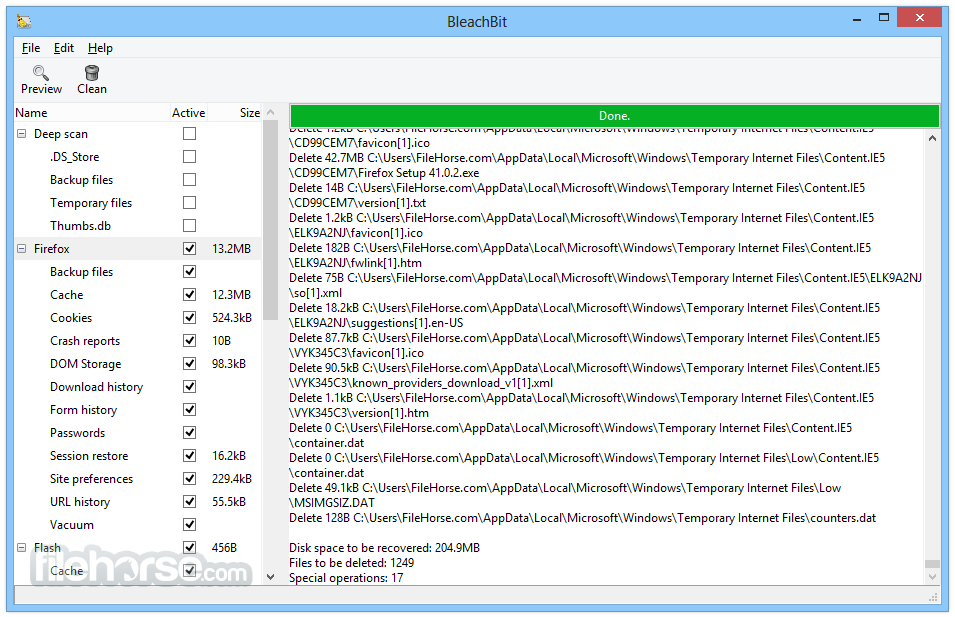
BleachBit 6.0.0 Screenshots
The images below have been resized. Click on them to view the screenshots in full size.

-
-

-

What's new in this version:
All platforms:
New Features:
- Cookie manager: A new cookie manager lets you choose which cookies to keep when cleaning Chromium- and Firefox-based browsers
- New browser support: Added cleaners for the Vivaldi and Zen web browsers
- Deeper browser cleaning (Chromium-based, including Google Chrome): Now cleans component cache, extension cache, Graphite Dawn cache, shader cache, DIPS, crash reports, code cache, media device salts, reporting data, IndexedDB, network state, and search suggestions. Additional databases are vacuumed and cache handling is improved for snap and Flatpak installations.
- Deeper browser cleaning (Firefox, LibreWolf, Waterfox): Now cleans storage, permissions, bounce tracking protection, site security state, alternate services, favicons, and session backups. Cache handling is also improved for snap and Flatpak installations.
- Major improvements to Opera cleaning.
- Reorganized browser options: Firefox and Chromium-based browser options have been reorganized under a clearer "Site data" category
- Improved session option descriptions for web browsers
- Expert mode: A new expert mode option adds guardrails for less experienced users by restricting advanced operations. Users upgrading from versions older than 5.1.0 may need to enable expert mode to access all features that previously did not have guardrails.
- CLI negation support: The command-line interface now supports negation. See the CLI documentation for details.
- Paste paths from clipboard: Press Ctrl+V in the main window to paste files for shredding. Previously, only files copied from a file manager were accepted; now plain text paths (e.g., copied from Notepad) are also supported.
- Chaff improvements: Faster chaff generation, flexible stop conditions (file count, total size, free space percentage), a stop button, and a completion message. The UI no longer freezes while downloading chaff data.
User Interface:
- Remember warning choices: You can now opt out of future confirmations directly from the confirmation dialog. (Requires expert mode.)
- Skip preview when deletion confirmation is disabled. (Requires expert mode.)
- Custom paths: Visual cues now distinguish custom paths from the allowlist. A context menu makes it easy to manage custom paths. A warning is shown if a protected path is added, which can be bypassed in expert mode.
- Improved preferences dialog appearance and layout.
- System Information dialog: Added a button to anonymize system information before sharing.
- Improved dark theme contrast for error log text.
- Improved tree view for expert mode: When expert mode is disabled, a warning icon appears next to options that have warnings (such as deleting browser passwords). Toggling these protected options is blocked, and an info bar explains how to enable expert mode.
- Clarified Chromium sync cleaning: In Chromium-based browsers, cleaning sync data will delete web apps. If the browser syncs to the cloud, web app data can be restored.
- Renamed "overwrite free space" to "wipe empty space" for clarity, with an elaborated warning message. Also, BleachBit now helps users delete orphaned wipe files if the process is interrupted.
- Renamed "whitelist" to "allowlist" throughout the application for clearer, more descriptive terminology that directly communicates function.
- Info bars replace modal alert dialogs for a smoother, more streamlined experience.
- Locked preferences: Preferences set via the command line (for example, --gui --no-delete-confirmation --overwrite --debug), are locked in the GUI and not recorded to the configuration file.
Fixed:
- Fix: Do not report a file as deleted when access is denied
- Fix: Do not shred hard links
- Fix: Avoid an error when cleaning Firefox URL history
- Fix: Hyperlink from GUI to help/support page
- Fix: UnicodeEncodeError when displaying filenames with special characters
- Fix: GUI deadlock when loading malformed XML cleaner files
- Fix: --debug CLI option
- Fix: --shred is now exclusive as expected
- Fix: Excess whitespace in dialogs
- Fix: Prevent opening preferences dialog when using --gui --shred from the command line
Performance:
- Improved speed of XML parsing
- Improved speed of chaff generation
Localization:
- Added many hints for translators
- Enabled reordering of placeholders
- Translators updated 71 languages with 6178 changes
- The most active languages were қазақ тілі (407), български език (328), and 中文 (179)
- New languages added: Central Kurdish and қазақ тілі
Windows:
New Features:
- Deeper browser cookie cleaning: More cookie locations are now cleaned for Chromium and Brave on Windows, and a new cookie location is supported for Microsoft Edge.
- LibreOffice version 4 cleaning is now supported.
- Windows installer is now localized: The installer can be displayed in your language. If your language is not available, consider contributing a translation.
- Updated code signing timestamp protocol for the Windows installer and application: now using the RFC 3161 timestamp protocol with SHA-256, replacing the Authenticode protocol which used SHA-1
- winreg search type for CleanerML: Allows cleaning apps installed in a path defined by a Windows registry key
- Winapp2.ini: Added support for exclusion of registry keys (ExcludeKey#=REG), completing full support for the Winapp2.ini format
- Friendly message when switching user profiles: When the application is started from a standard account and the user elevates privileges using a different account, a notification explains that cleaning user-specific paths (such as browser data) will only affect the elevated account. Tip: Declining the UAC dialog when prompted will run the application with standard permissions, which is a good choice when cleaning only your user profile, unless file overwriting is required.
- Add a warning for the "Update Uninstaller" option in the System cleaner
- Context menu in Windows Explorer now loads BleachBit faster
Fixed:
- Important fix: Do not follow directory junctions/symlinks in the Recycle Bin. This prevents unintended data loss.
- Fix: Read-only files were not properly deleted.
- Fix: "Access denied" error when getting the size of certain files.
- Fix: Treat "access denied" errors differently than "file locked by another process."
- Fix: Avoid crash when the SSLKEYLOGFILE environment variable is set.
- Fix: Avoid crash when run from a folder named bin or lib.
- Fix: Application icon appearance.
- Fix: Splash screen appearance is now a simpler design with just the logo and a transparent background.
- Fix: Error on first start with disconnected network drives.
- Fix: Poor contrast with Windows 10 theme.
- Workaround: A new dialog on first launch asks user whether they are experiencing blurry or unreadable fonts, and offers a workaround by switching the font rendering backend. The preference dialog has a new option for toggling the font rendering backend.
Performance & Updates:
- Improved speed of overwriting files when running with administrator privileges
- Improved Windows update cleaning: services are stopped in fewer cases, and unneeded error messages are suppressed
- Updated bundled libraries: Python 3.12 and GTK 3.24.51
Other changes:
For Developers:
- New Docker-based test system for running automated tests across multiple Linux distributions and environments
- pytest support introduced for unit testing (alongside existing unittest), including parallel test execution
- New browser testing site: browsergym.bleachbit.org for testing browser cleaning behavior
- Major code cleanup and refactoring
- CleanerML: Added winreg search type for registry-defined install paths, and ExcludeKey#=REG support in Winapp2.ini
- Fix Coveralls integration
- Added hidden --no-delete-confirmation CLI argument (for automated testing).
- Improved compatibility with pytest
Website & Documentation:
- Major improvements to the documentation site at docs.bleachbit.org
- The first localized pages on bleachbit.org in Spanish, Italian, and German cover the homepage, download, features, and help pages
 OperaOpera 133.0 Build 5932.60 (64-bit)
 BlueStacksBlueStacks 10.42.251.1002
 PhotoshopAdobe Photoshop CC 2026 27.7 (64-bit)
 WPS OfficeWPS Office Free 12.2.0.23196
 GTA 6GTA 6 for PS5
 CapCutCapCut Desktop 9.1.0
 PC RepairPC Repair Tool 2026
 Hero WarsHero Wars - Online Action Game
 TradingViewTradingView - Trusted by 100 Million Traders
 Halo: CampaignHalo: Campaign Evolved
Comments and User Reviews