




 Access
 10Web
10Web Dreamweaver
 Instapage
 dbForge Studio
 Antigravity
 SQL Server
 Portfolio
-
Latest Version
-
Operating System
Windows 7 / Windows 8 / Windows 10 / Windows 11
-
User Rating
Click to vote -
Author / Product
-
Filename
gradle-9.3.0-all.zip
Sometimes latest versions of the software can cause issues when installed on older devices or devices running an older version of the operating system.
Software makers usually fix these issues but it can take them some time. What you can do in the meantime is to download and install an older version of Gradle 9.3.0.
For those interested in downloading the most recent release of Gradle or reading our review, simply click here.
All old versions distributed on our website are completely virus-free and available for download at no cost.
We would love to hear from you
If you have any questions or ideas that you want to share with us - head over to our Contact page and let us know. We value your feedback!
-
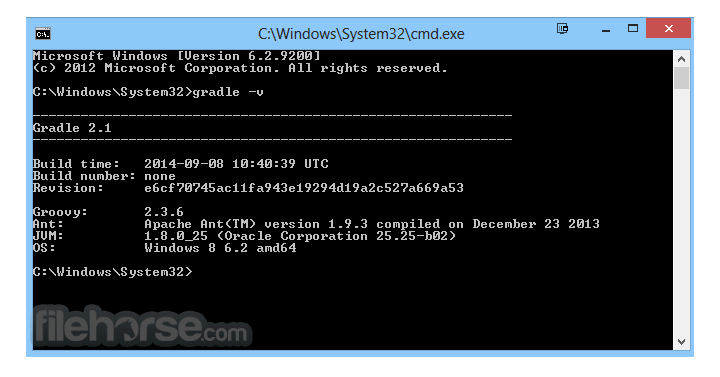
Gradle 9.3.0 Screenshots
The images below have been resized. Click on them to view the screenshots in full size.
What's new in this version:
New features and usability improvements:
Test reporting improvements:
- Gradle provides a rich set of features and abstractions for testing JVM code, along with test reports to display results
Test results reporting:
- The HTML test report generated by the test task, TestReport, and other AbstractTestTask usages now presents test results in a clearer structure that reflects how tests are defined
- This results from Gradle adopting the incubating Test Event Reporting API internally.
- In the following sections, "Suite" refers specifically to the suite features of JUnit 4, JUnit Jupiter, and TestNG while "Container" refers to a general grouping of tests, such as a class
Nested test changes:
- For JUnit 4 and JUnit Jupiter, nested test classes are now shown nested under their enclosing class in the HTML Test Report
For example, if you had an OuterClass with an InnerClass nested inside it, it would previously be shown as:
- + OuterClass$InnerClass
- |-- someTestMethodInInnerClass
It will now be reported in the HTML Test Report as:
- + OuterClass
- |-+ InnerClass (or OuterClass$InnerClass for JUnit 4)
- |-- someTestMethodInInnerClass
With multiple inner classes:
- + OuterClass
- |-+ InnerClass1 (or OuterClass$InnerClass1 for JUnit 4)
- |-- someTestMethodInInnerClass1
- + InnerClass2 (or OuterClass$InnerClass2 for JUnit 4)
- |-- someTestMethodInInnerClass2
- The XML report remains the same, nested classes are still written as TEST-OuterClass$InnerClass.xml.
Parameterized test changes:
- Parameterized tests now create a suite that contains all the parameterized test cases for a given method
Suite changes:
- Suites now contain the classes they run, rather than those classes being shown as siblings.
Package suite changes:
- Packages are no longer represented as containers in the HTML report
There are two main reasons for this change:
- With support for non-class-based testing, Gradle cannot reliably determine if a container corresponds to a class, so synthesizing a package container can be misleading.
- This behavior now aligns more closely with how testing frameworks and IDEs group tests.
- Test standard output/error changes:
- Standard output and standard error (collectively, "output") are no longer combined from individual tests to the container/class level. Instead, the output stays attached to the individual test that produced it. This makes it easier to locate output that is relevant to a specific test.
- @Before and @After class output is now associated with the correct class in JUnit 4, JUnit Jupiter, and TestNG (starting with TestNG 6.9.13.3). @Before and @After suite or container output is now associated with the correct suite or container for JUnit 4 (starting with JUnit 4.13), JUnit Jupiter, and TestNG (starting with TestNG 6.19.13.3)
Aggregate report changes:
- The Test Report Aggregation Plugin provides tasks and configurations used to aggregate the results of multiple Test task invocations into a single HTML report
- This report, which can also be generated manually with TestReport, now supports overlapping test structures
For example, when a suite with the same name exists in multiple subprojects:
- application subproject has an AdderTest
- direct subproject has an AdderTest and a MultiplierTest
- transitive subproject has an AdderTest (which fails) and a PowerizeTest
- Previously, the report looked like this when a failure occurred
- Now, each individual report source is represented as a separate tab. To see the tests from a specific source, select its corresponding tab
Error and warning reporting improvements:
- Gradle provides a rich set of error and warning messages to help you understand and resolve problems in your build
- Simple console rendering for Problem Reports
- The Problems API provides structured feedback on build issues, helping developers and tools like IDEs identify and resolve warnings, errors, or deprecations during configuration or runtime
- Previously, a limitation was that the problem report was linked to in the console output, but the problems themselves were not displayed
- In this release, we've added basic console integration. Relevant problems in the report are now rendered in the console output when you use --warning-mode=all
Clearer explanation for worker process exit codes:
- Gradle now provides a short explanation when a worker process exits with a code that typically indicates it was killed by the operating system
Previously, you would see:
- > Process 'Gradle Worker Daemon 87' finished with non-zero exit value 137
Now, Gradle adds a helpful hint based on the value of the exit code:
- > Process 'Gradle Worker Daemon 87' finished with non-zero exit value 137
- (this value may indicate that the process was terminated with the SIGKILL
- signal, which is often caused by the system running out of memory)
- This makes it easier to understand failures caused by conditions such as running out of memory
Build authoring improvements:
- Gradle provides rich APIs for plugin authors and build engineers to develop custom build logic
- New AttributeContainer.named() method
- An AttributeContainer stores attributes that Gradle uses to pick the right variant of a dependency during resolution
- This release introduces the new convenience method on AttributeContainer.named()
- This method can create attribute values directly from the container without requiring the use of the ObjectFactory
- This method makes attribute assignment more concise while preserving the same semantics as creating a named value via the ObjectFactory
Stream TestKit output:
- In Gradle’s TestKit, BuildResult is the object that represents the outcome of a test build you ran with GradleRunner
- BuildResult now offers a new method for accessing the build console output efficiently, especially for builds that produce a large volume of logs
- BuildResult.getOutput() returns a String with the full build console output
- This can use large amounts of memory for builds with extensive logs
- A new BuildResult.getOutputReader() method is available, returning a BufferedReader for streaming the build output incrementally. This can help reduce memory pressure in TestKit tests.
- Ensure you close the BufferedReader after use
Publishing signatures for distributions:
- Gradle now publishes ASCII-armored .asc signature files for all distribution ZIPs, alongside the existing .sha256 checksum files
- These PGP signatures allow users and build systems to verify that a downloaded Gradle distribution was produced by the Gradle team and has not been tampered with, improving supply-chain integrity and enabling stronger verification workflows
- For details on verifying Gradle distributions and JARs, see the Signing key for Gradle artifacts page
Dependency repositories can be disabled and skipped for more reasons:
- When Gradle fails to retrieve information from a repository after multiple retries or specific fatal errors, the repository will no longer be checked for the remainder of the build. This will usually fail dependency resolution because Gradle will not continue to the next repository in the list unless told otherwise.
- This behavior ensures reproducibility
- In this release, more failures will cause the repository to be disabled, such as an incorrect hostname
- See the documentation for details, including ways to continue resolution even if a repository is disabled
Promoted features:
- Promoted features are features that were incubating in previous versions of Gradle but are now supported and subject to backward compatibility. See the User Manual section on the "Feature Lifecycle" for more information.
- The following are the features that have been promoted in this Gradle release
- useFileSystemPermissions() in AbstractArchiveTask
Fixed:
- Resolution failures during capability conflicts
- TeamCity's parallel testing breaks with 9.3.0-milestone-1
- Deincubate `AbstractArchiveTask.useFileSystemPermissions()` method
- New test reports no longer filter for failed tests
- Gradle 9.3.0-milestone-1 JUnit Suite fails
- Compatibility Matrix contains mysterious asterisks
- KotlinDslBaseScriptModel#getScriptTemplatesClassPath() is insufficient to load script templates in Intellij IDEA
- Forbid depending on a non-published project from published project
- Gradleception IDE sync test doesn't support non-ascii paths(on MacOS?)
- Version catalog header comment points to unhelpful location
- Init plugin - wrong type
- Remove FetchModelResult.getTarget() method
- Gradle sync fails with IP during settings with EmptyStackException
- Make DefaultResilientIssuesRecorder thread safe
- Handle runtime failures with ResilientGradleBuildBuilder
- Use BuildController.fetch API for resilient KotlinDslScriptsModel
- gradle init should add .kotlin directory to generated .gitignore
- Support streaming build output of TestKit BuildResult
- ZIP root folder name changed for nightlies breaking `gradle/actions/setup-gradle` support for nightlies
- When executing `gradle -version` the Daemon JVM selection message should be clearer
- Support old Gradle daemon versions with BuildController#fetch
- Polish BuildController#fetch tooling API
- Support partial failures with GradleBuild
- Simple console rendering for Problems API reports
- Document 'single-string notation'
- Provde a link to distribution checksums from wrapper update failure messages
- Add Gradleception IP test
- gradle-public-api artifact is missing JSpecify annotations in `Property` class file
- AttributeContainer - add getObjectFactory() to simplify Attribute creation
- Remove workaround parsing Kotlin scripts wrapping the file content in a class for declarative
- Improve integration tests to check that resilient GradleBuild model returns the same data as non-resilient GradleBuild
- Guard against not breaking Kotlin DSL support in IDEA
- Enable `LifecycleAwareProject` wrappers in vintage
- Demistify the way the `kotlin-dsl` plugin configures the Kotlin API and language versions
- Improve resiliency of KotlinDslScriptsModel model
- Introduce resilient version of BuildController.getModel
- Improve resiliency of GradleBuild model
- Mysterious "Problems reading data from Binary store"
- Enforce internal class naming patterns with ArchUnit
- Create a new variant of Binary2JUnitXmlReportGenerator that works with the new results format
- Re-implement AbstractTestTask etc. using TestEventReporter APIs
- `filter.excludeTest` doesn't work for a JUnit5 nested test class inside another nested test class
- `--test-dry-run` does not report JUnit5 `ParameterizedTest`
- `groovy-gradle-plugin` usage require additional configuration-cache before being reused
- Socket connections from non-gradle applications crash gradle executors
- JUnit 3 test suite run with JUnit Vintage engine is not included in Gradle test report
- Dependency verification report should include full 40 character key
- Disabled parameterized tests are missing in test report
- Configuration cache miss in groovy-gradle-plugin due to querying build directory contents at configuration time
- Wrong build event hierarchy for JUnit 4 Suites
- Test task tries to create report files with file names that are too long
- Reporting of failures of nested "suites" drops class name
- Test report does not include class setup time
- Explain worker exit codes when possible
- JUnit 5 integration relies on Jupiter specifics
- Simple problem rendering impacts rendering of problems that fail a build
- Cannot invoke "java.util.Date.getTime()" because "localLastModified" is null
- ConcurrentModificationException in MissingTaskDependencyDetector
- Test reports in Gradle 9.3-rc-1 don't highlight failures any more
- Colored terminal detection broken on Windows in 9.3.0-rc-1
- Paparazzi using internal API that disappeared in 9.3.0-rc-1
- Unittest failed with Junit4 Suite Runner since Gradle 9.3.0-rc-1
- [9.3.0-rc-1] OutOfMemoryError for unit test suite
- Gradle 7.6.6 & 8.14.3: Problems reading data from Binary store
- Start signing Gradle wrapper jar
- Public Key Signed Gradle Releases
- [9.3.0-rc-2] NPE org.gradle.api.internal.artifacts.ivyservice
 OperaOpera 129.0 Build 5823.28 (64-bit)
 Kling AIKling AI - Text or Image to Video
 PhotoshopAdobe Photoshop CC 2026 27.4 (64-bit)
 BlueStacksBlueStacks 10.42.167.1001
 OKXOKX - Buy Bitcoin or Ethereum
 CapCutCapCut 7.9.0
 PC RepairPC Repair Tool 2026
 Hero WarsHero Wars - Online Action Game
 TradingViewTradingView - Trusted by 100 Million Traders
 AdGuard VPNAdGuard VPN 2.9.0
Comments and User Reviews