




 SQL Server
 Dreamweaver
 Access
 Antigravity
 Portfolio
 Instapage
 10Web
10Web dbForge Studio
-
Latest Version
Inno Setup 6.7.1 LATEST
-
Review by
-
Operating System
Windows 7 / Windows 8 / Windows 10 / Windows 11
-
User Rating
Click to vote -
Author / Product
-
Filename
innosetup-6.7.1.exe
-
MD5 Checksum
6adf0402439103d589c1a733c68c7dd8
Although this open-source program can be used by anyone for free, Inno Setup is really stable and offers more features than most of its similar paid alternatives.
This made it incredibly popular with worldwide audience who demanded access to perfect tools, wide OS support and advanced features such as complete uninstall tools, disk spanning, single EXE installers, support for multiple binaries inside a single package, INI/Registry management, integrated scripting engine (based on Pascal), passworded and encrypted packages, support for multiple compression algorithms, multilingual install interfaces and much more.
The first version of Inno Setup was created by developer Jordan Russell in IDE software package Embarcadero Delphi in distant 1997.
From that moment, this free software received countless updates and streamlining of a visual interface that can today easily be used by both users who have very little technical knowledge about software development and seasoned professionals.
The installers created with Inno can be of the conventional “wizard” type, can create shortcuts, launch or delete files, and can be password-protected or encrypted. The interface is not very intuitive, but various front-ends have been developed to make working with this product easier.
InnoSetup is a 100% free application that can be even used commercially, although its original developer is open to receive donations that are funding active development of this popular developer tool.
Features and Highlights
- Broad Windows Compatibility: Supports all Windows versions since 2006, including Windows 11, Windows 10 (x64 & Arm64), Windows Server editions, and older versions like Windows 7 and 8.
- Comprehensive Installation Support: Works for both 64-bit and 32-bit applications, with options for administrative and non-administrative installs.
- Single EXE Distribution: Creates a standalone installer for easy online sharing, with disk spanning support.
- Customizable Installation: Offers setup types such as Full, Minimal, and Custom, along with multilingual and right-to-left language support.
- Advanced File Handling: Supports various compression formats (deflate, bzip2, 7-Zip LZMA/LZMA2), version-based file replacement, DLL/OCX registration, font installation, and shortcut creation.
- Registry & Configuration Management: Enables adding registry and .INI entries.
- Execution Control: Allows running additional programs before, during, or after installation.
- Security Features: Includes password-protected, encrypted, and digitally signed installs and uninstalls.
- Silent & Automated Installs: Supports silent installation/uninstallation and Unicode setups.
- Extensive Customization: Features an integrated preprocessor and Pascal scripting engine for advanced runtime modifications.
- Compact & Open Source: Small 1.75 MB installer overhead, fully documented, and source code available on GitHub.
- Trusted by Industry Leaders: Used by Microsoft Visual Studio Code and Embarcadero Delphi.
- Launch the Inno Setup Compiler.
- Create a new script or use the script wizard.
- Customize installation settings in the script.
- Compile the script to generate the installer.
- Test the installer on a Windows system.
- Distribute the setup file to users.
- Windows 7, 8, 10, 11 (32-bit or 64-bit)
- 1 GHz processor or faster
- 512 MB RAM or more
- 50 MB free disk space
- Administrator privileges for installation
- Free and open-source
- Easy-to-use scripting language
- Customizable installer options
- Supports silent installations
- Works on all Windows versions
- No official GUI-based editor
- Limited support for advanced UI
- No built-in update system
- Requires scripting knowledge
- Lacks native 64-bit compression
-
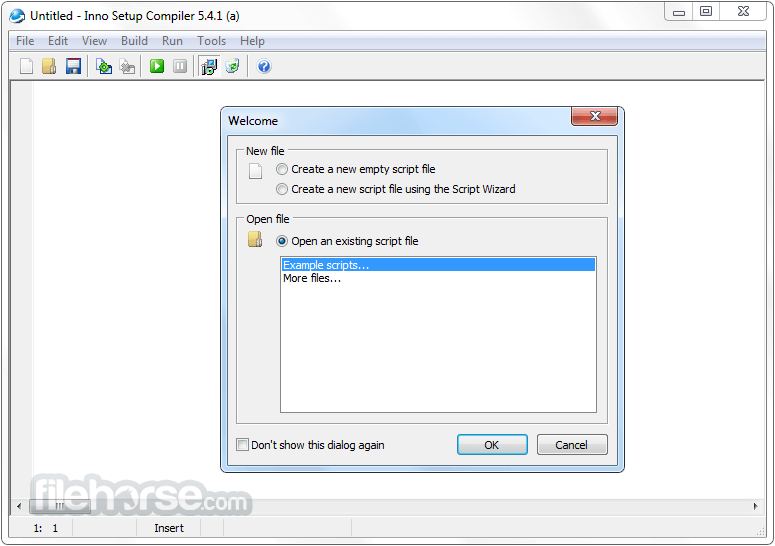
Inno Setup 6.7.1 Screenshots
The images below have been resized. Click on them to view the screenshots in full size.
-

-

What's new in this version:
General improvements:
Compiler:
0 When setting WizardBackImageFile, the compiler now also checks whether a custom style was specified via WizardStyleFile
0 The compiler's retry mechanisms now also retry the initial copy of the E32 file to the output EXE
Compiler IDE:
- Improved section folding to allow folding of (entire) functions and procedures in the [Code] section
- Added new Smart Home key option, enabled by default
- Added a banner that will appear in April 2026, inviting you to share your ideas and vote on others on an ideas board, open that month only
Setup:
- Improved enumeration of the Windows PendingFileRenameOperations registry value
- If you use restartreplace flags in your [Files] section, updating is recommended
- Edit controls that take paths to directories now exclude names of files from their AutoComplete lists
- Added workaround for slower folder browsing on Windows 11 25H2
Other changes:
Pascal Scripting:
-Added new Alignment property to support class TNewStaticText. See updated CodeClasses.iss example script for an example.
-Added new AutoCompleteFiles property to support class TNewPathEdit. If set to False (the default value), only directory names are included in the AutoComplete list. If set to True, file names are included as well.
ISPP:
- The date and time separators of support functions GetDateTimeString and GetFileDateTimeString are now truly optional, rather than requiring empty strings
- Added new support function EmitLanguagesSection, to generate a full [Languages] section for all available official languages, including English. Example: #expr EmitLanguagesSection.
- When possible, the Compiler IDE's New Script Wizard will use this function.
- Added official Thai translation
- Other minor improvements
 OperaOpera 128.0 Build 5807.37 (64-bit)
 Kling AIKling AI - Text or Image to Video
 PhotoshopAdobe Photoshop CC 2026 27.4 (64-bit)
 BlueStacksBlueStacks 10.42.166.1001
 OKXOKX - Buy Bitcoin or Ethereum
 CapCutCapCut 7.9.0
 PC RepairPC Repair Tool 2026
 Hero WarsHero Wars - Online Action Game
 TradingViewTradingView - Trusted by 100 Million Traders
 AdGuard VPNAdGuard VPN 2.9.0
Comments and User Reviews