




 Premiere Pro
 Kling AI
 Artlist
 Camo Studio
 LitMedia AI
 Restream
 OpusClip
-
Latest Version
OpenShot Video Editor 4.0.0 (32-bit) LATEST
-
Review by
-
Operating System
Windows 7 / Windows 8 / Windows 10
-
User Rating
Click to vote -
Author / Product
-
Filename
OpenShot-v4.0.0-x86.exe
Easily add sub-titles, transitions, and effects, and then export your film to DVD, YouTube, Vimeo, Xbox 360, and many other common formats. Download OpenShot Video Editor 32bit for PC today!
If you are looking for OpenShot Video Editor alternatives, we recommend you to download Icecream Video Editor or PowerDirector.
Features and Highlights
Cross-Platform
OpenShot is a cross-platform video editor, with support for Linux, Mac, and Windows. Get started and download the installer today.
Trim & Slice
Quickly trim down your videos, and find those perfect moments. OpenShot has many easy ways to cut your video.
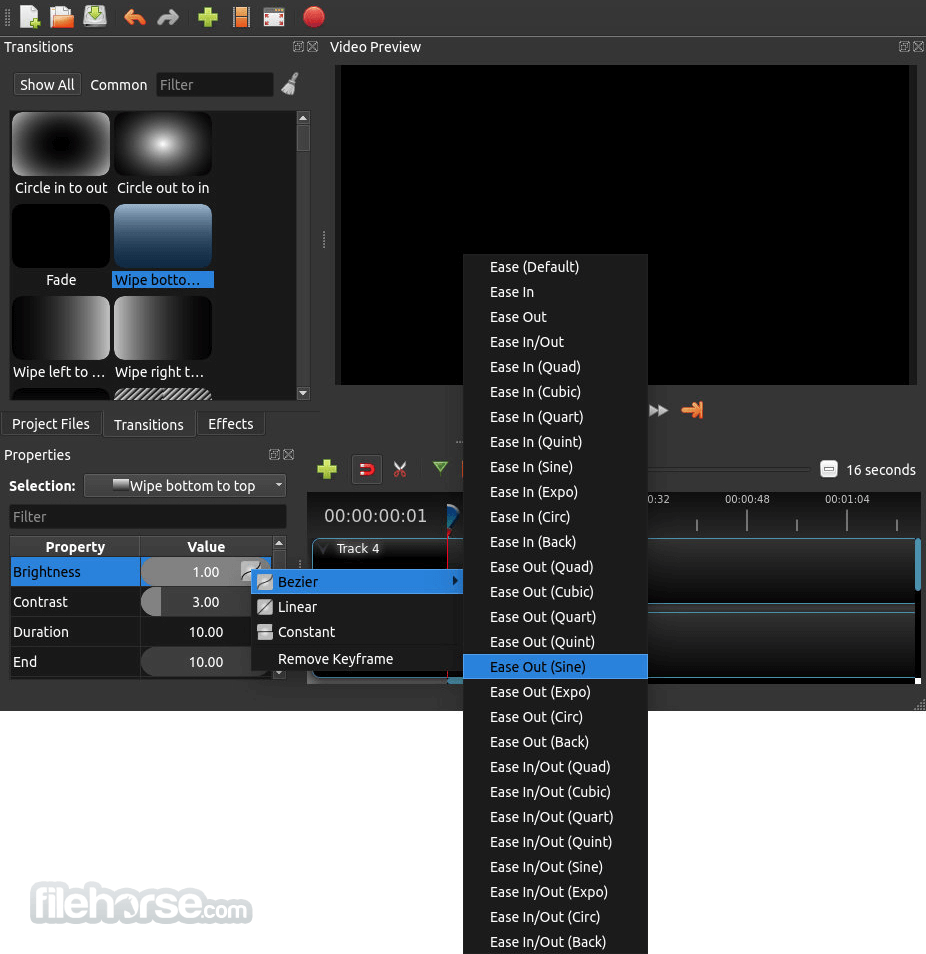
Animation & Keyframes
Using a powerful animation framework, you can fade, slide, bounce, and animate anything in your video project.
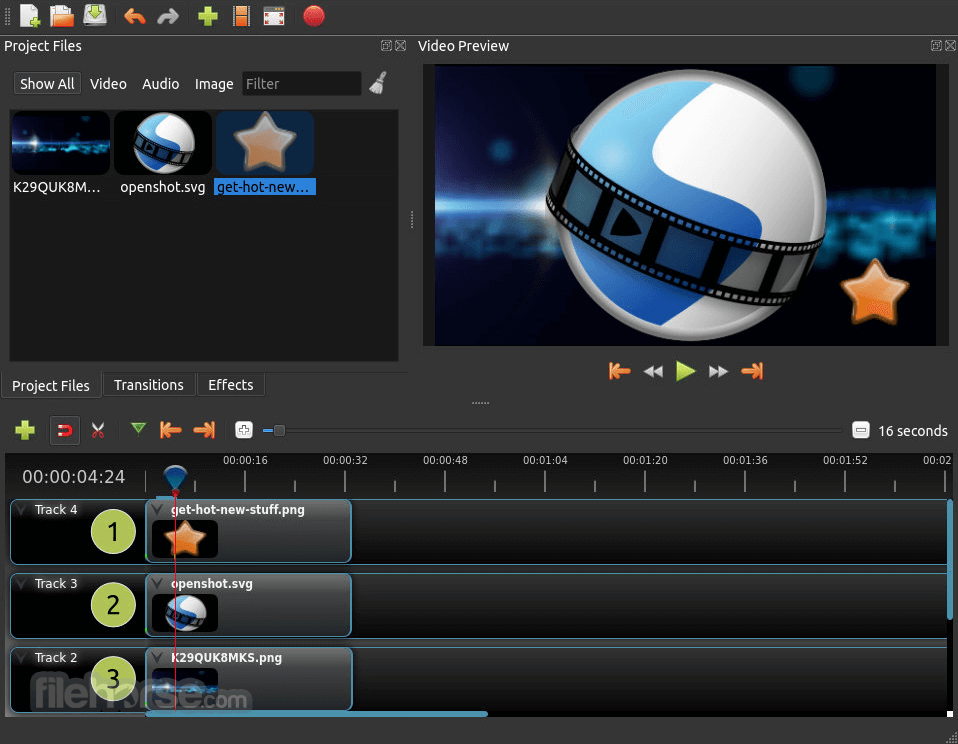
Unlimited Tracks
Add as many layers as you need for watermarks, background videos, audio tracks, and more.
Video Effects
Using video effects engine, remove the background from your video, invert the colors, adjust brightness, and more.
Audio Waveforms
Visualize your audio files as waveforms, and even output the waveforms as part of your video.
Title Editor
Adding titles to your video has never been easier. Use one of the templates, or make your own.
3D Animations
Render beautiful 3D animated titles and effects, such as snow, lens flares, or flying text.
Slow Motion & Time Effects
Control the power of time, reversing, slowing down, and speeding up video. Use a preset or animate the playback speed and direction.
70+ Languages
OpenShot is available in many different languages and can be translated online with LaunchPad.
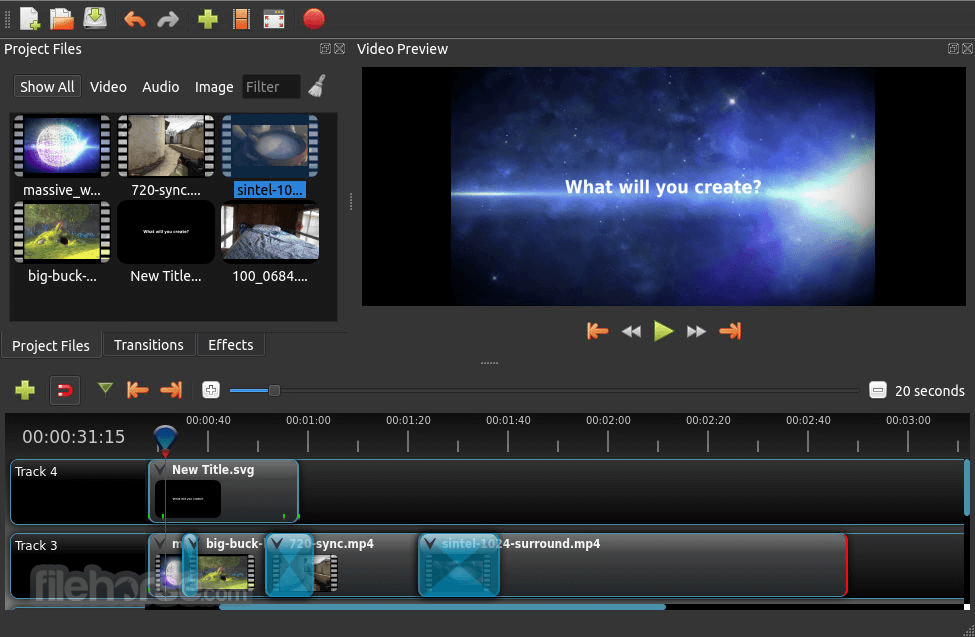
Simple User Interface
We have designed OpenShot to be the easiest and friendliest video editor ever. Give it a try and see for yourself.
Desktop Integration
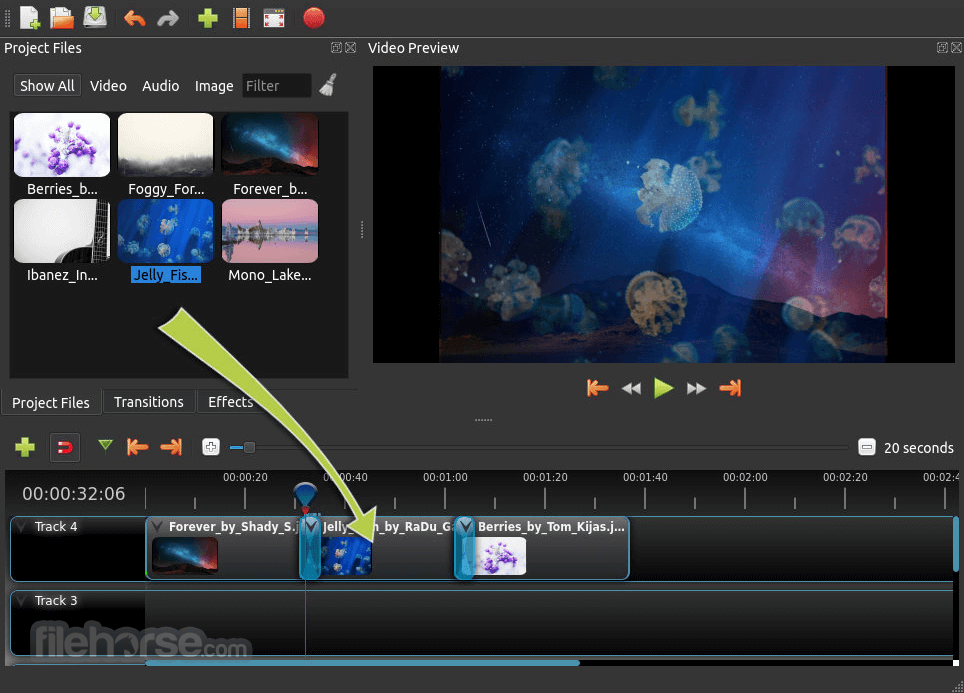
Drag and drop video, audio, or images directly from your file manager into OpenShot. It's that easy to get started.
Alternatives
Shotcut: Another free, open-source video editor with a wide range of features and support for various formats.
DaVinci Resolve: A professional-grade video editor with advanced color correction and audio post-production capabilities. The free version offers many powerful features.
Lightworks: A professional video editing software with a free version that includes a robust set of tools for video editing.
HitFilm: A free video editing and visual effects software with a range of advanced features for creating professional-quality videos.
Kdenlive: An open-source video editor for Linux, Windows, and macOS, known for its stability and extensive feature set.
Pricing
This program is completely FREE to download and use. As an open-source project, it relies on community contributions and donations to support its development and maintenance.
System Requirements
- OS: Windows 11, 10, 8 or 7
- Processor: Multi-core processor with 64-bit support
- RAM: 4 GB (8 GB recommended)
- Storage: 500 MB of available space
- Free and open-source
- Cross-platform compatibility
- User-friendly interface
- Supports a wide range of formats
- Powerful keyframe animation
- Performance issues on lower-end systems
- Lacks some advanced features found in professional software
- Occasional stability issues
-
OpenShot Video Editor 4.0.0 (32-bit) Screenshots
The images below have been resized. Click on them to view the screenshots in full size.
-
-

-
-
What's new in this version:
Highlights & Features:
- New Color View with color wheels, curves, LUT controls, presets, and live video
- scopes
- New Recording View for screen, webcam, microphone, and system-audio capture
- Redesigned native Qt timeline with smoother zooming, editable timecode, and improved
- keyframe controls
- New clip menus and creative presets for motion, camera moves, color, film looks,
- lighting, and audio
- Local AI model downloads and workflows for Object Mask and Object Detection
- Improved Qt 6, PySide6, Wayland, high-DPI, and modern Linux compatibility
- Updated export presets, documentation, translations, and hundreds of usability and
- stability fixes
 OperaOpera 135.0 Build 5973.92 (64-bit)
 LDPlayerLDPlayer - Android Emulator
 PhotoshopAdobe Photoshop CC 2026 27.9.1 (64-bit)
 MalwarebytesMalwarebytes Premium 5.6.5
 GTA 6GTA 6 for PS5
 CapCutCapCut Desktop 9.3.0
 PC RepairPC Repair Tool 2026
 Hero WarsHero Wars - Online Action Game
 TradingViewTradingView - Trusted by 100 Million Traders
 How to FishHow to Fish
Comments and User Reviews