




 iTop Browser
 Comet
Comet Chrome
 AdsPower
 Firefox
 Samsung
 Opera GX
-
Latest Version
Pale Moon 34.3.1 (32-bit) LATEST
-
Review by
-
Operating System
Windows 7 / Windows 8 / Windows 10
-
User Rating
Click to vote -
Author / Product
-
Filename
palemoon-34.3.1.win32.installer.exe
-
MD5 Checksum
466c4e1bac6dc81271c0258366812d92
Pale Moon offers you a browsing experience in an internet browser completely built from its own, the independently developed source that has been forked off from Firefox/Mozilla code, with carefully selected features and optimizations to improve the browser's speed, resource use, stability, and user experience, while offering full customization and a growing collection of extensions and themes to make the browser truly your own.
Features and Highlights
- Optimized for modern processors
- Based on the optimized layout engine (Goanna)
- Safe: forked from mature Mozilla code and regularly updated
- Secure: Additional security features and security-aware development
- Supported by a friendly, active community of users
- Familiar, efficient, fully customizable interface
- Support for full themes: total freedom over any element's design
- Support for easily-created lightweight themes (skins)
- Smooth and speedy page drawing and script processing
- Increased stability: experience fewer browser crashes
- Support for many Firefox extensions
- Support for a growing number of PaleMoon exclusive extensions
- Extensive and growing support for HTML5 and CSS3
- Many customization and configuration options
- Able to import existing Firefox profiles with the migration tool
Can I use modern Firefox extensions with Pale Moon?
No, it supports legacy Firefox extensions but is incompatible with WebExtensions. However, the browser offers an extensive catalog of alternative add-ons.
Is Pale Moon secure?
Yes, Pale Moon is secure, with regular updates to address vulnerabilities. However, users should keep the browser updated to the latest version.
Does Pale Moon support DRM-protected content?
No, Pale Moon does not natively support DRM (Digital Rights Management), which might restrict access to some streaming services like Netflix.
Can I sync data across devices?
It offers a sync feature, but it is less robust compared to mainstream browsers like Chrome or Firefox.
What makes Pale Moon different from Firefox?
This software is lighter, retains support for legacy features/extensions, and offers a more customizable interface compared to Firefox.
Alternatives
Firefox
A modern, feature-rich browser with extensive add-ons and high performance. Great for users who prioritize security and modern web standards.
Waterfox
A Firefox fork emphasizing privacy and legacy extension support.
Opera
Known for its built-in VPN, Opera is a user-friendly alternative offering unique features like a sidebar messenger.
Brave
A privacy-focused browser with built-in ad-blocking and cryptocurrency integration.
Vivaldi
Highly customizable and modern, Vivaldi caters to users who want extensive control over their browsing experience.
Pricing
The program is completely FREE and open-source, with no paid versions or features hidden behind a paywall.
System Requirements
- Operating System: Windows 11, 10, 8 or 7
- Processor: Modern CPU with SSE2 support.
- Memory: 256 MB RAM (512 MB recommended).
- Disk Space: 30 MB for installation.
- Graphics: DirectX 9-capable GPU for hardware acceleration (optional).
- Lightweight and resource-efficient.
- Highly customizable interface.
- Supports legacy extensions.
- Privacy-focused with no telemetry.
- Open-source and community-driven.
- Limited support for modern WebExtensions.
- Incompatibility with some websites and DRM content.
- Lacks advanced sync features found in mainstream browsers.
-
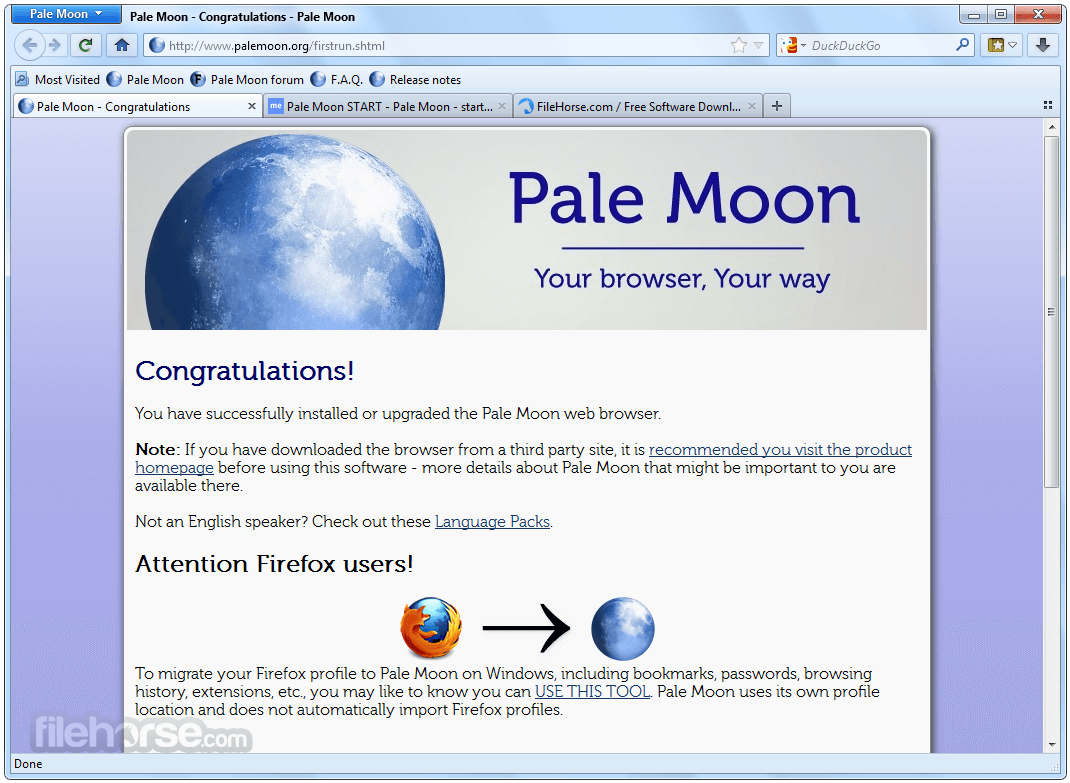
Pale Moon 34.3.1 (32-bit) Screenshots
The images below have been resized. Click on them to view the screenshots in full size.
-

-

What's new in this version:
- Pale Moon will now exclude local resources from <base> CSP checks, aligning it with the rest of CSP handling
- Fixed an issue where the devtools JSON viewer would, in some cases, make erroneous requests to remote servers
- Updated libpng to 1.6.58+apng
- Updated NSS to 3.90.12 (UXP), addressing multiple security issues
- Fixed several intermittent and rare crashes
 OperaOpera 134.0 Build 5954.26 (64-bit)
 BlueStacksBlueStacks 10.42.251.1003
 PhotoshopAdobe Photoshop CC 2026 27.7 (64-bit)
 WPS OfficeWPS Office Free 12.2.0.23196
 GTA 6GTA 6 for PS5
 CapCutCapCut Desktop 9.1.0
 PC RepairPC Repair Tool 2026
 Hero WarsHero Wars - Online Action Game
 TradingViewTradingView - Trusted by 100 Million Traders
 Halo: CampaignHalo: Campaign Evolved
Comments and User Reviews