




 PRTG
PRTG RemotePC
 CleverGet
 WTFast
 Keeprix
 TrueNAS
 4K Download
 YTD Download
-
Latest Version
qBittorrent Portable 5.2.0 LATEST
-
Review by
-
Operating System
Windows 7 / Windows 8 / Windows 10 / Windows 11
-
User Rating
Click to vote -
Author / Product
-
Filename
qBittorrentPortable_5.2.0.paf.exe
-
MD5 Checksum
e5581fdef44e10034d36db71d22b5547
This version of qBittorrent offers portability, enabling users to carry the application on a portable storage device and use it on different computers without the need for installation.
With its user-friendly interface and comprehensive feature set, it aims to be a reliable choice for both beginners and experienced torrent users.
Features
User-Friendly Interface: It features a clean and intuitive interface, making it easy for users to quickly grasp its functionalities.
Cross-Platform Support: Available for Windows, macOS, and Linux, it ensures that users can enjoy the same experience across different operating systems.
Ad-Free Experience: Unlike some other torrent clients, qBittorrent Portable is ad-free, providing a distraction-free torrenting experience.
Built-in Search: The software offers a built-in search engine that allows users to find torrents without the need for external websites.
RSS Feed Support: Users can subscribe to RSS feeds for automatic downloading of torrents from their favorite sources.
Integrated Torrent Tracker: It has an integrated torrent tracker that simplifies the process of creating and sharing torrents.
Sequential Downloading: Users can prioritize specific files within a torrent for sequential downloading, which is useful for media playback before the entire download is complete.
Remote Management: The software supports remote management through a web interface, enabling users to control their downloads from anywhere.
IP Filtering and Encryption: It offers IP filtering and encryption options to enhance privacy and security while torrenting.
Installation and Setup
One of the standout features of qBittorrent Portable is its portability. Users don't need to install the software on each computer they use; instead, they can carry the portable version on a USB drive or external hard disk
To use this program, simply connect your portable storage device to a computer, locate the executable file, and launch the application.
This makes it extremely convenient for users who frequently switch between computers or want to keep their torrenting activities separate from their main system.
How to Use
Add a Torrent: You can add a torrent by clicking the "+ Add" button or by opening a torrent file. You can also paste a torrent or magnet link into the "Add New Torrent" dialog.
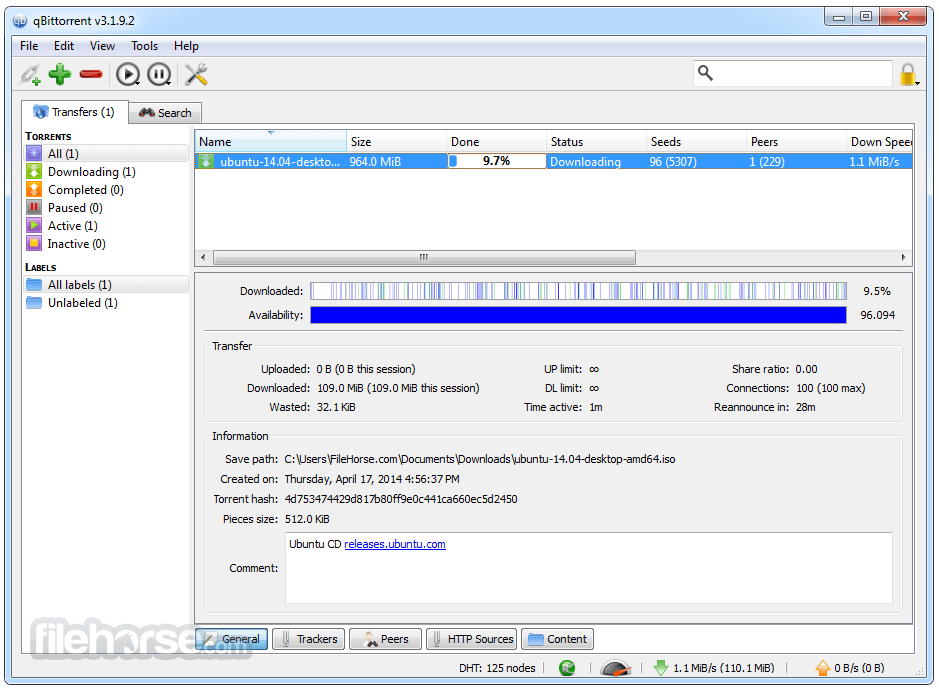
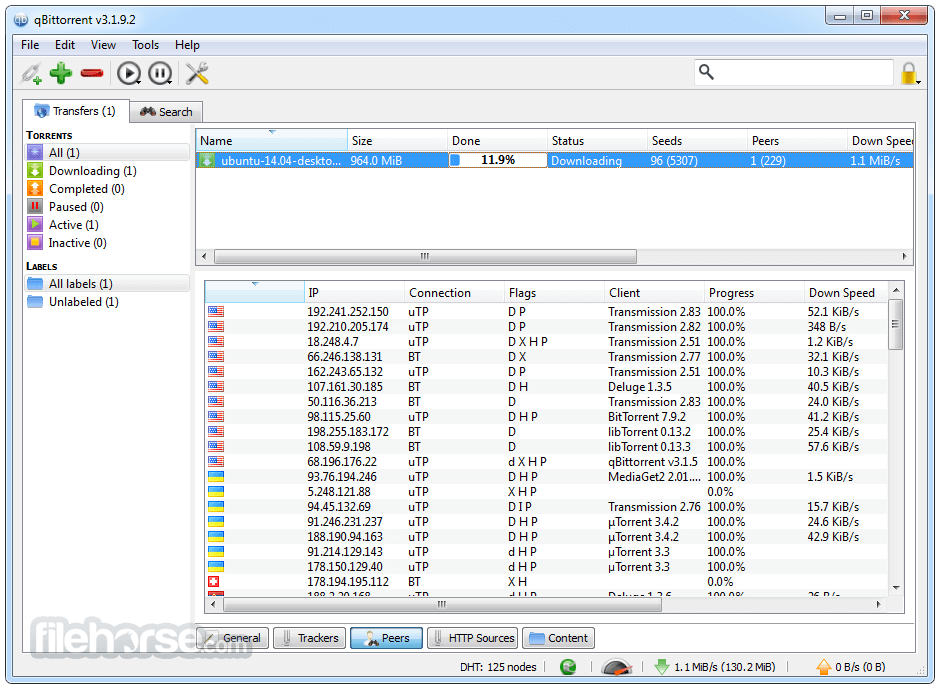
Manage Downloads: The main interface displays your active torrents. You can pause, resume, and prioritize downloads, as well as view detailed information about each torrent's progress and peers.
Search for Torrents: Utilize the built-in search function to find torrents directly within the application. Enter keywords, filter results, and initiate downloads seamlessly.
RSS Feeds: Set up RSS feeds for automatic downloads of your favorite content. The software will monitor feeds and initiate downloads based on your preferences.
Remote Access: Enable the Web User Interface in the settings to remotely manage qBittorrent Portable using a web browser. This is particularly useful for managing torrents from a different device.
FAQ
Is qBittorrent Portable FREE to use?
Yes, qBittorrent Portable is open-source software and completely FREE to use.
Can I use qBittorrent Portable on different computers?
Absolutely!! That's the main advantage of the portable version. Just carry the application on a portable storage device, and you can use it on any compatible computer.
Is qBittorrent Portable ad-supported?
No, this software is ad-free, ensuring an uninterrupted torrenting experience.
Can I schedule downloads with qBittorrent Portable?
Yes, you can schedule when downloads should take place, allowing you to manage bandwidth usage efficiently.
Is remote access secure?
Yes, qBittorrent Portable's remote access is secure, especially if you enable authentication for the Web User Interface.
Alternatives
uTorrent - A popular torrent client known for its small size and minimalistic interface.
Deluge - An open-source torrent client with a focus on flexibility and customization.
Tixati - A peer-to-peer file-sharing application, which uses the popular BitTorrent protocol
Transmission - A lightweight torrent client designed for simplicity and efficiency.
Audius - A decentralized music-sharing platform with blockchain integration.
LimeWire (revived as a blockchain-based music platform) - Focuses on artist royalties while still enabling music discovery.
System Requirements
Since qBittorrent Portable is designed to be portable, it doesn't have strict system requirements.
PROS
- Portable and doesn't require installation
- Ad-free experience
- User-friendly interface
- Integrated search and RSS support
- Cross-platform compatibility
- Advanced features might not be as extensive as some other torrent clients
It stands out as a convenient and efficient option for users seeking a reliable torrent client that doesn't tie them to a single computer. Its portability, user-friendly interface, and essential features make it a great choice for both beginners and experienced torrent users.
If you value a clutter-free and distraction-free torrenting experience, qBittorrent Portable is definitely worth considering. Best of all, being open-source, it embodies the spirit of community-driven software development.
Also Available: Download qBittorrent for Mac
-
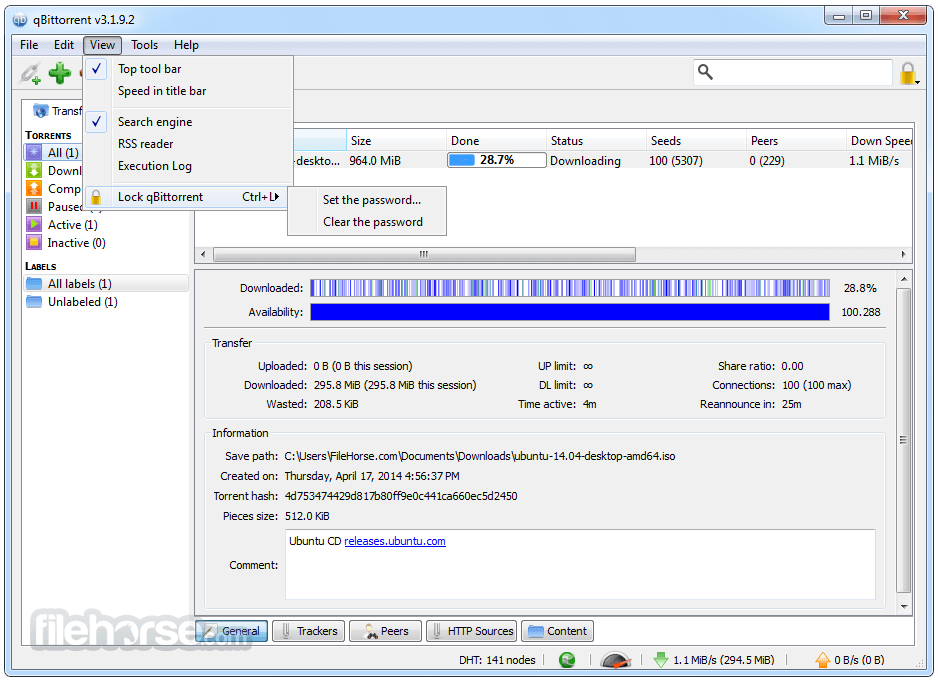
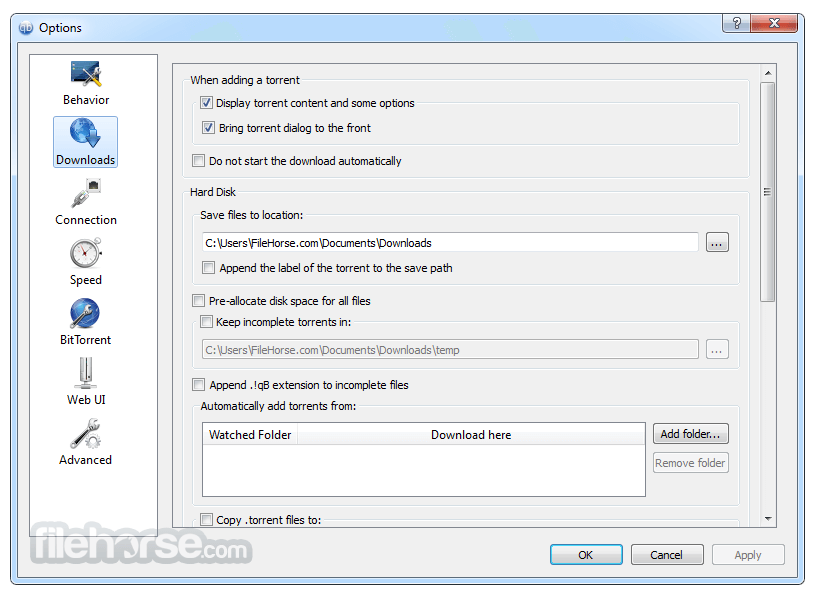
qBittorrent Portable 5.2.0 Screenshots
The images below have been resized. Click on them to view the screenshots in full size.

-
-
-
-
What's new in this version:
Featured:
- Show free disk space in status bar
- Add control for 'hostname resolver cache expiry interval'
- Show info hash in log when a duplicate torrent is added
- Swap add file/link buttons on toolbar
- Revise labels for 'duplicate torrent' actions
- Allow to pass torrent comment to external program
- Revise Interface section layout in Options dialog
- Revise label wordings
- Allow to customize PiecesBar colors
- Allow to customize ProgressBar color
- Add option to make progress bar to follow torrent state color
- Add option to disable torrent state colors
- Allow to copy content paths of selected torrents
- Restore default drag behavior in Torrent Content widget
- Add Torrent Creator toolbar button
- Allow to configure style and color scheme on all platforms
- Add reboot option when downloads complete
- Implement separate
- Calculate torrent pieces asynchronously
- Use subcategories unconditionally
- Allow to set torrent share limits per category
- Move torrents to parent category when category is removed
- Persist additional trackers and load it on startup
- Add "Created On" column to transfer list
- Add a small gap between progress bars
- Add translations for Albanian, Bosnian, Kazakh, Nepali, Serbian
- Performance: Improve resume queue load performance
- Performance: Avoid copying resume data when loading torrents
Fixed:
- Fix crash when exiting immediately after adding a torrent
- Revise wordings related to SOCKS4 proxy
- Remove dubious seeding time max value
- Make modifying log file perms best effort
- Reannounce DHT when reannouncing all trackers
- Block invalid file names when renaming torrent content
- Don't create lock file in internal data folders
- Log a critical error before aborting the app
- Raise connection max limits
- Make the active torrents filter reflect actual transfers
- Raise 'torrent share ratio' maximum limit
- Use consistent text for "Do not download" priority
- Fix incorrect save path when torrent is added from watched folder
- Change "Session" column headings to match non-"Session"
- Fix fail to start seeding newly created torrent in Torrent Creator
- Fix crash when exiting immediately after adding the torrent
- Fix crash due to invalid entry in ipfilter.dat
- Fix crash when closing app with AddNewTorrentDialog opened
WebUI:
- Select next available search tab after closing last active tab with X button
- Support creating new torrents
- Add headers to RSS entry viewer
- Fix dark mode in RSS entry viewer
- Optimize table performance with virtual list
- Don't update UI if the page is hidden
- Select multiple files to rename with Shift
- Prevent mobile keyboards from capitalizing username input
- Fix memory leak
- Add support for tracker status filter
- Switch to lightweight clipboard library
- Keep client session from expiring when the page is hidden
- Add ability to refresh search
- Cache server stats for statistics window
- Reset filter selection when double clicking filter
- Always show Auto Torrent Management option
- Improve performance of re-sorting table rows
- Add ability to add/remove tracker from selected torrents
- Make footer scrollable on mobile
- Support horizontal scrolling of tabs
- Fix hiding of filters toolbar
- Improve search page experience on mobile
- Limit window sizes to viewport size
- Focus on filter field using Ctrl+F
- Support managing category download path
- Support reannouncing individual trackers
- Allow closing dialogs with Escape key
- Implement Share limit action
- Add new Add Torrent experience
- Implement missing tracker list features
- Replace GIFs with SVG
- Support editing tracker tier
- Fix blurry window controls
- Support downloading torrent via search plugin
- Continue polling after network error
- Add I2P peers to peer list
- Redesign login form
- Do not hide context menu if the click target has submenu
- keep preferences window open after unsuccessful save
- Store persistent settings in client data API
- Support authenticating via Basic auth
- Add option to increase display density
- Add torrent availability bar
- Support modifying default date format
- Search engine UX improvements
- Improve table performance
- Set appropriate autocomplete attribute on password fields
- Fix RSS Dialog Box Title Text
- Fix sync using wrong key for full update check
- Add "Created On" column to transfer list
WebApi:
- Provide announce stats within "sync" data
- Optionally include files info in torrent list
- Send 204 when WebAPI response contains no data
- Add metadata in /app/getDirectoryContent response
- Add setComment endpoint
- send names of missing required params
- Support persisting WebUI client preferences
- Append port to session cookie name
- Add support for authenticating via API key
- Use Permanent Cookie
- Add "app/processInfo" endpoint with "launch_time"
- Don't throw an error when editing category without changes
- RSS: Allow to set refresh interval per feed
- RSS: Fix crash when moving a folder into its subfolder
- RSS: Use short format for displaying RSS entry date
- RSS: Add 'Open link' to RSS article header
- RSS: Replace RSS articles icons with SVG
- RSS: Allow to filter RSS by simple string
- RSS: Make the Smart filter to reject articles with an unrecognized episode number
- SEARCH: Add SOCKS4/SOCKS4a proxy support to search engine
- SEARCH: Enforce SOCKS proxy setting in search engine plugins
- SEARCH: Use appropriate icon for "error" status in search tab
- SEARCH: Improve search results filtering implementation
- SEARCH: Optimize parsing of search results
- SEARCH: Add CTRL+W search tab close functionality
- SEARCH: Update Python installer version
- SEARCH: Propagate error messages from search engine
- WINDOWS: Allow symbolic links in torrent creator
- WINDOWS: NSIS: Add support for ARM64 build
- WINDOWS: NSIS: Update Turkish, Russian, Ukrainian, Swedish translations
- WINDOWS: NSIS: Add Hindi, Bosnian translations
- WINDOWS: NSIS: Add missing strings to Hindi translation
- WINDOWS: NSIS: Enable more languages available in NSIS
 OperaOpera 131.0 Build 5877.97 (64-bit)
 AdsPowerAdsPower - Antidetect Browser
 PhotoshopAdobe Photoshop CC 2026 27.7 (64-bit)
 BlueStacks AIBlueStacks AI
 OKXOKX - Buy Bitcoin or Ethereum
 CapCutCapCut Desktop 8.5.0
 PC RepairPC Repair Tool 2026
 Hero WarsHero Wars - Online Action Game
 TradingViewTradingView - Trusted by 100 Million Traders
 AdGuard VPNAdGuard VPN 2.9.0
Comments and User Reviews