




 Antigravity
 Cursor
 SQL Server
 OnSpace AI
 Lovable
 10Web
10Web Replit
 Windsurf
-
Latest Version
-
Operating System
Windows 7 64 / Windows 8 64 / Windows 10 64 / Windows 11
-
User Rating
Click to vote -
Author / Product
-
Filename
Sandboxie-Classic-x64-v5.72.3.exe
Sometimes latest versions of the software can cause issues when installed on older devices or devices running an older version of the operating system.
Software makers usually fix these issues but it can take them some time. What you can do in the meantime is to download and install an older version of Sandboxie Classic 5.72.3 (64-bit).
For those interested in downloading the most recent release of Sandboxie (64-bit) or reading our review, simply click here.
All old versions distributed on our website are completely virus-free and available for download at no cost.
We would love to hear from you
If you have any questions or ideas that you want to share with us - head over to our Contact page and let us know. We value your feedback!
-
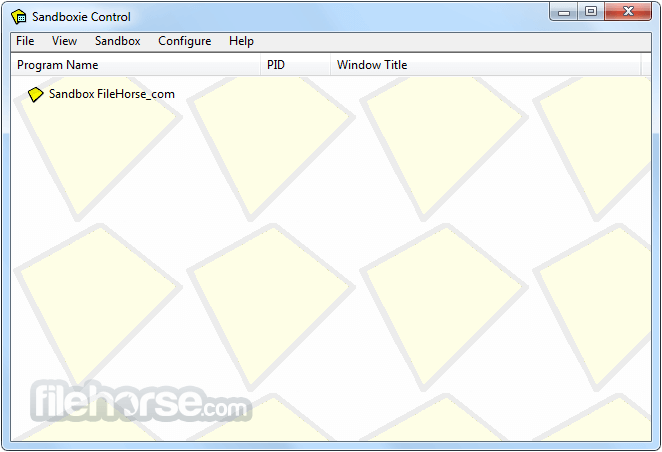
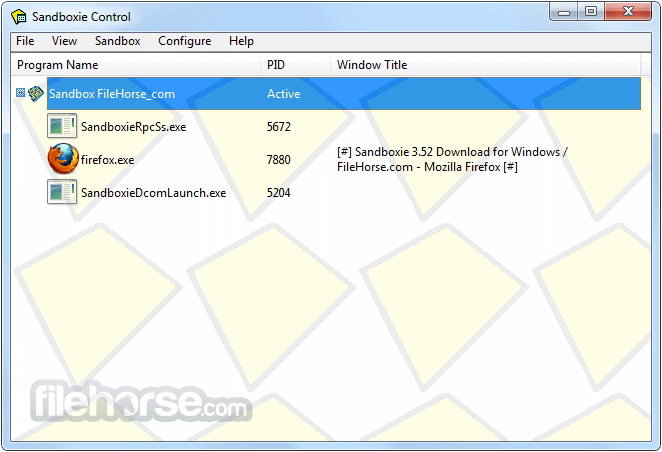
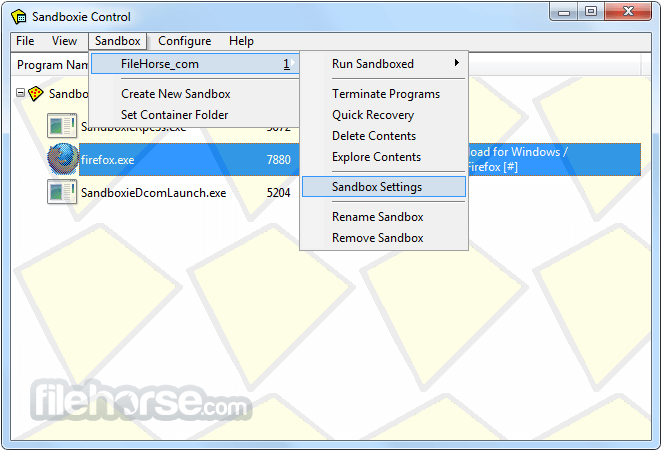
Sandboxie Classic 5.72.3 (64-bit) Screenshots
The images below have been resized. Click on them to view the screenshots in full size.
-
-
-

What's new in this version:
Added:
- added configurable window location settings to control which monitor main, non-main, file recovery, and notification windows open on, including a selectable fallback mode.
- Global Settings > Interface Config > Window Options
- added "Label only" border mode option (onlbl, ttllbl, alllbl) that hides the colored border frame and shows only the sandbox name (or alias) label
- added MIDI workaround template for Windows 11
- added new tray customization options (Global Settings > Shell Integration > System Tray):
- "Show icons in tray context menu" (Options/TrayIcons) — controls whether custom sandbox icons are displayed in the tray menu.
- "Show box alias name instead of box name in tray" (Options/TrayUseAlias) — displays the configured alias/display name in both compact and regular tray menus.
- "Show sandbox status as tooltip in tray list" (Options/TrayStatusTip) now supports tri-state behavior: unchecked = never, partial = while Ctrl or Shift is held (default), checked = always.
- "Show overlay icons for boxes in tray list" (Options/TrayOverlayIcons) — shows the same box-state overlays used in the main sandbox list (no-force, disk image mounted/unmounted, RAM disk, auto-delete) on tray icons in both the compact widget and the regular context menu.
- added border capture exclusion via HideBordersFromCapture
- keeps border frames and labels out of screenshots and screen recordings; defaults to CoverBoxedWindows
- added border label width and taskbar clipping options
- configurable via BorderColor label width and BorderExcludeTaskbar
- added UseFakeShellDispatch option to provide synthetic IShellDispatch fallback (may fix some WebView2 issues)
- can be disabled per process via UseFakeShellDispatch=process,n
- added Template_OnScreenKeyboard (Windows 11) to fix On-Screen Keyboard freezes when used with sandboxed programs
Changed:
- reduced constant GUI CPU usage by caching custom BoxIcon resolution in the sandbox model instead of reloading icon resources on refresh
- throttled internet connectivity check in SandMan main timer to once every 60 seconds and cache the result
- updater only runs when device has internet connectivity, eliminating wasted network attempts and reducing repeated HKLM\\SYSTEM\\Setup\\SystemSetupInProgress registry checks
- changed duplicate sandbox behavior so active box aliases also receive the "Copy" suffix on duplication
- changed tray sandbox/group ordering to mirror sandbox list mode (manual / ascending / descending), including group ordering
- improved tray/sandbox submenu icon caching by resolving DblClickAction target paths (GetCommandFile) only on cache misses and caching LoadWindowsIcon(path,index) results for Run/Start menu entries, reducing repeated system icon extraction when opening menus
- improved border rendering
Fixed:
- fixed false "Some changes haven't been saved yet" prompt when leaving Network Options with unlisted-process network mode set to non-default
- fixed duplicated boxes not preserving the original box group assignment
- fixed double-clicking on a group's empty path/command line crash
- fixed compact tray box list clipping long sandbox names; width is now measured precisely per item using font metrics and scales correctly at any DPI
- fixed WOW64 registry view inheritance for relative key opens in SbieDll, preserving parent KEY_WOW64_32KEY/KEY_WOW64_64KEY semantics across NtOpenKey/NtCreateKey
- fixed handle leak in ScanStartMenu: IShellLinkW and IPersistFile COM interfaces were never released in ResolveShortcut, permanently retaining handles (file, registry, icon) for every .lnk shortcut scanned; replaced raw pointers with CComPtr to ensure Release() on all exit paths
- fixed parsing logic for ClosedClsid and ClosedRT settings
- FIXED SECURITY ISSUE ID-32: EditPassword Hash Entropy Loss, new passwords will ne salted SHA256 and base64 encoded
- Note: the fix only takes effect when the password is being set, existing passwords remain weak
- fixed Local Denial of Service (DoS) Vulnerability Exploitable by Sandboxed Process
- fixed Sandboxie-Plus EditAdminOnly Bypass via INI CRLF Injection
- fixed issues with GetRawInputDeviceInfoSlave
- fixed an issue with RunSbieCtrl
- fixed name validation in ProcessServer handlers
- fixed parameter validation in NamedPipeServer
- fixed file integrity issues with updater
 OperaOpera 134.0 Build 5954.56 (64-bit)
 BlueStacksBlueStacks 10.42.255.1002
 PhotoshopAdobe Photoshop CC 2026 27.9.1 (64-bit)
 LDPlayerLDPlayer - Android Emulator
 GTA 6GTA 6 for PS5
 CapCutCapCut Desktop 9.1.0
 PC RepairPC Repair Tool 2026
 Hero WarsHero Wars - Online Action Game
 TradingViewTradingView - Trusted by 100 Million Traders
 Halo: CampaignHalo: Campaign Evolved
Comments and User Reviews