




 Lightroom
 Envato
 Picsart
 Kittl
Kittl Luminar Neo
 FotorPea
 CorelDRAW Go
-
Latest Version
VectorWorks 2026 LATEST
-
Review by
-
Operating System
Windows 10 / Windows 11
-
User Rating
Click to vote -
Author / Product
VectorWorks is currently the best-selling CAD software on the PC and an industry-standard on Windows. With over 500,000 users in over 90 countries, it is one of the world's most popular CAD programs.
Engineered to meet the specific needs of smart-sized companies, VectorWorks for Desktop has everything you need for precision 2D drafting, powerful 3D modeling, and sophisticated client presentations.
Plus, it has built-in database and spreadsheet capabilities to track costs and materials, and a flexible scripting language to automate routine drafting tasks.
The software's Resource Manager puts the ability to create, edit, and apply desired resources to your designs at your fingertips.
Easily find what you need with powerful search and filtering, attach keyword tags, and access your resources directly from the software's parametric tools.
Planning for a site’s irrigation involves considerations and calculations related to both its physical features and resource availability. The software meets all of these needs with innovative irrigation design tools. First-class tools and customizable workflows to go beyond exploration and into development.
What`s New - VectorWorks 2026
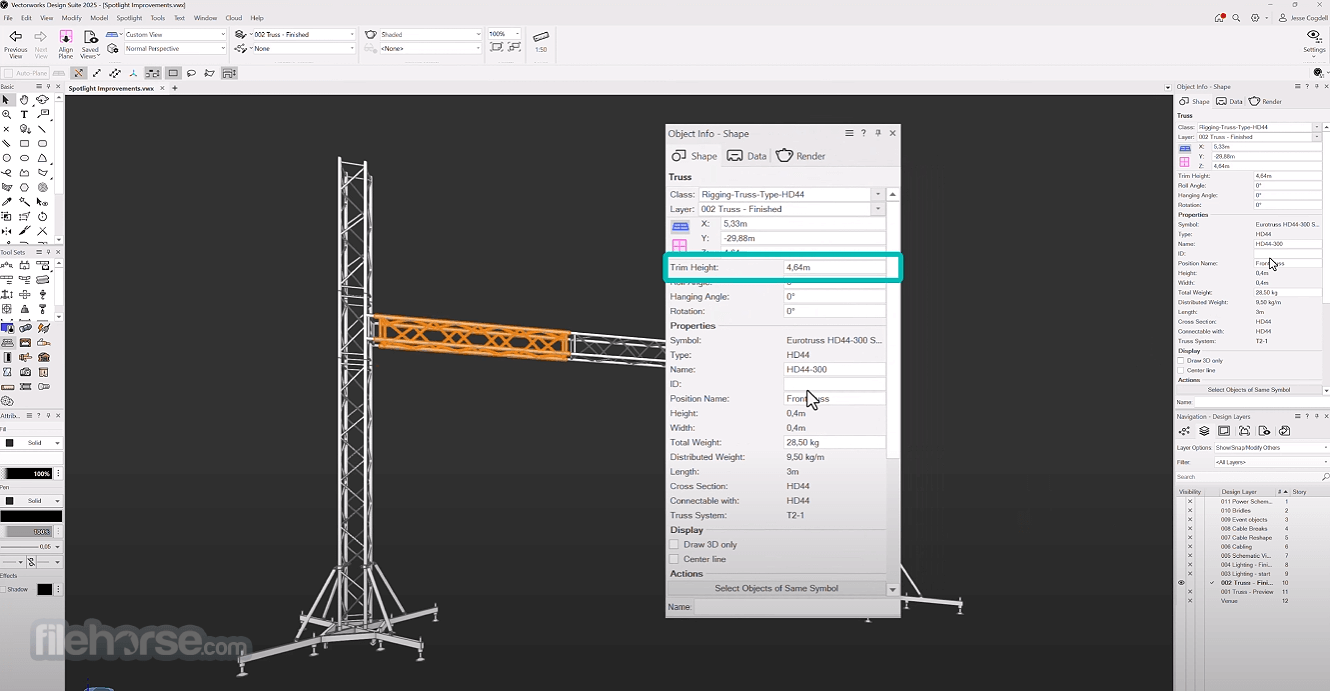
Automated Depth Cueing - Objects in sheet-layer or section viewports now automatically display with depth (line-weight / tonal / transparency) based on distance, giving instant spatial clarity and reducing manual editing.
File Health Checker - A newly built-in tool to scan and fix potential file issues (hidden geometry, resource inefficiencies, etc.), helping keep your projects lean and stable.
Modernized Worksheet UI & Slicing - The worksheet interface has been overhauled: you can split, link, and lay out large tables across sheets/pages more easily, with better control over formatting and printing.
New Door & Window Assemblies Tool - Designers can now build complex door/window assemblies (frames, panels, infills, sill, trim …) as a single, editable object, with full reporting, IFC-export, and reuse across the project.
Sustainability Dashboard - A new integrated dashboard that tracks key sustainability metrics in real time, embodied carbon, biodiversity & urban green metrics, biomass, etc. Useful for environmentally-aware architectural and landscape design.
Plant Style Manager & Enhanced Landscape Tools - Significantly better plant- and site-design workflow: batch-create plant styles (from nursery data or spreadsheets), better editing, accurate 3D tree/site models, hardscape path offsets, and streamlined site-model management.
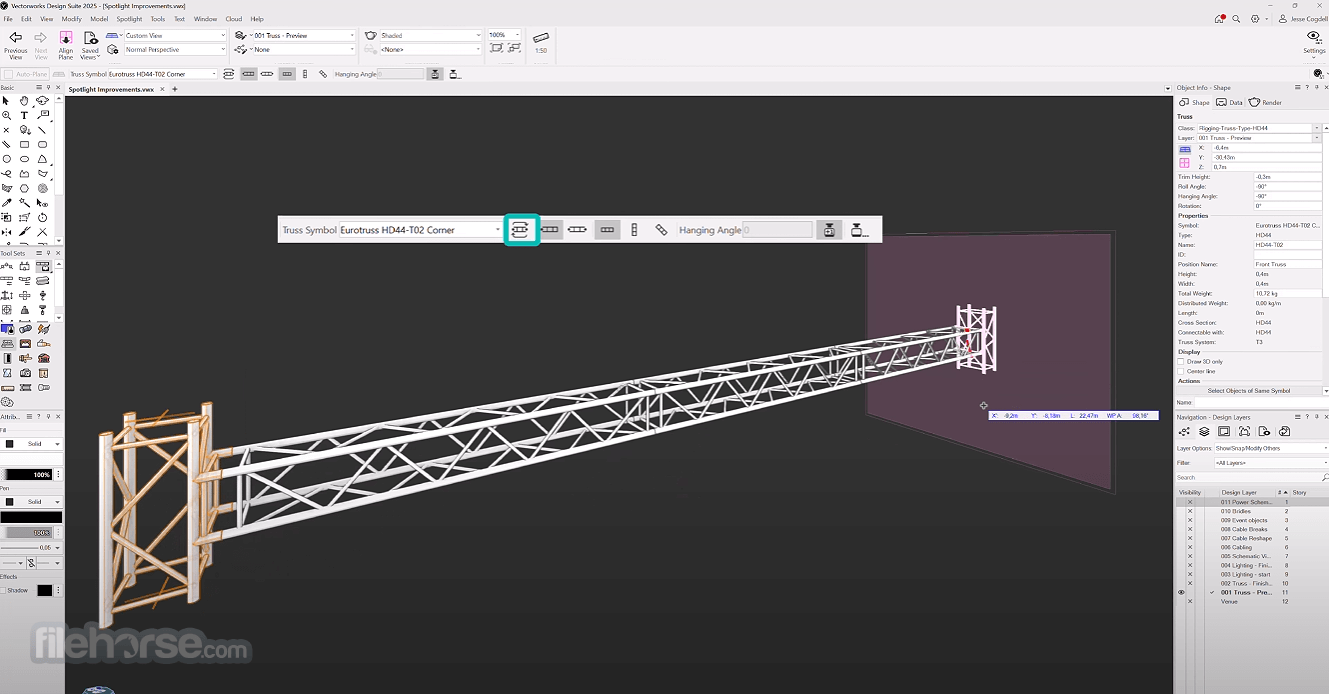
LED Video Wall Tool (Entertainment / Spotlight module) - New feature for event/show designers: you can draw any shape of LED wall (straight, curved, 3D), define panels, calculate power/data needs, and get detailed reports - helpful for modern visual installations.
OBJ Batch Import - You can import many. OBJ files at once (as symbols or separate files), which speeds up workflows when working with large asset libraries or complex scenes.
Improved Data Visualization & Export Control (DWG / DXF etc.) - More control over data-visualization: class overrides, filtering, auto-legend generation, and ability to choose exactly what data goes into DWG/DXF exports, better for collaboration and clean documentation.
Enhanced Parametric & Modeling Tools (Offset Faces, Push/Pull enhancements, Multiview, Render-style system) - General core improvements: easier face-offsetting, better modelling workflows, more customisable workspace (Multiview), and unified render-style system for consistent shading/photoreal renders.
It provides a purpose-built suite of tools that equip you to create a building information model for documentation and collaboration without inhibiting your preferred design process.
Features support the future of BIM workflows with IFC4 compatibility, direct Revit import, and project sharing capabilities that allow you to work concurrently on a single file with your entire project team.
All the software packages include Renderworks, the best-in-industry rendering feature set built on the award-winning Cinema 4D render engine. Renderworks provides the tools necessary to visualize your work throughout the design process while producing clear and accurate illustrations.
Vectorworks Designer - Design Suite
Whether your specialty is architecture, landscape, or entertainment design, the Designer software enables you to draft, model, and present in a single, intuitive interface. Enhance your workflow and follow your inspiration. Explore your ideas, and discover new ways to simplify your process with the tool Designer - the ultimate solution for the design professional who needs it all.
Vectorworks Architect
Designers choose the app Architect software because it provides a solution that supports the creative process instead of replacing it. From 2D and 3D to BIM and beyond, the app Architect delivers a robust suite of capabilities that will enhance your workflows from concept to construction and improve your design process.
Vectorworks Landmark
The app Landmark software gives landscape architects, designers, and urban planners a platform to design in their own way. Landmark offers creative solutions to streamline everyday tasks with industry-leading tools that enhance your workflow. The software’s built-in objects, site information modeling capabilities, powerful databases, innovative irrigation tools, effective project sharing, and flexible documentation features will empower you to transform the built environment like never before.
Vectorworks Spotlight
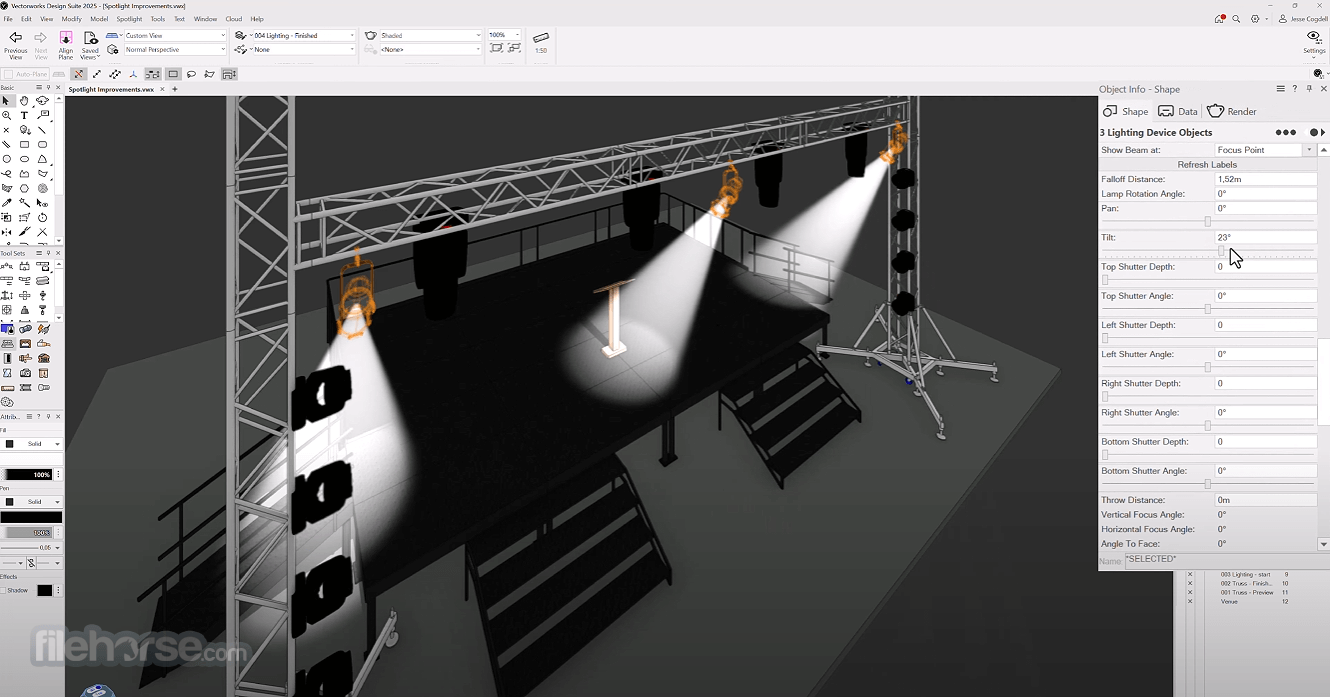
The app Spotlight is the industry-leading design software for the entertainment business. It works like you think, facilitating improvisation and creativity so you can transform your designs into award-winning productions. Whether you work in lighting, scenic, event, TV, film, rigging, or exhibit design, Spotlight software balances your process with the need for coordinated, accurate information so you can create unmatched experiences.
Vectorworks Fundamentals
Vector works® Fundamentals software gives you the freedom to design in your own way. With a streamlined set of tools, you can capture and develop your ideas all in one place. Intuitive, 2D/3D modeling capabilities, combined with best-in-industry, integrated rendering tools, will transform your design process and help you produce beautiful drawings and high-quality, professional documentation with ease. Explore what you can do with the app Fundamentals.
FAQs
What is Vectorworks, and what types of design work is it used for?
Vectorworks is a CAD and BIM software platform that supports 2D drafting, 3D modeling, documentation, rendering, and full-project workflows, making it suitable for architecture, interior design, landscape design, entertainment/stage design, and more.
Which types of projects and industries benefit most from Vectorworks?
Professionals in architecture, landscape architecture, interior design, set/stage design, event planning, and even product or furniture design can use Vectorworks; it’s built to handle everything from simple plans to complex 3D models and detailed documentation.
What are the main technical capabilities and features of Vectorworks?
Vectorworks offers strong 2D drafting and annotation tools, robust 3D modelling (including solids and NURBS), integrated rendering, BIM capabilities, extensive symbol and object libraries, and import/export support for many file formats, making it a comprehensive solution from concept to final documentation.
Does Vectorworks support Building Information Modeling (BIM) workflows?
Yes, Vectorworks supports BIM workflows, letting users embed building information data in models, manage materials, costs, documentation, and produce construction-ready drawings, while maintaining flexibility for design and visualization.
Is Vectorworks flexible and customizable for different design disciplines?
Yes, through modules (or “flavors”) like Architect, Landmark, Spotlight, Fundamentals, etc., plus customizable workflows, object libraries, scripting, and data management - Vectorworks adapts to different fields: architecture, landscaping, stage lighting/design, interior design, and more.
Alternatives
SketchUp - 3D modeling software, easy for beginners.
ArchiCAD - BIM software tailored for architects.
Blender - Free, open-source 3D creation suite.
BricsCAD - CAD software, compatible with DWG files.
Fusion 360 - Cloud-based 3D CAD, CAM, and CAE tool.
Chief Architect - Home design software for professionals.
SolidWorks - 3D CAD for complex mechanical designs.
FreeCAD - Open-source 3D CAD, parametric design.
LibreCAD - Free, open-source 2D CAD tool.
System Requirements
Also Available: Download Vectorworks for Mac
Engineered to meet the specific needs of smart-sized companies, VectorWorks for Desktop has everything you need for precision 2D drafting, powerful 3D modeling, and sophisticated client presentations.
Plus, it has built-in database and spreadsheet capabilities to track costs and materials, and a flexible scripting language to automate routine drafting tasks.
The software's Resource Manager puts the ability to create, edit, and apply desired resources to your designs at your fingertips.
Easily find what you need with powerful search and filtering, attach keyword tags, and access your resources directly from the software's parametric tools.
Planning for a site’s irrigation involves considerations and calculations related to both its physical features and resource availability. The software meets all of these needs with innovative irrigation design tools. First-class tools and customizable workflows to go beyond exploration and into development.
What`s New - VectorWorks 2026
Automated Depth Cueing - Objects in sheet-layer or section viewports now automatically display with depth (line-weight / tonal / transparency) based on distance, giving instant spatial clarity and reducing manual editing.
File Health Checker - A newly built-in tool to scan and fix potential file issues (hidden geometry, resource inefficiencies, etc.), helping keep your projects lean and stable.
Modernized Worksheet UI & Slicing - The worksheet interface has been overhauled: you can split, link, and lay out large tables across sheets/pages more easily, with better control over formatting and printing.
New Door & Window Assemblies Tool - Designers can now build complex door/window assemblies (frames, panels, infills, sill, trim …) as a single, editable object, with full reporting, IFC-export, and reuse across the project.
Sustainability Dashboard - A new integrated dashboard that tracks key sustainability metrics in real time, embodied carbon, biodiversity & urban green metrics, biomass, etc. Useful for environmentally-aware architectural and landscape design.
Plant Style Manager & Enhanced Landscape Tools - Significantly better plant- and site-design workflow: batch-create plant styles (from nursery data or spreadsheets), better editing, accurate 3D tree/site models, hardscape path offsets, and streamlined site-model management.
LED Video Wall Tool (Entertainment / Spotlight module) - New feature for event/show designers: you can draw any shape of LED wall (straight, curved, 3D), define panels, calculate power/data needs, and get detailed reports - helpful for modern visual installations.
OBJ Batch Import - You can import many. OBJ files at once (as symbols or separate files), which speeds up workflows when working with large asset libraries or complex scenes.
Improved Data Visualization & Export Control (DWG / DXF etc.) - More control over data-visualization: class overrides, filtering, auto-legend generation, and ability to choose exactly what data goes into DWG/DXF exports, better for collaboration and clean documentation.
Enhanced Parametric & Modeling Tools (Offset Faces, Push/Pull enhancements, Multiview, Render-style system) - General core improvements: easier face-offsetting, better modelling workflows, more customisable workspace (Multiview), and unified render-style system for consistent shading/photoreal renders.
It provides a purpose-built suite of tools that equip you to create a building information model for documentation and collaboration without inhibiting your preferred design process.
Features support the future of BIM workflows with IFC4 compatibility, direct Revit import, and project sharing capabilities that allow you to work concurrently on a single file with your entire project team.
All the software packages include Renderworks, the best-in-industry rendering feature set built on the award-winning Cinema 4D render engine. Renderworks provides the tools necessary to visualize your work throughout the design process while producing clear and accurate illustrations.
Vectorworks Designer - Design Suite
Whether your specialty is architecture, landscape, or entertainment design, the Designer software enables you to draft, model, and present in a single, intuitive interface. Enhance your workflow and follow your inspiration. Explore your ideas, and discover new ways to simplify your process with the tool Designer - the ultimate solution for the design professional who needs it all.
Vectorworks Architect
Designers choose the app Architect software because it provides a solution that supports the creative process instead of replacing it. From 2D and 3D to BIM and beyond, the app Architect delivers a robust suite of capabilities that will enhance your workflows from concept to construction and improve your design process.
Vectorworks Landmark
The app Landmark software gives landscape architects, designers, and urban planners a platform to design in their own way. Landmark offers creative solutions to streamline everyday tasks with industry-leading tools that enhance your workflow. The software’s built-in objects, site information modeling capabilities, powerful databases, innovative irrigation tools, effective project sharing, and flexible documentation features will empower you to transform the built environment like never before.
Vectorworks Spotlight
The app Spotlight is the industry-leading design software for the entertainment business. It works like you think, facilitating improvisation and creativity so you can transform your designs into award-winning productions. Whether you work in lighting, scenic, event, TV, film, rigging, or exhibit design, Spotlight software balances your process with the need for coordinated, accurate information so you can create unmatched experiences.
Vectorworks Fundamentals
Vector works® Fundamentals software gives you the freedom to design in your own way. With a streamlined set of tools, you can capture and develop your ideas all in one place. Intuitive, 2D/3D modeling capabilities, combined with best-in-industry, integrated rendering tools, will transform your design process and help you produce beautiful drawings and high-quality, professional documentation with ease. Explore what you can do with the app Fundamentals.
FAQs
What is Vectorworks, and what types of design work is it used for?
Vectorworks is a CAD and BIM software platform that supports 2D drafting, 3D modeling, documentation, rendering, and full-project workflows, making it suitable for architecture, interior design, landscape design, entertainment/stage design, and more.
Which types of projects and industries benefit most from Vectorworks?
Professionals in architecture, landscape architecture, interior design, set/stage design, event planning, and even product or furniture design can use Vectorworks; it’s built to handle everything from simple plans to complex 3D models and detailed documentation.
What are the main technical capabilities and features of Vectorworks?
Vectorworks offers strong 2D drafting and annotation tools, robust 3D modelling (including solids and NURBS), integrated rendering, BIM capabilities, extensive symbol and object libraries, and import/export support for many file formats, making it a comprehensive solution from concept to final documentation.
Does Vectorworks support Building Information Modeling (BIM) workflows?
Yes, Vectorworks supports BIM workflows, letting users embed building information data in models, manage materials, costs, documentation, and produce construction-ready drawings, while maintaining flexibility for design and visualization.
Is Vectorworks flexible and customizable for different design disciplines?
Yes, through modules (or “flavors”) like Architect, Landmark, Spotlight, Fundamentals, etc., plus customizable workflows, object libraries, scripting, and data management - Vectorworks adapts to different fields: architecture, landscaping, stage lighting/design, interior design, and more.
Alternatives
SketchUp - 3D modeling software, easy for beginners.
ArchiCAD - BIM software tailored for architects.
Blender - Free, open-source 3D creation suite.
BricsCAD - CAD software, compatible with DWG files.
Fusion 360 - Cloud-based 3D CAD, CAM, and CAE tool.
Chief Architect - Home design software for professionals.
SolidWorks - 3D CAD for complex mechanical designs.
FreeCAD - Open-source 3D CAD, parametric design.
LibreCAD - Free, open-source 2D CAD tool.
System Requirements
- Operating system: Windows 11
- Processor: 2.0 GHz Intel Core i7 or AMD Ryzen 7 with 6 cores or better
- RAM: 16GB or more
- Graphics card: DirectX 11 compatible with 4GB VRAM or more (e.g., NVIDIA). 8GB VRAM is recommended when using multiple displays or a 4K or higher resolution display.
- Display resolution: 1920x1080 or better
- Disk space: 30GB to 65GB. During installation, 50GB of free disk space is recommended.
- Versatile Design Capabilities
- Comprehensive BIM Tools
- Customizable Workflows
- Strong 2D and 3D Integration
- Robust Collaboration Features
- High System Requirements
- Limited Rendering Speed
- Expensive Licensing Options
- Occasional Software Bugs
Also Available: Download Vectorworks for Mac
Why is this app published on FileHorse? (More info)
-
VectorWorks 2026 Screenshots
The images below have been resized. Click on them to view the screenshots in full size.
-
-
-

 OperaOpera 130.0 Build 5847.12 (64-bit)
 Kling AIKling AI - Text or Image to Video
 PhotoshopAdobe Photoshop CC 2026 27.5 (64-bit)
 BlueStacksBlueStacks 10.42.167.1001
 OKXOKX - Buy Bitcoin or Ethereum
 CapCutCapCut 7.9.0
 PC RepairPC Repair Tool 2026
 Hero WarsHero Wars - Online Action Game
 TradingViewTradingView - Trusted by 100 Million Traders
 AdGuard VPNAdGuard VPN 2.9.0
Comments and User Reviews