




 ApowerMirror
 LockWiper
 LockWiper
 UltData
 ReiBoot
 4uKey iPhone
 Dr.Fone Full
 Android Unlock
-
Latest Version
iMyFone AnyTo - Change GPS Location 6.8.0 LATEST
-
Review by
-
Operating System
Windows 7 / Windows 8 / Windows 10 / Windows 11
-
User Rating
Click to vote -
Author / Product
-
Filename
iMyFone-Anyto.exe
-
MD5 Checksum
6c6dac316edcf7db30a832206ff61a1b
iMyFone AnyTo enables you to change location on iPhone, iPad, or Android smartphones, when you want to share some cool locations on a social platform with friends, fake your location on a map to prevent it from being tracked, and reach geo-specific features or services on location-based apps.
1-Click Change GPS Location Without Jailbreak - BUY NOW!
iOS 26/18 & Android 16/15 Supported!
FileHorse YouTube Review
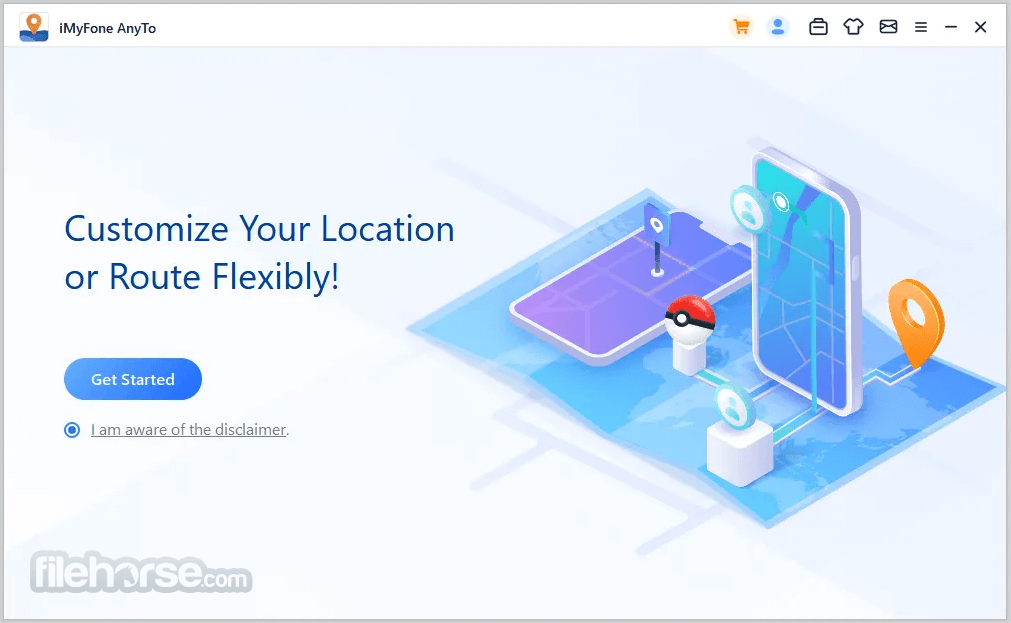
The iOS location changer app enables you to create routes on the map to move along. This is useful when your AR game requires you to go outside, but you just want to stay at home.
With this iOS location changer, you can now easily plan a route at a customized speed, and when it starts moving on the map, you can see that you are moving in the game without lag!
What's more, you can search for a specific coordinate as your destination, which is extra useful for AR games! It enables you to teleport GPS location and simulate movement along a customized route in 3 simple steps.
What`s New
Customize Speed
Define your route by setting your moving speed. With it, you can simulate walking, cycling, or driving speed.
Pause Anytime
You can pause and continue moving anytime on the route to make it more natural.
Set Coordinate
You can select a precise location by inputting the coordinates.
Historical Records
It saves the historical spots you have ever been to. You can re-select these spots as your destination, or clear them!
Simulate GPS Movement with Customized Route
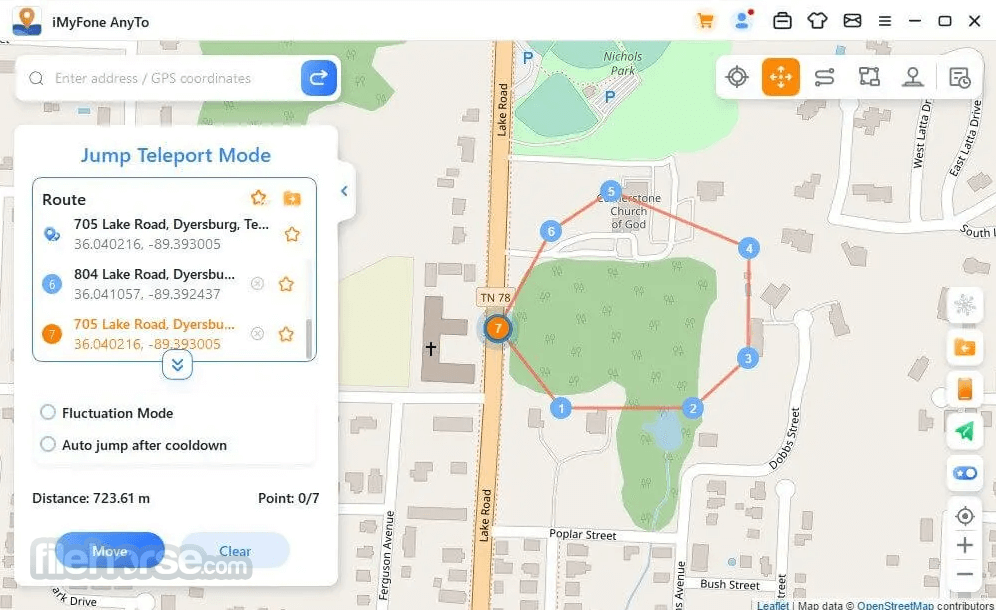
Jump Teleport Mode
You can customize the jumping teleport route. The game users can instantly jump to each point to catch rare and legendary Pokémon.
Two-spot Mode
Set the start and end points on the map, and iMyFone AnyTo Location Changer will help you move at a specified speed.
Multi-spot Mode
Plan a route by selecting multiple spots, and the GPS will move along with different simulated speeds, like walking, cycling, driving, etc.

FAQs
What devices are supported?
Almost all models of iPhone and iPad are supported, including the latest iPhone 17 Pro Max. And iOS versions running on 7.0 or above are all supported (including the latest iOS 26). The app supports Windows 11 and older versions of Windows. Download and install AnyTo Change Phone GPS Location Software for PC now!
What is the difference between Two-spot Mode and Multi-spot Mode?
The route defined in Two-spot Mode can only move on roads. While Multi-spot Mode is not confined to roads. You can flexibly choose to move by sea or mountain according to your requirements. Meanwhile, you can select up to 100 spots in Multi-sport Mode.
Can I use it to change my location of any app on my iPhone?
Location on any location-based App can be changed on your iPhone, such as Pokémon Go, WhatsApp, Facebook, Google Maps, Snapchat, Tinder, etc.
Is jailbreak needed?
Faking location on an iPhone is very tricky. While many tools in the market require jailbreaking, like the GPS spoofer apps downloaded from Cydia. But with iMyFone AnyTo for Windows, you can change iPhone location WITHOUT jailbreak.
Will it change other settings on my iPhone if I change the location?
Generally, the settings on your iPhone will remain unchanged, except that the settings related to a location will be changed correspondingly, including time, weather, longitude, latitude, etc. However, you can simply restart your iPhone to recover the reallocation and data.

Pricing
Lifetime Plan - Billed at $119.99 for a lifetime of use.
EaseUS MobiAnyGo - Change your location globally to any spot in 1 click!
Tenorshare iAnyGo - Freely Change GPS Location without Jailbreak!
AnyGo iPhone Location Changer - Spoof GPS Location on Your iPhone/iPad
System Requirements
Also Available: Download iMyFone AnyTo for Mac
1-Click Change GPS Location Without Jailbreak - BUY NOW!
iOS 26/18 & Android 16/15 Supported!
FileHorse YouTube Review
The iOS location changer app enables you to create routes on the map to move along. This is useful when your AR game requires you to go outside, but you just want to stay at home.
With this iOS location changer, you can now easily plan a route at a customized speed, and when it starts moving on the map, you can see that you are moving in the game without lag!
- Change the GPS location to anywhere instantly.
- Plan a route on the map to move along with a customized speed.
- Work with location-based apps such as AR games, social platforms, etc.
- Share a virtual location on a social platform
- Hide iPhone location software for PC
- Mock location on dating apps
- Access geo-restricted content
- Simulate GPS Movement app with Customized Route
What's more, you can search for a specific coordinate as your destination, which is extra useful for AR games! It enables you to teleport GPS location and simulate movement along a customized route in 3 simple steps.
What`s New
- Share Virtual Location on SNS
- Hide Location on iOS / Android Devices
- Mock Location on Dating Apps
- Access Geo-specific Services
Customize Speed
Define your route by setting your moving speed. With it, you can simulate walking, cycling, or driving speed.
Pause Anytime
You can pause and continue moving anytime on the route to make it more natural.
Set Coordinate
You can select a precise location by inputting the coordinates.
Historical Records
It saves the historical spots you have ever been to. You can re-select these spots as your destination, or clear them!
Simulate GPS Movement with Customized Route
Jump Teleport Mode
You can customize the jumping teleport route. The game users can instantly jump to each point to catch rare and legendary Pokémon.
Two-spot Mode
Set the start and end points on the map, and iMyFone AnyTo Location Changer will help you move at a specified speed.
Multi-spot Mode
Plan a route by selecting multiple spots, and the GPS will move along with different simulated speeds, like walking, cycling, driving, etc.
FAQs
What devices are supported?
Almost all models of iPhone and iPad are supported, including the latest iPhone 17 Pro Max. And iOS versions running on 7.0 or above are all supported (including the latest iOS 26). The app supports Windows 11 and older versions of Windows. Download and install AnyTo Change Phone GPS Location Software for PC now!
What is the difference between Two-spot Mode and Multi-spot Mode?
The route defined in Two-spot Mode can only move on roads. While Multi-spot Mode is not confined to roads. You can flexibly choose to move by sea or mountain according to your requirements. Meanwhile, you can select up to 100 spots in Multi-sport Mode.
Can I use it to change my location of any app on my iPhone?
Location on any location-based App can be changed on your iPhone, such as Pokémon Go, WhatsApp, Facebook, Google Maps, Snapchat, Tinder, etc.
Is jailbreak needed?
Faking location on an iPhone is very tricky. While many tools in the market require jailbreaking, like the GPS spoofer apps downloaded from Cydia. But with iMyFone AnyTo for Windows, you can change iPhone location WITHOUT jailbreak.
Will it change other settings on my iPhone if I change the location?
Generally, the settings on your iPhone will remain unchanged, except that the settings related to a location will be changed correspondingly, including time, weather, longitude, latitude, etc. However, you can simply restart your iPhone to recover the reallocation and data.
Pricing
Lifetime Plan - Billed at $119.99 for a lifetime of use.
- Change location with 1-click.
- Joystick and simulate routes.
- Support 10 devices on the PC version.
- No device limit for the Android version.
- Support 1 device on the iOS version.
- 1-time purchase.
- Lifetime free updates.
- 1-Month Plan
- 1-Quarter Plan
- 1-Year Plan
EaseUS MobiAnyGo - Change your location globally to any spot in 1 click!
Tenorshare iAnyGo - Freely Change GPS Location without Jailbreak!
AnyGo iPhone Location Changer - Spoof GPS Location on Your iPhone/iPad
System Requirements
- Windows 11, 10, 8, or 7
- 1GHz (32-bit or 64-bit) or above
- 256 MB or more of RAM
- 500 MB or more free space
- iOS: iOS 5 and up. (iOS 26 included)
- Android: Android 6.0 and up. (Android 16 included)
- User-friendly interface
- Supports multiple devices
- Fast location changing
- Safe and secure
- Customizable routes
- Requires a subscription
- Limited free trial features
- Occasional location lag
Also Available: Download iMyFone AnyTo for Mac
Why is this app published on FileHorse? (More info)
-
iMyFone AnyTo - Change GPS Location 6.8.0 Screenshots
The images below have been resized. Click on them to view the screenshots in full size.
-
-
-
-

 OperaOpera 125.0 Build 5729.21 (64-bit)
 MalwarebytesMalwarebytes Premium 5.4.5
 PhotoshopAdobe Photoshop CC 2026 27.1 (64-bit)
 BlueStacksBlueStacks 10.42.150.1001
 OKXOKX - Buy Bitcoin or Ethereum
 Premiere ProAdobe Premiere Pro CC 2025 25.6.3
 PC RepairPC Repair Tool 2025
 Hero WarsHero Wars - Online Action Game
 TradingViewTradingView - Trusted by 60 Million Traders
 Edraw AIEdraw AI - AI-Powered Visual Collaboration
Comments and User Reviews