




 Keeprix
 TrueNAS
 PRTG
PRTG CleverGet
 YTD Download
 4K Download
 Blip Transfer
 WTFast
-
Latest Version
-
Operating System
Windows 7 / Windows 8 / Windows 10
-
User Rating
Click to vote -
Author / Product
-
Filename
tcmd1157x32.exe
-
MD5 Checksum
d42caafaa3d48796263263d9090bf90e
Sometimes latest versions of the software can cause issues when installed on older devices or devices running an older version of the operating system.
Software makers usually fix these issues but it can take them some time. What you can do in the meantime is to download and install an older version of Total Commander 11.57 (32-bit).
For those interested in downloading the most recent release of Total Commander (32-bit) or reading our review, simply click here.
All old versions distributed on our website are completely virus-free and available for download at no cost.
We would love to hear from you
If you have any questions or ideas that you want to share with us - head over to our Contact page and let us know. We value your feedback!
-
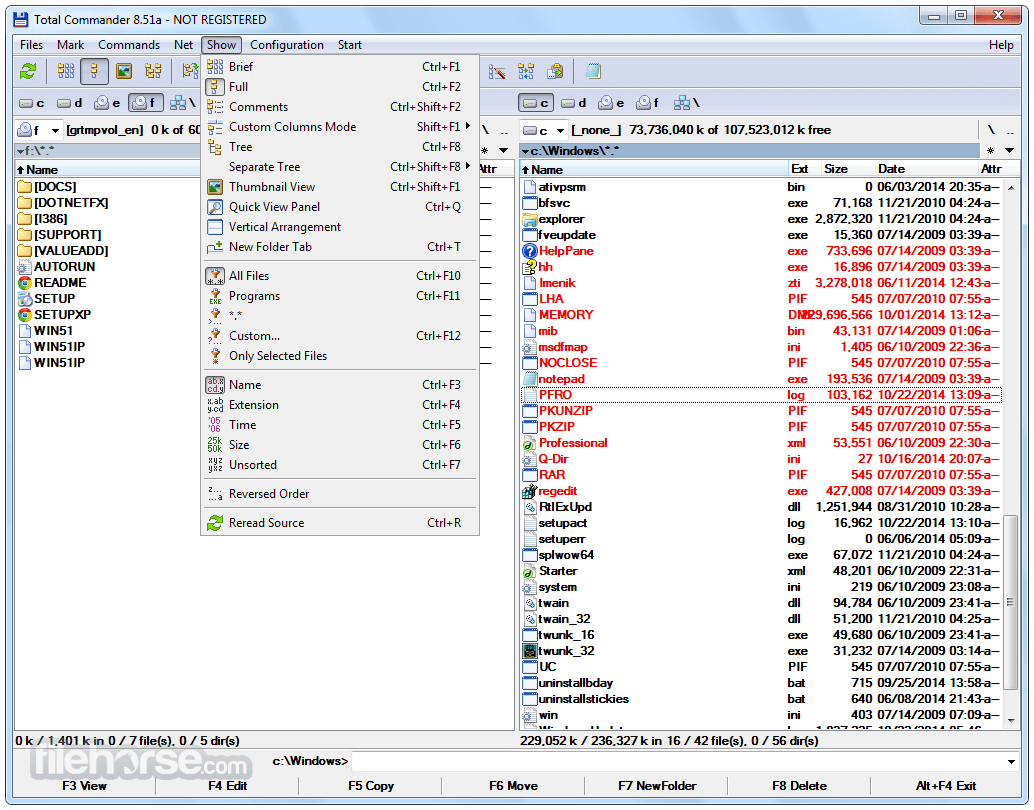
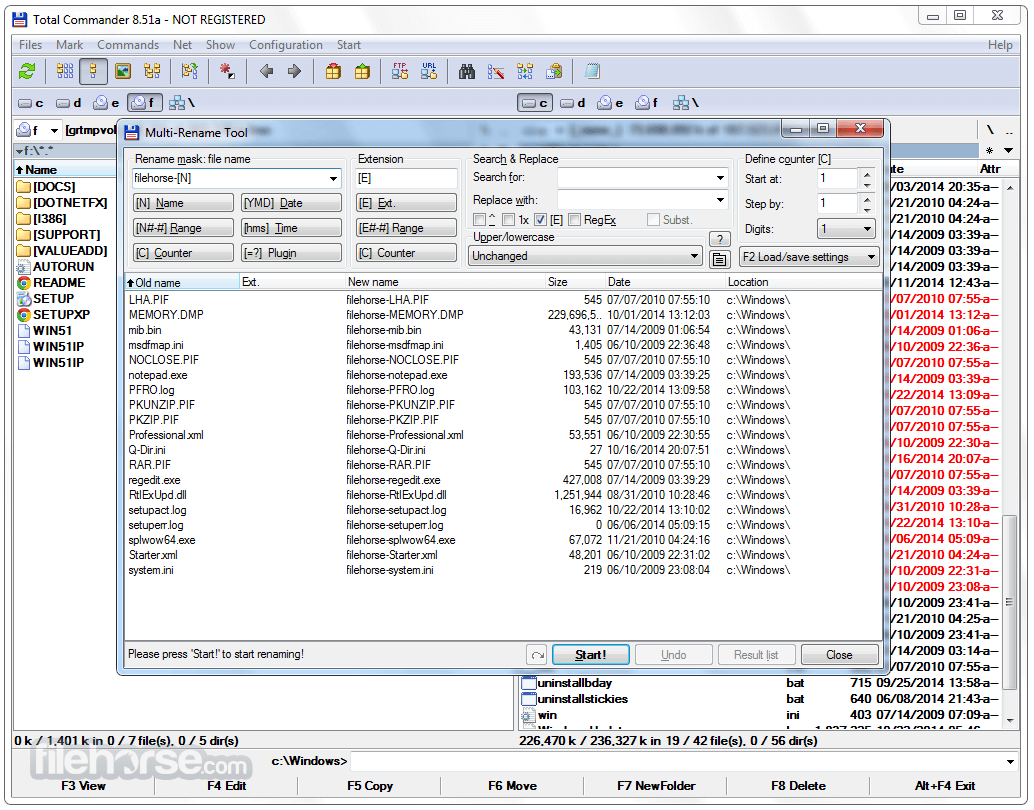
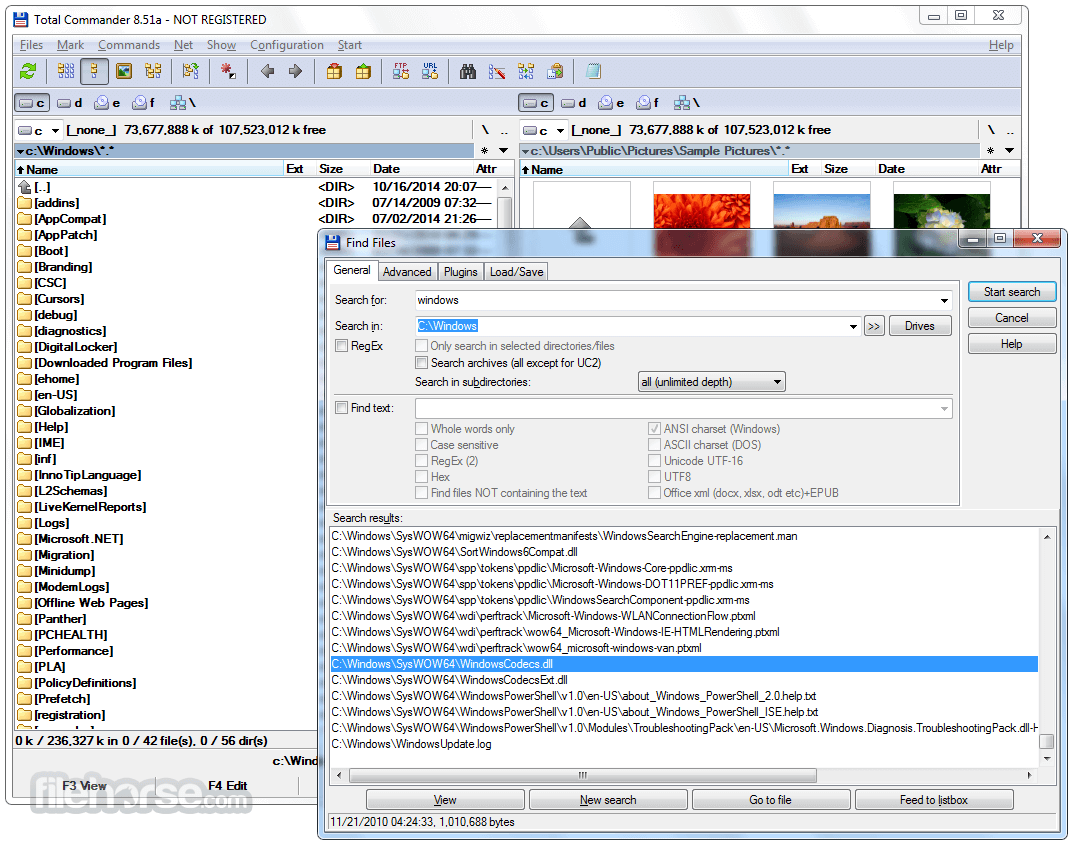
Total Commander 11.57 (32-bit) Screenshots
The images below have been resized. Click on them to view the screenshots in full size.
-
-

-
-

What's new in this version:
Fixed:
- New file/folder dialog: Prefix/suffix in counter didn't support square brackets, eg <1-5>["[prefix]"C"[suffix]"] test (32/64)
- Multi-rename tool: Clicking on the buttons below the rename mask fields always appended the fields instead of inserting them at the cursor position (64)
- Multi-rename tool: When saving settings, fields like [=tcvalue] were not translated to English before saving (32/64)
- CrcBlake3BlockSize: Maximum supported value is 2047 (MBytes) and not 2048 as described previously (64)
- Switching between languages didn't load content plugin translations when the plugin didn't have a translation in the previous language (32/64)
- Content plugin fields not always saved in English by some functions when using the system option "Beta: Use Unicode UTF-8 to support worldwide languages" (32/64)
- New file/folder dialog: Placeholder [F] now leaves the entire counter field (eg alphabetic [CAAA]) unchanged (32/64)
- New file/folder dialog: Allow spaces after the counter field to separate from other fields, eg <1-5>[C U] test (32/64)
- New file/folder dialog: Show <Error!> also when there is an error in the counter field (32/64)
- Duplicate hotkey P in internal English version of plugin field picker (eg [=?] button in multi-rename tool) (32/64)
- Updated unrardll and unrar64dll to latest version 7220 (WinRAR 722) (32/64)
- Ctrl+Up on [] in root of file system plugin didn't open anything in a new tab (32/64)
- Detect 7-zip self-extracting archives where the executable part is larger then 500kBytes by skipping the EXE part via EXE header size fields (32/64)
- New text file (Shift+F4), new folder (F7): When creating a range, the counter wasn't left out when the counter had only a postfix and no prefix, eg for <1-2>[C"postfix"]name (32/64)
- New text file (Shift+F4), new folder (F7): skip counter fields when converting to upper/lowercase, eg for name <[F][C") "]This is a test (32/64)
 OperaOpera 133.0 Build 5932.20 (64-bit)
 LDPlayerLDPlayer - Android Emulator
 PhotoshopAdobe Photoshop CC 2026 27.7 (64-bit)
 BlueStacks AIBlueStacks AI
 GTA 6GTA 6 for PS5
 CapCutCapCut Desktop 8.7.0
 PC RepairPC Repair Tool 2026
 Hero WarsHero Wars - Online Action Game
 TradingViewTradingView - Trusted by 100 Million Traders
 Forza HorizonForza Horizon 6
Comments and User Reviews