




 Dreamweaver
 Access
 dbForge SQL
 UltraEdit
 Portfolio
 dbForge Studio
 Visual Studio
 SQL Server
-
Latest Version
-
Operating System
Windows 10 (64-bit) / Windows 11
-
User Rating
Click to vote -
Author / Product
-
Filename
Spyder-Windows-x86_64.exe
-
MD5 Checksum
4d5a9c1623bccff570933cee9b6d1fcb
Sometimes latest versions of the software can cause issues when installed on older devices or devices running an older version of the operating system.
Software makers usually fix these issues but it can take them some time. What you can do in the meantime is to download and install an older version of Spyder Python 6.1.1.
For those interested in downloading the most recent release of Spyder Python or reading our review, simply click here.
All old versions distributed on our website are completely virus-free and available for download at no cost.
We would love to hear from you
If you have any questions or ideas that you want to share with us - head over to our Contact page and let us know. We value your feedback!
-
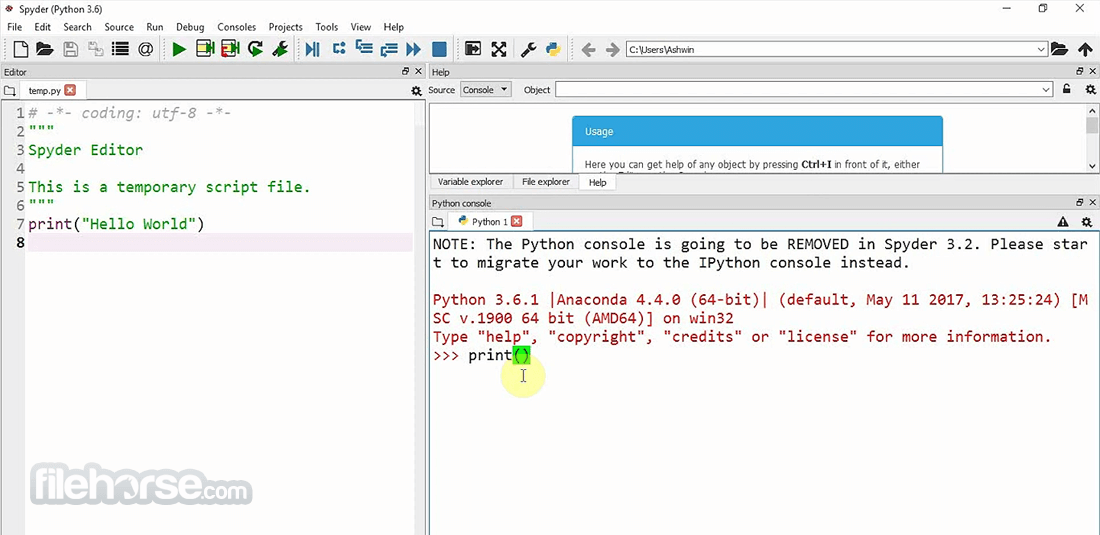
Spyder Python 6.1.1 Screenshots
The images below have been resized. Click on them to view the screenshots in full size.

-
-

-

What's new in this version:
New features:
- Allow to set a custom Conda executable in Preferences > Main interpreter
- Add action to context menu of Editor tabs to close all files to the left
- Support viewing long bytes in the Variable Explorer
- Allow to create a project if the selected directory after opening a project is not yet one
Important fixes:
- Several fixes related to remote development features
- Several fixes related to Qt6 bindings (PySide6/PyQt6)
- Several fixes related to the Debugger
- Fix Pixi environments activation on Posix systems
- Performance and usability fixes related to multicursor support and linting markers
- Prevent Flake8 cmd windows from appearing when it is selected as linting provider
- Make user environment variables take precedence over system ones for kernels
API changes:
- Remove old API for plugins, which was deprecated since Spyder 6.0
Fixed:
- Error connecting to remote kernel with Spyder 6.1.0
- AttributeError when printing files with PyQt6
- Kernel fails to start on Windows with Conda 25.9 and Mamba 2.1+
- Error and warning markers flicker frequently in version 6.1.0 when editing files
- Unable to open large strings in the Variable Explorer in 6.1.0
- After enabling the Flake8 option, a large number of cmd.exe windows keep appearing
- [SpyderKernelApp] WARNING | GUI event loop or pylab initialization failed message in the console
- Input method is not located in the right position in editor in Spyder 6.1.0
- Right click on dock widget pane selector brings up an issue report
- AttributeError when closing last console and it's remote
- An error occurred while starting the kernel: No manifest file for your pixi environment was found
- Adding too many cursors at once can cause significant hang
- 'Run code while debugging' ignored by debugger
- Spyder hangs after running a file multiple times with a breakpoint() call
- The list of breakpoints in the debugger pane continues to grow whenever you edit the condition of the same conditional breakpoint
- Simplify workflow when opening/creating projects from folders
- Not able to run *.pyw files in Spyder 6
- PATH user environment variable is incorrectly transmitted to the IPython Console for macOS shortcuts
- Check when selecting a .json file to connect to a kernel that the file is actually valid and add a way to give feedback to the user in case the file is invalid
- Spyder 6.0 - warning is treated as an error when starting console
- Spyder 6: Code analysis truncates error source in long messages
- request: Close all to the left action
- Errors because Spyder can't detect conda when a Conda-based distro is installed in a non-standard location
 OperaOpera 125.0 Build 5729.21 (64-bit)
 MalwarebytesMalwarebytes Premium 5.4.5
 PhotoshopAdobe Photoshop CC 2026 27.1 (64-bit)
 BlueStacksBlueStacks 10.42.153.1001
 OKXOKX - Buy Bitcoin or Ethereum
 Premiere ProAdobe Premiere Pro CC 2025 25.6.3
 PC RepairPC Repair Tool 2025
 Hero WarsHero Wars - Online Action Game
 TradingViewTradingView - Trusted by 60 Million Traders
 Edraw AIEdraw AI - AI-Powered Visual Collaboration
Comments and User Reviews