




 YTD Download
 PRTG
PRTG Blip Transfer
 Keeprix
 4K Download
 WTFast
 CleverGet
 TrueNAS
-
Latest Version
FrostWire 7.0.4 LATEST
-
Review by
-
Operating System
Windows 7 / Windows 8 / Windows 10 / Windows 11
-
User Rating
Click to vote -
Author / Product
-
Filename
frostwire-7.0.4.windows.exe
-
MD5 Checksum
9466e3b3e8ed23847813b204e9ac63d6
Originally based on LimeWire, FrostWire for PC evolved into an independent platform after LimeWire (old project) was discontinued.
It integrates a media player, a built-in search engine, and file-sharing capabilities, making it a comprehensive tool for users who need a torrent client with additional functionality.
Main Features
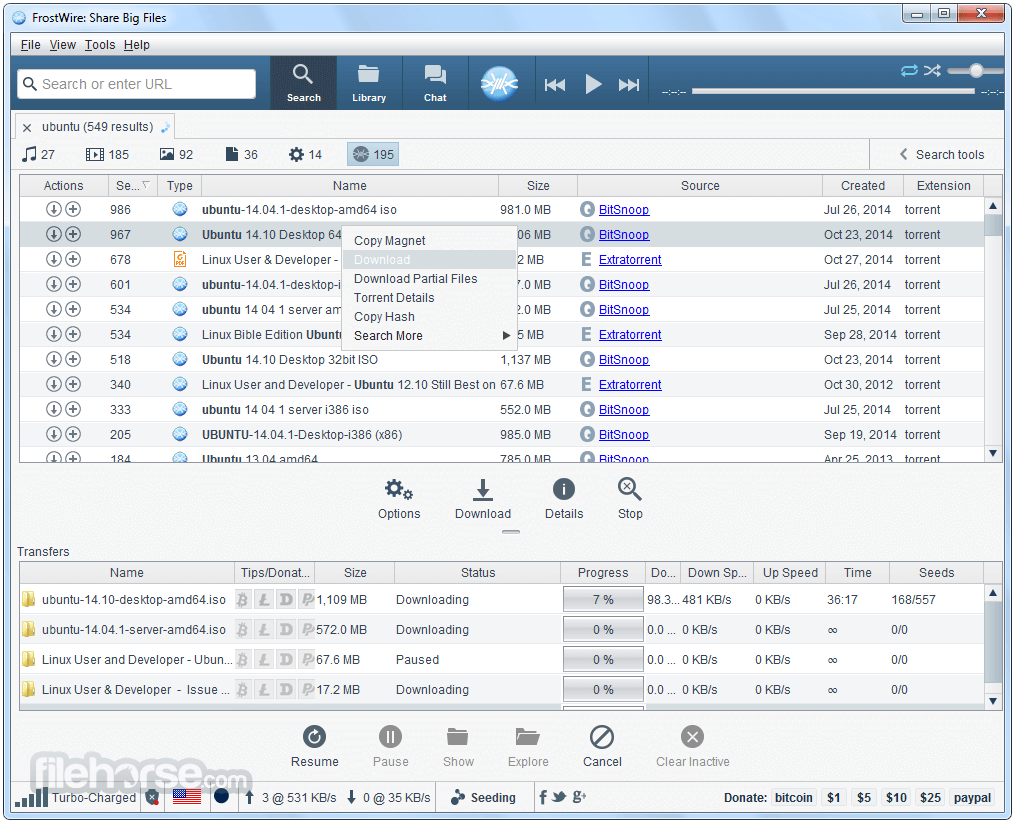
Built-in Torrent Search: Unlike many other torrent clients, it includes a built-in search feature that helps users find files without needing external websites.
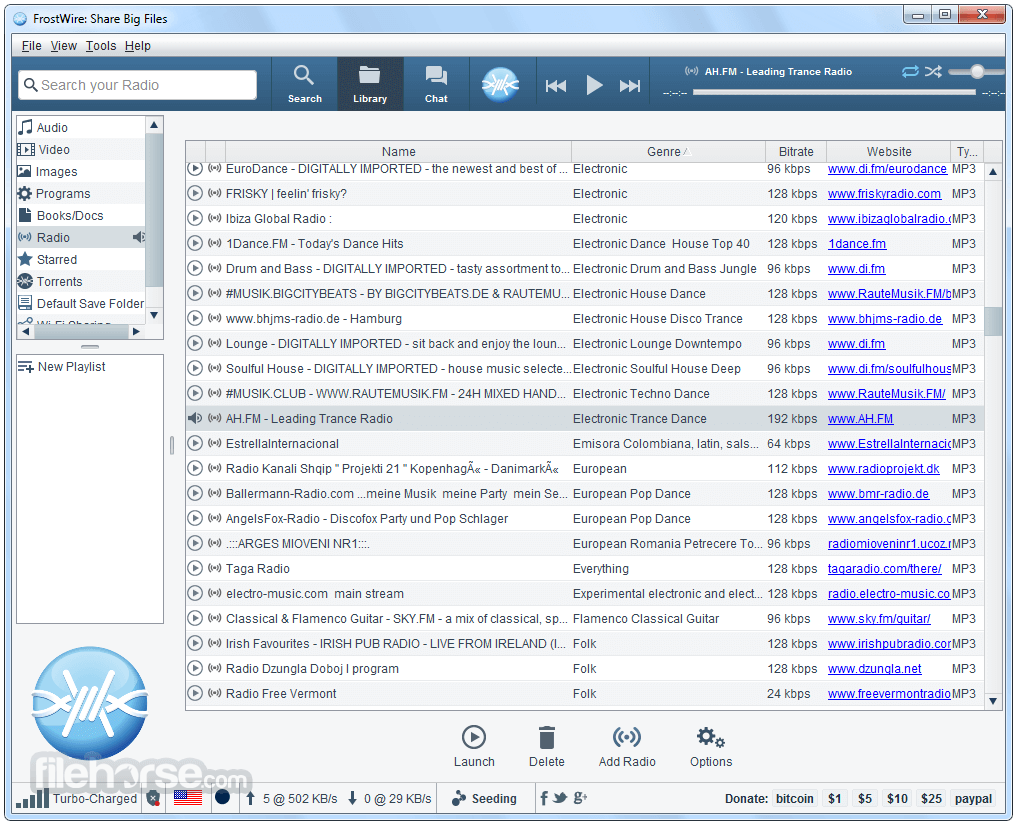
Media Player: It has an integrated media player that allows users to preview and play audio and video files directly within the app.
Cloud Download Support: Users can also download files from cloud storage platforms, expanding its versatility beyond torrents.
Library and File Management: The software includes a library system that helps organize downloaded files efficiently.
Ad-Free Experience: FrostWire does not display intrusive advertisements, providing a cleaner user experience.
User Interface
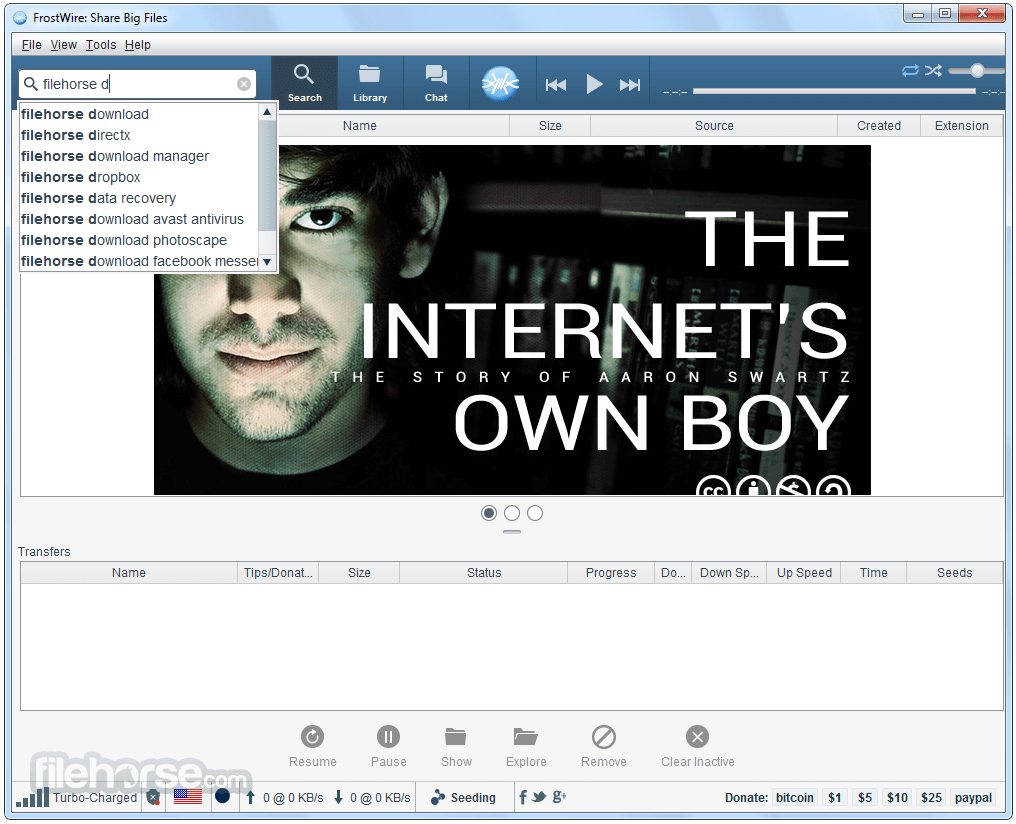
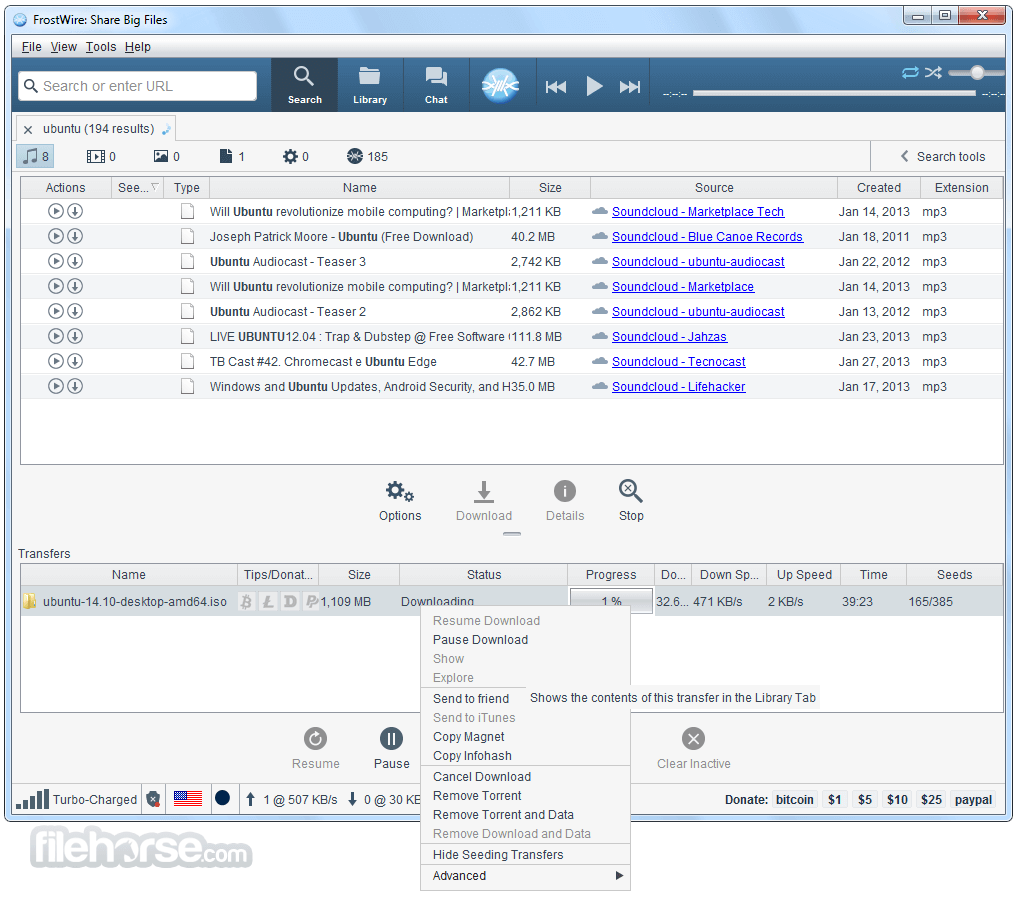
It features a simple and user-friendly interface. The home screen provides direct access to search, torrent downloads, and media playback options.
The navigation is straightforward, allowing even novice users to get started without a steep learning curve. It also includes a dark mode option, which is beneficial for users who prefer a visually comfortable display.
Installation and Setup
- Download FrostWire from the official website or a trusted source.
- Run the installer and follow the on-screen instructions.
- Select installation preferences, including the default download location.
- Once installed, launch the application and configure your settings for an optimal experience.
Searching for Files: Use the built-in search bar to look for torrents directly within the app.
Downloading Torrents: Click on the desired file and select "Download" to initiate the process.
Playing Media: Navigate to the library and open media files directly using the integrated media player.
Managing Downloads: Organize your downloads into folders and categorize files accordingly.
Sharing Files: Utilize FrostWire’s peer-to-peer sharing feature to distribute files efficiently.
FAQ
Is FrostWire legal?
The program itself is legal, but downloading copyrighted content without permission is not. Users should only download and share legal files.
Does FrostWire contain malware or viruses?
No, this software does not contain malware if downloaded from the official website. However, users should be cautious of third-party sources.
Can I use FrostWire without a VPN?
While you can use FrostWire without a VPN, it is recommended to use one for privacy and security when torrenting.
Why are my downloads slow on FrostWire?
Download speeds depend on the number of seeders, your internet connection, and any bandwidth restrictions set in the software settings.
Does FrostWire support magnet links?
Yes, it supports magnet links, allowing users to download torrents without needing a separate torrent file.
Alternatives
qBittorrent: A lightweight, open-source alternative with no ads.
BitTorrent: One of the most popular torrent clients with a sleek interface.
uTorrent: A widely used torrent client with a premium version for additional features.
Deluge: A customizable and powerful BitTorrent client with plugin support.
Vuze: A torrent client with built-in media playback and extensive configuration options.
System Requirements
- Operating System: Windows 7, 8, 10, or 11 (32bit/64bit)
- Processor: 1 GHz or higher
- RAM: 512 MB (1 GB or more recommended for better performance)
- Storage: At least 100 MB of free disk space
- Internet Connection: Required for downloading torrents
- Free and open-source
- Built-in torrent search feature
- No intrusive advertisements
- Integrated media player
- Cloud download support
- Limited advanced torrenting features compared to other clients
- Occasional performance issues with large files
- Fewer customization options than competitors
FrostWire is a reliable torrent client for Windows users looking for an all-in-one downloading and media playback solution. Its built-in search function and media player set it apart from other torrent clients, making it a convenient choice for those who want a streamlined experience.
However, advanced users who need more configuration options may find other clients like qBittorrent or Deluge more suitable. Overall, FrostWire is a solid option for casual torrent users who appreciate simplicity and ease of use.
Note: Requires Java Runtime Environment.
Also Available: Download FrostWire for Mac
-
FrostWire 7.0.4 Screenshots
The images below have been resized. Click on them to view the screenshots in full size.
-
-
-
-

What's new in this version:
Built-in MCP Server:
- FrostWire now ships with a built-in Model Context Protocol (MCP) server — a first for any BitTorrent client. This opens up FrostWire to the AI tooling ecosystem with 38 desktop tools across 8 categories, settings-pane controls, and client configuration support for:
- GitHub Copilot
- Codex
- Claude Desktop
- OpenCode
- Qwen
- ChatGPT Desktop
- AI agents can now interact with FrostWire's desktop functionality through a standardized protocol
Torrent Creation: Piece Sizes Up to 128 MB:
- The Torrent Creation Dialog now supports piece sizes up to 128 MB (previously capped at 4 MB). When creating a torrent, the dialog automatically recommends an optimal piece size based on your total content — targeting 1,000–3,000 pieces. This dramatically reduces RAM usage when seeding large files like 4K Linux ISOs.
Per-Torrent Save Location:
- When selecting files to download from a torrent, the dialog now shows the current save folder with Change... and Reset to Default buttons. You can pick a custom download location for each individual torrent without changing your global default.
Per-Torrent File Priority Control:
The transfer detail Files tab now gives you full control over which files to download and how much bandwidth each gets:
- "Show skipped files" checkbox — persisted globally (default ON). Skipped files appear dimmed in gray with a Download button to resume them individually.
- Priority column — right-click any file to open an 8-level popup menu (from libtorrent's IGNORE to SEVEN). Adjust bandwidth allocation per file within a torrent without affecting the rest.
- All JNI calls for file metadata run on background threads, so the UI stays responsive even with torrents containing thousands of files.
Restart Button Dialog:
- When you change settings that require a restart (language, theme, network mode), FrostWire now shows a "Restart Now" / "Restart Later" dialog instead of just a passive message. Clicking Restart Now gracefully shuts down and relaunches the app with the new settings applied.
YouTube Playlists & Channels:
- Pasting a YouTube channel or playlist URL now opens Telluride playlist search mode. Playlist partial results also appear correctly in the Video tab.
IP Filtering:
- The IP Filter settings pane is now fully wired to BTEngine — the clear and import buttons actually update the libtorrent ip_filter. The settings tab is no longer hidden.
No More UI Freezes:
- This release tackles the root cause of UI freezes across FrostWire. We identified and fixed 24 EDT (Event Dispatch Thread) violations that were blocking the UI during file I/O, torrent parsing, JNI calls, and dialog creation.
macOS Deadlock Fixes:
- Fixed a macOS EDT deadlock in FramedDialog where AppKit held awtLock during modal JDialog creation while EDT needed it for text rendering
- Changed APPLICATION_MODAL to MODELESS in CreateTorrentDialog, SendFileProgressDialog, and EditTrackerDialog to prevent nested modal dialog deadlocks
- Added pack() before setVisible(true) in SendFileProgressDialog, EditTrackerDialog, Options dialog, and About dialog to prevent macOS awtLock contention
Off-EDT Operations:
- The following operations now run on background threads instead of blocking the UI:
- Theme loading at startup — Nimbus and FlatLaf Look-and-Feel initialization is now performed on the main thread before any Swing components exist, eliminating a consistent >2 second EDT freeze on every launch
- Language flag image preloading — all locale flag icons are loaded into the ResourceManager cache before the setup wizard opens, so JComboBox layout no longer triggers MediaTracker.waitForID() on the EDT during startup
- ApplicationHeader image preloading — header button background images are loaded on the main thread before MainFrame construction, preventing another MediaTracker.waitForID() stall
- IconManager initialization — moved from the EDT to the main thread during late startup tasks
- File launching via Desktop.open() — opening files with the OS default application now runs on a background thread, preventing X11 Desktop integration stalls on Linux when playing media
- Transfer detail panels (General, Trackers, Peers, Pieces) — all JNI data gathering is now off-EDT
- Native magnet URI generation — no longer blocks >2 seconds on large torrents
- Resume data generation during pause/resume — need_save_resume_data() no longer stalls transfer actions
- File progress computation — table painting no longer calls libtorrent file_progress() JNI on EDT
- File I/O and torrent parsing in library table initialization
- Directory scanning in library table updates
- Future.get() blocking in library table selection removal
- Recursive I/O guards added to DirectoryHolder.getFiles()
- Drag-and-drop file existence checks — no longer triggers file.exists() syscall on EDT
- File priority changes — all libtorrent filePriority() JNI calls run off-EDT via BackgroundQueuedExecutorService
Stability & Crash Fixes:
JNI Crash Prevention:
We've hardened the app against macOS Java 21 font-layout JNI crashes caused by malformed Unicode content:
- Sanitize and de-HTML external text across search results, transfer names, locale labels, tooltips, and renderers
- Normalize library text before Swing/Nimbus measures it, stripping Unicode format/control glyphs
- Replace LineBreakMeasurer with JTextArea preferred-size calculation in tooltip UI
- Sanitize transfer detail table strings (Files, Peers, Trackers) before Swing paints them
- Added -Dsun.java2d.fontlayout=0 JVM argument to suppress JDK 21 SunLayoutEngine JNI warning spam during SynthComboBoxUI font layout on startup
Other Critical Fixes:
- Audio extraction crash: After extracting audio from a video download, selecting the newly added file in the library table could crash with IllegalArgumentException: Row index out of range if the file hadn't been scanned yet. Added a bounds check to LimeJTable.setSelectedRow() to prevent this race condition.
- Library Audio/Video nodes empty: Clicking Audio or Video in the library tree showed no files even though the Default Save Folder displayed downloads correctly. Fixed three root causes: MediaTypeSavedFilesDirectoryHolder.getFiles() was hardcoded to return an empty array instead of the cached files; LibraryMediator.scanInternal() refused to add newly downloaded files to empty caches; and SearchByMediaTypeRunnable didn't fall back to the torrent data directory when DIRECTORIES_TO_INCLUDE was empty.
- Shutdown hang: Added 30s timeout to LifecycleManager shutdown latch to prevent indefinite hangs
- File size precision: BTDownload.getSize() return type changed from double to long — no more precision loss above 2GB
- Library showing 0.0KB: File metadata loading now wrapped in try-catch with proper cell invalidation after background load
- Library refresh (F5): Now properly re-sorts files after async lastModified load without flooding the resort executor
- Transfer detail stale data: TransferDetailGeneral now discards stale async metadata updates when switching transfers quickly
- Piece panel sync: TransferDetailPieces now ignores late selection updates so piece counts stay in sync with the selected transfer
- Settings failures: UI notification now fires when settings load/save fails
- YCCK JPEG fix: Color inversion corrected using Adobe APP14 marker Transform field
- CreateTorrentDialog: Bottom buttons now visible on first open without requiring manual resize
- Speed limit controls: Added download/upload speed limit adjustment buttons to TransferDetailGeneral
- First-view detail panel: The transfer detail panel now populates correctly on first view. A HierarchyListener detects when the Transfers tab becomes visible and triggers an initial selection update, fixing the empty detail panel bug on first open.
- Checkbox flicker eliminated: The "Show skipped files" checkbox no longer flickers or corrupts its saved setting when toggled. Fixed a race condition between the 1-second refresh timer and user-initiated clicks.
- Checkbox lag fixed: The "Show skipped files" checkbox now responds instantly. Checkbox-initiated updates moved from the shared single-threaded BackgroundQueuedExecutorService queue to a dedicated thread (matching Android's HIGH_PRIORITY pattern), eliminating double-queueing with the 1-second refresh timer that caused multi-second UI lag on busy transfers.
- Checkbox truly instant: The checkbox no longer re-fetches file metadata from libtorrent on every click. A cached holder list means toggling is a pure-EDT filter operation with zero JNI calls — the table updates in milliseconds even for torrents with thousands of files.
- Table refresh fixed: The Files tab now rebuilds its table with fresh data on every refresh instead of calling tableMediator.update(), which was a no-op for immutable pre-computed holder objects.
- Large torrent table freeze fixed: Replaced the per-row fireTableRowsInserted storm with a single bulk model replacement (setHolders) that fires fireTableDataChanged once. The EDT no longer freezes for seconds when updating a torrent with thousands of files.
- Torrent file listing optimized: BTDownload.getItems() no longer performs a redundant piece-checking loop on every call. For a torrent with 10,000 pieces, this eliminates 10,000 th.havePiece() JNI calls per refresh. The tracker is now initialized once and kept up-to-date by libtorrent alerts.
- Torrent switch fixed: Selecting a different transfer now correctly updates the Files tab. Replaced the broken target != btDownload guard with a monotonic sequence counter, so stale background completions are skipped without blocking legitimate torrent switches.
- Library tree missing files fixed: SearchByMediaTypeRunnable no longer skips disk search when the cache is non-empty. Files that existed on disk before startup (or in directories not covered by scanInternal) now appear correctly in Audio/Video tree nodes.
- Library path consistency fixed: FileUtils.listFiles() now returns absolute paths, ensuring cache deduplication and canonical path resolution work correctly across platforms.
- Priority popup themed: The priority popup menu now uses FrostWire's themed SkinMenuItem/SkinMenu components for consistent dark theme rendering.
- File progress refresh: File progress percentages now update correctly after priority changes — no more stale 0% displays.
Settings Persistence:
- Tip of the Day: The "Show Tips at Startup" checkbox now saves immediately when toggled. Previously, the unchecked state could be lost if the app was force-quit before the normal exit save path ran.
- Setup wizard infinite loop fixed: The wizard now saves its completion state synchronously instead of asynchronously. Previously, force-killing the JVM (e.g., IDE stop button) before the background save task executed caused the wizard to run again on next startup, which in turn reset SHOW_TOTD=true every time.
- Setup wizard no longer resets tips unconditionally: The wizard only resets "Show Tips at Startup" on actual version updates, not when it appears for other reasons (intent window, associations, etc.).
HexHivePanel Overhaul:
The transfer Pieces panel (HexHivePanel) received a complete rendering overhaul:
Fixes:
- Consistent hex tiling math with the fast flat-hex path for large swarms — no more overlapping piece cells
- Restored the 3D cube-shaded look while keeping corrected tiling math and off-EDT cached rendering
- Rows now wrap against the full viewport width — no more missing right-edge cubes
- No longer cancels queued renders before rasterization starts — prevents refresh starvation (blank panel)
- Coalesces rapid refresh requests through a single background render loop — 1-second detail updates no longer invalidate in-progress rendering
- Merges retained viewport batches using non-overlapping seam bands — no more moving white gaps between rendered cube rows
Performance:
- Renders and publishes visible viewport cubes first — the Pieces tab paints quickly before the full scrollable bitmap finishes
- Tracks viewport movement and resizes — only renders the visible region plus directional lookahead margins instead of repainting thousands of off-screen cubes
- Retains a full-size backing bitmap and incrementally patches new viewport batches — previously drawn cubes stay visible when scrolling back
- Prioritizes a smaller visible-band render with directional buffer and shorter row batches — reduces transient blank patches while scrolling
Search & Download Improvements:
- Tracker list refresh: Default tracker lists updated across desktop torrent creation, magnet URLs, and CreateTorrentDialog with current reliable public trackers (opentrackr, openbittorrent, stealth.si, exodus, torrent.eu.org, moeking, explodie, coppersurfer)
- SoundCloud search now excludes tracks not marked as downloadable — only shows content the platform explicitly allows for download
- Idope search updated to the new idope.pics domain and filters placeholder "No results returned" API responses
- MagnetDL search parser now accepts both raw JSON arrays and quoted JSON-array payloads
- SlideDownload now extracts .zip downloads with zip-slip protection
- PerformersHelper now filters hidden files alongside pad files in search results
- QuotedStringTokenizer now supports backslash quote escaping
- TorrentFileFilter display string now properly internationalized
- GloTorrents search engine removed (domain gtso.cc is parked and no longer functional)
 OperaOpera 134.0 Build 5954.56 (64-bit)
 BlueStacksBlueStacks 10.42.255.1002
 PhotoshopAdobe Photoshop CC 2026 27.9.1 (64-bit)
 LDPlayerLDPlayer - Android Emulator
 GTA 6GTA 6 for PS5
 CapCutCapCut Desktop 9.1.0
 PC RepairPC Repair Tool 2026
 Hero WarsHero Wars - Online Action Game
 TradingViewTradingView - Trusted by 100 Million Traders
 Halo: CampaignHalo: Campaign Evolved
Comments and User Reviews