




 iTop Browser
 Firefox
 Opera GX
 Norton Browser
 Chrome
 Comet
Comet Incogniton
-
Latest Version
Pale Moon 34.2.0 (32-bit) LATEST
-
Review by
-
Operating System
Windows 7 / Windows 8 / Windows 10
-
User Rating
Click to vote -
Author / Product
-
Filename
palemoon-34.2.0.win32.installer.exe
-
MD5 Checksum
fa6461348e586860a8813ff228d81d1d
Pale Moon offers you a browsing experience in an internet browser completely built from its own, the independently developed source that has been forked off from Firefox/Mozilla code, with carefully selected features and optimizations to improve the browser's speed, resource use, stability, and user experience, while offering full customization and a growing collection of extensions and themes to make the browser truly your own.
Features and Highlights
- Optimized for modern processors
- Based on the optimized layout engine (Goanna)
- Safe: forked from mature Mozilla code and regularly updated
- Secure: Additional security features and security-aware development
- Supported by a friendly, active community of users
- Familiar, efficient, fully customizable interface
- Support for full themes: total freedom over any element's design
- Support for easily-created lightweight themes (skins)
- Smooth and speedy page drawing and script processing
- Increased stability: experience fewer browser crashes
- Support for many Firefox extensions
- Support for a growing number of PaleMoon exclusive extensions
- Extensive and growing support for HTML5 and CSS3
- Many customization and configuration options
- Able to import existing Firefox profiles with the migration tool
Can I use modern Firefox extensions with Pale Moon?
No, it supports legacy Firefox extensions but is incompatible with WebExtensions. However, the browser offers an extensive catalog of alternative add-ons.
Is Pale Moon secure?
Yes, Pale Moon is secure, with regular updates to address vulnerabilities. However, users should keep the browser updated to the latest version.
Does Pale Moon support DRM-protected content?
No, Pale Moon does not natively support DRM (Digital Rights Management), which might restrict access to some streaming services like Netflix.
Can I sync data across devices?
It offers a sync feature, but it is less robust compared to mainstream browsers like Chrome or Firefox.
What makes Pale Moon different from Firefox?
This software is lighter, retains support for legacy features/extensions, and offers a more customizable interface compared to Firefox.
Alternatives
Firefox
A modern, feature-rich browser with extensive add-ons and high performance. Great for users who prioritize security and modern web standards.
Waterfox
A Firefox fork emphasizing privacy and legacy extension support.
Opera
Known for its built-in VPN, Opera is a user-friendly alternative offering unique features like a sidebar messenger.
Brave
A privacy-focused browser with built-in ad-blocking and cryptocurrency integration.
Vivaldi
Highly customizable and modern, Vivaldi caters to users who want extensive control over their browsing experience.
Pricing
The program is completely FREE and open-source, with no paid versions or features hidden behind a paywall.
System Requirements
- Operating System: Windows 11, 10, 8 or 7
- Processor: Modern CPU with SSE2 support.
- Memory: 256 MB RAM (512 MB recommended).
- Disk Space: 30 MB for installation.
- Graphics: DirectX 9-capable GPU for hardware acceleration (optional).
- Lightweight and resource-efficient.
- Highly customizable interface.
- Supports legacy extensions.
- Privacy-focused with no telemetry.
- Open-source and community-driven.
- Limited support for modern WebExtensions.
- Incompatibility with some websites and DRM content.
- Lacks advanced sync features found in mainstream browsers.
-
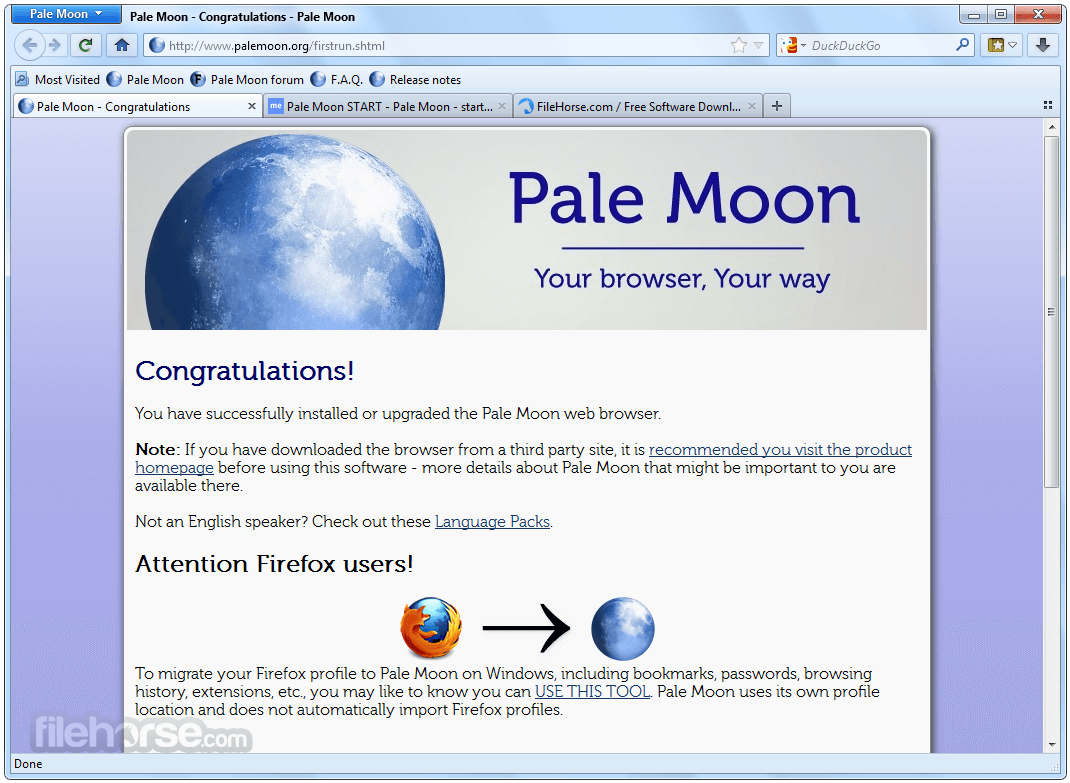
Pale Moon 34.2.0 (32-bit) Screenshots
The images below have been resized. Click on them to view the screenshots in full size.
-

-

What's new in this version:
New features:
- Implemented ES2018 Proxy ownKeys duplicate-key invariant
- Implemented ES2022 Error.cause property
- Implemented support for oklab and oklch color spaces in CSS
- Implemented ES2024 object.GroupBy
- Implemented the remainder of the ES2023 Change Array by Copy proposal (toSpliced(), with(), and TypedArray versions of toReversed(), toSorted() and with())
- Implemented AudioNode constructors
- Implemented support for nested CSS grammar
- Implemented the window.MathMLElement global
Changes/fixes:
- Fixed a crash related to WeakRef use
- Fixed stack exhaustion crashes as a result of top-level await in modules
- Updated our expat parser library to 2.7.4, fixing various issues
- Updated url.CanParse() to allow custom schemes
- Updated document.currentScript to align with the currently used spec
- Fixed a crash due to infinite recursion
- Fixed a crash on MacOS due to WebGL attribute arrays
- Fixed a crash related to pointer @media queries in CSS
- Fixed a crash related to the spellchecker when handling input fields in Shadow DOM
- Future-proofed whitespace handling in ParseDate in light of Unicode variable whitespace use
- Removed irrelevant plugin preferences when plugin support isn't built into the browser (non-standard builds/forks)
- Improved support for the mimalloc memory allocator
- Improved support for LoongArch CPUs
- Added special handling for certain MacOS system fonts
- Removed leftover code for unsupported Itanium, 32-bit Sparc and other old architectures
- Added a workaround for CloudFlare image resizing, since it requires more opaque URL handling to function
- This workaround is controlled with the new preference network.url.cloudflare_image_resizing.enabled (default true). See implementation notes
- Security issues addressed: CVE-2026-4707 (DiD), CVE-2026-4690 (DiD), CVE-2026-4727 (DiD), and others without a CVE designation
- A note that Mozilla-relevant security issues CVE-2025-59375 and CVE-2026-4726 had already been addressed in the browser before this release
 OperaOpera 130.0 Build 5847.12 (64-bit)
 Kling AIKling AI - Text or Image to Video
 PhotoshopAdobe Photoshop CC 2026 27.5 (64-bit)
 BlueStacksBlueStacks 10.42.167.1001
 OKXOKX - Buy Bitcoin or Ethereum
 CapCutCapCut 7.9.0
 PC RepairPC Repair Tool 2026
 Hero WarsHero Wars - Online Action Game
 TradingViewTradingView - Trusted by 100 Million Traders
 AdGuard VPNAdGuard VPN 2.9.0
Comments and User Reviews