




 Acer AI
 Dell
Dell Epson Print
 Driver Updater
 DriverMax
 Driver Easy
 Canon PRINT
 Driver Booster
-
Latest Version
-
Operating System
Windows 10 / Windows 11
-
User Rating
Click to vote -
Author / Product
-
Filename
ASIO4ALL_2_18.exe
-
MD5 Checksum
e56f09d171618db5211b3fa2bbbc5841
Sometimes latest versions of the software can cause issues when installed on older devices or devices running an older version of the operating system.
Software makers usually fix these issues but it can take them some time. What you can do in the meantime is to download and install an older version of ASIO4ALL 2.18.
For those interested in downloading the most recent release of ASIO4ALL or reading our review, simply click here.
All old versions distributed on our website are completely virus-free and available for download at no cost.
We would love to hear from you
If you have any questions or ideas that you want to share with us - head over to our Contact page and let us know. We value your feedback!
-
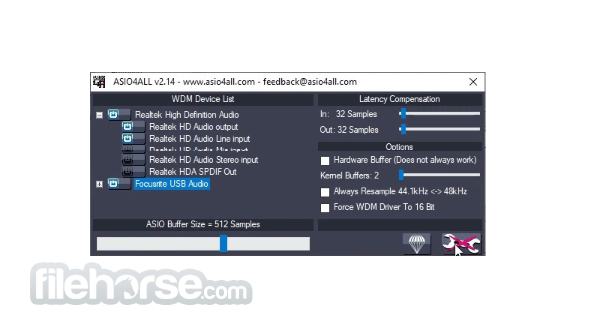
ASIO4ALL 2.18 Screenshots
The images below have been resized. Click on them to view the screenshots in full size.
-

What's new in this version:
Changed:
- No longer crashes after USB audio device surprise removal. The expected behavior is to attempt a reconnect and resume audio streaming. Having your USB audio interface connected to a KVM switch, changing between computers – with ASIO4ALL currently active on both – should result in a graceful handover in either direction.
- Some more work went into accurate audio buffer synchronization. The “Buffer Offset” slider is about to become phased out. If your setup absolutely requires a non-default position, I’d be interested to learn about it! (Except when trying to “fix” sample clock drift issues this way…)
- Fix unexpected behavior (including crash) when host tried to set a new sample rate.
- Good old plain Azalia WaveRt devices will no longer have their position register ignored despite a returned accuracy of “0”.
- Further improve input/output latency reporting
- The “Debug” option has been debugged and will better assist debugging whenever there is something to debug.
- In preparation of the upcoming device audio clock drift correction (yes!), ASIO4ALL can now measure and display the actual sample frequencies of individual devices, either directly or inside the tooltip window when hovering over. This shall help finding out wether individual device clocks are synchronized or not. Since the system clock serves as a reference clock, measurement results always are only relative, never absolute! Accuracy will improve with run time. Give it at least 5-10 minutes for a useful reading!
 OperaOpera 134.0 Build 5954.56 (64-bit)
 BlueStacksBlueStacks 10.42.255.1002
 PhotoshopAdobe Photoshop CC 2026 27.9.1 (64-bit)
 LDPlayerLDPlayer - Android Emulator
 GTA 6GTA 6 for PS5
 CapCutCapCut Desktop 9.1.0
 PC RepairPC Repair Tool 2026
 Hero WarsHero Wars - Online Action Game
 TradingViewTradingView - Trusted by 100 Million Traders
 Halo: CampaignHalo: Campaign Evolved
Comments and User Reviews