




 Logi Options+
 Edge Drop
 Folder Color
 Fluent Search
 Wallpaper
 WindowBlinds
 Raycast
 Flow Launcher
-
Latest Version
-
Operating System
Windows 10 / Windows 11
-
User Rating
Click to vote -
Author / Product
-
Filename
DisplayFusionSetup-12.1.exe
Sometimes latest versions of the software can cause issues when installed on older devices or devices running an older version of the operating system.
Software makers usually fix these issues but it can take them some time. What you can do in the meantime is to download and install an older version of DisplayFusion 12.1.
For those interested in downloading the most recent release of DisplayFusion or reading our review, simply click here.
All old versions distributed on our website are completely virus-free and available for download at no cost.
We would love to hear from you
If you have any questions or ideas that you want to share with us - head over to our Contact page and let us know. We value your feedback!
-
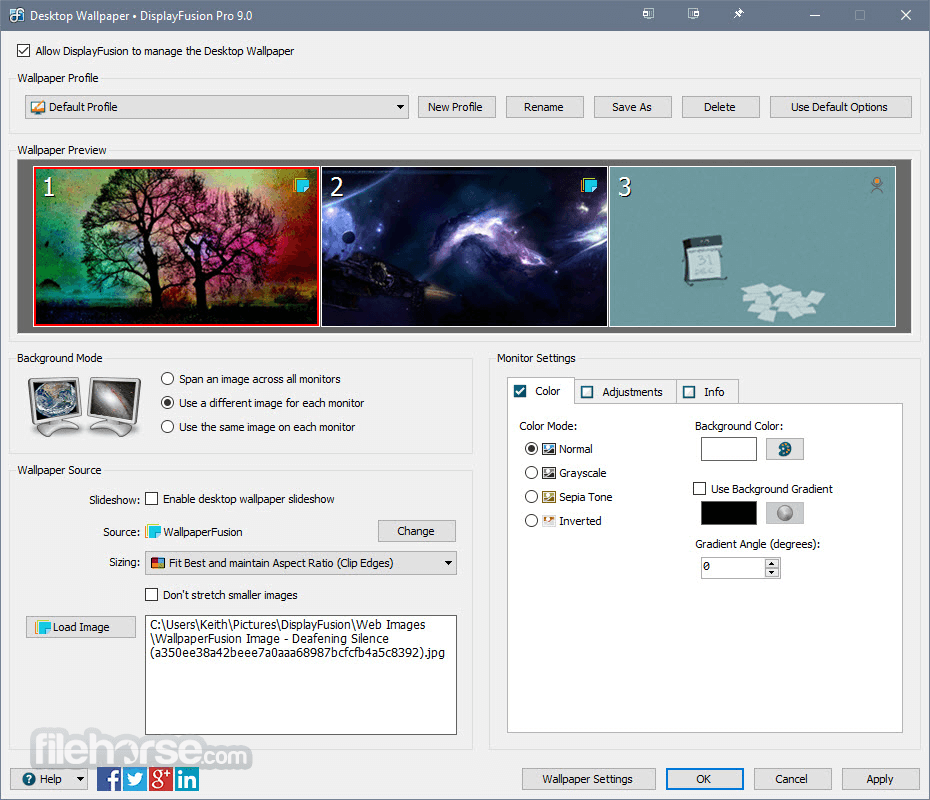
DisplayFusion 12.1 Screenshots
The images below have been resized. Click on them to view the screenshots in full size.
-

-

-

-

What's new in this version:
Changed:
- Updated to run on .NET 10, the new framework will be automatically installed during the update
- New Scripting Function to get taskbar size
- DisplayFusion now handles settings restore instead of passing to regedit, allowing a settings backup to restored by non-admin users
- Removed the Google Image Search wallpaper source as Google has removed the API authentication for it
- Added the ability to toggle HDR in Monitor Configuration and save it with Monitor Profiles (toggles HDR only, does not set HDR colour depth or format)
- Added an option to Custom Functions that allows them to be toggled (i.e. after running the function on a window, a second run will revert the window to its previous size/location)
- Improvements to existing "Span Window Across All Monitors" function (you can switch back to the old behaviour with an advanced setting if needed)
- Added a new "Span Window Across Specific Monitors" function that allows you to select the monitors to span
- Added a button in the Desktop Wallpaper window to delete the Windows transcoded wallpaper file
Fixed:
- Taskbar no longer forced to bottom when running PowerToys Command Palette
- Resolved a script download issue
- Resolved an issue where wrong process name was sometimes detected for Triggers
- AutoCAD 2027 now shows up on DisplayFusion taskbar
- EssentialPIM Pro taskbar button no longer disappears on minimize
- Resolved an issue where Settings on the Adjustments tab in the wallpaper window didn't apply correctly in some cases
- Left-click now closes Alt+Tab window
- Resolved a hook issue on Windows 11 21H2
- Steam tray icon no longer cycles on and off of the DisplayFusion taskbar
- Dropbox wallpaper source now uses the new Dropbox API
- Reduced CPU and I/O usage
- Resolved an issue where resuming from screen saver didn't work on some systems
- Removed qlock from Alt+Tab handler
- No longer sends minimized window to bottom of Alt+Tab order
- Resolved an issue with blank taskbar buttons on Windows 10 with Open Shell and dark mode enabled
- Resolved an issue where wrong taskbar buttons were sometimes combined
- Resolved an issue with AutoCAD pop-out window not showing up on taskbar
- Wallpaper no longer flickers if you're using Wallpaper Engine instead of DF wallpaper
- Resolved some font scaling issues when display scaling and font scaling are both enabled in Windows
- Functions now work on some borderless full screen windows
- Alt+Tab no longer moves a minimized window to the bottom of the Alt+Tab order
- Discord notification dot now shows up even if it's running as admin
- Website wallpaper fixes and improvements
- Video wallpaper fixes and improvements
- TitleBar Buttons now show up on Bigasoft Video Downloader
- Scripted Functions compile correctly on ARM systems again
- Resolved an issue where the process icons on the Triggers tab were sometimes red boxes
- Notepad++ no longer sticks to the bottom of the Alt+Tab order
- Gemini now combines correctly with pinned taskbar button
- With Alt+Tab set to show current windows, the list now gets refreshed correctly when the monitor config changes
- New Outlook now combines correctly with pinned taskbar button
- CheatEngine no longer shows two taskbar entries
- Resolved an issue where the Monitor Configuration window sometimes duplicated the monitor previews
- Terminal window now gets correctly moved to taskbar monitor when opened from a taskbar pinned button
- Monitor Splitting no longer causes SuperPuTTY tabs to incorrectly resize
- Resolved an issue where Alt+Tab sometimes selected the wrong window
- Tray overflow icon no longer missing on Japanese Windows
- Resolved an issue where Process Explorer sometimes only showed one tray icon
 OperaOpera 135.0 Build 5973.133 (64-bit)
 LDPlayerLDPlayer - Android Emulator
 Adobe AcrobatAdobe Acrobat Pro 2026.002.21901
 MalwarebytesMalwarebytes Premium 5.7.0
 Premiere ProAdobe Premiere Pro CC 2026 26.5
 CapCutCapCut Desktop 9.3.0
 PC RepairPC Repair Tool 2026
 Hero WarsHero Wars - Online Action Game
 TradingViewTradingView - Trusted by 100 Million Traders
 WARDOGSWARDOGS - All Out Warfare FPS
Comments and User Reviews