




 Wallpaper
 Folder Color
 Edge Drop
 WindowBlinds
 Logi Options+
 Raycast
 Fluent Search
 Flow Launcher
-
Latest Version
-
Operating System
Windows 10 / Windows 11
-
User Rating
Click to vote -
Author / Product
-
Filename
DisplayFusionSetup-12.0.2.exe
Sometimes latest versions of the software can cause issues when installed on older devices or devices running an older version of the operating system.
Software makers usually fix these issues but it can take them some time. What you can do in the meantime is to download and install an older version of DisplayFusion 12.0.2.
For those interested in downloading the most recent release of DisplayFusion or reading our review, simply click here.
All old versions distributed on our website are completely virus-free and available for download at no cost.
We would love to hear from you
If you have any questions or ideas that you want to share with us - head over to our Contact page and let us know. We value your feedback!
-
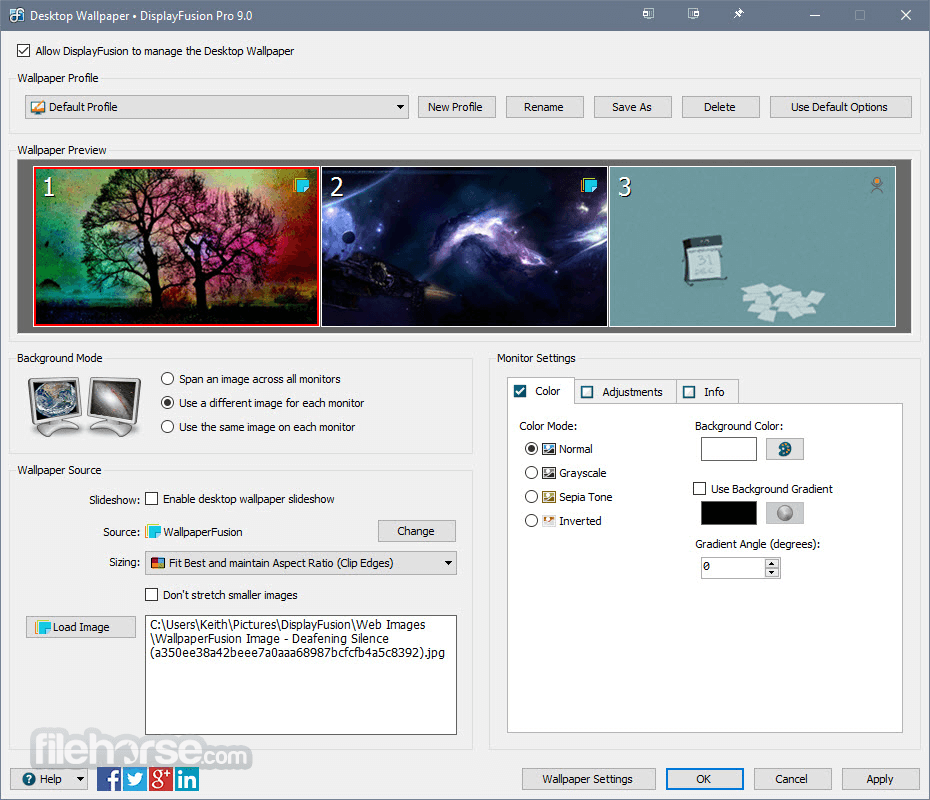
DisplayFusion 12.0.2 Screenshots
The images below have been resized. Click on them to view the screenshots in full size.
-

-

-

-

What's new in this version:
Changed:
- New Advanced Setting: Disable Full Screen Check for Maximizing to Split Monitors
- New Advanced Setting: Allow Gadget/Sidebar/Widget Windows to be Detected by DisplayFusion
- Added CPU model to troubleshooting info tab
- Added an option to Settings Alt+Tab to disable the close buttons on Alt+Tab previews
Fixed:
- Resolved an issue that caused the desktop wallpaper to not apply on some systems
- Resolved a bunch of issues with taskbar buttons
- Monitor order no longer changes when disabling a monitor
- Resolved a compatibility issue with ESET, web browsers, and DisplayFusion
- Font size on taskbar button hover previews is now correct on scaled monitors
- Resovled some UI scaling issues
- Resolved some UI rendering issues
- Resolved an issue that added some unwanted application windows to the Windows taskbar
- Changing the "TitleBar Button Offset" no longer requires restarting DisplayFusion
- Alt+Tab improvements
- Taskbar text size when text scaling is in use
- Taskbar "small icon" improvements
- Resolved a memory leak in the taskbar
- Many performance improvements and caching improvements
- Website wallpaper sometimes stopped working
- Middle-clicking an Edge window now re-opens it correctly
- PWA taskbar icon improvements
- Monitor configuration improvements
- Taskbar compatibility improvements
- Wallpaper black screen issue resolved
- Wallpaper colour banding issue resolved
- Resolved an issue that prevented Explorer windows from being middle-click moved
- Resolved an issue with middle-click window moving
- Game performance improvements, reduced stutters
- Taskbar compatibility improvements (FMD and others)
- Escape key now works correctly again on the Alt+Tab Handler
- Winamp panes no longer get separate taskbar buttons
- Font scaling for taskbar button right-click menus should now be correct when using Windows Accessibility Text Size
- Resolved a dependency issue for Scripted Functions
- qlock no longer incorrectly appears in Alt+Tab handler
 OperaOpera 135.0 Build 5973.133 (64-bit)
 LDPlayerLDPlayer - Android Emulator
 Adobe AcrobatAdobe Acrobat Pro 2026.002.21901
 MalwarebytesMalwarebytes Premium 5.7.0
 Premiere ProAdobe Premiere Pro CC 2026 26.5
 CapCutCapCut Desktop 9.3.0
 PC RepairPC Repair Tool 2026
 Hero WarsHero Wars - Online Action Game
 TradingViewTradingView - Trusted by 100 Million Traders
 WARDOGSWARDOGS - All Out Warfare FPS
Comments and User Reviews