




 Premiere Pro
 Filmora
 FocuSee
 LitMedia AI
 RecCloud
 Restream
-
Latest Version
HandBrake 1.11.0 LATEST
-
Review by
-
Operating System
Windows 10 / Windows 11
-
User Rating
Click to vote -
Author / Product
-
Filename
HandBrake-1.11.0-x86_64-Win_GUI.exe
-
MD5 Checksum
75e1e8dc455e283c0c66d622ff601b84
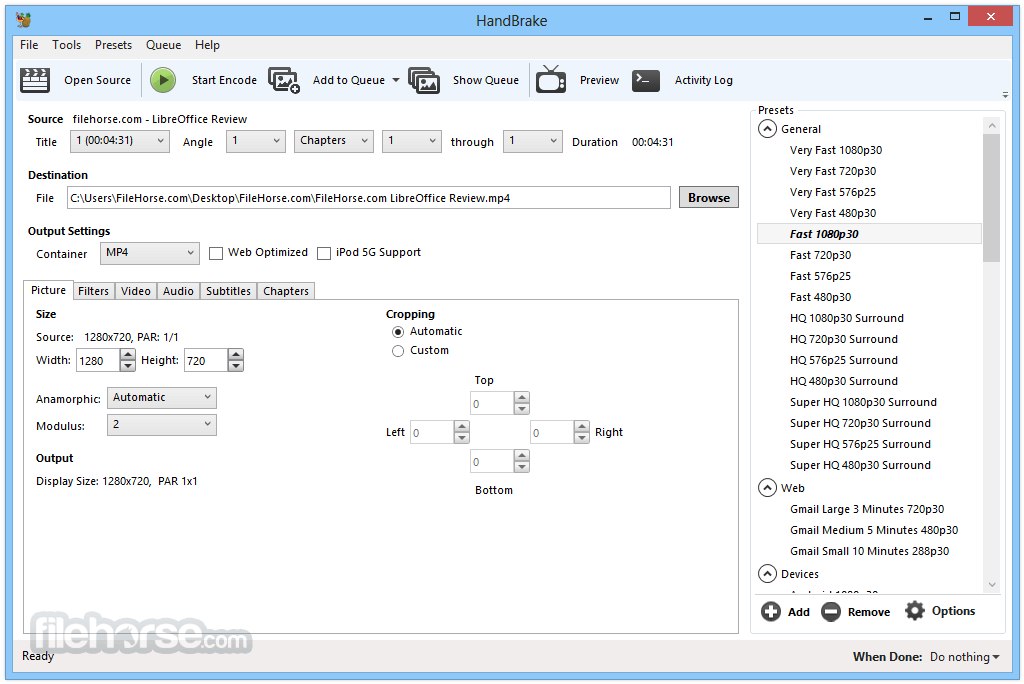
Originally developed for ripping DVDs, HandBrake has evolved into a full-featured conversion tool suitable for casual users and professionals alike.
With support for batch processing, presets, and a range of customization options, HandBrake is a powerful solution for video conversion on Windows PCs.
Key Features
Multi-format Support: Converts videos from a wide range of formats including MP4, MKV, AVI, and more.
Built-in Presets: Offers device-specific presets (e.g., iPhone, Android, Roku) for hassle-free conversions.
Batch Encoding: Queue multiple files for conversion to save time.
Hardware Acceleration: Supports GPU-based encoding with Intel QSV, NVIDIA NVENC, and AMD VCE.
Advanced Filters: Apply video filters like deinterlacing, scaling, cropping, and denoising.
Subtitle Support: Add, remove, or pass-through subtitles (SRT, VobSub, etc.).
Chapter Markers: Preserve or add chapter markers in outputs.
Customizable Output Settings: Fine-tune video/audio codecs, bitrate, resolution, and more.
User Interface
HandBrake’s UI is functional rather than flashy. It features a simple dashboard where users can load a video, choose output settings, select presets, and start encoding.
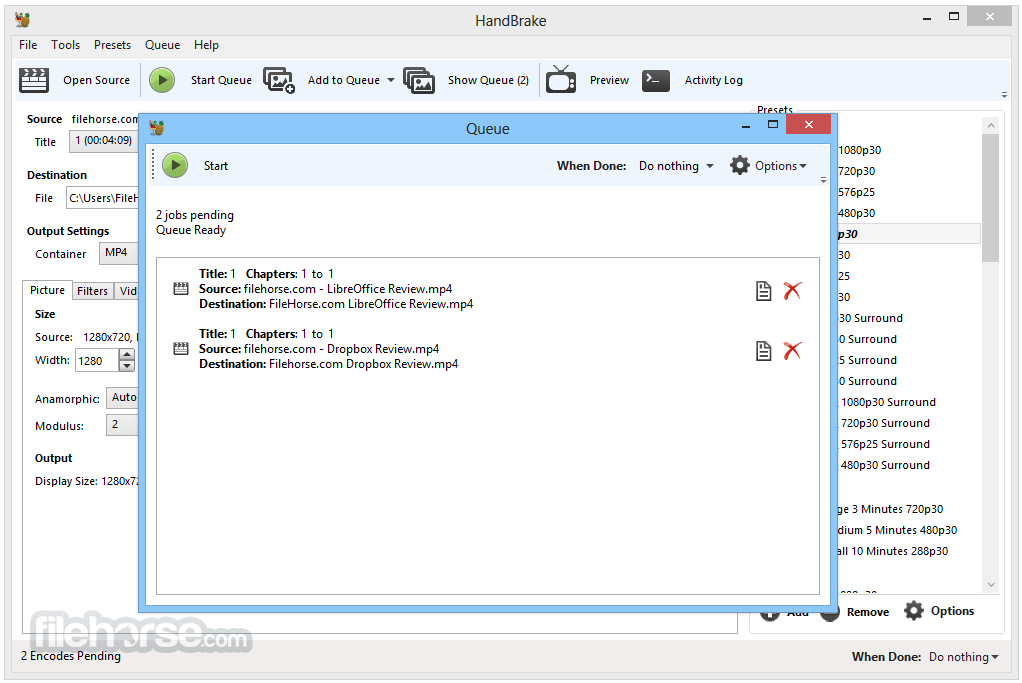
The layout is intuitive for basic tasks, though advanced features are tucked into various tabs, which may require a learning curve for newcomers.
The live preview function is handy for checking encoding settings before committing.
Installation and Setup
Installing this video program is straightforward. Download the installer from the official website, run it, and follow the prompts.
The setup process is lightweight and doesn’t include bloatware or third-party offers. Once installed, the software is ready to use—no need for additional codecs or plugins.
How to Use
- Launch HandBrake and load your source file via drag-and-drop or the “Open Source” button.
- Select a preset from the right panel (e.g., "Fast 1080p30").
- Choose your destination folder and file name.
- Customize video/audio/subtitle settings if desired.
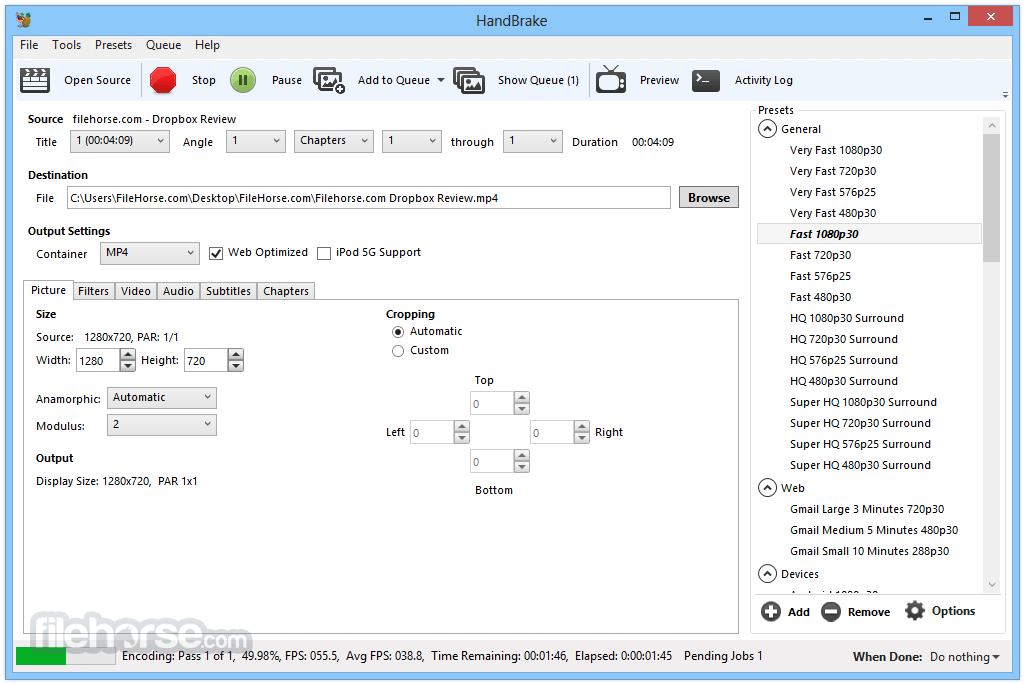
- Click “Start Encode” to begin conversion.
Other Features
- Supports output in MP4, MKV, and WebM formats.
- Compatible with AV1, H.265, H.264, MPEG-4, MPEG-2, VP8, and VP9 video encoders.
- Offers optional hardware-accelerated video encoding.
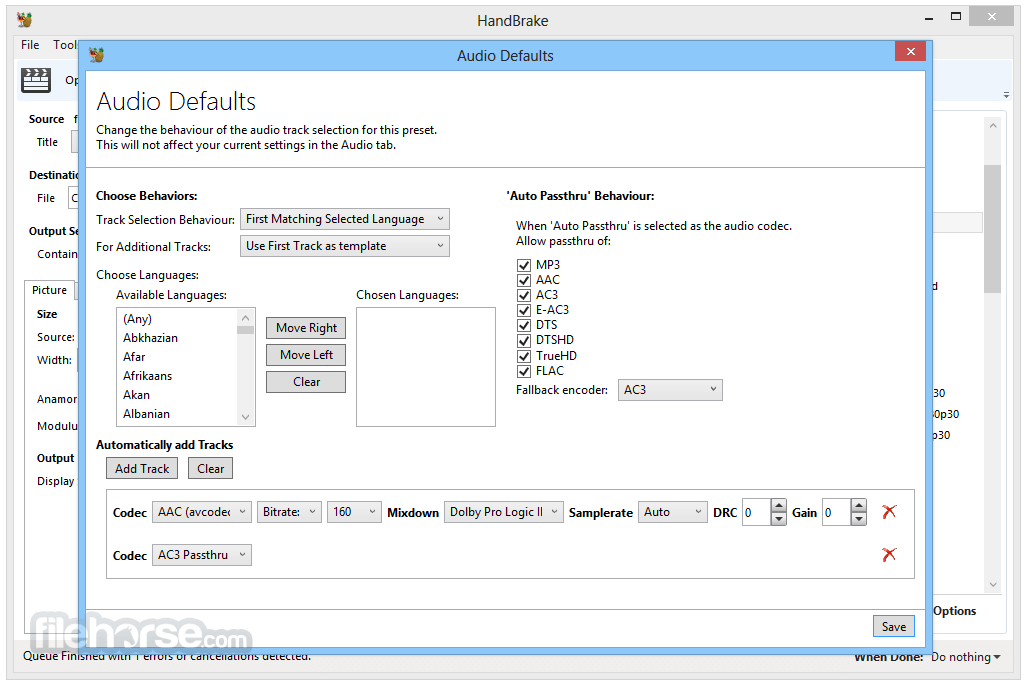
- Encodes audio in AAC, HE-AAC, MP3, FLAC, AC3, E-AC3, Opus, and Vorbis formats.
- Allows audio pass-through for AC-3, E-AC3, FLAC, DTS, DTS-HD, TrueHD, AAC, Opus, MP3, and MP2.
- Supports title, chapter, and range selection for encoding.
- Batch scan and queue multiple encodes at once.
- Includes chapter markers in the output.
- Subtitle support for VobSub, CEA-608 Closed Captions, SSA, and SRT formats.
- Offers both Constant Quality and Average Bitrate encoding options.
- Handles both Variable (VFR) and Constant Frame Rates (CFR).
- Includes filters like Deinterlace, Decomb, Denoise, Detelecine, Deblock, Grayscale, Colorspace, Crop, and Scale.
- Provides live static and video previews during encoding.
- Supports HDR pass-through for high dynamic range content.
Can HandBrake convert DVDs or Blu-rays?
Yes, but only unprotected discs. For commercial discs, third-party tools are required to bypass DRM.
Does HandBrake support batch processing?
Yes. You can add multiple files to the queue and process them sequentially.
Can I preserve subtitles in the converted file?
Yes. It can pass through or burn in subtitles depending on your settings.
Is HandBrake safe and ad-free?
Yes, it is open-source and completely free from ads or bundled software.
Does it support hardware acceleration?
Yes. It supports Intel QSV, NVIDIA NVENC, and AMD VCE for faster encoding.
Alternatives
FFmpeg: A command-line based tool with more control but a steeper learning curve.
Format Factory: Offers video, audio, and image conversion in one package.
Any Video Converter: A user-friendly tool with additional editing features.
MediaCoder: A highly customizable transcoder but less intuitive.
Pricing
This tool is 100% FREE and open-source. There are no premium versions or paid features.
System Requirements
- OS: Windows 11 or Windows 10 (64-bit only)
- CPU: Intel or AMD processor with SSE4 support
- RAM: 4 GB minimum, 8 GB recommended
- Storage: At least 100 MB for installation; more for processing files
- GPU: Optional, for hardware acceleration
- Free and open-source
- Powerful encoding options
- Hardware acceleration supported
- Regular updates
- Batch processing capable
- Not beginner-friendly for advanced features
- No support for encrypted DVDs/Blu-rays
- Limited editing capabilities
HandBrake is a robust, reliable video transcoder for Windows users who need a versatile tool for converting and optimizing video content. While it may not cater to complete beginners for advanced workflows, its presets, performance, and freedom make it an industry favorite for good reason.
Note: Requires .NET Framework.
Also Available: Download HandBrake for Mac
-
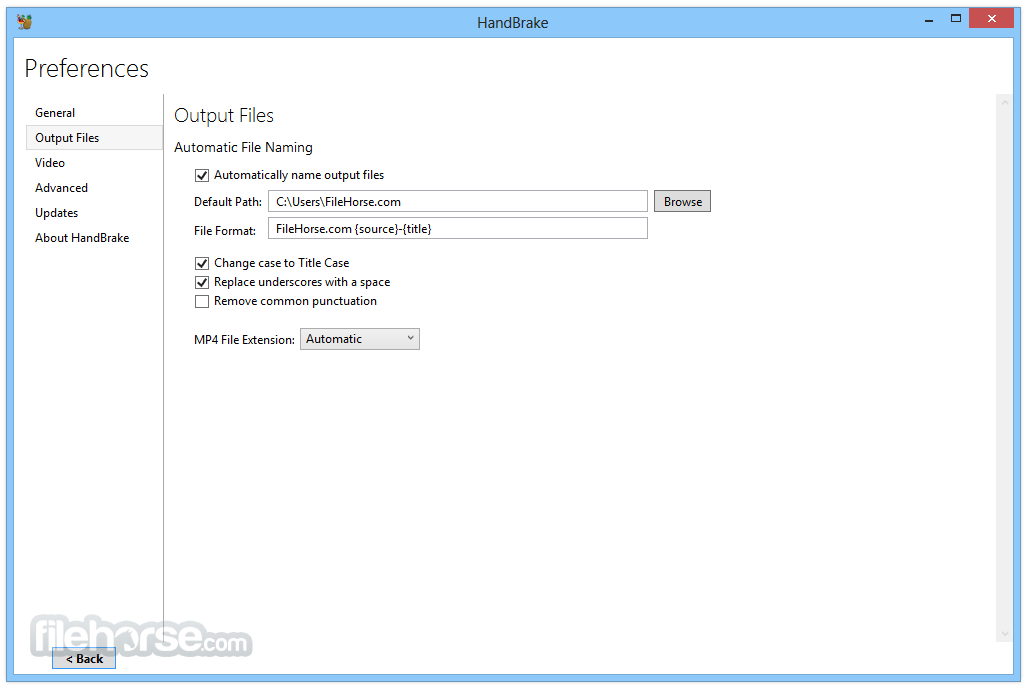
HandBrake 1.11.0 Screenshots
The images below have been resized. Click on them to view the screenshots in full size.
-
-
-
-
What's new in this version:
General:
- Added encoding to MOV container format
- Added AV1 VCN 2160p 4K preset
- For AMD 9000 series GPU hardware and newer
- Output dimensions may be incorrect on AMD 7000 series GPU hardware; this is unfixable in software
- Added Production DNxHR presets
- MOV container
- Any resolution video using HQX and SQ encoder presets
- 2160p, 1080p, and 540p resolution proxy (LB) presets
- 24-bit PCM multi-channel audio with pass through support
- Added Production ProRes presets
- MOV container
- Any resolution video using standard, HQ, and LT encoder presets
- 2160p, 1080p, and 540p resolution proxy presets
- 24-bit PCM multi-channel audio with pass through support
- Added Preservation FFV1 FLAC and PCM presets
- Same as Preservation FFV1 with single-codec audio
- Updated Preservation FFV1 preset to pass through all supported audio codecs
- Adds Apple Lossless, PCM, and Vorbis to pass through list
- Properly handle the case in which the first chapter timestamp is not zero
Video:
- Added DNxHR encoder
- Added ProRes encoder
- Added AMD VCN AV1 10-bit encoder
- Added MPEG-2 profile and level selection
- Allowed muxing FFV1 in the MP4 container
- Improved AV1 in MP4 seeking on Apple software
- Dolby Vision profile 5 video is now tagged with a proper color tag
Audio:
- Added PCM encoding and passthru
- Added support for custom channels order (#7265)
Build system:
- Updated mingw-w64-build to version 11.0.0.
- Updated mac-toolchain-build script to version 2.15.0
Third-party libraries:
Updated libraries:
- AMF 1.5.0 (AMD VCN video encoding)
- FFmpeg 8.0.1 (decoding and filters)
- HarfBuzz 12.2.0 (subtitles)
- Jansson 2.14.1 (JSON architecture)
- libbluray 1.4.0 (Blu-ray decoding)
- libdav1d 1.5.3 (AV1 decoding)
- libdvdnav 7.0.0 (DVD decoding)
- libdvdread 7.0.1 (DVD decoding)
- libjpeg-turbo 3.1.3 (preview image compression)
- liblzma (xz) 5.8.2 (LZMA video decoding, e.g. TIFF)
- libopus 1.6.1 (Opus audio encoding)
- libvpx 1.16.0 (VP8/VP9 video encoding)
- oneVPL 2.16.0 (Intel QSV video encoding/decoding)
- SVT-AV1 4.0.1 (AV1 video encoding)
- x265 r13309 (H.265/HEVC video encoding)
Windows:
- The UI now requires Microsoft .NET Desktop Runtime 10.0.x. .NET 8 is no longer required
- Support for Intel HyperEncode has been removed as the feature is deprecated upstream
- Minor miscellaneous fixes
- Updated existing and maintained locales
 OperaOpera 128.0 Build 5807.66 (64-bit)
 Kling AIKling AI - Text or Image to Video
 PhotoshopAdobe Photoshop CC 2026 27.4 (64-bit)
 BlueStacksBlueStacks 10.42.167.1001
 OKXOKX - Buy Bitcoin or Ethereum
 CapCutCapCut 7.9.0
 PC RepairPC Repair Tool 2026
 Hero WarsHero Wars - Online Action Game
 TradingViewTradingView - Trusted by 100 Million Traders
 AdGuard VPNAdGuard VPN 2.9.0
Comments and User Reviews