




 Replit
 10Web
10Web Cursor
 Antigravity
 SQL Server
 Windsurf
 Lovable
 OnSpace AI
-
Latest Version
-
Operating System
Windows 7 / Windows 8 / Windows 10 / Windows 11
-
User Rating
Click to vote -
Author / Product
-
Filename
innosetup-6.7.1.exe
-
MD5 Checksum
6adf0402439103d589c1a733c68c7dd8
Sometimes latest versions of the software can cause issues when installed on older devices or devices running an older version of the operating system.
Software makers usually fix these issues but it can take them some time. What you can do in the meantime is to download and install an older version of Inno Setup 6.7.1.
For those interested in downloading the most recent release of Inno Setup or reading our review, simply click here.
All old versions distributed on our website are completely virus-free and available for download at no cost.
We would love to hear from you
If you have any questions or ideas that you want to share with us - head over to our Contact page and let us know. We value your feedback!
-
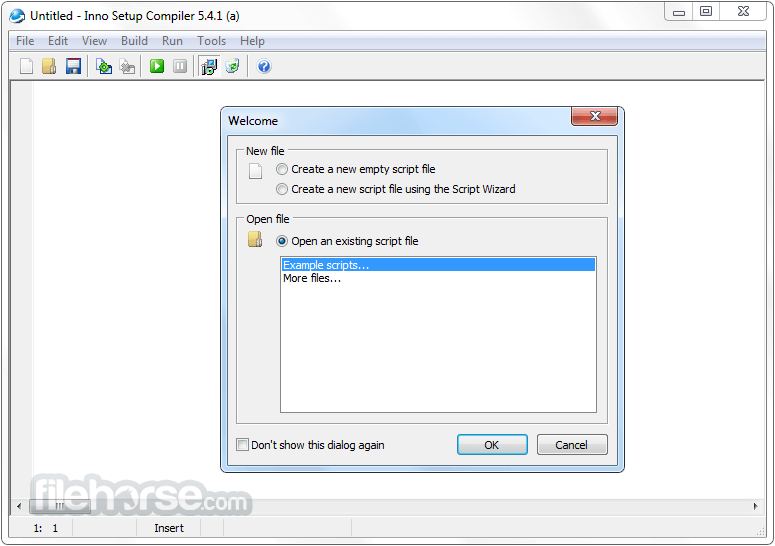
Inno Setup 6.7.1 Screenshots
The images below have been resized. Click on them to view the screenshots in full size.
-

-

What's new in this version:
General improvements:
Compiler:
0 When setting WizardBackImageFile, the compiler now also checks whether a custom style was specified via WizardStyleFile
0 The compiler's retry mechanisms now also retry the initial copy of the E32 file to the output EXE
Compiler IDE:
- Improved section folding to allow folding of (entire) functions and procedures in the [Code] section
- Added new Smart Home key option, enabled by default
- Added a banner that will appear in April 2026, inviting you to share your ideas and vote on others on an ideas board, open that month only
Setup:
- Improved enumeration of the Windows PendingFileRenameOperations registry value
- If you use restartreplace flags in your [Files] section, updating is recommended
- Edit controls that take paths to directories now exclude names of files from their AutoComplete lists
- Added workaround for slower folder browsing on Windows 11 25H2
Other changes:
Pascal Scripting:
-Added new Alignment property to support class TNewStaticText. See updated CodeClasses.iss example script for an example.
-Added new AutoCompleteFiles property to support class TNewPathEdit. If set to False (the default value), only directory names are included in the AutoComplete list. If set to True, file names are included as well.
ISPP:
- The date and time separators of support functions GetDateTimeString and GetFileDateTimeString are now truly optional, rather than requiring empty strings
- Added new support function EmitLanguagesSection, to generate a full [Languages] section for all available official languages, including English. Example: #expr EmitLanguagesSection.
- When possible, the Compiler IDE's New Script Wizard will use this function.
- Added official Thai translation
- Other minor improvements
 OperaOpera 134.0 Build 5954.56 (64-bit)
 BlueStacksBlueStacks 10.42.255.1002
 PhotoshopAdobe Photoshop CC 2026 27.9.1 (64-bit)
 LDPlayerLDPlayer - Android Emulator
 GTA 6GTA 6 for PS5
 CapCutCapCut Desktop 9.1.0
 PC RepairPC Repair Tool 2026
 Hero WarsHero Wars - Online Action Game
 TradingViewTradingView - Trusted by 100 Million Traders
 Halo: CampaignHalo: Campaign Evolved
Comments and User Reviews