




 RemotePC
 CleverGet
 PRTG
PRTG Keeprix
 4K Download
 YTD Download
 WTFast
 Streaming
-
Latest Version
qBittorrent 5.2.0 (64-bit) LATEST
-
Review by
-
Operating System
Windows 7 / Windows 8 / Windows 10 / Windows 11
-
User Rating
Click to vote -
Author / Product
-
Filename
qbittorrent_5.2.0_x64_setup.exe
-
MD5 Checksum
4c44d1c7c9d8b8f462f5d4d12f69edd2
With a focus on user privacy and security, it offers a range of tools and features to ensure a seamless torrenting experience.
Highlights
User-Friendly Interface: The software offers an intuitive and clean interface, allowing users to quickly navigate through their downloads and settings.
Built-in Search: qBittorrent 64bit integrates a search engine to find torrents without the need for external websites. This streamlines the torrent discovery process.
Remote Control: Users can manage their downloads remotely through the web interface, enabling access from different devices.
Sequential Downloading: This feature allows users to download individual files from a torrent in sequential order, facilitating early access to content.
IP Filtering: It supports IP filtering and offers an IP blocker to enhance privacy and security while torrenting.
Media Player: It comes with a built-in media player that lets you preview audio and video files while they are downloading.
RSS Feed Support: Users can subscribe to RSS feeds for automatic downloads of new content from their favorite sources.
Features
- Polished µTorrent-like User Interface
- No Ads
- Well-integrated and Extensible Search Engine
- Simultaneous Search in Multiple Torrent Sites
- Category-Specific Search Requests
- Advanced RSS Feed Support
- Comprehensive BitTorrent Extensions
- Remote Control via Web Interface
- Sequential Downloading
- Advanced Torrent Control
- Torrents Queueing and Prioritizing
- Content Selection and Prioritizing
- Bandwidth Scheduler
- Torrent Creation Tool
- IP Filtering Compatibility
- IPv6 Compliant
- UPnP and NAT-PMP Support
- Multi-Platform Availability
- Multilingual Interface
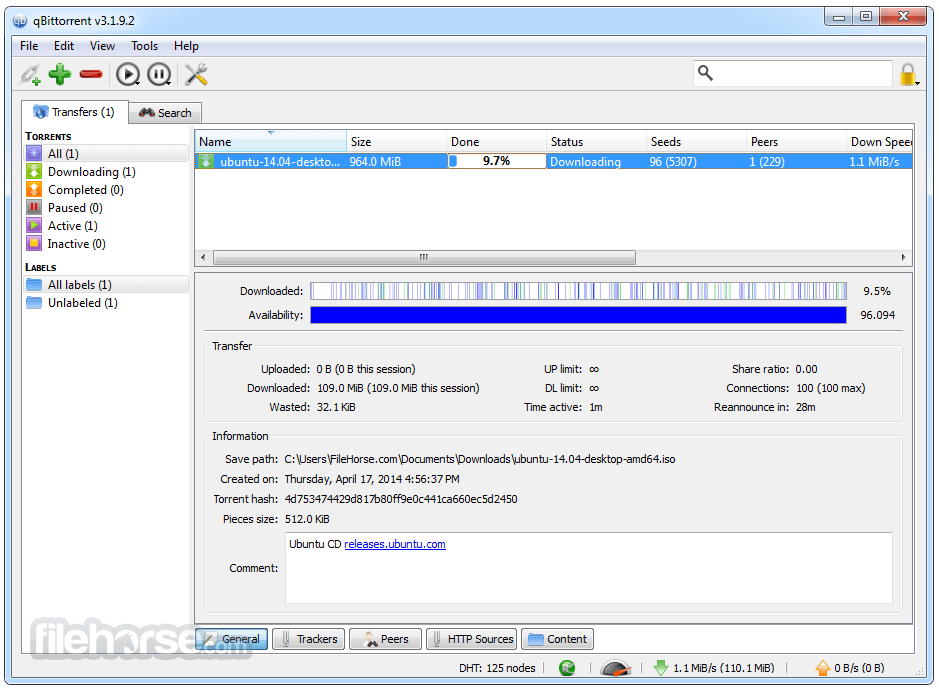
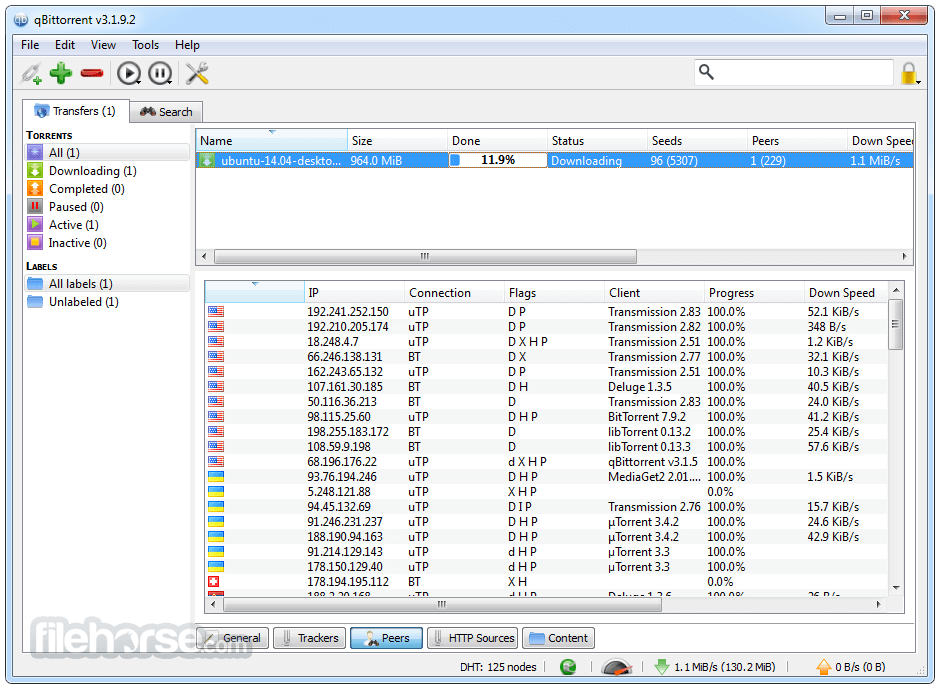
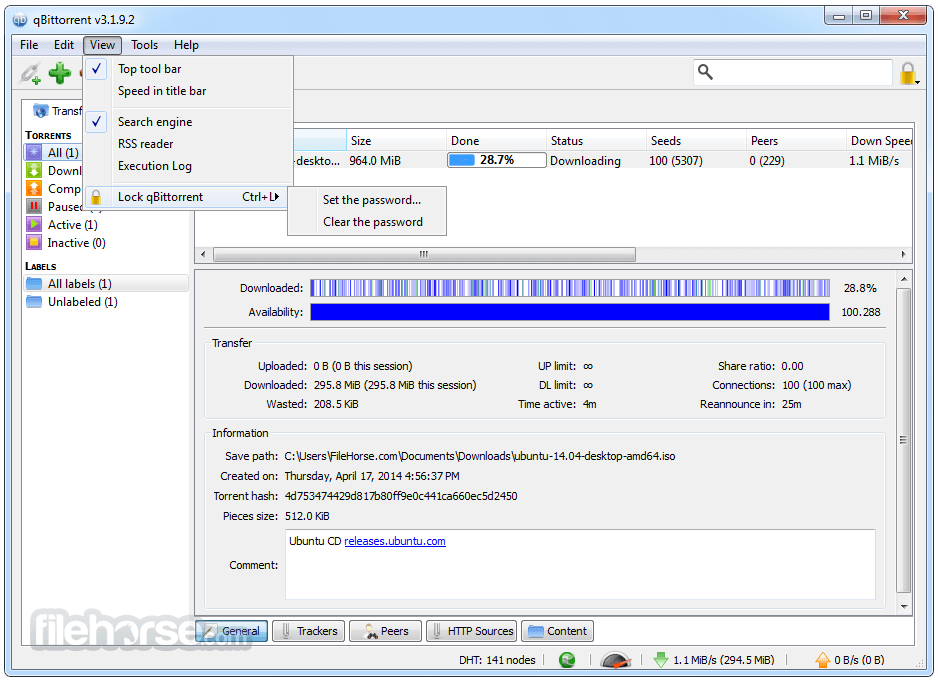
qBittorrent's user interface is clean, modern, and intuitive. The main dashboard displays active and completed downloads, along with relevant information such as download/upload speeds, seeders, leechers, and progress.
The navigation menu is well-organized, making it easy to access various features and settings.
Installation and Setup
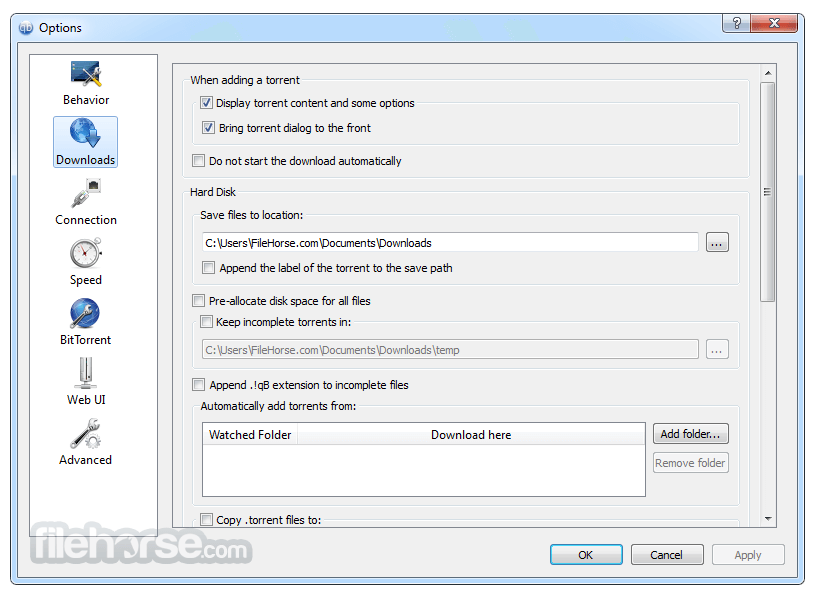
Users can download the installer from the official website or FileHorse and follow the on-screen instructions. During setup, users can configure preferences like download and upload limits, default save locations, and connection settings.
How to Use
- Adding Torrents: Users can add torrents by clicking the "+" button and either adding a torrent file or pasting a magnet link.
- Managing Downloads: Downloads can be paused, resumed, and prioritized. Users can also choose specific files within a torrent to download.
- Categories: It supports categorizing downloads for better organization and management.
- Scheduling: Users can set download and upload limits based on specific times or days.
- Web Interface: The web UI allows remote control and monitoring of downloads from different devices.
Is qBittorrent for PC FREE?
Yes, qBittorrent is an open-source software and is completely FREE to use.
Is it safe to use qBittorrent?
Yes, the program is generally considered safe. However, like all torrenting clients, it's important to use caution and download legal content.
Can I schedule downloads?
Yes, it allows users to set schedules for downloads and uploads based on their preferences.
Does qBittorrent work on all platforms?
Yes, the software is compatible with Windows, macOS, Linux, and other Unix-like operating systems.
Can I search for torrents within the software?
Yes, it has a built-in search feature that allows you to find torrents without leaving the application.
Alternatives
uTorrent - A popular torrent client known for its small size and minimalistic interface.
Deluge - An open-source torrent client with a focus on flexibility and customization.
Tixati - A peer-to-peer file-sharing application, which uses the popular BitTorrent protocol
Transmission - A lightweight torrent client designed for simplicity and efficiency.
Audius - A decentralized music-sharing platform with blockchain integration.
LimeWire (revived as a blockchain-based music platform) - Focuses on artist royalties while still enabling music discovery.
Pricing
qBittorrent is FREE and open-source, with no hidden costs or subscription fees.
System Requirements
- Operating System: Windows 7/8/10/11
- Processor: Dual-core processor or higher.
- RAM: 1 GB or more.
- Storage: At least 100 MB of free disk space for the software installation and temporary files.
- Internet Connection: A broadband connection for faster torrent downloads and uploads.
- Open-source and free to use.
- User-friendly interface.
- Integrated torrent search engine.
- Remote control via web interface.
- Regular updates and active development.
- Advanced features might be overwhelming for beginners.
- Some users might prefer more streamlined alternatives.
It stands out as a versatile and feature-packed PC torrent client suitable for both newcomers and experienced torrent users. Its user-friendly interface, built-in search engine, and remote control capabilities make it a valuable tool for managing downloads.
With its open-source nature and commitment to user privacy, qBittorrent remains a top choice for those seeking a reliable and secure torrenting solution. Just remember to always use it responsibly and ethically.
Also Available: qBittorrent (32-bit), qBittorrent for Mac and qBittorrent Portable
-
qBittorrent 5.2.0 (64-bit) Screenshots
The images below have been resized. Click on them to view the screenshots in full size.

-
-
-
-
What's new in this version:
Featured:
- Show free disk space in status bar
- Add control for 'hostname resolver cache expiry interval'
- Show info hash in log when a duplicate torrent is added
- Swap add file/link buttons on toolbar
- Revise labels for 'duplicate torrent' actions
- Allow to pass torrent comment to external program
- Revise Interface section layout in Options dialog
- Revise label wordings
- Allow to customize PiecesBar colors
- Allow to customize ProgressBar color
- Add option to make progress bar to follow torrent state color
- Add option to disable torrent state colors
- Allow to copy content paths of selected torrents
- Restore default drag behavior in Torrent Content widget
- Add Torrent Creator toolbar button
- Allow to configure style and color scheme on all platforms
- Add reboot option when downloads complete
- Implement separate
- Calculate torrent pieces asynchronously
- Use subcategories unconditionally
- Allow to set torrent share limits per category
- Move torrents to parent category when category is removed
- Persist additional trackers and load it on startup
- Add "Created On" column to transfer list
- Add a small gap between progress bars
- Add translations for Albanian, Bosnian, Kazakh, Nepali, Serbian
- Performance: Improve resume queue load performance
- Performance: Avoid copying resume data when loading torrents
Fixed:
- Fix crash when exiting immediately after adding a torrent
- Revise wordings related to SOCKS4 proxy
- Remove dubious seeding time max value
- Make modifying log file perms best effort
- Reannounce DHT when reannouncing all trackers
- Block invalid file names when renaming torrent content
- Don't create lock file in internal data folders
- Log a critical error before aborting the app
- Raise connection max limits
- Make the active torrents filter reflect actual transfers
- Raise 'torrent share ratio' maximum limit
- Use consistent text for "Do not download" priority
- Fix incorrect save path when torrent is added from watched folder
- Change "Session" column headings to match non-"Session"
- Fix fail to start seeding newly created torrent in Torrent Creator
- Fix crash when exiting immediately after adding the torrent
- Fix crash due to invalid entry in ipfilter.dat
- Fix crash when closing app with AddNewTorrentDialog opened
WebUI:
- Select next available search tab after closing last active tab with X button
- Support creating new torrents
- Add headers to RSS entry viewer
- Fix dark mode in RSS entry viewer
- Optimize table performance with virtual list
- Don't update UI if the page is hidden
- Select multiple files to rename with Shift
- Prevent mobile keyboards from capitalizing username input
- Fix memory leak
- Add support for tracker status filter
- Switch to lightweight clipboard library
- Keep client session from expiring when the page is hidden
- Add ability to refresh search
- Cache server stats for statistics window
- Reset filter selection when double clicking filter
- Always show Auto Torrent Management option
- Improve performance of re-sorting table rows
- Add ability to add/remove tracker from selected torrents
- Make footer scrollable on mobile
- Support horizontal scrolling of tabs
- Fix hiding of filters toolbar
- Improve search page experience on mobile
- Limit window sizes to viewport size
- Focus on filter field using Ctrl+F
- Support managing category download path
- Support reannouncing individual trackers
- Allow closing dialogs with Escape key
- Implement Share limit action
- Add new Add Torrent experience
- Implement missing tracker list features
- Replace GIFs with SVG
- Support editing tracker tier
- Fix blurry window controls
- Support downloading torrent via search plugin
- Continue polling after network error
- Add I2P peers to peer list
- Redesign login form
- Do not hide context menu if the click target has submenu
- keep preferences window open after unsuccessful save
- Store persistent settings in client data API
- Support authenticating via Basic auth
- Add option to increase display density
- Add torrent availability bar
- Support modifying default date format
- Search engine UX improvements
- Improve table performance
- Set appropriate autocomplete attribute on password fields
- Fix RSS Dialog Box Title Text
- Fix sync using wrong key for full update check
- Add "Created On" column to transfer list
WebApi:
- Provide announce stats within "sync" data
- Optionally include files info in torrent list
- Send 204 when WebAPI response contains no data
- Add metadata in /app/getDirectoryContent response
- Add setComment endpoint
- send names of missing required params
- Support persisting WebUI client preferences
- Append port to session cookie name
- Add support for authenticating via API key
- Use Permanent Cookie
- Add "app/processInfo" endpoint with "launch_time"
- Don't throw an error when editing category without changes
- RSS: Allow to set refresh interval per feed
- RSS: Fix crash when moving a folder into its subfolder
- RSS: Use short format for displaying RSS entry date
- RSS: Add 'Open link' to RSS article header
- RSS: Replace RSS articles icons with SVG
- RSS: Allow to filter RSS by simple string
- RSS: Make the Smart filter to reject articles with an unrecognized episode number
- SEARCH: Add SOCKS4/SOCKS4a proxy support to search engine
- SEARCH: Enforce SOCKS proxy setting in search engine plugins
- SEARCH: Use appropriate icon for "error" status in search tab
- SEARCH: Improve search results filtering implementation
- SEARCH: Optimize parsing of search results
- SEARCH: Add CTRL+W search tab close functionality
- SEARCH: Update Python installer version
- SEARCH: Propagate error messages from search engine
- WINDOWS: Allow symbolic links in torrent creator
- WINDOWS: NSIS: Add support for ARM64 build
- WINDOWS: NSIS: Update Turkish, Russian, Ukrainian, Swedish translations
- WINDOWS: NSIS: Add Hindi, Bosnian translations
- WINDOWS: NSIS: Add missing strings to Hindi translation
- WINDOWS: NSIS: Enable more languages available in NSIS
 OperaOpera 131.0 Build 5877.5 (64-bit)
 Kling AIKling AI - Text or Image to Video
 PhotoshopAdobe Photoshop CC 2026 27.5 (64-bit)
 BlueStacks AIBlueStacks AI
 OKXOKX - Buy Bitcoin or Ethereum
 CapCutCapCut 8.5.0
 PC RepairPC Repair Tool 2026
 Hero WarsHero Wars - Online Action Game
 TradingViewTradingView - Trusted by 100 Million Traders
 AdGuard VPNAdGuard VPN 2.9.0
Comments and User Reviews