




 Pixelcut
 Envato
 Lightroom
 PhotoRoom
 CorelDRAW Go
 Affinity
 Luminar Neo
-
Latest Version
Pixlr Suite LATEST
-
Review by
-
Operating System
Windows 10 / Windows 11
-
User Rating
Click to vote -
Author / Product
-
MD5 Checksum
b88f979bcf8df774ab577e1f37cda498
Pixlr Suite is an advanced cloud-powered photo editing platform that allows users of all knowledge levels to easily take full control over photo editing procedures without requiring the purchase of expensive professional photo editing apps such as Adobe Photoshop.
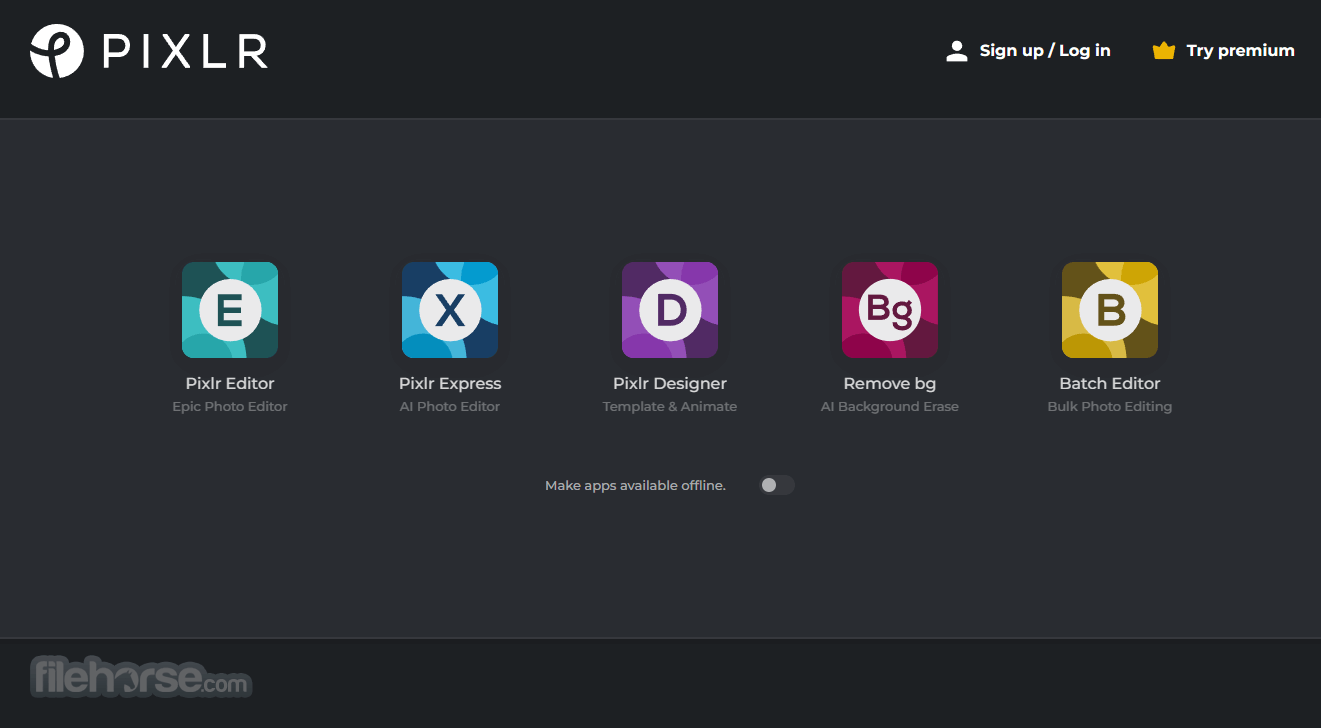
With full support for a wide array of modern photo editing tools, the developers at Pixlr have created five separate webapps that can help users not only edit their photos but also quickly perform advanced features such as background removal or fast photo collage making with the help of automated AI tools.
But in addition to the powerful webapps accessible from any modern browser, the developers at Pixlr have also created a standalone Windows app that can be easily deployed to any modern desktop or laptop PC.
This includes the entire Pixlr Suite of 5 apps, including “Pixlr E” (a comprehensive photo editor that represents a strong alternative to Photoshop),” Pixlr X” (a streamlined photo editor for quick management of layouts, stickers, text layers, and various other elements from the apps large online library of assets), “Photomash” (intuitive photo editor for fast creation of eye-catching designs using premade elements), “Remove BG” (for automatic removal of backgrounds from photos and illustrations), and “Batch editor” (for cloud-powered bulk editing of pictures with the professional-grade crop, resize, filter and effect tools).
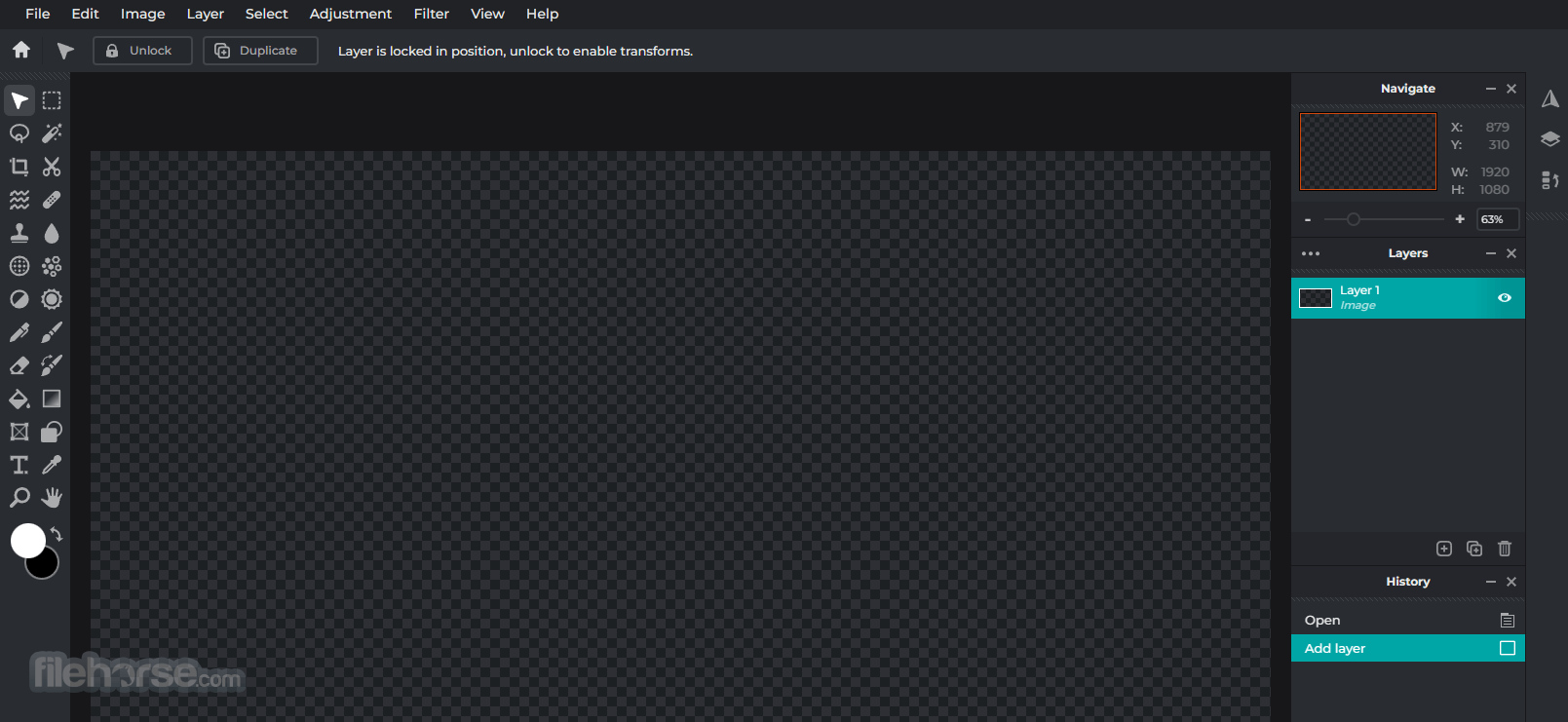
The user interface of Pixlr Suite apps follows the same style in all five of its five apps, enabling users to quickly learn how to manage the editing procedure of all their photos.
The layout of the apps has a strong resemblance to other editing apps, helping users to quickly adapt to this new working environment.
Unlock Pixlr Suite Premium and smash creative boundaries! Premium users also have:
Once installed, users are free to use the apps without restrictions, enabling them to take full control over their photo editing needs without the need to purchase expensive premium apps.
More Apps
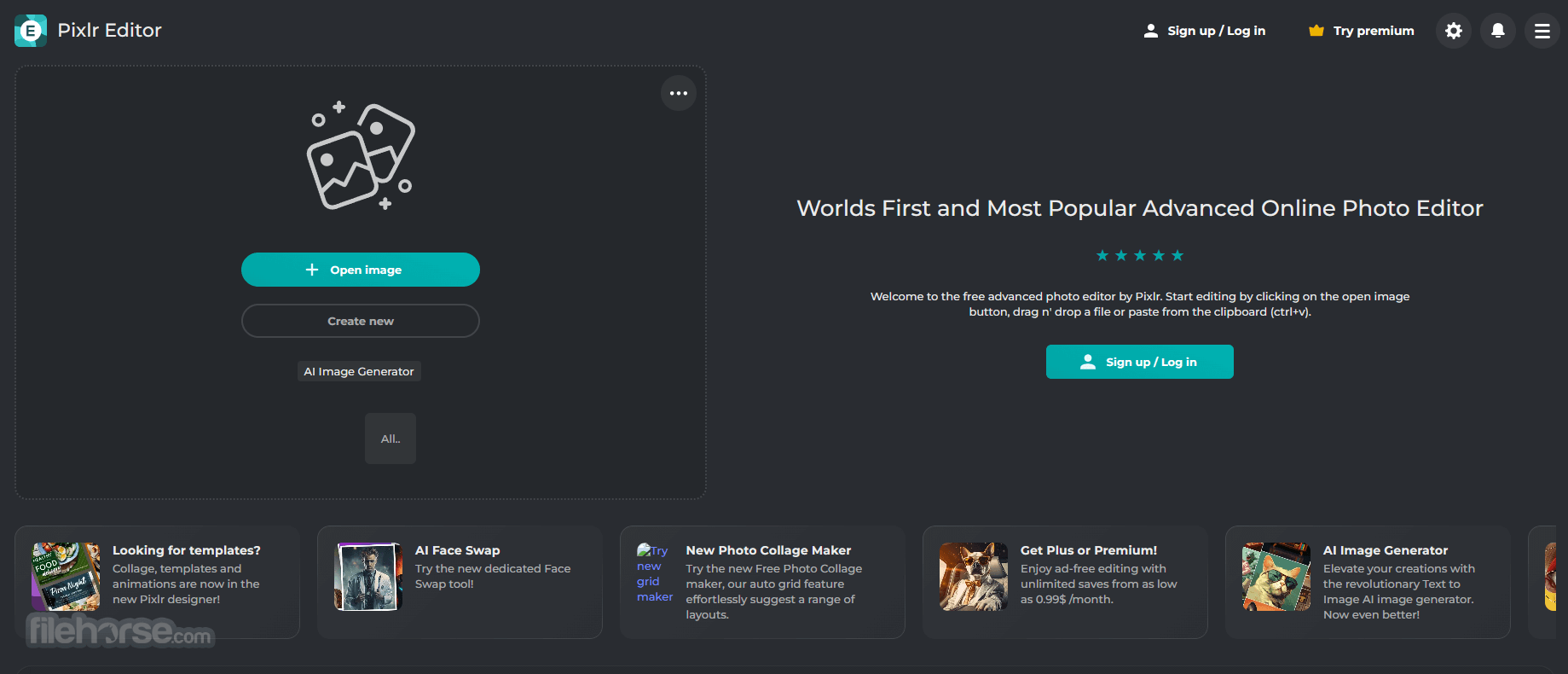
AI Face Swap Online
Effortlessly swap faces between photos with just one click, all online and completely free. Instantly change your appearance and explore endless creative possibilities with a simple face swap.
Free Photo Collage Maker
Create stunning collages with ease using Pixlr’s free online collage maker. Turn your photos into masterpieces effortlessly with these professionally designed templates.
AI Image Generator
Create images with Generative AI simply by describing what you want to see. Please note that all generated images are published publicly by default.
What’s New
FAQs
What is included in Pixlr Suite and how is it structured?
Pixlr Suite combines multiple tools into one platform, mainly Pixlr X (simple editor), Pixlr E (advanced editor with layers), and additional tools like background remover, batch editor, and design templates. It’s designed so users can switch between quick edits and more advanced work without leaving the browser.
How capable is Pixlr Suite compared to desktop editors like Photoshop?
Pixlr E offers layer-based editing, blending modes, and advanced adjustments, making it surprisingly capable for a browser tool. However, it still lacks the depth, precision, and plugin ecosystem of full professional desktop software.
Does Pixlr Suite include AI-based features?
Yes. It includes AI tools such as background removal, object cutout, and automatic enhancements, which are useful for fast edits and content creation without manual masking.
Is Pixlr Suite fully online or does it require installation?
It is primarily web-based and runs directly in the browser, which makes it accessible from any device. Some versions also offer desktop-like experiences, but the core workflow is online.
Is Pixlr Suite still relevant in 2026?
Yes. In 2026, it remains a strong choice for users who want powerful editing without installing software, especially for quick edits, social media content, and lightweight design workflows.
What is Pixlr for Education?
Pixlr for Education is a specialized program tailored specifically for educators, teachers, administrators, and educational professionals affiliated with recognized institutions or qualified education-related NGOs. This program offers a FREE Pixlr for Education upgrade to all eligible participants.
Through Pixlr for Education, students and educators gain access to an ad-free Pixlr experience, allowing them to fully utilize a wide range of ready-to-use templates, overlays, icons, decorative text, and comprehensive editing tools.
Alternatives
Luminar Neo - A photo editing software with advanced AI-powered features and a range of creative tools, ideal for enhancing and transforming your images.
Corel PaintShop Pro - A comprehensive photo editing and graphic design software that provides professional-level capabilities.
Affinity Photo - A powerful and affordable alternative to this app, offering advanced editing tools and non-destructive editing capabilities.
GIMP - A free and open-source image editing software with a robust set of features and tools.
Capture One - Designed for professional photographers, Capture One offers powerful editing capabilities and exceptional RAW image processing.
DxO PhotoLab - DxO PhotoLab is known for its excellent automatic image corrections and powerful RAW processing.
ON1 Photo RAW - ON1 Photo RAW combines photo organization, editing, and effects into one application.
Pricing
Plus – $2.49 /month
Everything from Plus, plus:
PROS
With full support for a wide array of modern photo editing tools, the developers at Pixlr have created five separate webapps that can help users not only edit their photos but also quickly perform advanced features such as background removal or fast photo collage making with the help of automated AI tools.
But in addition to the powerful webapps accessible from any modern browser, the developers at Pixlr have also created a standalone Windows app that can be easily deployed to any modern desktop or laptop PC.
This includes the entire Pixlr Suite of 5 apps, including “Pixlr E” (a comprehensive photo editor that represents a strong alternative to Photoshop),” Pixlr X” (a streamlined photo editor for quick management of layouts, stickers, text layers, and various other elements from the apps large online library of assets), “Photomash” (intuitive photo editor for fast creation of eye-catching designs using premade elements), “Remove BG” (for automatic removal of backgrounds from photos and illustrations), and “Batch editor” (for cloud-powered bulk editing of pictures with the professional-grade crop, resize, filter and effect tools).
The user interface of Pixlr Suite apps follows the same style in all five of its five apps, enabling users to quickly learn how to manage the editing procedure of all their photos.
The layout of the apps has a strong resemblance to other editing apps, helping users to quickly adapt to this new working environment.
Unlock Pixlr Suite Premium and smash creative boundaries! Premium users also have:
- Thousands of Templates
- One-click background removal
- Hundreds of exclusive fonts
- Dispersion, Glitch, and Focus Studios
- Ad-free and downloadable version
Once installed, users are free to use the apps without restrictions, enabling them to take full control over their photo editing needs without the need to purchase expensive premium apps.
More Apps
AI Face Swap Online
Effortlessly swap faces between photos with just one click, all online and completely free. Instantly change your appearance and explore endless creative possibilities with a simple face swap.
Free Photo Collage Maker
Create stunning collages with ease using Pixlr’s free online collage maker. Turn your photos into masterpieces effortlessly with these professionally designed templates.
AI Image Generator
Create images with Generative AI simply by describing what you want to see. Please note that all generated images are published publicly by default.
What’s New
- Easier Creative Experience: Pixlr Express focuses on making design feel simple and intuitive, helping users quickly understand tools and start creating with confidence
- Seasonal Design Ideas: Fresh inspiration for creating personalized Easter cards, with both playful and elegant styles
- Improved Text Editing Tools: Flexible text controls for fonts, sizes, and effects make it easier to design eye-catching typography
- More Expressive Designs: New ways to style text and visuals, allowing users to add personality and creativity to their projects
- Optimized Cropping Presets: Built-in formats for platforms like Instagram, Facebook, and YouTube ensure visuals are ready to share
- Encouraging Creativity: Overall experience promotes experimentation and fun, making the design approachable for beginners and enjoyable for advanced users
FAQs
What is included in Pixlr Suite and how is it structured?
Pixlr Suite combines multiple tools into one platform, mainly Pixlr X (simple editor), Pixlr E (advanced editor with layers), and additional tools like background remover, batch editor, and design templates. It’s designed so users can switch between quick edits and more advanced work without leaving the browser.
How capable is Pixlr Suite compared to desktop editors like Photoshop?
Pixlr E offers layer-based editing, blending modes, and advanced adjustments, making it surprisingly capable for a browser tool. However, it still lacks the depth, precision, and plugin ecosystem of full professional desktop software.
Does Pixlr Suite include AI-based features?
Yes. It includes AI tools such as background removal, object cutout, and automatic enhancements, which are useful for fast edits and content creation without manual masking.
Is Pixlr Suite fully online or does it require installation?
It is primarily web-based and runs directly in the browser, which makes it accessible from any device. Some versions also offer desktop-like experiences, but the core workflow is online.
Is Pixlr Suite still relevant in 2026?
Yes. In 2026, it remains a strong choice for users who want powerful editing without installing software, especially for quick edits, social media content, and lightweight design workflows.
What is Pixlr for Education?
Pixlr for Education is a specialized program tailored specifically for educators, teachers, administrators, and educational professionals affiliated with recognized institutions or qualified education-related NGOs. This program offers a FREE Pixlr for Education upgrade to all eligible participants.
Through Pixlr for Education, students and educators gain access to an ad-free Pixlr experience, allowing them to fully utilize a wide range of ready-to-use templates, overlays, icons, decorative text, and comprehensive editing tools.
Alternatives
Luminar Neo - A photo editing software with advanced AI-powered features and a range of creative tools, ideal for enhancing and transforming your images.
Corel PaintShop Pro - A comprehensive photo editing and graphic design software that provides professional-level capabilities.
Affinity Photo - A powerful and affordable alternative to this app, offering advanced editing tools and non-destructive editing capabilities.
GIMP - A free and open-source image editing software with a robust set of features and tools.
Capture One - Designed for professional photographers, Capture One offers powerful editing capabilities and exceptional RAW image processing.
DxO PhotoLab - DxO PhotoLab is known for its excellent automatic image corrections and powerful RAW processing.
ON1 Photo RAW - ON1 Photo RAW combines photo organization, editing, and effects into one application.
Pricing
Plus – $2.49 /month
- Ad-free experience
- Unlimited saves
- 80 monthly AI credits
Everything from Plus, plus:
- 1000 monthly AI credits
- Private mode for AI generations
- Access to a large library of fonts, templates, elements, animations, and more
- Full access across all platforms
PROS
- Cloud-Based Editing
- User-Friendly Interface
- Supports Multiple File Formats
- Provides a wide range of Editing Tools
- Limited Features in Free Version
- Requires a reliable Internet Connection
- May Have Performance Issues with Large Files
- No Collaboration Features
Why is this app published on FileHorse? (More info)
-
Pixlr Suite Screenshots
The images below have been resized. Click on them to view the screenshots in full size.
-
-
-
 OperaOpera 134.0 Build 5954.26 (64-bit)
 BlueStacksBlueStacks 10.42.251.1003
 PhotoshopAdobe Photoshop CC 2026 27.9.1 (64-bit)
 LDPlayerLDPlayer - Android Emulator
 GTA 6GTA 6 for PS5
 CapCutCapCut Desktop 9.1.0
 PC RepairPC Repair Tool 2026
 Hero WarsHero Wars - Online Action Game
 TradingViewTradingView - Trusted by 100 Million Traders
 Halo: CampaignHalo: Campaign Evolved
Comments and User Reviews