




 Camo Studio
 Premiere Pro
 Artlist
 Kling AI
 Restream
 LitMedia AI
 OpusClip
-
Latest Version
Screencastify - Screen Video Recorder LATEST
-
Review by
-
Operating System
Windows 7 / Windows 8 / Windows 10 / Windows 11
-
User Rating
Click to vote -
Author / Product
More than 12 million people use Screencastify - Screen Video Recorder to easily record, edit, and share videos. Screencastify is a free Chrome extension that lives in your browser.
Enjoy unlimited recordings up to 5 minutes each - with no watermark, ever! Submit is a fast, secure, and easy way for students to record and submit videos. The #1 free screen recorder for Chrome. No download required. Enjoy!
For Education, Sales, Marketing, Legal, Engineering, and Support
Effortlessly craft and distribute interactive video content to enhance communication and learning experiences, tailored to individual needs. Screencastify is the preferred choice of educators in over 70% of U.S. school districts, enabling them to create video lessons, provide personalized feedback, and cater to diverse learning styles.
Tailor your videos for specific students or entire classes, streamlining lesson planning and facilitating collaboration among colleagues. Keep absent students up to speed by easily sharing recorded videos.
Personalized video messaging drives sales effectiveness. Utilize Screencastify for PC to create and share concise video communications with clients, prospects, or internal teams, ultimately boosting sales and shortening sales cycles.
Collaboration, communication, and personalization are integral to successful marketing endeavors. Video content enables marketers to forge deeper connections with their audience, whether it's enhancing customer journeys or soliciting and sharing testimonials.
In the realm of legal documentation, clarity and precision are paramount. Asynchronous video serves as an ideal medium for providing context and explanations for legal language, ensuring that every detail is understood by your team or clients.
It simplifies the process of recording and sharing videos to address bugs within your team. Capture and demonstrate issues, speeding up diagnosis and resolution through voiceover narration, annotated visuals, and streamlined communication.
Effortlessly create instructional videos and GIFs to aid customer support efforts. Generate informative content for help center articles and FAQs, delivering prompt solutions to common inquiries and reducing the burden on support teams.
Features and Highlights
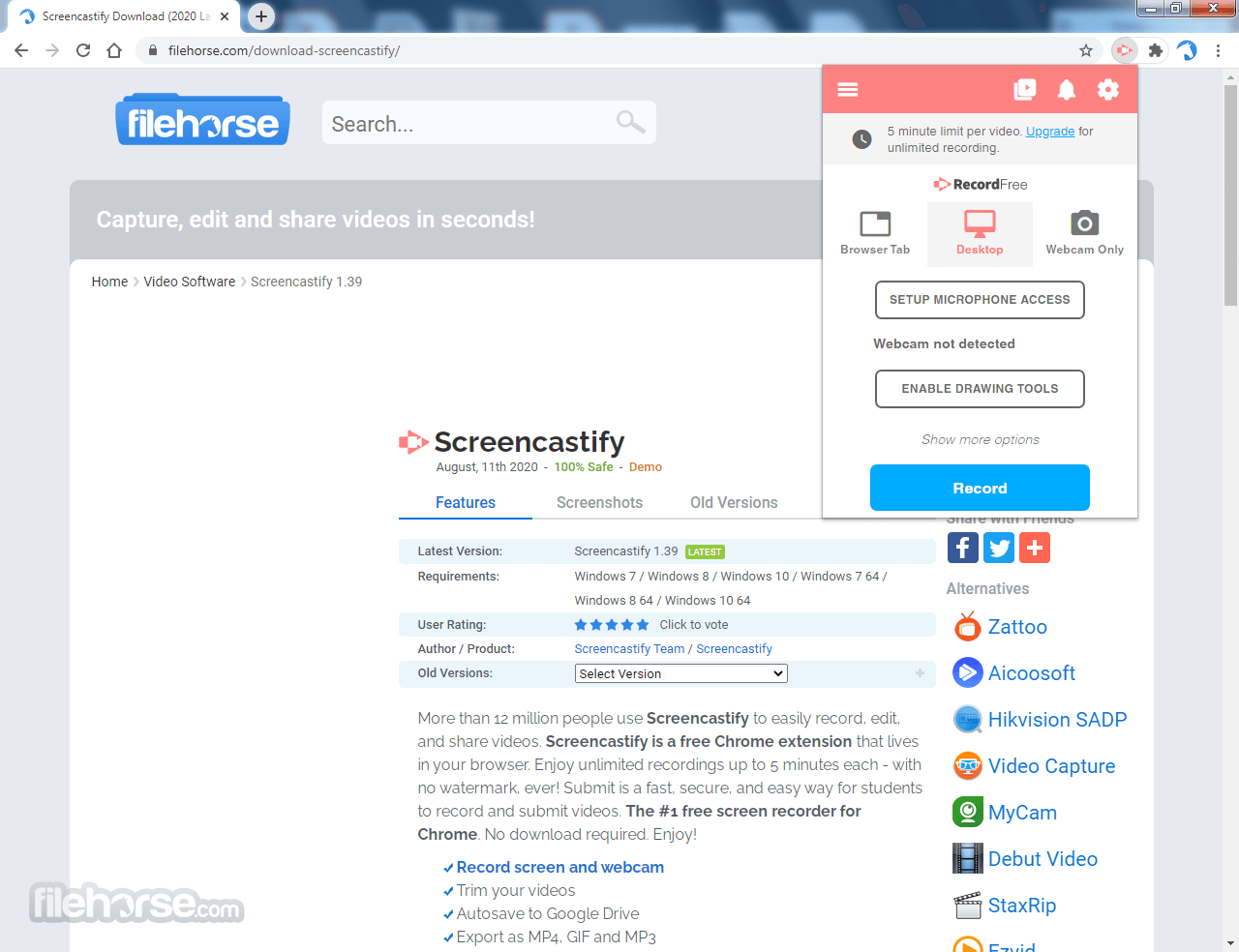
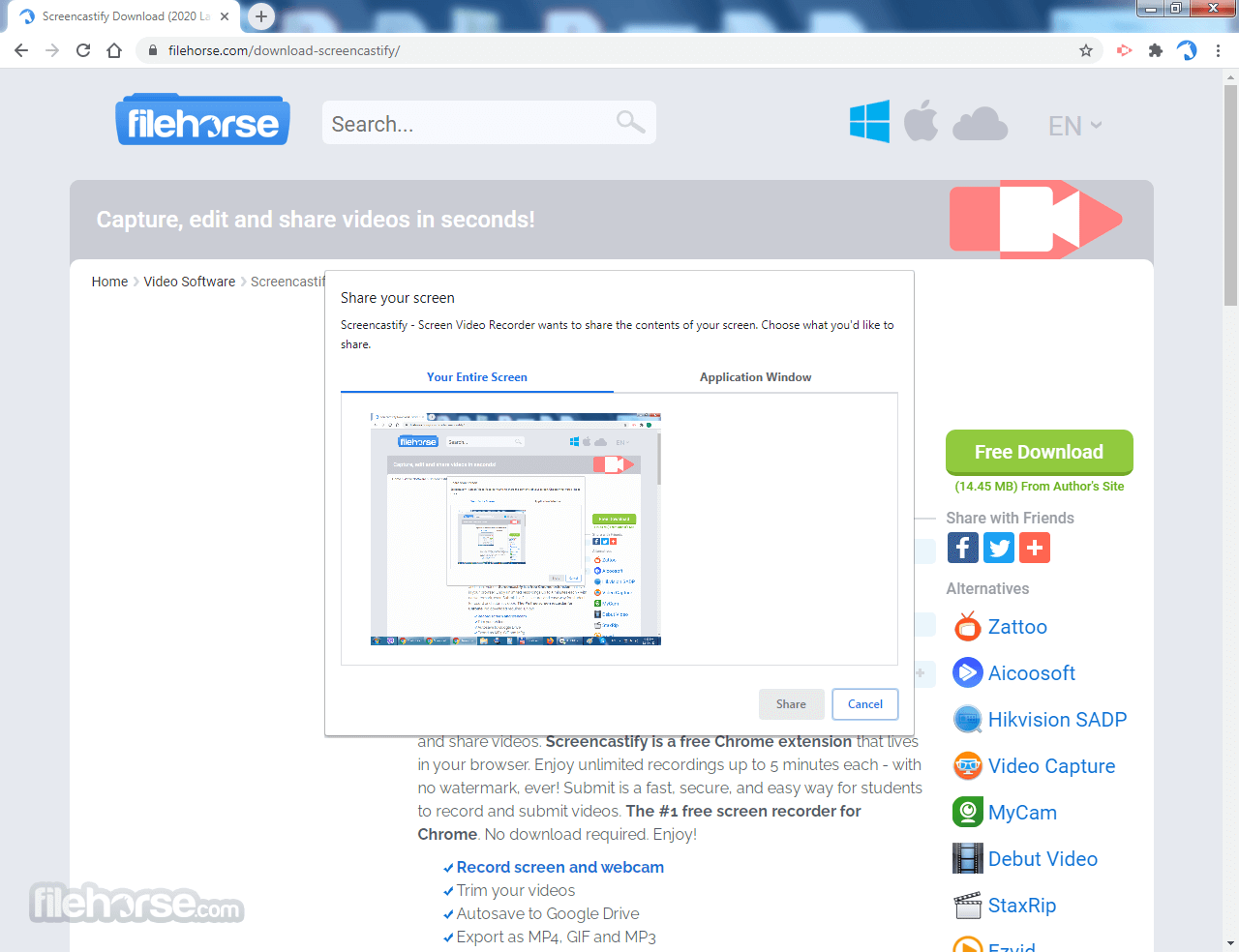
Screencastify features a clean and browser-based interface centered around simplicity and quick access. The main controls appear as a compact panel where users can choose recording options such as screen, webcam, or tab, along with basic settings like microphone and camera input.
After recording, the interface transitions to a video management and editing view with a timeline, trimming tools, and annotation options. Videos are organized in a library with easy sharing, download, and export controls, making the workflow straightforward and beginner-friendly.
FAQs
What is Screencastify mainly used for in real use cases?
Screencastify is designed for quick screen recording directly from the browser, especially for education and communication. It’s widely used by teachers, students, and teams to create tutorials, lessons, and short explanatory videos.
Does Screencastify include editing and sharing features?
Yes. It includes built-in tools for trimming videos, adding annotations, and exporting or sharing recordings via links or Google Drive, making it a complete lightweight workflow from recording to sharing.
Is Screencastify still relevant in 2026?
Yes. In 2026, it remains popular in education and simple content creation due to its ease of use, browser-based workflow, and tight integration with tools like Google Drive.
Alternatives
Loom – A screen recording tool that captures video, audio, and webcam for quick sharing.
OBS Studio – A free and open-source software for screen recording and live streaming with advanced controls.
Camtasia – A professional tool that combines screen recording with built-in video editing features.
ShareX – An open-source tool for screen capture, recording, and sharing with extensive customization options.
Pricing
Free
Everything from Free, plus:
Everything from Starter, plus:
Everything from Pro, plus:
Enjoy unlimited recordings up to 5 minutes each - with no watermark, ever! Submit is a fast, secure, and easy way for students to record and submit videos. The #1 free screen recorder for Chrome. No download required. Enjoy!
- Record screen and webcam
- Trim your videos
- Autosave to Google Drive
- Export as MP4, GIF, and MP3
- Full HD resolution
- No watermark
- Annotation tools
- Publish to YouTube
For Education, Sales, Marketing, Legal, Engineering, and Support
Effortlessly craft and distribute interactive video content to enhance communication and learning experiences, tailored to individual needs. Screencastify is the preferred choice of educators in over 70% of U.S. school districts, enabling them to create video lessons, provide personalized feedback, and cater to diverse learning styles.
Tailor your videos for specific students or entire classes, streamlining lesson planning and facilitating collaboration among colleagues. Keep absent students up to speed by easily sharing recorded videos.
Personalized video messaging drives sales effectiveness. Utilize Screencastify for PC to create and share concise video communications with clients, prospects, or internal teams, ultimately boosting sales and shortening sales cycles.
Collaboration, communication, and personalization are integral to successful marketing endeavors. Video content enables marketers to forge deeper connections with their audience, whether it's enhancing customer journeys or soliciting and sharing testimonials.
In the realm of legal documentation, clarity and precision are paramount. Asynchronous video serves as an ideal medium for providing context and explanations for legal language, ensuring that every detail is understood by your team or clients.
It simplifies the process of recording and sharing videos to address bugs within your team. Capture and demonstrate issues, speeding up diagnosis and resolution through voiceover narration, annotated visuals, and streamlined communication.
Effortlessly create instructional videos and GIFs to aid customer support efforts. Generate informative content for help center articles and FAQs, delivering prompt solutions to common inquiries and reducing the burden on support teams.
Features and Highlights
- Capture your tab, whole screen, or webcam only
- Embed your webcam anywhere in your recording
- Narrate with your microphone
- Record offline (no internet required!)
- Recordings autosave to your Google Drive
- Instantly share the Google Drive link
- Upload directly to YouTube
- Export as an MP4, animated GIF, or MP3 with Screencastify!
- Merge multiple videos
- Cut, rearrange, and delete clips
- Crop your clips
- Add (and save) videos directly from Google Drive
- Upload video files from your computer
- Overlay text on your clips
- Smoothly zoom in and out
- Blur out sensitive sections
- Create a magic recording link
- Share the link with students
Screencastify features a clean and browser-based interface centered around simplicity and quick access. The main controls appear as a compact panel where users can choose recording options such as screen, webcam, or tab, along with basic settings like microphone and camera input.
After recording, the interface transitions to a video management and editing view with a timeline, trimming tools, and annotation options. Videos are organized in a library with easy sharing, download, and export controls, making the workflow straightforward and beginner-friendly.
FAQs
What is Screencastify mainly used for in real use cases?
Screencastify is designed for quick screen recording directly from the browser, especially for education and communication. It’s widely used by teachers, students, and teams to create tutorials, lessons, and short explanatory videos.
Does Screencastify include editing and sharing features?
Yes. It includes built-in tools for trimming videos, adding annotations, and exporting or sharing recordings via links or Google Drive, making it a complete lightweight workflow from recording to sharing.
Is Screencastify still relevant in 2026?
Yes. In 2026, it remains popular in education and simple content creation due to its ease of use, browser-based workflow, and tight integration with tools like Google Drive.
Alternatives
Loom – A screen recording tool that captures video, audio, and webcam for quick sharing.
OBS Studio – A free and open-source software for screen recording and live streaming with advanced controls.
Camtasia – A professional tool that combines screen recording with built-in video editing features.
ShareX – An open-source tool for screen capture, recording, and sharing with extensive customization options.
Pricing
Free
- Create up to 10 videos
- Record up to 30 minutes
- Upload your own videos
- Share instantly with a link
- Control video privacy
Everything from Free, plus:
- Unlimited video creation
- Record up to 60 minutes
- Basic video editing tools
- Remove watermark
- Add questions and polls
- Request and collect videos
- Advanced collaboration
Everything from Starter, plus:
- AI video enhancements
- Record up to 180 minutes
- Advanced AI editing
- AI questions and polls
- Captions and transcripts
- Translations and voiceovers
- Teleprompter with AI scripts
- Upload and download media
- YouTube for EDU (education users only)
Everything from Pro, plus:
- Central admin controls
- LMS integrations
- Dedicated training
- Assigned a success manager
- Onboarding and support
- Google & Microsoft SSO
- Optional Add-On: Castify Transform
- Easy to use, even for non-tech users.
- Various recording options: browser tab, screen, webcam.
- Convenient editing and sharing features.
- Limited editing functions.
- The free version has restrictions.
- Dependency on the internet connection for certain features.
Why is this app published on FileHorse? (More info)
-
Screencastify - Screen Video Recorder Screenshots
The images below have been resized. Click on them to view the screenshots in full size.
-
-

-

 OperaOpera 134.0 Build 5954.46 (64-bit)
 BlueStacksBlueStacks 10.42.252.1003
 PhotoshopAdobe Photoshop CC 2026 27.9.1 (64-bit)
 LDPlayerLDPlayer - Android Emulator
 GTA 6GTA 6 for PS5
 CapCutCapCut Desktop 9.1.0
 PC RepairPC Repair Tool 2026
 Hero WarsHero Wars - Online Action Game
 TradingViewTradingView - Trusted by 100 Million Traders
 Halo: CampaignHalo: Campaign Evolved
Comments and User Reviews