




 YTD Download
 CleverGet
 TrueNAS
 Keeprix
 WTFast
 Blip Transfer
 4K Download
 PRTG
PRTG
-
Latest Version
Tixati 3.44 (64-bit) LATEST
-
Review by
-
Operating System
Windows 7 64 / Windows 8 64 / Windows 10 64 / Windows 11
-
User Rating
Click to vote -
Author / Product
-
Filename
tixati-3.44-1.win64-install.exe
It offers advanced bandwidth management, detailed statistics, and a user-friendly interface without ads or spyware.
Unlike other torrent clients, Tixati for Windows focuses on providing a streamlined experience with powerful features while maintaining high performance.
Features
No Ads or Spyware – 100% free with no intrusive advertisements.
Advanced Bandwidth Management – Allows users to control upload and download speeds.
Detailed Peer and Transfer Information – Provides in-depth insights into connections and file sharing.
RSS Support – Automatically downloads torrents from RSS feeds.
DHT and PEX Support – Enhances torrenting efficiency by finding more peers.
Encryption and IP Filtering – Improves security and privacy.
Portable Mode – Runs without installation, making it great for USB usage.
User Interface
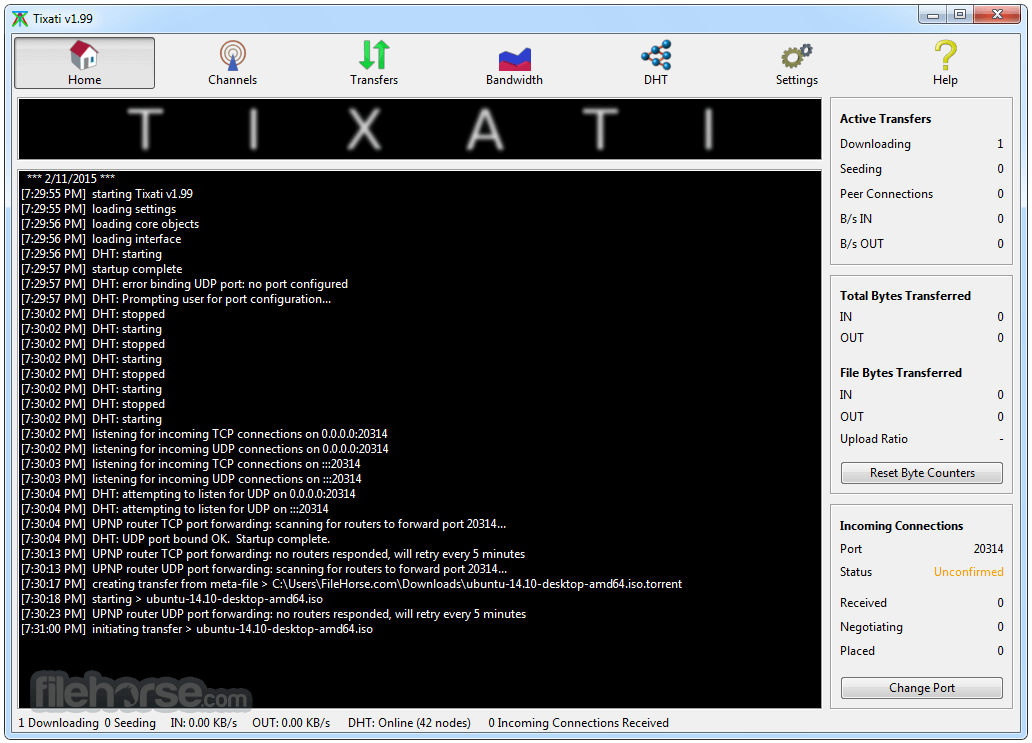
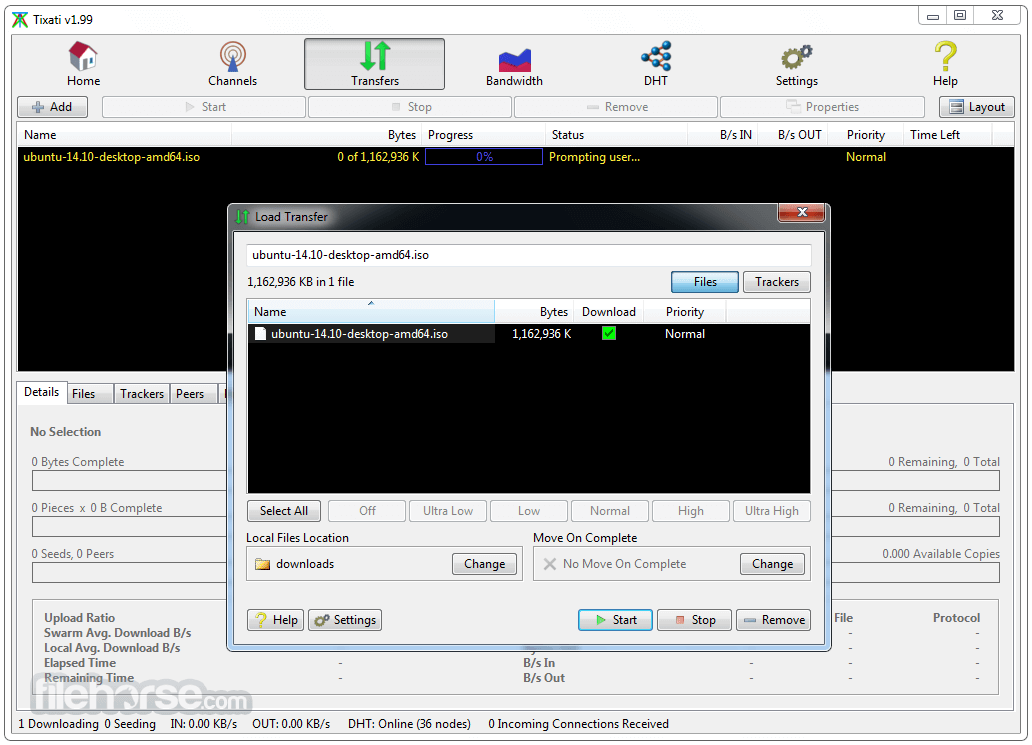
The app features a clean and straightforward interface with a focus on usability. The main window displays torrents, transfers, and statistics, while advanced settings are neatly categorized for experienced users.
It may appear outdated compared to modern alternatives but is highly functional.
Installation and Setup
Tixati is easy to install and requires minimal configuration. Simply download the installer from the official website, follow the setup wizard, and launch the software.
Users can set bandwidth limits and network settings during setup.
How to Use
- Download and install Tixati.
- Open the software and configure bandwidth limits.
- Add a torrent file or magnet link to start downloading.
- Monitor transfer progress in the main interface.
- Adjust settings for speed optimization if needed.
Is Tixati safe to use?
Yes, this program is free from ads, spyware, and malware. Always download from the official site or FileHorse.
Does Tixati support magnet links?
Yes, it fully supports magnet links and direct torrent downloads.
Can I use Tixati without installation?
Yes, it has a portable version that runs without installation.
How do I optimize Tixati for speed?
Adjust bandwidth limits, enable protocol encryption, and use a well-seeded torrent for better speeds.
Does Tixati have a built-in search engine?
No, this software does not offer an integrated search engine for torrents. Users must find torrents externally.
Alternatives
qBittorrent – Open-source, ad-free, and lightweight with an integrated search engine.
Deluge – Minimalist and customizable with plugin support.
uTorrent – Popular but includes ads and optional bloatware.
BitTorrent – Similar to uTorrent but with proprietary features.
System Requirements
- OS: Windows 7, 8, 10, 11 (also available for Linux)
- Processor: 1 GHz or faster
- RAM: 512 MB or higher
- Storage: 50 MB of free disk space
- Internet: Required for downloading torrents
- Free and ad-free
- Lightweight with low system resource usage
- Advanced torrent management features
- No spyware or unwanted software
- Portable mode available
- Outdated user interface
- No built-in search engine
- Lacks streaming capabilities
- Not as widely supported as other clients
- May require manual tweaking for optimal performance
Tixati is an excellent BitTorrent client for users who prioritize efficiency, privacy, and control over their downloads. It offers robust features without the distractions of ads or unnecessary bloat.
While its interface may seem outdated and it lacks a built-in search engine, it remains a powerful option for those seeking an ad-free, no-nonsense torrenting experience.
-
Tixati 3.44 (64-bit) Screenshots
The images below have been resized. Click on them to view the screenshots in full size.
-
-

-

-

What's new in this version:
- rename window can now be resized
- added persistent size to rename window, new seed window, and open magnet link window
- minor adjustments to the DHT anti-Sybil heuristics
- updated IP location tables
Fixed:
- fixed problems with certain tracker HTTP headers not being sent in request
- fixed problems with decoding Brotli compressed tracker HTTP responses
- fixed minor file delayed-flush problems in Linux builds
 OperaOpera 134.0 Build 5954.56 (64-bit)
 BlueStacksBlueStacks 10.42.255.1002
 PhotoshopAdobe Photoshop CC 2026 27.9.1 (64-bit)
 LDPlayerLDPlayer - Android Emulator
 GTA 6GTA 6 for PS5
 CapCutCapCut Desktop 9.1.0
 PC RepairPC Repair Tool 2026
 Hero WarsHero Wars - Online Action Game
 TradingViewTradingView - Trusted by 100 Million Traders
 Halo: CampaignHalo: Campaign Evolved
Comments and User Reviews