




 YTD Download
 Streaming
 PRTG
PRTG CleverGet
 WTFast
 4K Download
 Keeprix
 RemotePC
-
Latest Version
Total Commander 11.57 (32-bit) LATEST
-
Review by
-
Operating System
Windows 7 / Windows 8 / Windows 10
-
User Rating
Click to vote -
Author / Product
-
Filename
tcmd1157x32.exe
-
MD5 Checksum
d42caafaa3d48796263263d9090bf90e
Total Commander 32bit is a great two-pane file manager software with a tabbed interface, featuring integrated archivers!
Features and Highlights
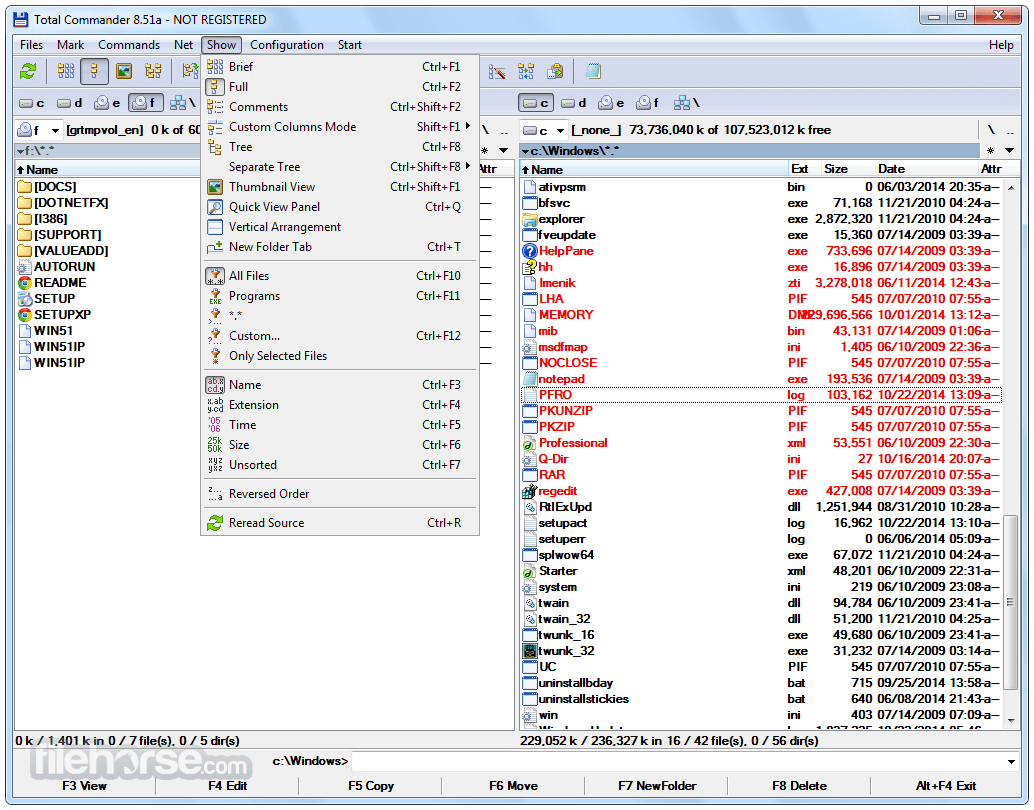
- Two file windows side by side
- Multiple language and Unicode support
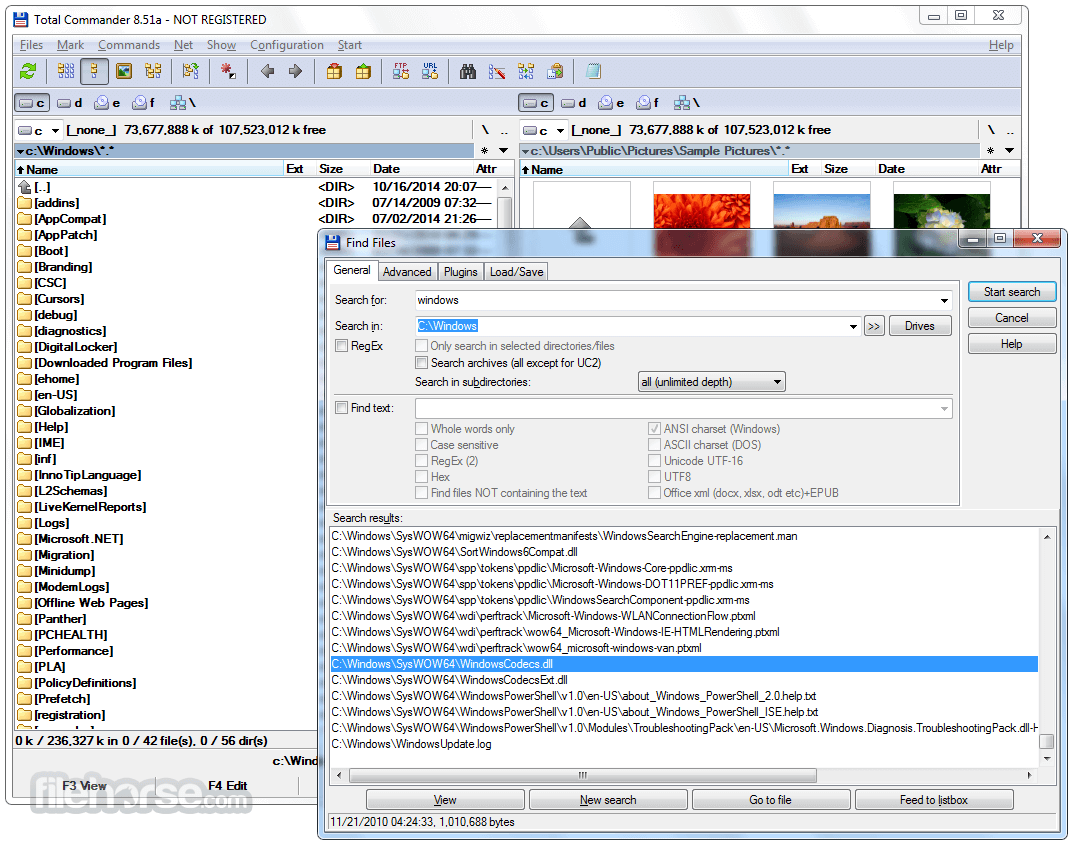
- Enhanced search function
- Compare files (now with editor) / synchronize directories
- Quick View panel with bitmap display
- ZIP, ARJ, LZH, RAR, UC2, TAR, GZ, CAB, ACE archive handling + plugins
- Built-in FTP client with FXP (server to server) and HTTP proxy support
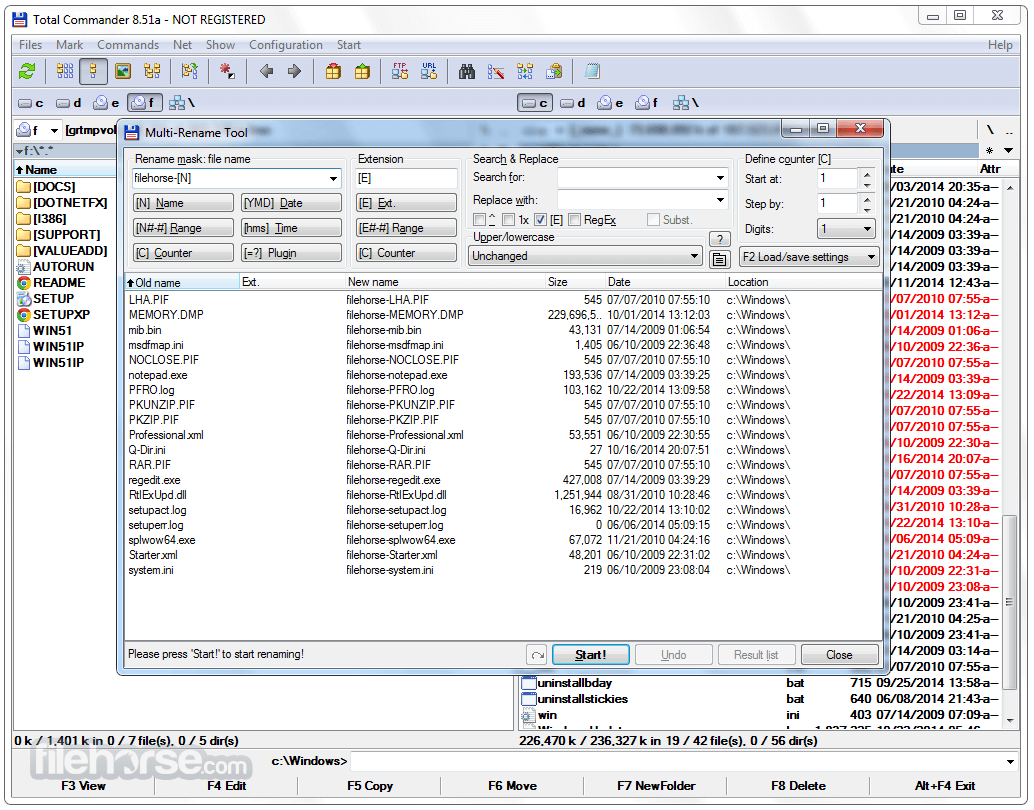
- Parallel port link, multi-rename tool
- Tabbed interface, regular expressions, history+favorites buttons
- Thumbnails view, custom columns, enhanced search
- Compare editor, cursor in lister, separate trees, logging, enhanced overwrite dialog, etc.
- Unicode names almost everywhere, long names, Password manager
- USB port connection via special direct transfer cable
- And many more!
Navigating Files – Use the arrow keys or mouse to browse directories.
File Operations – Copy, move, delete, or rename files using F5 (Copy), F6 (Move), and F8 (Delete).
FTP Connection – Configure FTP settings to connect to remote servers.
Archive Management – Open and extract compressed files within the software.
File Synchronization – Compare two directories and sync changes.
Batch Rename – Rename multiple files using preset rules.
FAQ
Is Total Commander 32bit free?
It offers a shareware license with a free trial. After the trial, a one-time purchase is required to continue usage legally.
Can I use Total Commander on macOS or Linux?
This software is designed exclusively for Windows, but you can run it on macOS and Linux using emulators like Wine.
Does Total Commander support cloud storage services?
Yes, with third-party plugins, users can integrate services like Google Drive and OneDrive.
Is Total Commander safe to use?
Yes, the software is secure and regularly updated, provided it is downloaded from the official website.
Can I customize the keyboard shortcuts?
Yes, users can modify keyboard shortcuts for various file operations to match their workflow.
Alternatives
Directory Opus: Directory Opus is a comprehensive file manager for Windows that offers tabbed browsing and many other advanced features.
XYplorer: XYplorer is a feature-rich file manager for Windows with tabbed browsing and a customizable interface.
FreeCommander: Easy-to-use alternative to the standard Windows file manager.
Multi Commander: A multi-tabbed file manager and is an alternative to the standard Windows Explorer.
Pricing
This program is available as shareware, meaning users can try it before purchasing.
The full license costs €42 ($45 USD approx.) for a lifetime license with free updates.
System Requirements
- OS: Windows 11, 10, 8, 7
- Processor: 1 GHz or higher
- RAM: 512 MB minimum (recommended: 2 GB+)
- Disk Space: 10 MB for installation
- Additional: Internet connection required for FTP features
- Highly efficient dual-pane interface
- Built-in FTP and archive support
- Powerful file management tools
- Plugin support for extended functionality
- Lifetime license with free updates
- Outdated user interface
- Requires time to learn for beginners
Also Available: Total Commander (64-bit)
-
Total Commander 11.57 (32-bit) Screenshots
The images below have been resized. Click on them to view the screenshots in full size.
-
-

-
-

What's new in this version:
Fixed:
- New file/folder dialog: Prefix/suffix in counter didn't support square brackets, eg <1-5>["[prefix]"C"[suffix]"] test (32/64)
- Multi-rename tool: Clicking on the buttons below the rename mask fields always appended the fields instead of inserting them at the cursor position (64)
- Multi-rename tool: When saving settings, fields like [=tcvalue] were not translated to English before saving (32/64)
- CrcBlake3BlockSize: Maximum supported value is 2047 (MBytes) and not 2048 as described previously (64)
- Switching between languages didn't load content plugin translations when the plugin didn't have a translation in the previous language (32/64)
- Content plugin fields not always saved in English by some functions when using the system option "Beta: Use Unicode UTF-8 to support worldwide languages" (32/64)
- New file/folder dialog: Placeholder [F] now leaves the entire counter field (eg alphabetic [CAAA]) unchanged (32/64)
- New file/folder dialog: Allow spaces after the counter field to separate from other fields, eg <1-5>[C U] test (32/64)
- New file/folder dialog: Show <Error!> also when there is an error in the counter field (32/64)
- Duplicate hotkey P in internal English version of plugin field picker (eg [=?] button in multi-rename tool) (32/64)
- Updated unrardll and unrar64dll to latest version 7220 (WinRAR 722) (32/64)
- Ctrl+Up on [] in root of file system plugin didn't open anything in a new tab (32/64)
- Detect 7-zip self-extracting archives where the executable part is larger then 500kBytes by skipping the EXE part via EXE header size fields (32/64)
- New text file (Shift+F4), new folder (F7): When creating a range, the counter wasn't left out when the counter had only a postfix and no prefix, eg for <1-2>[C"postfix"]name (32/64)
- New text file (Shift+F4), new folder (F7): skip counter fields when converting to upper/lowercase, eg for name <[F][C") "]This is a test (32/64)
 OperaOpera 131.0 Build 5877.24 (64-bit)
 Kling AIKling AI - Text or Image to Video
 PhotoshopAdobe Photoshop CC 2026 27.5 (64-bit)
 BlueStacks AIBlueStacks AI
 OKXOKX - Buy Bitcoin or Ethereum
 CapCutCapCut 8.5.0
 PC RepairPC Repair Tool 2026
 Hero WarsHero Wars - Online Action Game
 TradingViewTradingView - Trusted by 100 Million Traders
 AdGuard VPNAdGuard VPN 2.9.0
Comments and User Reviews