




 CleverGet
 YTD Download
 RemotePC
 PRTG
PRTG Streaming
 WTFast
 4K Download
 Keeprix
-
Latest Version
Transmission 4.11 (64-bit) LATEST
-
Review by
-
Operating System
Windows 7 64 / Windows 8 64 / Windows 10 64 / Windows 11
-
User Rating
Click to vote -
Author / Product
-
Filename
transmission-4.1.1-x64.msi
-
MD5 Checksum
2751e3def2c6dcf94ebfeba354e091f0
Originally developed for macOS and Linux, it now offers a stable version for Windows users.
Transmission 32/64bit is designed to provide a seamless torrenting experience with minimal resource consumption, making it a great choice for users looking for an efficient and ad-free torrent client.
Features
Lightweight and Fast – Consumes minimal CPU and memory.
Ad-Free Experience – No intrusive ads, unlike many other torrent clients.
Encrypted Connections – Supports encryption to enhance privacy.
Web Interface – Allows remote access and management of torrents via a web browser.
Magnet Link Support – Enables easy downloading without needing .torrent files.
Peer Exchange & DHT – Helps find more peers to speed up downloads.
Bandwidth Control – Allows users to limit upload/download speeds.
IPv6 Support – Future-proofed connectivity options.
Port Forwarding – Optimizes download speeds with automatic NAT-PMP and UPnP.
User Interface
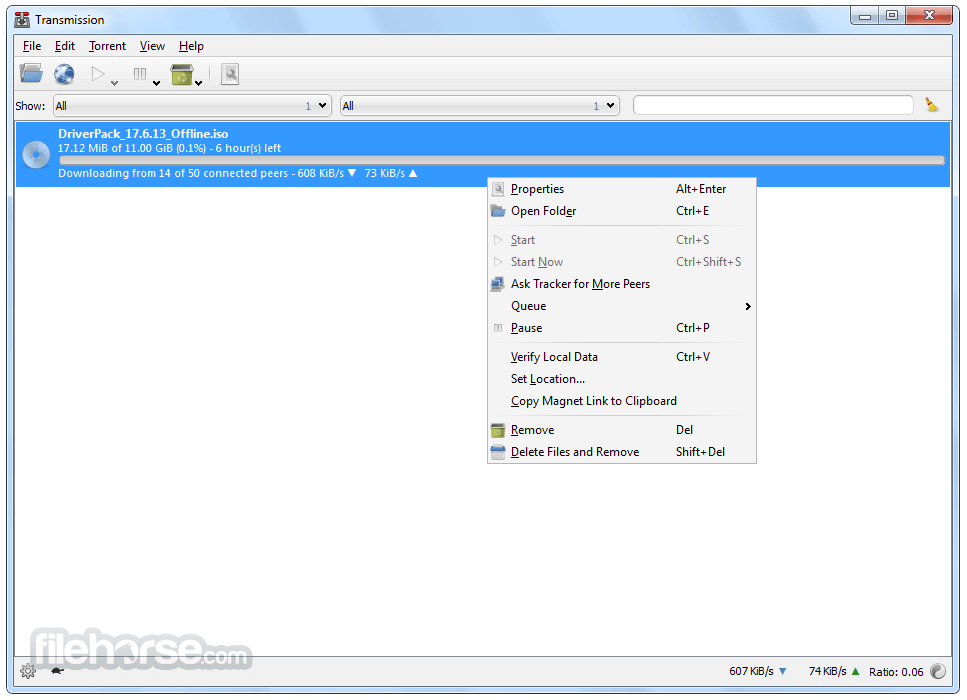
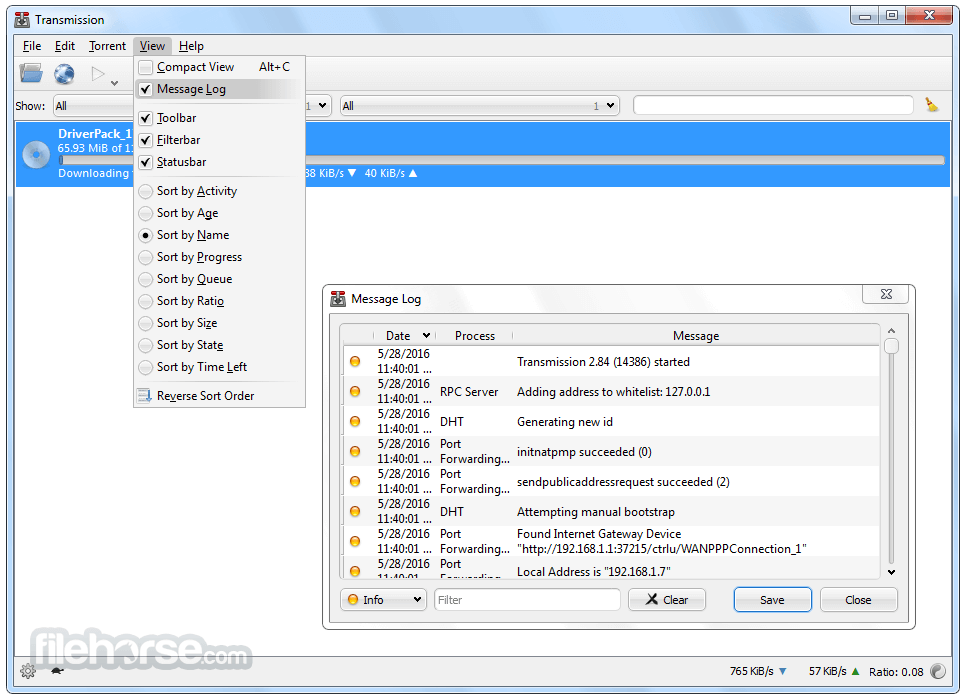
It features a clean and intuitive interface, with a simple list-based torrent manager.
The UI focuses on ease of use, avoiding unnecessary clutter while still providing essential torrenting controls.
Installation and Setup
- Download Transmission from the official website.
- Run the installer and follow the on-screen prompts.
- Launch the application after installation.
- Configure preferences such as bandwidth limits, download location, and encryption settings.
- Add torrents by dragging and dropping or using magnet links.
- Open Transmission and go to File > Open Torrent or drag a torrent file into the window.
- Set the download location and preferences.
- It will start downloading automatically.
- Once completed, the torrent will seed to other users.
- Manage torrents by pausing, resuming, or removing them as needed.
Is Transmission safe to use?
Yes, the program is open-source and free of malware or spyware.
Can Transmission be used anonymously?
Yes, by enabling encryption and using a VPN, you can enhance anonymity.
Does Transmission support sequential downloading?
No, the software does not natively support sequential downloading for streaming.
How can I speed up my downloads?
Ensure port forwarding is enabled, connect to more peers, and check bandwidth limits.
Is Transmission better than uTorrent?
Transmission is lighter and ad-free, while uTorrent offers more advanced features.
Alternatives
qBittorrent – Open-source, ad-free, and lightweight with an integrated search engine.
Deluge – Minimalist and customizable with plugin support.
uTorrent – Popular but includes ads and optional bloatware.
BitTorrent – Similar to uTorrent but with proprietary features.
System Requirements
- OS: Windows 7, 8, 10, 11 (64-bit)
- Processor: 1 GHz or higher
- RAM: 512MB or more
- Storage: Minimal (around 25MB)
- Free and open-source
- No ads or bloatware
- Lightweight and efficient
- Easy to use and configure
- Web-based remote access
- Lacks some advanced features like sequential downloading
- Fewer customization options compared to other clients
- Occasional issues with port forwarding
Transmission for Windows is an excellent choice for users looking for a simple, efficient, and ad-free torrent client. It provides all essential torrenting features without unnecessary complexity.
While it lacks some advanced options found in competitors like qBittorrent, its lightweight nature and clean interface make it ideal for users who want a straightforward torrenting experience.
Also Available: Transmission for Mac
-
Transmission 4.11 (64-bit) Screenshots
The images below have been resized. Click on them to view the screenshots in full size.
-

-

-
-

What's new in this version:
All Platforms:
- Fixed a 4.1.0 bug that failed to report some filesystem errors to RPC clients who were querying the system's free space available
- Fixed a 4.1.0 bug that kept a a torrent's updated queue position from being shown
- Fixed a 4.1.0 bug that caused torrents' queuing order to sometimes be lost between sessions
- Fixed "assertion failed: no timezone" error on OpenSolaris
- Fixed a 4.0.0 bug that displayed the wrong mime-type icon for mp4 video files
- Hardened .torrent parsing by exiting sooner if pieces has an invalid size
- Reverted a 4.1.0 RPC change that broke some 3rd party code by returning floating-point numbers, rather than integers, for speed limit fields
- Fixed crash that could happen if a user paused a torrent and edited its tracker list at the same time
- Fixed 4.1.0 crash on arm32 by switching crc32 libraries to Mark Madler's crcany
- Require UTF-8 filenames in .torrent files, as required by the BitTorrent spec
- Fixed crash that could occur when parsing a .torrent file with a bad pieces key
- Fixed potential file descriptor leak when launching scripts on POSIX systems
- Changed the network traffic algorithm to spread bandwidth more evenly amongst peers
- Improved laggy user interface when bandwidth usage is high
macOS Client:
- Fixed a 4.1.0 crash that occurred if deleting a torrent's files on macOS returned a system error
- Fixed a crash in the "Rename File ..." dialog when trying to rename a torrent right when the torrent finished downloading
- Fixed 4.1.0 crash when removing a torrent that was being show in the Inspector
- Improved performance of internal Torrent lookup code
- Improved responsiveness when scrolling the torrent list with keyboard navigation
Qt Client:
- Fixed a 4.1.0 bug where the RPC error response arguments were not handled
- Fixed a long-standing bug that wouldn't let file:/// URIs be added from the command line
- Fixed broken icons in the torrent list on Windows
GTK Client:
- Fixed a 4.1.0-beta.5 assertion failure when fetching a blocklist failed on a system compiled with GLIBCXX_ASSERTIONS enabled
- Fixed a 4.1.0 bug that wouldn't let magnet links be added from the "Add URL" dialog
- Fixed a 4.1.0 bug that broke keyboard shortcuts when built with GTK3
- Fixed a crash that could happen when removing some torrents
- Fixed a 4.1.0 bug that showed the wrong encryption mode being shown in the Preferences dialog
- Fixed a 4.0.x bug that prevented a handful of strings from being marked for translation
- Fixed a 4.1.0 packaging error that prevented the Qt and GTK clients from being installed side-by-side on Arch
- Fixed a 4.1.0 bug that wouldn't let magnet links be added from the command line
Web Client:
- Reverted a 4.1.0 change that merged the "Remove torrent" and "Trash torrent" confirmation dialogs into a single dialog
- Fixed a 4.1.0 bug that showed a "Connection failed" popup when opening the "Open torrent" dialog while the current download directory path was invalid
Everything Else:
- Updated documentation
 OperaOpera 130.0 Build 5847.12 (64-bit)
 Kling AIKling AI - Text or Image to Video
 PhotoshopAdobe Photoshop CC 2026 27.5 (64-bit)
 BlueStacksBlueStacks 10.42.167.1001
 OKXOKX - Buy Bitcoin or Ethereum
 CapCutCapCut 7.9.0
 PC RepairPC Repair Tool 2026
 Hero WarsHero Wars - Online Action Game
 TradingViewTradingView - Trusted by 100 Million Traders
 AdGuard VPNAdGuard VPN 2.9.0
Comments and User Reviews