




 dbForge SQL
 Portfolio
 dbForge Studio
 UltraEdit
 Access
 Dreamweaver
 SQL Server
 Visual Studio
-
Latest Version
-
Operating System
Windows 7 / Windows 8 / Windows 10 / Windows 11
-
User Rating
Click to vote -
Author / Product
-
Filename
innosetup-6.6.0.exe
-
MD5 Checksum
547d0fb032cb836d3fcd58910918a844
Sometimes latest versions of the software can cause issues when installed on older devices or devices running an older version of the operating system.
Software makers usually fix these issues but it can take them some time. What you can do in the meantime is to download and install an older version of Inno Setup 6.6.0.
For those interested in downloading the most recent release of Inno Setup or reading our review, simply click here.
All old versions distributed on our website are completely virus-free and available for download at no cost.
We would love to hear from you
If you have any questions or ideas that you want to share with us - head over to our Contact page and let us know. We value your feedback!
-
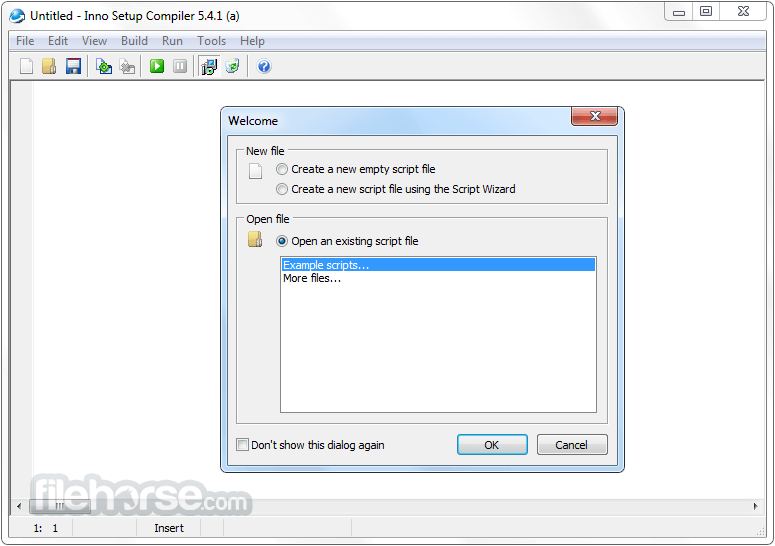
Inno Setup 6.6.0 Screenshots
The images below have been resized. Click on them to view the screenshots in full size.
-

-

What's new in this version:
Dark mode and custom styles in Setup and Uninstall:
- Setup and Uninstall now both support dark mode, forced or automatic. Custom styles are also supported.
- This new feature does not increase the size of Setup if not used and is fully backward compatible
Enhanced [Setup] section directive WizardStyle with new appearance modes:
- Added appearance modes: light (default, forced light mode, same appearance as previous versions), dark (forced dark mode, new appearance), and dynamic (automatically follows Windows system settings)
For example, to use the modern look and automatically switch between light and dark appearance based on the user's Windows system settings:
- WizardStyle=modern dynamic
- Dark mode automatically replaces icons, wizard images, and colors while maintaining a consistent user experience. It still allows a custom main icon, and custom images and colors. Includes support for styled task dialogs.
- Example screenshot of Setup using the built-in dark style, at 150% DPI
- Example screenshot of a task dialog using the built-in dark style, at 125% DPI
- Includes full right-to-left support
- See the updated WizardStyle help topic for more information, special considerations, and example screenshots
Added four new DynamicDark directives to the [Setup] section, for specifying separate custom images and colors used specifically when dynamic mode switches to dark appearance:
For example, to specify two custom colors, one for light mode and one for dark mode:
- WizardStyle=modern dynamic
- WizardImageBackColor=clWhite
- WizardImageBackColorDynamicDark=#2b2b2b
Note: Forced dark mode (dark) does not use the DynamicDark settings; it uses the standard settings. Example:
- WizardStyle=modern dark
- WizardImageBackColor=#2b2b2b
The default style can be customized by specifying a VCL Styles file using the new WizardStyleFile directive and a fifth DynamicDark directive:
For example, to specify two custom styles, one for light mode and one for dark mode:
- WizardStyle=modern dynamic
- WizardStyleFile=MyStyleLight.vsf
- WizardStyleFileDynamicDark=MyStyleDark.vsf
- Example screenshot of Setup using the Polar Light style, at 150% DPI.
- Example screenshot of Setup using the Polar Dark style, at 150% DPI.
- Example screenshot of a task dialog using the Zircon style, at 125% DPI.
- When a custom style (including the built-in custom dark style) is active, all text labels, except for the label associated with the BeveledLabel message, are transparent rather than opaque.
The Polar style shown above is available built-in and directly supported by the WizardStyle directive. For example:
- WizardStyle=modern dynamic polar
- Three more custom styles are available built-in and directly supported by the WizardStyle directive: slate, windows11 and zircon. slate uses medium gray for both the light and dark appearances, windows11 enables a light counterpart of the built-in dark style, and zircon is an alternative light-only style with cyan accents, shown above. For example:
- WizardStyle=modern zircon
Also supported is an includetitlebar modifier: Enables custom styling of both title bars and borders. By default, the system's native light or dark title bar is used instead. For example:
- WizardStyle=modern dynamic polar includetitlebar
Also supported is an excludelightbuttons modifier: Disables custom styling of all buttons (including command link buttons, as used in task dialogs) when a light style is active. For example:
- WizardStyle=modern dynamic windows11 excludelightbuttons
- Custom styles (including the built-in custom dark style) are not activated when the user's system is set to a high-contrast theme or when new command line parameter '/NOSTYLE' is used.
- Compiler IDE: Added a new Wizard Style page to the New Script Wizard, allowing to choose a style and view example screenshots
Pascal Scripting:
- Added new support functions IsWinDark and IsDarkInstallMode
- Added new StyleElements and StyleName properties to support class TControl. See CodeClasses.iss for an example, which also demonstrates the use of IsDarkInstallMode.
Other changes to the look and feel of Setup and Uninstall:
- The default look and feel of Setup and Uninstall has been further modernized by switching to the Segoe UI font, along with other improvements.
- Setup now always uses high-quality, system-defined icons instead of custom ones on the Select Destination Location and Preparing to Install wizard pages, and on the Setup Needs the Next Disk form.
- [Setup] section directive WizardSizePercent now always defaults to 120,120, instead of only when you are using WizardStyle=modern. As a result, if you are using WizardStyle=classic, your Setup windows will increase in size by 20% by default.
- [Setup] section directive WizardSizePercent is now supported by Uninstall. As a result, your uninstaller window will increase in size by 20% by default.
- Setup and Uninstall now keep the original aspect ratio of their windows when scaling for DPI. As a result, your Setup and Uninstall windows will by default be 16% wider at 125% DPI or higher.
- Can be disabled by setting new [Setup] section directive WizardKeepAspectRatio to no
- Support for [Setup] section directive WizardResizable has been dropped, so the user will no longer be able to resize the main Setup wizard window
- The default regular font used by Setup and Uninstall has been changed from 8-point Tahoma to 9-point Segoe UI, for a more modern appearance
To use 8-point Tahoma again, use:
- [LangOptions]
- DialogFontName=Tahoma
- DialogFontSize=8
- DialogFontBaseScaleHeight=13
- DialogFontBaseScaleWidth=6
If you were already using 9-point Segoe UI, you will notice a change in scaling when you update. To use your previous scaling, use:
- [LangOptions]
- DialogFontName=Segoe UI
- DialogFontSize=9
- DialogFontBaseScaleHeight=13
- DialogFontBaseScaleWidth=6
- The default large font used by Setup on the Welcome and Setup Completed wizard pages has been changed from 12-point Verdana to 14-point Segoe UI, for a more modern appearance
To use 12-point Verdana again, use:
- [LangOptions]
- WelcomeFontName=Verdana
- WelcomeFontSize=12
Pascal Scripting:
- Added support functions InitializeBitmapButtonFromStockIcon and InitializeBitmapImageFromStockIcon. Can be used to display various high-quality, system-defined icons, on all versions of Windows.
- See CodeClasses.iss for an example, and Microsoft Learn for an overview of all available icons.
- Example screenshot of the new CodeClasses.iss example, at 125% DPI and in dark mode.
- Wizard form sizing for WizardSizePercent is now done before event function InitializeWizard is called, instead of after, consistent with scaling for system DPI or for a custom DialogFontSize.
- If you have custom controls that must grow with WizardSizePercent, and those controls use the Anchors property to achieve this (that is, they have both akLeft and akRight set, or both akTop and akBottom set), and they do not use SurfaceWidth or SurfaceHeight, you must either start using the new SurfaceExtraWidth and SurfaceExtraHeight properties (as demonstrated by the updated CodeClasses.iss example script), or switch to using SurfaceWidth and SurfaceHeight.
- Existing custom code that assigns the Anchors property can be removed from your scripts
- The prototype of support function CreateCustomForm has changed. Support class TSetupForm has changed as well: function FlipSizeAndCenterIfNeeded has been renamed to FlipAndCenterIfNeeded, property SizeAndCenterOnShow has been renamed to CenterOnShow, and property KeepSizeX is now read-only. See CodeClasses.iss for an updated CreateCustomForm/TSetupForm example.
Security improvements:
- Updating is recommended, even if you don't plan to use the other enhancements right away. We continually add extra checks to make your installers safer and more reliable. In this version:
- In temporary directory/file names, the number of random base-36 digits has been doubled from 5 to 10, and the digits are now generated using a CSPRNG function (BCryptGenRandom). This is intended to provide defense against an attack that might depend on the generated names being predictable.
- Uninstall now uses a random name for its temporary directory (is-XXXXXXXXXX-uninstall.tmp), instead of attempting to re-use a fixed name whenever possible (usually iu-14D2N.tmp in previous versions). This is primarily intended to add defense-in-depth. Additionally, this change addresses a non-security issue in previous versions — extremely unlikely to be seen in practice — where if two uninstallers were started near-simultaneously, one could potentially overwrite the other's temporary file.
- In previous versions, before Uninstall deleted a pre-existing temporary directory (usually named iu-14D2N.tmp), it checked for the FILE_ATTRIBUTE_REPARSE_POINT attribute to ensure it wasn't following a junction or symbolic link. However, this check had a TOCTOU problem — it was theoretically possible for the directory to be changed into a junction or symbolic link between the check and the deletion. We are not aware of any way to practically exploit the race condition, and this issue is only potentially relevant when other, untrusted users have write access to the temporary directory, which is not common. (Before Inno Setup 6.5, when Setup/Uninstall ran under the SYSTEM account, the world-writable C:WindowsTemp directory was often used, but beginning in Inno Setup 6.5, C:WindowsSystemTemp is used instead on Windows 11 and up-to-date Windows 10 systems.)
- We are also currently working on enabling Windows' RedirectionGuard in Setup and Uninstall in a future version
Other changes:
Compiler IDE:
- Improved the contrast ratio for various syntax highlighting colors, particularly in dark mode
- Updated the default dialog font from 8-point Segoe UI to 9-point Segoe UI
- Enabled dark mode support for the menus on Windows 11 Version 25H2 (2025 Update)
- [Setup] section directive WizardImageBackColor and the other three BackColor directives now accept the #rrggbb color format in addition to $bbggrr
- Setup command line parameter '/SUPPRESSMSGBOXES' can now suppress additional early fatal error messages and the final restart error message. The parameter still only has an effect when combined with '/SILENT' or '/VERYSILENT'.
Pascal Scripting:
- Added support for command link buttons (the button style used in task dialogs). See CodeClasses.iss for an example.
- Added support functions Round, Trunc, Int, and MulDiv
- Added support function StrToColor
- Undid the change made to the CurPageChanged event function in version 6.5.0
- If Windows returns a temporary directory that does not exist, Setup and Uninstall will now recreate it, but only if they detect the specific scenario described in the linked article. Starting with version 6.5.0, Setup and Uninstall could not run in this scenario. Prior to version 6.5.0, they would select a different temporary directory, which was also undesirable.
- Minor improvements and fixes.
 OperaOpera 125.0 Build 5729.49 (64-bit)
 MalwarebytesMalwarebytes Premium 5.4.5
 PhotoshopAdobe Photoshop CC 2026 27.1 (64-bit)
 BlueStacksBlueStacks 10.42.153.1001
 OKXOKX - Buy Bitcoin or Ethereum
 Premiere ProAdobe Premiere Pro CC 2025 25.6.3
 PC RepairPC Repair Tool 2025
 Hero WarsHero Wars - Online Action Game
 TradingViewTradingView - Trusted by 60 Million Traders
 Edraw AIEdraw AI - AI-Powered Visual Collaboration
Comments and User Reviews