

 WPS Office
 Adobe Sign
 iTop PDF
 PDFelement
 pdfFiller
 Trade Ideas
-
Latest Version
Kindle for PC 2.3 Build 70682 LATEST
-
Review by
-
Operating System
Windows 8 / Windows 10 / Windows 11
-
User Rating
Click to vote -
Author / Product
-
Filename
KindleForPC-installer-2.3.70682.exe
-
MD5 Checksum
050572b0dc1991ee3655f85e66000863
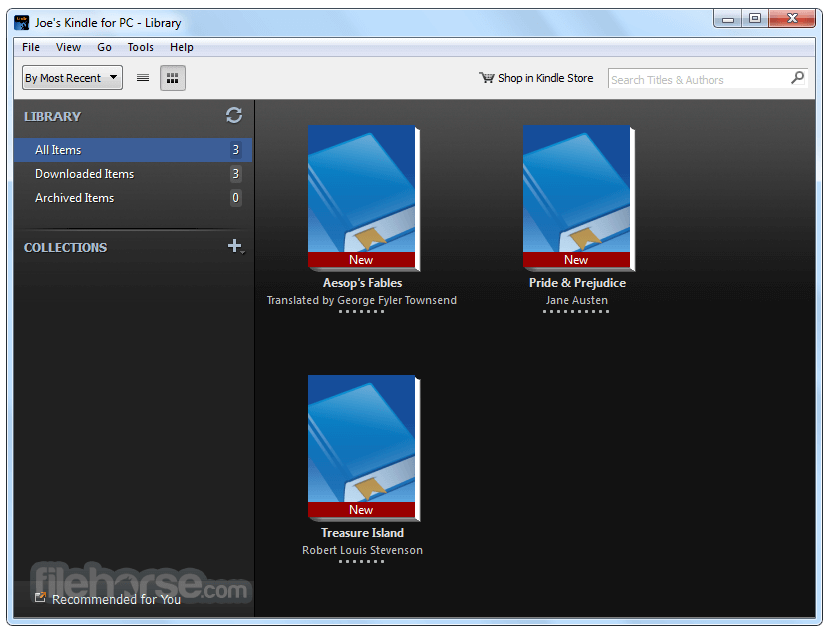
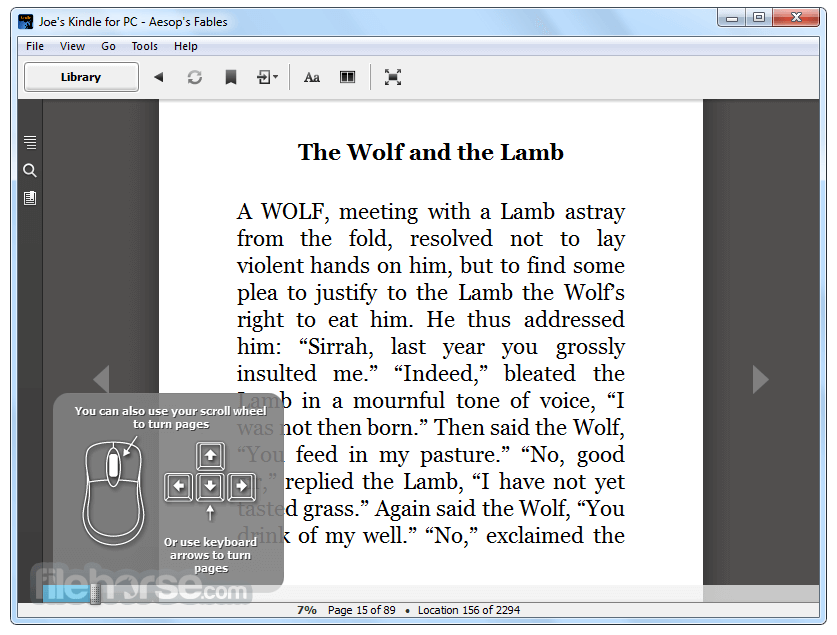
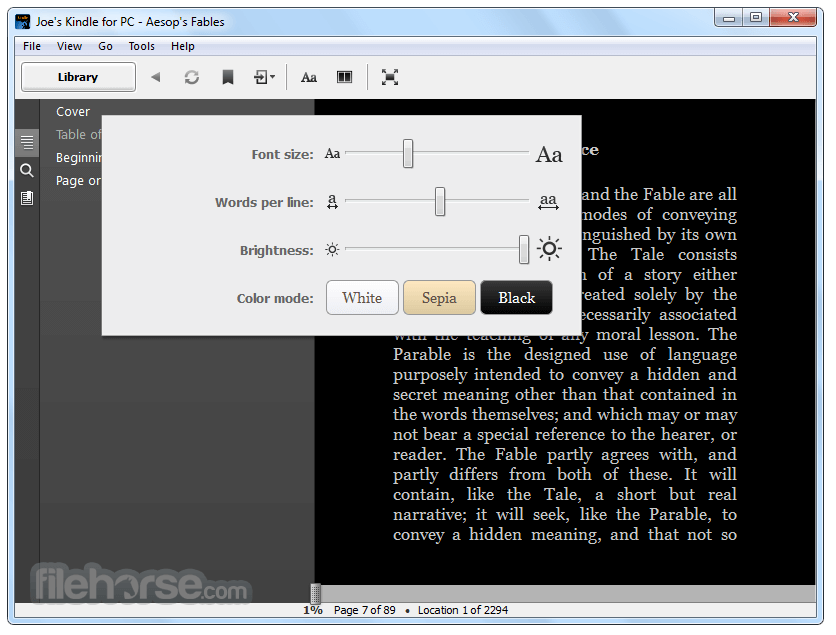
Amazon's Kindle for PC is a free e-book software reader and manager for Windows. Get the best reading experience available on your PC. No Kindle required. Access your Kindle books even if you don't have your Kindle with you. Automatically synchronizes your last page read and annotations between devices with Whispersync. Create new highlights, notes, and bookmarks and manage those created on your Kindle. Full-screen reading view, color modes, and brightness controls offer an immersive reading experience. Shop for books in the Amazon Kindle store.
Features and Highlights
Sync to Furthest Page Read: Whispersync technology automatically syncs your books across apps, so you can start reading on one device with the Kindle app installed, and pick up where you left off on another device with the Kindle app installed. You don’t need to own a Kindle to use the app, but if you do, Whispersync also syncs your Kindle books between your apps (including the Kindle for PC app) and your Kindle devices.
Look Up Words: Use the built-in dictionary in the Kindle for PC app to look up the definition of words without interrupting your reading.
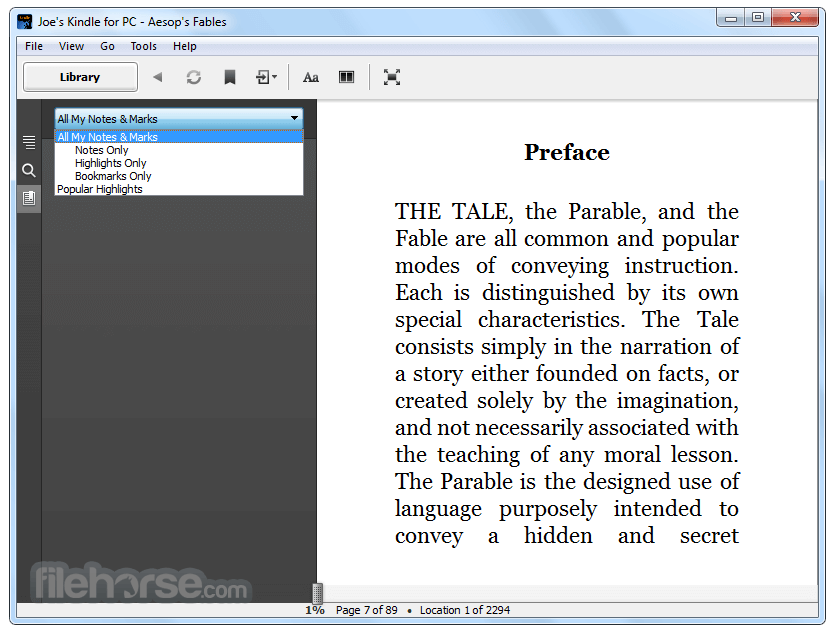
Search in Books: Search inside any book to find a topic, character, or section you want to revisit.
Organize Collections: Organize your books into various collections/lists with the Kindle for PC app.
Look Up Book Facts: Access descriptions of characters, important places, popular quotes, and themes from Shelfari, the community-powered encyclopedia for book-lovers.
Personalize: Switch to full-screen reading mode, choose your background color, and adjust the brightness of your screen from within the Kindle for PC app.
Read e-Textbooks: Choose from a large selection of e-textbooks to read with the Kindle for PC app and avoid the hassle of carrying around heavy textbooks.
Take Notes: Highlight, take notes and add bookmarks in any book.
View Page Numbers: See page numbers that correspond to a book's print edition page numbers to easily cite passages. This feature is available with thousands of books in the Kindle Store.
Note: Amazon registered account.
Also Available: Download Kindle for Mac
Features and Highlights
Sync to Furthest Page Read: Whispersync technology automatically syncs your books across apps, so you can start reading on one device with the Kindle app installed, and pick up where you left off on another device with the Kindle app installed. You don’t need to own a Kindle to use the app, but if you do, Whispersync also syncs your Kindle books between your apps (including the Kindle for PC app) and your Kindle devices.
Look Up Words: Use the built-in dictionary in the Kindle for PC app to look up the definition of words without interrupting your reading.
Search in Books: Search inside any book to find a topic, character, or section you want to revisit.
Organize Collections: Organize your books into various collections/lists with the Kindle for PC app.
Look Up Book Facts: Access descriptions of characters, important places, popular quotes, and themes from Shelfari, the community-powered encyclopedia for book-lovers.
Personalize: Switch to full-screen reading mode, choose your background color, and adjust the brightness of your screen from within the Kindle for PC app.
Read e-Textbooks: Choose from a large selection of e-textbooks to read with the Kindle for PC app and avoid the hassle of carrying around heavy textbooks.
Take Notes: Highlight, take notes and add bookmarks in any book.
View Page Numbers: See page numbers that correspond to a book's print edition page numbers to easily cite passages. This feature is available with thousands of books in the Kindle Store.
Note: Amazon registered account.
Also Available: Download Kindle for Mac
-
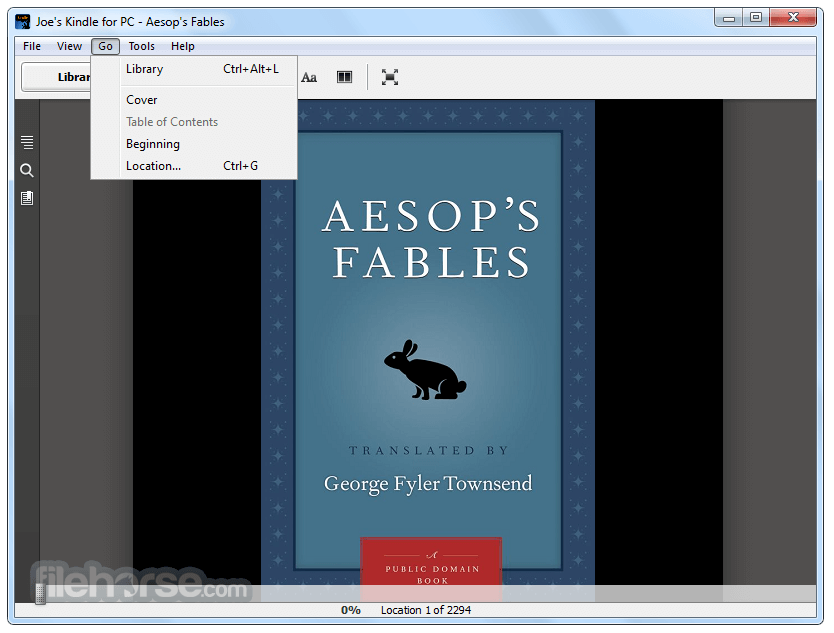
Kindle for PC 2.3 Build 70682 Screenshots
The images below have been resized. Click on them to view the screenshots in full size.
-
-
-
-
 OperaOpera 109.0 Build 5097.59 (64-bit)
 iTop VPNiTop VPN 5.4.0 - Fast, Safe & Secure
 PhotoshopAdobe Photoshop CC 2024 25.7 (64-bit)
 iAnyGoTenorshare iAnyGo 4.0.15
 Opera GXOpera GX 109.0.5097.62 (64-bit)
 Adobe AcrobatAdobe Acrobat Pro 2024.002.20687
 BlueStacksBlueStacks - Play on PC 5.21.150
 Hero WarsHero Wars - Online Action Game
 Data Recovery4DDiG Windows Data Recovery 9.8.6
 TradingViewTradingView - Trusted by 60 Million Traders
Comments and User Reviews