




 Wallpaper
 Folder Color
 Logi Options+
 Groupy
 HomeDock OS
 DeskScapes
 WindowBlinds
 Lookeen
-
Latest Version
AutoHotkey 2.0.21 LATEST
-
Review by
-
Operating System
Windows XP / Vista / Windows 7 / Windows 8 / Windows 10 / Windows 11
-
User Rating
Click to vote -
Author / Product
-
Filename
AutoHotkey_2.0.21_setup.exe
AutoHotkey is an open-source utility and can automate almost anything by sending keystrokes and mouse clicks. You can write macros by hand or use the macro recorder.
You can also create hotkeys for keyboard, mouse, joystick, and handheld remote controls. Virtually any key, button, or combination can become a hotkey.
Similarly, you can define abbreviations that expand as you type them. For example, typing btw can automatically produce by the way. Finally, you can create custom data entry forms, user interfaces, and menu bars.
Define hotkeys for the mouse and keyboard, remap keys or buttons, and autocorrect-like replacements. Creating simple hotkeys has never been easier; you can do it in just a few lines or less!
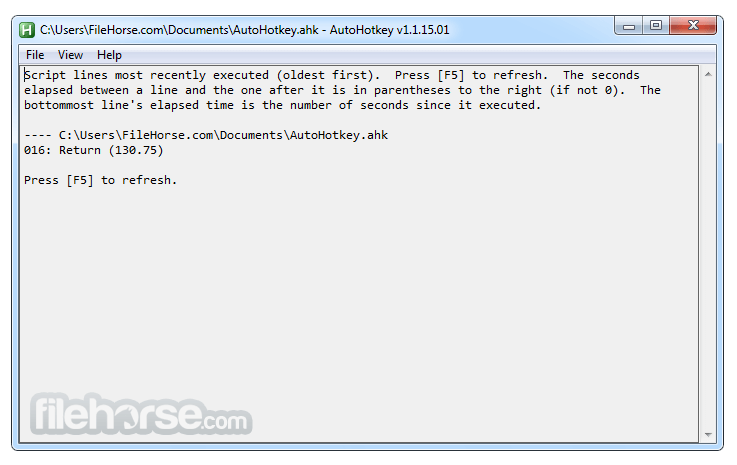
Auto Hotkey app is a free, open-source scripting language for Windows that allows users to easily create small to complex scripts for all kinds of tasks, such as form fillers, auto-clicking, macros, etc.
AutoHotkey has easy to learn built-in commands for beginners. Experienced developers will love this full-fledged scripting language for fast prototyping and small projects.
It gives you the freedom to automate any desktop task. It's small, fast, and runs out-of-the-box. Best of all, it's free, open-source (GNU GPLv2), and beginner-friendly.
Features and Highlights
What is AutoHotkey used for?
AutoHotkey is a free, open-source automation scripting language for Windows that allows users to create custom keyboard shortcuts, automate repetitive tasks, remap keys, build macros, and even develop small desktop utilities.
Is AutoHotkey safe to use?
Yes, when downloaded from the official website. However, since AutoHotkey can automate system actions, malicious scripts can exist if obtained from untrusted sources. The core program itself is safe and widely used by developers and power users.
Is AutoHotkey still actively developed in 2026?
Yes. AutoHotkey continues to be actively maintained, with version 2 offering improved syntax and modernized features compared to version 1. It remains a popular automation tool on Windows in 2026.
Is AutoHotkey suitable for beginners?
Yes, for basic automation tasks. Simple hotkeys and macros are easy to create, but more advanced scripting requires learning its syntax and logic structure. Extensive documentation and community support make it accessible to motivated users.
Alternatives
AutoIt – A Windows scripting language used to automate GUI tasks, simulate input, and create standalone automation scripts.
Jitbit Macro Recorder – A macro tool that records and replays mouse and keyboard actions, with basic scripting and scheduling features.
System Requirements
You can also create hotkeys for keyboard, mouse, joystick, and handheld remote controls. Virtually any key, button, or combination can become a hotkey.
Similarly, you can define abbreviations that expand as you type them. For example, typing btw can automatically produce by the way. Finally, you can create custom data entry forms, user interfaces, and menu bars.
Define hotkeys for the mouse and keyboard, remap keys or buttons, and autocorrect-like replacements. Creating simple hotkeys has never been easier; you can do it in just a few lines or less!
Auto Hotkey app is a free, open-source scripting language for Windows that allows users to easily create small to complex scripts for all kinds of tasks, such as form fillers, auto-clicking, macros, etc.
AutoHotkey has easy to learn built-in commands for beginners. Experienced developers will love this full-fledged scripting language for fast prototyping and small projects.
It gives you the freedom to automate any desktop task. It's small, fast, and runs out-of-the-box. Best of all, it's free, open-source (GNU GPLv2), and beginner-friendly.
Features and Highlights
- Change the volume, mute, and other settings of any soundcard.
- Make any window transparent, always-on-top, or alter its shape.
- Use a joystick or keyboard as a mouse.
- Monitor your system. For example, close unwanted windows the moment they appear.
- Retrieve and change the clipboard's contents, including file names copied from an Explorer window.
- Disable or override Windows' own shortcut keys such as Win+E and Win+R.
- Alleviate RSI with substitutes for Alt-Tab (using keys, mouse wheel, or buttons).
- Customize the tray icon menu with your own icon, tooltip, menu items, and submenus.
- Display dialog boxes, tooltips, balloon tips, and pop-up menus to interact with the user.
- Perform scripted actions in response to system shutdown or logoff.
- Detect how long the user has been idle. For example, run CPU-intensive tasks only when the user is away.
- Automate game actions by detecting images and pixel colors (this is intended for legitimate uses such as the alleviation of RSI).
- Read, write, and parse text files more easily than in other languages.
- Operate (s) upon a set of files that match a wildcard pattern.
- Work with the registry and INI files.
- Unified Command & Function Syntax: All legacy commands have been replaced or standardized, so functions and commands now behave consistently in modern script syntax.
- Simplified Expression Syntax: Expressions no longer require percent signs or commas in many contexts, making scripts easier to read and write.
- Redesigned Hotkeys & Hotstrings: Hotkey and hotstring definitions are more intuitive, with new built-in behaviors and patterns for triggering and grouping.
- Improved Object & Function Handling: Objects, maps, arrays, and functions have been overhauled with clearer rules, native methods, and consistent behaviors.
- Enhanced GUI Commands: GUI creation and control functions have been redesigned with new syntax and improved reliability.
- Streamlined Loop & Flow Control: Loop constructs and flow statements (like If/Else and Switch) have been updated for consistency and readability.
- Modern File & RegRead/Write Functions: File I/O and registry functions have been restructured with improved return values and error handling.
- Return Type Standardization: Many functions now return consistent data types instead of mixed or ambiguous results.
- Deprecated Old Syntax Removed: Legacy commands and syntaxes (from V1) have been removed or replaced with modern equivalents.
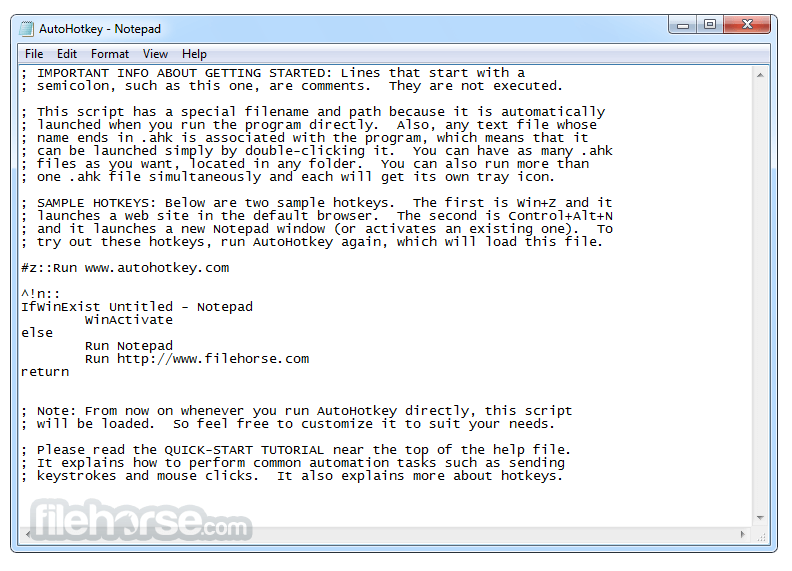
- Create a new script file with a .ahk extension
- Open the script file in a text editor
- Write your automation commands using AutoHotkey syntax
- Save the script and double-click to run it
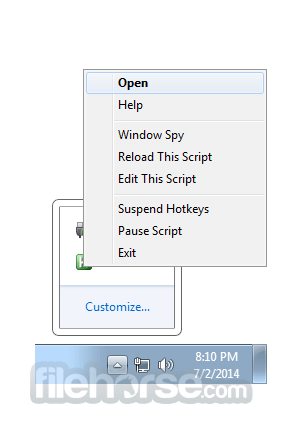
- Use the system tray icon to pause, edit, or stop the script
- Compile scripts into executable files for easy sharing
- Use the AutoHotkey Help documentation for advanced features
What is AutoHotkey used for?
AutoHotkey is a free, open-source automation scripting language for Windows that allows users to create custom keyboard shortcuts, automate repetitive tasks, remap keys, build macros, and even develop small desktop utilities.
Is AutoHotkey safe to use?
Yes, when downloaded from the official website. However, since AutoHotkey can automate system actions, malicious scripts can exist if obtained from untrusted sources. The core program itself is safe and widely used by developers and power users.
Is AutoHotkey still actively developed in 2026?
Yes. AutoHotkey continues to be actively maintained, with version 2 offering improved syntax and modernized features compared to version 1. It remains a popular automation tool on Windows in 2026.
Is AutoHotkey suitable for beginners?
Yes, for basic automation tasks. Simple hotkeys and macros are easy to create, but more advanced scripting requires learning its syntax and logic structure. Extensive documentation and community support make it accessible to motivated users.
Alternatives
AutoIt – A Windows scripting language used to automate GUI tasks, simulate input, and create standalone automation scripts.
Jitbit Macro Recorder – A macro tool that records and replays mouse and keyboard actions, with basic scripting and scheduling features.
System Requirements
- Windows 7, 8, 10, or 11 (32-bit or 64-bit)
- At least 512MB RAM (1GB recommended)
- 10MB free disk space for installation
- A text editor for writing scripts (e.g., Notepad)
- Administrator rights for certain system-level actions
- Automates repetitive tasks efficiently
- Easy to learn with simple syntax
- Customizable keyboard shortcuts
- Runs lightweight with low system impact
- Free and open-source software
- Learning curve for advanced scripting
- Limited official support options
- Some scripts may trigger antivirus alerts
- Not ideal for complex applications
- Compatibility issues with some software
Why is this app published on FileHorse? (More info)
-
AutoHotkey 2.0.21 Screenshots
The images below have been resized. Click on them to view the screenshots in full size.
-
-

-
-
What's new in this version:
AutoHotkey 2.0.21
- Fixed StrGet crashing when given an address and not a length.
 OperaOpera 128.0 Build 5807.66 (64-bit)
 Kling AIKling AI - Text or Image to Video
 PhotoshopAdobe Photoshop CC 2026 27.4 (64-bit)
 BlueStacksBlueStacks 10.42.167.1001
 OKXOKX - Buy Bitcoin or Ethereum
 CapCutCapCut 7.9.0
 PC RepairPC Repair Tool 2026
 Hero WarsHero Wars - Online Action Game
 TradingViewTradingView - Trusted by 100 Million Traders
 AdGuard VPNAdGuard VPN 2.9.0
Comments and User Reviews