




 FM 26
FM 26 Warships
 World of Tanks
 Polytoria
 War Robots
 eFootball 2026
 FC 26
FC 26
-
Latest Version
Lords Mobile for PC LATEST
-
Review by
-
Operating System
Windows 7 / Windows 8 / Windows 10 / Windows 11
-
User Rating
Click to vote -
Author / Product
Battle in a world of chaos in Lords Mobile, the latest real-time strategy game from IGG. Build up your empire, collect exotic Heroes, train your troops, and battle your way to the top! Even in this dog-eat-dog world, you might find allies within a Guild.
Destroy all who stand in your way to total domination!
The world is yours for the taking in Lords Mobile Tower Defense for PC! Game Features: Real-time, multiplayer strategy with RPG elements! Fight in PvP battles with millions of players around the world! Spy on your enemies to plan the perfect assault! Fight and conquer to establish your empire!
Discover an epic world in stunning HD graphics and 3D battle views! Slay monsters on the world map to find rare treasures! Upgrade buildings, research technologies, train troops, and do whatever it takes to build and customize the ultimate empire!
Lock your opponents' Heroes in Prison and make them pay for their release! Unite your allies in powerful Guilds to conquer the world! Play on multiple mobile phones and tablets anytime, anywhere, with anyone!
BlueStacks lets you play Android games on your Windows 11/10 PC (laptop and desktop). This installer downloads its own emulator along with the Lords Mobile for Desktop, which can be played in Windows by adapting its control system to your keyboard and mouse. There are no special skills required since it installs everything needed to play automatically. Enjoy!
Features and Highlights
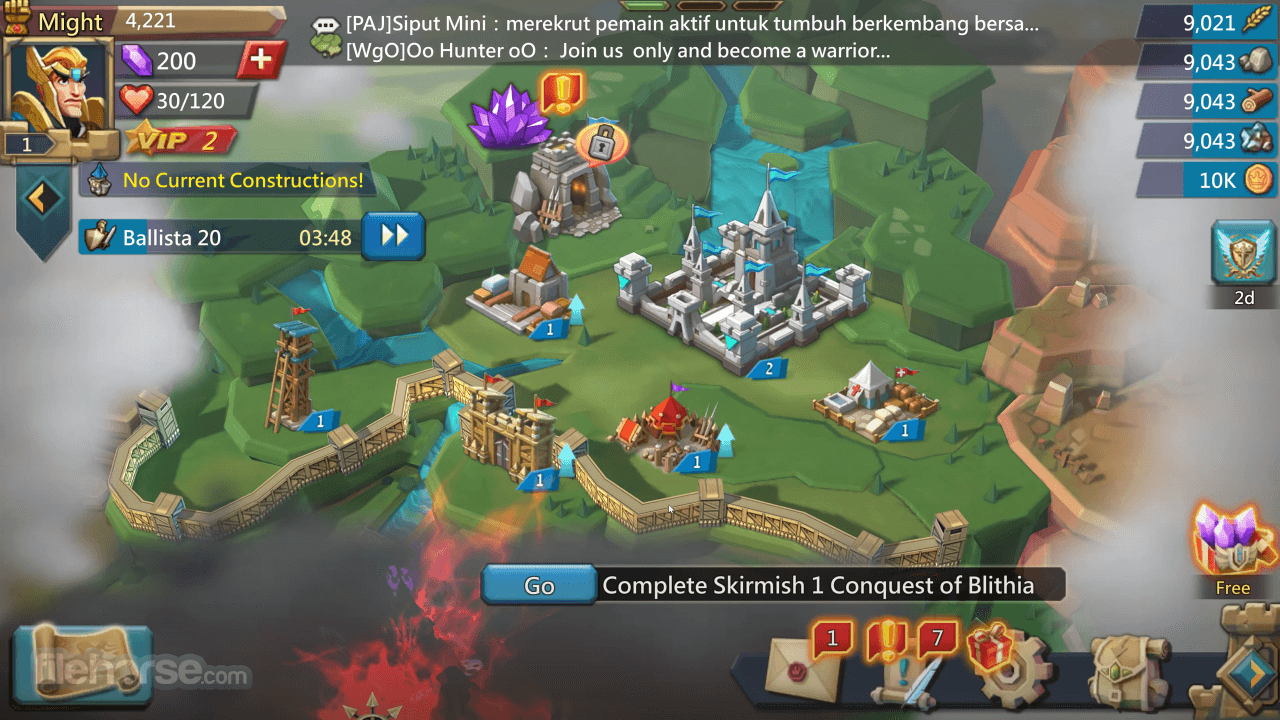
Build Your Own Kingdom
Upgrade buildings, conduct research, train your troops, level your Heroes, and lead your Kingdom well to prosper!
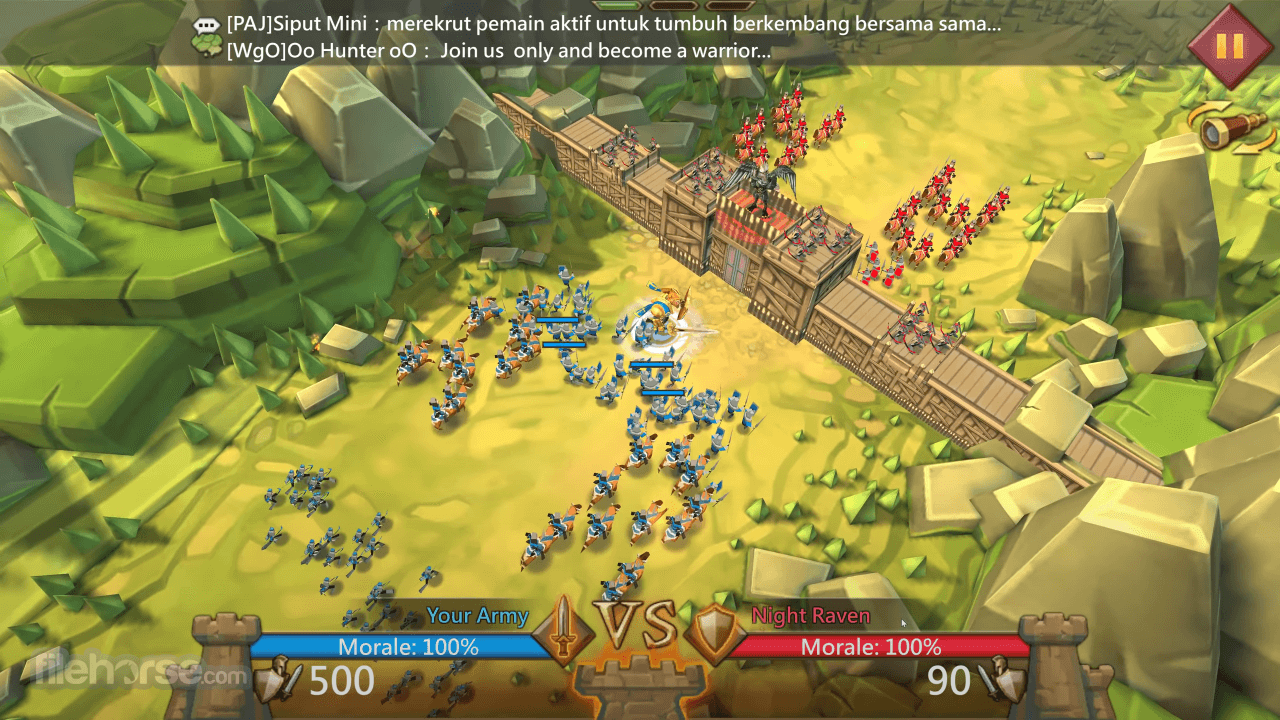
Utilize Troop Formations
4 different troop types, and 6 different troop formations for you to choose from! Plan your lineups, take advantage of the counter system, and pair your troops with the right Heroes! Perfect your strategy to defeat your enemies!
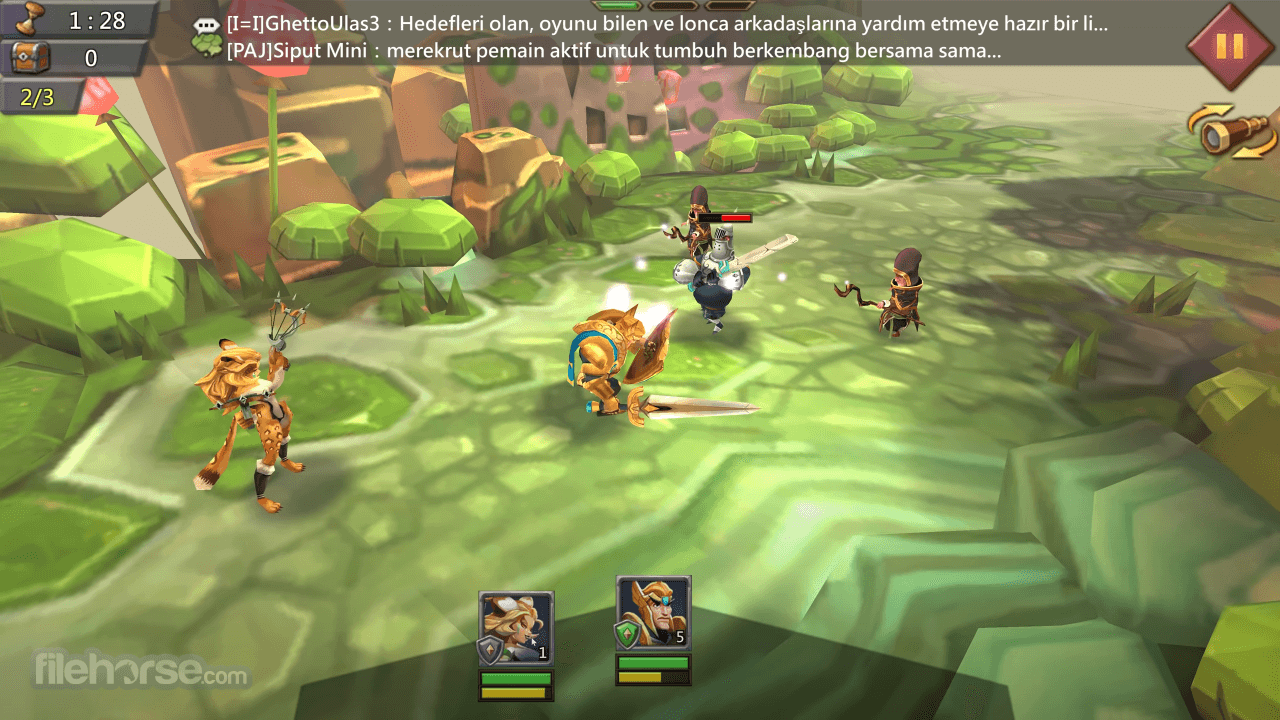
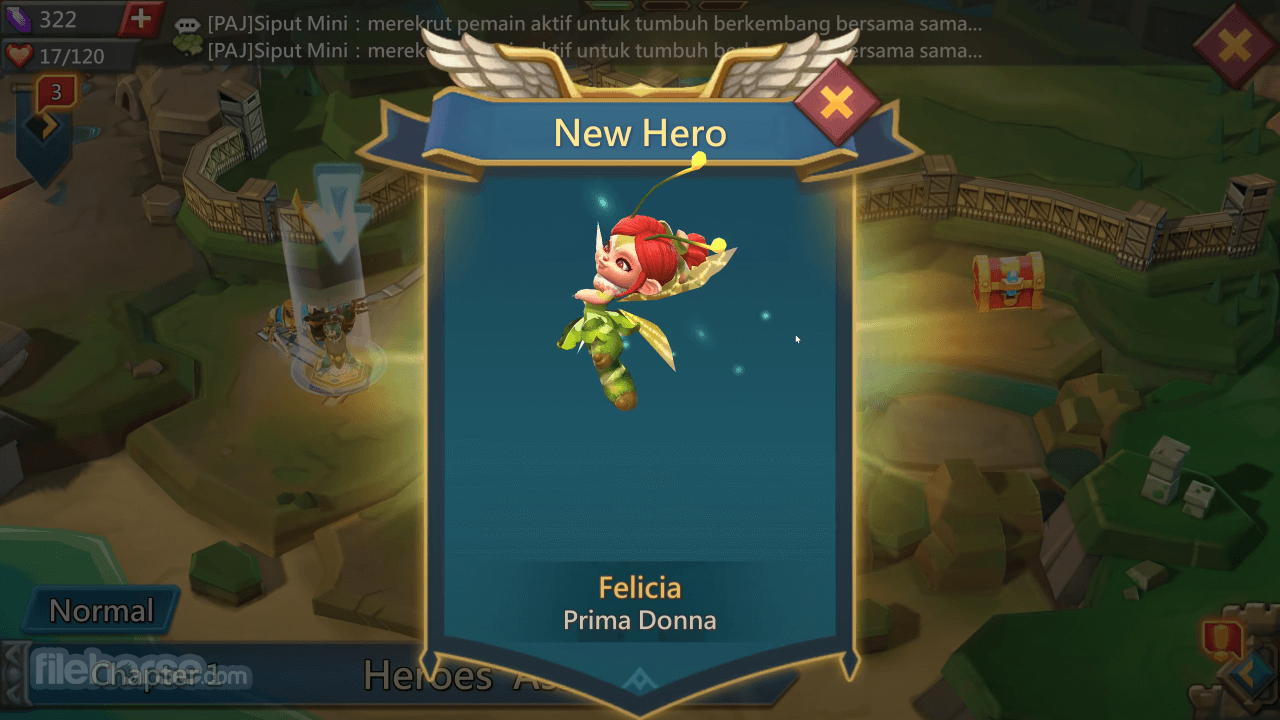
Powerful Heroes Await
Create a strong team of 5 Heroes to fight through an RPG-style campaign! Let them lead your kingdom to glory as war generals!
Forge Alliances
Join a guild to fight alongside your allies! Ride into war together to conquer various exhilarating events: Guild Wars, Kingdom Versus Kingdom battles, Battle Royals, Wonder Wars, Darkness Invasions, and much more!
Clash Online with Global Players
Brawl with 330 million players from all over the world, and defeat those who stand in your way! Seize the throne and rule overall!
Animated Battles
Experience the thrill of war as your armies clash in beautiful 3D graphics! Watch as your Heroes unleash their skills and harness their mystical power!
How to Play
Can you play Lords Mobile on PC?
Yes, but not natively. Lords Mobile is originally a mobile strategy game (Android/iOS). To play it on a PC, you need an Android emulator that allows mobile apps to run on desktop systems. This setup enables you to access the same content and account progress as on mobile.
What emulator do you need to play Lords Mobile on PC?
You need a reliable Android emulator such as BlueStacks. After installing the emulator, you can log in to the Google Play Store, download Lords Mobile, and sync your account. Playing on PC often provides better performance stability, keyboard shortcuts, and easier multi-account management.
Is Lords Mobile better on PC than on mobile?
For many players, yes. On PC, you benefit from a larger screen, more precise mouse control for base management, and potentially smoother performance depending on your hardware. Large-scale kingdom management, guild coordination, and event participation can feel more efficient compared to a small mobile display.
What type of game is Lords Mobile?
Lords Mobile is a real-time strategy (RTS) and MMO-style kingdom builder. Players construct and upgrade their city, train armies, recruit heroes, join guilds, and compete in global PvP wars. The game combines base-building mechanics with hero collection, PvE modes, and large-scale alliance battles.
Is Lords Mobile still relevant in 2026?
Yes. In 2026, Lords Mobile remains active due to regular events, guild competitions, and continuous content updates. However, it is a mature title with a competitive player base, meaning new players may face experienced opponents. It is still viable and populated, but progression can be demanding without long-term commitment.
System requirements
Destroy all who stand in your way to total domination!
The world is yours for the taking in Lords Mobile Tower Defense for PC! Game Features: Real-time, multiplayer strategy with RPG elements! Fight in PvP battles with millions of players around the world! Spy on your enemies to plan the perfect assault! Fight and conquer to establish your empire!
Discover an epic world in stunning HD graphics and 3D battle views! Slay monsters on the world map to find rare treasures! Upgrade buildings, research technologies, train troops, and do whatever it takes to build and customize the ultimate empire!
Lock your opponents' Heroes in Prison and make them pay for their release! Unite your allies in powerful Guilds to conquer the world! Play on multiple mobile phones and tablets anytime, anywhere, with anyone!
BlueStacks lets you play Android games on your Windows 11/10 PC (laptop and desktop). This installer downloads its own emulator along with the Lords Mobile for Desktop, which can be played in Windows by adapting its control system to your keyboard and mouse. There are no special skills required since it installs everything needed to play automatically. Enjoy!
Features and Highlights
Build Your Own Kingdom
Upgrade buildings, conduct research, train your troops, level your Heroes, and lead your Kingdom well to prosper!
Utilize Troop Formations
4 different troop types, and 6 different troop formations for you to choose from! Plan your lineups, take advantage of the counter system, and pair your troops with the right Heroes! Perfect your strategy to defeat your enemies!
Powerful Heroes Await
Create a strong team of 5 Heroes to fight through an RPG-style campaign! Let them lead your kingdom to glory as war generals!
Forge Alliances
Join a guild to fight alongside your allies! Ride into war together to conquer various exhilarating events: Guild Wars, Kingdom Versus Kingdom battles, Battle Royals, Wonder Wars, Darkness Invasions, and much more!
Clash Online with Global Players
Brawl with 330 million players from all over the world, and defeat those who stand in your way! Seize the throne and rule overall!
Animated Battles
Experience the thrill of war as your armies clash in beautiful 3D graphics! Watch as your Heroes unleash their skills and harness their mystical power!
How to Play
- Download and install BlueStacks on your PC.
- Complete Google sign-in to access the Play Store, or do it later.
- Search for "Lords Mobile: Kingdom Wars" in the search bar at the top right corner.
- Click to install Lords Mobile: Kingdom Wars from the search results.
- Complete Google sign-in (if you skipped step 2) to install the game.
- Click the game icon on the home screen to start playing.
Can you play Lords Mobile on PC?
Yes, but not natively. Lords Mobile is originally a mobile strategy game (Android/iOS). To play it on a PC, you need an Android emulator that allows mobile apps to run on desktop systems. This setup enables you to access the same content and account progress as on mobile.
What emulator do you need to play Lords Mobile on PC?
You need a reliable Android emulator such as BlueStacks. After installing the emulator, you can log in to the Google Play Store, download Lords Mobile, and sync your account. Playing on PC often provides better performance stability, keyboard shortcuts, and easier multi-account management.
Is Lords Mobile better on PC than on mobile?
For many players, yes. On PC, you benefit from a larger screen, more precise mouse control for base management, and potentially smoother performance depending on your hardware. Large-scale kingdom management, guild coordination, and event participation can feel more efficient compared to a small mobile display.
What type of game is Lords Mobile?
Lords Mobile is a real-time strategy (RTS) and MMO-style kingdom builder. Players construct and upgrade their city, train armies, recruit heroes, join guilds, and compete in global PvP wars. The game combines base-building mechanics with hero collection, PvE modes, and large-scale alliance battles.
Is Lords Mobile still relevant in 2026?
Yes. In 2026, Lords Mobile remains active due to regular events, guild competitions, and continuous content updates. However, it is a mature title with a competitive player base, meaning new players may face experienced opponents. It is still viable and populated, but progression can be demanding without long-term commitment.
System requirements
- OS: Windows 7 or later (64-bit)
- Processor: Intel or AMD Dual-Core CPU
- Memory: 4 GB RAM
- Graphics: Integrated or Dedicated GPU with updated drivers
- Storage: 10 GB free disk space
- DirectX: Version 11 or higher
- Virtualization: Recommended (enable in BIOS)
- Engaging Strategy Gameplay
- Large Player Community
- Impressive Graphics
- Frequent Updates and Events
- Free-to-Play with In-App Purchases
- Heavy Pay-to-Win Elements
- Time-Consuming Progression
- Requires Constant Internet
- Repetitive Tasks and Grinding
- High System Resource Usage
Why is this app published on FileHorse? (More info)
-
Lords Mobile for PC Screenshots
The images below have been resized. Click on them to view the screenshots in full size.
-
-
-

-
 OperaOpera 129.0 Build 5823.28 (64-bit)
 Kling AIKling AI - Text or Image to Video
 PhotoshopAdobe Photoshop CC 2026 27.4 (64-bit)
 BlueStacksBlueStacks 10.42.167.1001
 OKXOKX - Buy Bitcoin or Ethereum
 CapCutCapCut 7.9.0
 PC RepairPC Repair Tool 2026
 Hero WarsHero Wars - Online Action Game
 TradingViewTradingView - Trusted by 100 Million Traders
 AdGuard VPNAdGuard VPN 2.9.0
Comments and User Reviews