




 Warships
 FM 26
FM 26 War Robots
 eFootball 2026
 World of Tanks
 FC 26
FC 26 Polytoria
-
Latest Version
ScummVM 2026.2.0 LATEST
-
Review by
-
Operating System
Windows 7 / Windows 7 64 / Windows 8 / Windows 8 64 / Windows 10 / Windows 10 64
-
User Rating
Click to vote -
Author / Product
-
Filename
scummvm-2026.2.0-win32.exe
The clever part about this: ScummVM just replaces the executables shipped with the games, allowing you to play them on systems for which they were never designed! The emulator app is a complete rewrite of these games' executables and is not an emulator.
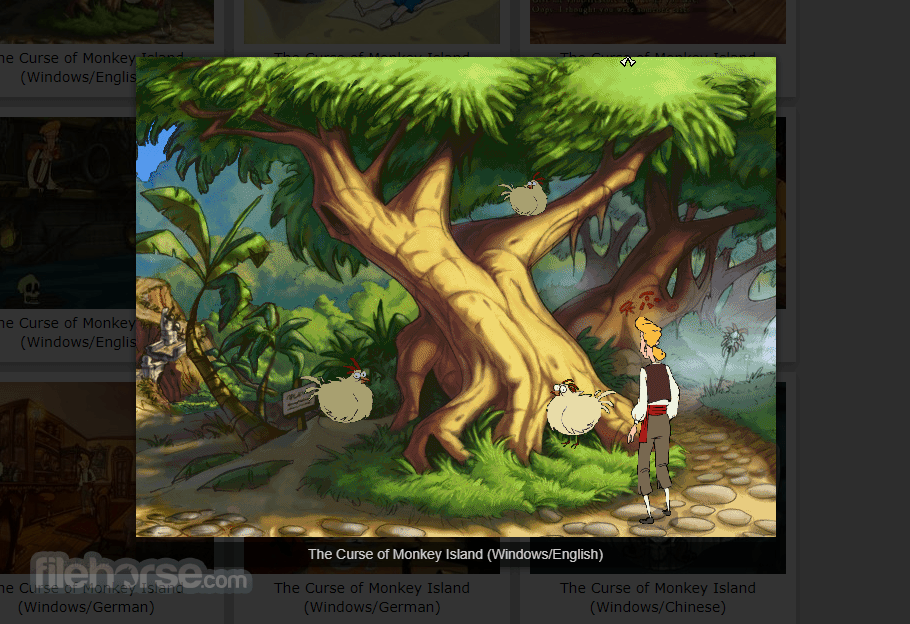
“Scumm” comes from the fact that it was originally designed to run SCUMM games, like Monkey Island. “VM” stands for Virtual Machine.
The program is released under the GPL (General Public License), so it's more than free. ScummVM source code is freely available and you can do whatever you want with it.
If you make modifications to it and redistribute your work you MUST make the source available. However, the team would be pleased if you choose to send them your modifications, so they can be merged into the main tree.
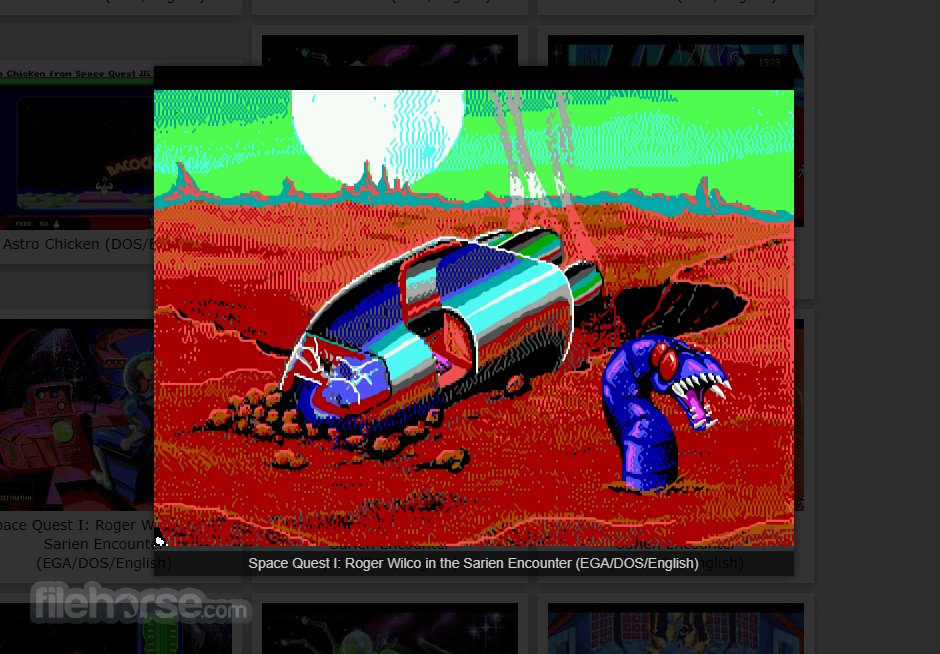
It supports a huge library of adventures with over 250 games in total. It supports many classics published by legendary studios like LucasArts, Sierra On-Line, Revolution Software, Cyan, Inc. and Westwood Studios.
Next to ground-breaking titles like the Monkey Island series, Broken Sword, Myst, Blade Runner and countless other games you will find some really obscure adventures and truly hidden gems to explore.
ScummVM for PC is continually improving, so check back often. Among the systems on which you can play those games are Windows, Linux, macOS, iOS, Android, PS Vita, Switch, Dreamcast, AmigaOS, Atari/FreeMiNT, RISC OS, Haiku, PSP, PS3, Maemo, GCW Zero and many more...
Key Features
- Cross-Platform Compatibility: It supports Windows, macOS, Linux, Android, iOS, and more, ensuring accessibility across a wide range of devices.
- Game Compatibility: It boasts compatibility with over 250 classic adventure games, including iconic titles like "Monkey Island," "Day of the Tentacle," and "Sam & Max Hit the Road."
- Enhanced Experience: It offers several enhancements over the original games, such as higher resolutions, improved audio quality, and smoother gameplay.
- Customization Options: Users can fine-tune their gaming experience through various settings, including graphic filters, aspect ratio adjustments, and keyboard shortcuts.
- Mod Support: The software also facilitates the use of fan-made patches and mods, allowing players to further personalize their gaming experience.
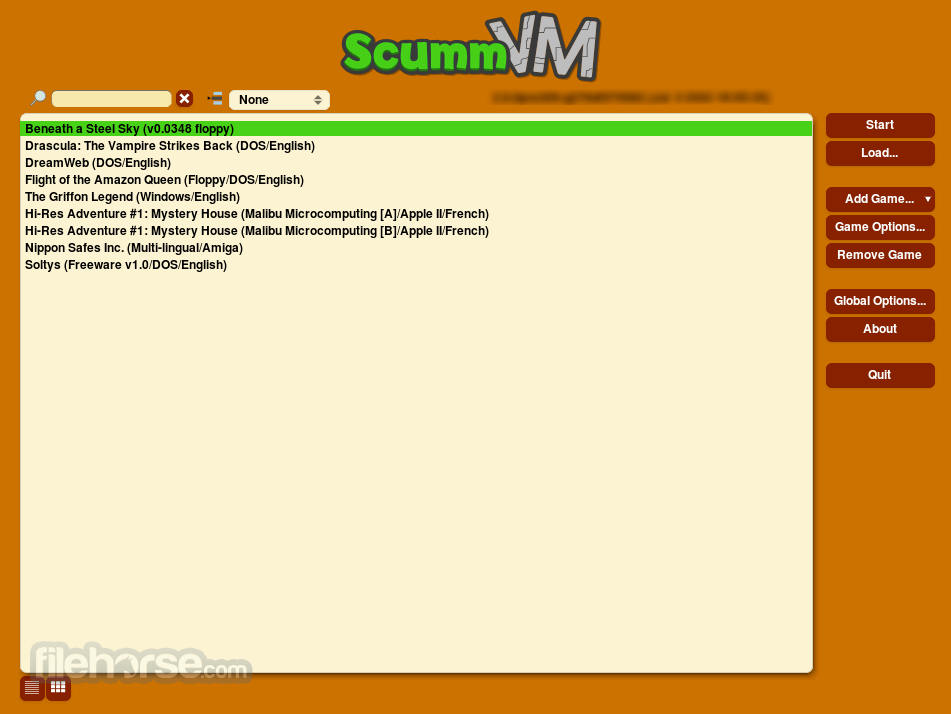
It sports a clean and intuitive user interface, featuring a simple layout that makes navigating through games and settings a breeze.
The main window displays a list of detected games, with additional options accessible via the toolbar and menu bar.
Installation and Setup
Installing this program is a straightforward process on most platforms.
Users can download the appropriate installer from the official website or FileHorse and follow the on-screen instructions to complete the setup.
Once installed, users can add their game files to ScummVM's library and begin playing immediately.
How to Use
Using this app is as simple as selecting a game from the library and clicking "Start." The software will automatically detect and configure the game settings, ensuring a seamless experience. Users can also customize various aspects of gameplay, including graphics, audio, and controls, to suit their preferences.

FAQ
Can I run ScummVM on my smartphone?
Yes, ScummVM is available for both Android and iOS devices, allowing you to enjoy classic adventure games on the go.
Does ScummVM support games other than LucasArts titles?
Absolutely! While the app was initially developed for SCUMM engine games, it now supports a wide range of adventure games from various developers.
Can I use my original game CDs with ScummVM?
Yes, it can detect and run games directly from their original CDs, providing a convenient way to revisit your classic game collection.
Is ScummVM for PC legal to use?
Yes, the program is licensed under the GNU General Public License (GPL), making it entirely legal to download, distribute, and modify.
Are there any performance requirements for running ScummVM?
ScummVM is lightweight and should run smoothly on most modern hardware, requiring minimal system resources.
Alternatives
If you are looking for an excellent alternative to this product, we recommend DOSBox.
System Requirements
The system requirements for running this software are minimal, with the software being compatible with most modern computers and mobile devices.
Generally, users will need a reasonably recent operating system and a modest amount of storage space to install and run the software.
PROS
- Wide compatibility with classic adventure games
- Enhanced gaming experience with modern features
- Simple and intuitive user interface
- Cross-platform support for various devices
- Customization options to tailor the gaming experience
- Limited support for non-adventure games
- Occasional compatibility issues with certain titles
- May require some configuration for optimal performance
All in all, it stands as a testament to the enduring legacy of classic adventure games, offering fans a convenient and feature-rich platform to relive their favorite titles. With its extensive game compatibility, user-friendly interface, and commitment to preserving gaming history, it remains an indispensable tool for retro gaming enthusiasts everywhere.
Whether you're a seasoned adventurer or new to the genre, ScummVM invites you to embark on a nostalgic journey through gaming's golden age.
Also Available: Download ScummVM for Mac
-
ScummVM 2026.2.0 Screenshots
The images below have been resized. Click on them to view the screenshots in full size.
-
-
-
What's new in this version:
New games:
- Added support for Necronomicon: The Dawning of Darkness
- Added ALG engine for DOS versions of American Laser Games: Crime Patrol, Crime Patrol 2: Drug Wars, The Last Bounty Hunter, Mad Dog McCree, Mad Dog II: The Lost Gold, Space Pirates and Who Shot Johnny Rock?
General:
- Improved PC-Speaker emulation
- Implemented multiselect in the GUI launcher games list
- Updated ImGui library to 1.92.6-docker
- Fixed Smart Search in the Icons Grid view in the launcher
- Simulate MT-32 display for on-screen messages
- Added possibility to load GUI translations from the local po/ directory. Useful for translators since it does not require regeneration of the translations.dat file.
- Significantly reduced compilation time and memory usage when building the TinyGL component
- Added Help button to the main interface and improved the dialog speed
- Added possibility to run unpacked GUI themes
AGOS:
- Added music support for the Atari ST releases of Elvira 1 and 2
- Improved support of the Acorn releases of Simon the Sorcerer. Original cursor is now implemented, along with support of the Desktop Tracker format used for music.
- Improved font rendering accuracy for DOS Personal Nightmare and the Amiga Elvira 1 demo
- Implemented original cursors for the Amiga release of Personal Nightmare
- Fixed Personal Nightmare 'Wait' command being far too quick on modern systems
- Fixed inventory icon colors in the Amiga and Atari ST releases of Personal Nightmare
- Fixed Simon's sprite having no color in the Acorn floppy demo of Simon the Sorcerer 1
Alcachofa:
- Added support for earlier Spanish CD variant of Mortadelo y Filemón: Una Aventura de Cine - Edición Especial
- Added support for Russian variant of Mort & Phil: A Movie Adventure (Секретные агенты: Киномонстры атакуют)
Bagel:
- Fixed Enter/Escape keys in The Guessing Game guess dialog
- Fixed using Enter key to close info dialogs
- Fixed shell animations in Mankala minigame
- Fixed incorrect evolution logic in Game of Life
- Hopeful fix for occasional crash entering boardgame stores
- Fixed crash when hiding boardgame turn start spinner
- Fixed Poker minigame bet icons rendering over game over dialog
- Made in-progress speech stop when closing a minigame exit dialog
- Fixed using Enter key after typing savegame name to save it
Freescape:
- Added sound emulation for Driller, Dark Side, Total Eclipse and Castle Master on CPC, C64 and Amiga
- Added music support for Total Eclipse on Atari ST
- Added WASD movement option with shift for run
- Improved touchscreen controls and alternative input mappings for mobile devices
- Added a debugger with position and area commands
- Implemented compressed data loading for Driller on Atari ST
- Fixed rendering artifacts and culling issues
- Fixed various UI element positions and score rendering across multiple releases
Gob:
- Optimized the number of screen blits, making Gobliiins and Ween noticeably more responsive on weaker platforms. Other Gob games are also positively affected.
M4:
- Added music support in Ripley
- Fixed numerous bugs in Ripley
- Fixed some bugs in Orion Burger
MM:
- Fixed M&M1 memory corruption on exit
- Fixed M&M1 display issues/corruption getting items from treasure chests
- Fixed M&M1 showing incorrect name for attacking monsters in combat
MYST3:
- Restored ambient sounds for harmonic frequencies puzzle in Amateria
- Fixed resetting animations for turntable puzzle in Amateria
- Fixed synchronization of videos that play consecutively
- Fixed skipping frames in some looping videos
- Fixed frame-triggered ambient sounds in scripted movies
- Various tweaks for displaying subtitles and inventory in widescreen mod
- Fixed scaling issues for subtitles, draggable items, inventory bar and main menu in widescreen mod
QdEngine:
- Fixed pathfinding bugs on Windows optimized (release) build
SCUMM:
- Added support for original splash screens in Maniac Mansion NES (when playing from PRG files)
- Added support for the playback feature of the non-interactive demos of Monkey Island 1, Monkey Island 2, and Fate of Atlantis
- Implemented original cursor for the Apple II release of Maniac Mansion
- Fixed Maniac Mansion NES logo scroll getting stuck during the intro
Sherlock:
- Fixed occasional crash when using inventory items in Rose Tattoo
- Fixed crash when using keyboard keys while playing darts in Rose Tattoo
- Fixed score board layout and logic for dart games in Rose Tattoo
SLUDGE:
- Fixed crash at start of Nathan's Second Chance game
Sword1:
- Fixed music from the original Broken Sword 1 release being played at a wrong sample rate on PS3, Wii and OSXPPC
Sword2:
- Fixed crash with some DXA movies, such as the ones played in the intro
Teenagent:
- Fixed 'could not locate language block' error when starting the Polish and Russian versions
Tinsel:
- Implemented proper palette mapping for the PSX versions of Discworld 1. Before this, the screen wasn't turning black when using the blindfold in Act 3.
- Made it possible to skip the entire introduction (by pressing Escape) in all Discworld 1 versions
- Fixed Amazon speech accidentally stopped by the Starfish flicking a coin, in Act 2 of all Discworld 1 releases having this original script bug
- Fixed "calculate odds" button not always erased from the screen when asking the guard for probabilities, in Act 3 of early Discworld 1 releases (original script bug)
- Fixed crash when trying to interact with (invisible) City Guards in Act 4 of Discworld 1, due to an original script oversight in early releases
- Fixed dragon appearing too early in town square in Act 4 of Discworld 1 (original script bug in early releases)
- Fixed conversation window not closing when being done talking with the barman in Discworld 1 L-Space (original script bug in early releases)
WAGE:
- Implemented combat system
- Numerous visual fixes
- Implemented mouse scrolling of text window
- Implemented way to show startup screen and play startup sound for games what have those files. There will be new items in the About menu
Atari port:
- Included out-of-tree m68k code optimizations for the SCUMM engine and audio mixing to gather user feedback
macOS port:
- Added support for the newer Text-to-Speech API of macOS 10.14+
- Restored Help menu and Copy from clipboard features for macOS 10.4-10.5
iOS port:
- Added support for Text-to-Speech
- Ported the CoreMIDI macOS feature to the iOS/tvOS ports, allowing the use of external MIDI devices for output
 OperaOpera 129.0 Build 5823.65 (64-bit)
 Kling AIKling AI - Text or Image to Video
 PhotoshopAdobe Photoshop CC 2026 27.5 (64-bit)
 BlueStacksBlueStacks 10.42.167.1001
 OKXOKX - Buy Bitcoin or Ethereum
 CapCutCapCut 7.9.0
 PC RepairPC Repair Tool 2026
 Hero WarsHero Wars - Online Action Game
 TradingViewTradingView - Trusted by 100 Million Traders
 AdGuard VPNAdGuard VPN 2.9.0
Comments and User Reviews