




 World of Tanks
 Go-Go Town!
 007 Game
 MECCHA
 WoT: HEAT
-
Latest Version
ScummVM 2026.3.0 LATEST
-
Review by
-
Operating System
Windows 7 / Windows 7 64 / Windows 8 / Windows 8 64 / Windows 10 / Windows 10 64
-
User Rating
Click to vote -
Author / Product
-
Filename
scummvm-2026.3.0-win32.exe
The clever part about this: ScummVM just replaces the executables shipped with the games, allowing you to play them on systems for which they were never designed! The emulator app is a complete rewrite of these games' executables and is not an emulator.
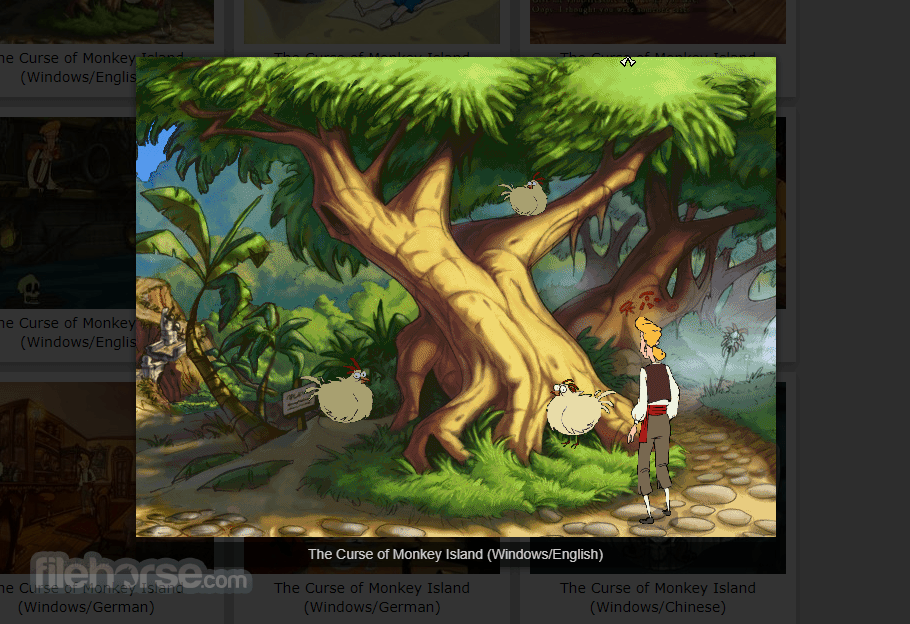
“Scumm” comes from the fact that it was originally designed to run SCUMM games, like Monkey Island. “VM” stands for Virtual Machine.
The program is released under the GPL (General Public License), so it's more than free. ScummVM source code is freely available and you can do whatever you want with it.
If you make modifications to it and redistribute your work you MUST make the source available. However, the team would be pleased if you choose to send them your modifications, so they can be merged into the main tree.
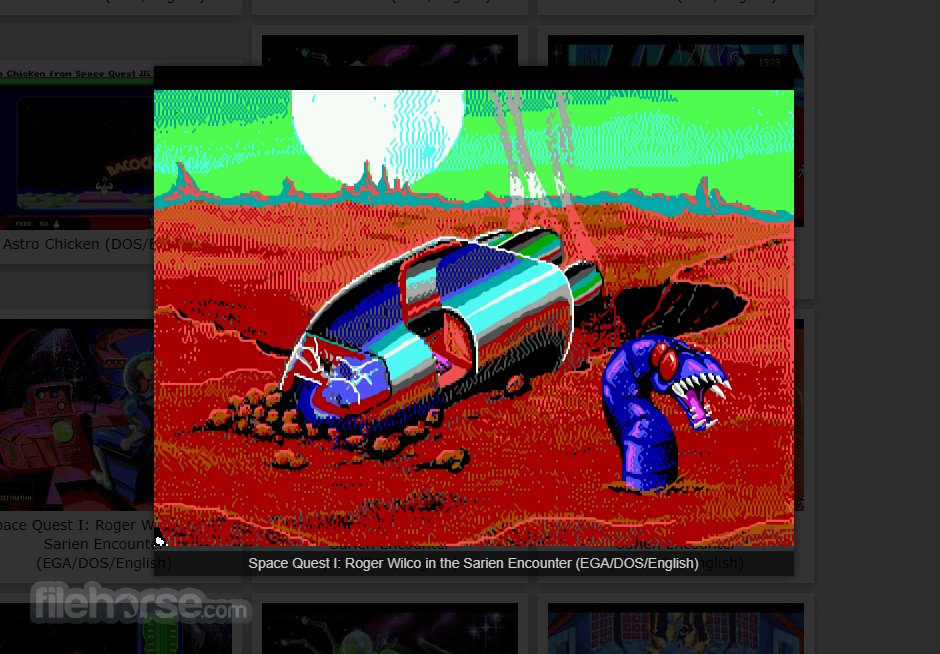
It supports a huge library of adventures with over 250 games in total. It supports many classics published by legendary studios like LucasArts, Sierra On-Line, Revolution Software, Cyan, Inc. and Westwood Studios.
Next to ground-breaking titles like the Monkey Island series, Broken Sword, Myst, Blade Runner and countless other games you will find some really obscure adventures and truly hidden gems to explore.
ScummVM for PC is continually improving, so check back often. Among the systems on which you can play those games are Windows, Linux, macOS, iOS, Android, PS Vita, Switch, Dreamcast, AmigaOS, Atari/FreeMiNT, RISC OS, Haiku, PSP, PS3, Maemo, GCW Zero and many more...
Key Features
- Cross-Platform Compatibility: It supports Windows, macOS, Linux, Android, iOS, and more, ensuring accessibility across a wide range of devices.
- Game Compatibility: It boasts compatibility with over 250 classic adventure games, including iconic titles like "Monkey Island," "Day of the Tentacle," and "Sam & Max Hit the Road."
- Enhanced Experience: It offers several enhancements over the original games, such as higher resolutions, improved audio quality, and smoother gameplay.
- Customization Options: Users can fine-tune their gaming experience through various settings, including graphic filters, aspect ratio adjustments, and keyboard shortcuts.
- Mod Support: The software also facilitates the use of fan-made patches and mods, allowing players to further personalize their gaming experience.
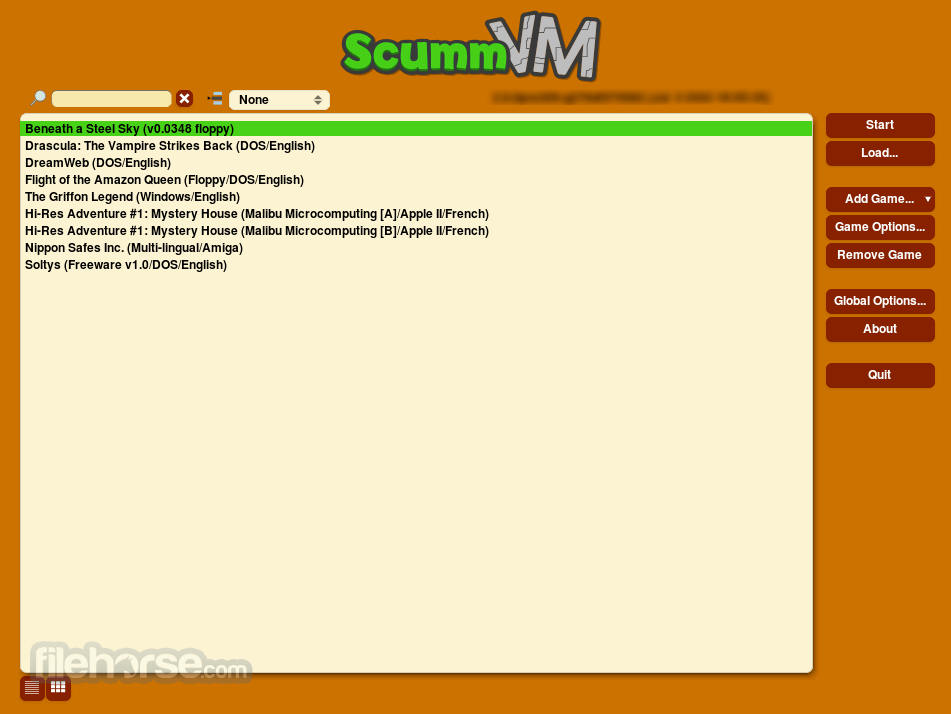
It sports a clean and intuitive user interface, featuring a simple layout that makes navigating through games and settings a breeze.
The main window displays a list of detected games, with additional options accessible via the toolbar and menu bar.
Installation and Setup
Installing this program is a straightforward process on most platforms.
Users can download the appropriate installer from the official website or FileHorse and follow the on-screen instructions to complete the setup.
Once installed, users can add their game files to ScummVM's library and begin playing immediately.
How to Use
Using this app is as simple as selecting a game from the library and clicking "Start." The software will automatically detect and configure the game settings, ensuring a seamless experience. Users can also customize various aspects of gameplay, including graphics, audio, and controls, to suit their preferences.

FAQ
Can I run ScummVM on my smartphone?
Yes, ScummVM is available for both Android and iOS devices, allowing you to enjoy classic adventure games on the go.
Does ScummVM support games other than LucasArts titles?
Absolutely! While the app was initially developed for SCUMM engine games, it now supports a wide range of adventure games from various developers.
Can I use my original game CDs with ScummVM?
Yes, it can detect and run games directly from their original CDs, providing a convenient way to revisit your classic game collection.
Is ScummVM for PC legal to use?
Yes, the program is licensed under the GNU General Public License (GPL), making it entirely legal to download, distribute, and modify.
Are there any performance requirements for running ScummVM?
ScummVM is lightweight and should run smoothly on most modern hardware, requiring minimal system resources.
Alternatives
If you are looking for an excellent alternative to this product, we recommend DOSBox.
System Requirements
The system requirements for running this software are minimal, with the software being compatible with most modern computers and mobile devices.
Generally, users will need a reasonably recent operating system and a modest amount of storage space to install and run the software.
PROS
- Wide compatibility with classic adventure games
- Enhanced gaming experience with modern features
- Simple and intuitive user interface
- Cross-platform support for various devices
- Customization options to tailor the gaming experience
- Limited support for non-adventure games
- Occasional compatibility issues with certain titles
- May require some configuration for optimal performance
All in all, it stands as a testament to the enduring legacy of classic adventure games, offering fans a convenient and feature-rich platform to relive their favorite titles. With its extensive game compatibility, user-friendly interface, and commitment to preserving gaming history, it remains an indispensable tool for retro gaming enthusiasts everywhere.
Whether you're a seasoned adventurer or new to the genre, ScummVM invites you to embark on a nostalgic journey through gaming's golden age.
Also Available: Download ScummVM for Mac
-
ScummVM 2026.3.0 Screenshots
The images below have been resized. Click on them to view the screenshots in full size.
-
-
-
What's new in this version:
New games:
- Added support for Nancy Drew: The Haunted Carousel
- Added support for Nancy Drew: Danger on Deception Island
- Added support for Noctropolis
- Added support for Cartoon Carnival
- Added support for Alfred Pelrock: En Busca de un Sueño
- Added support for Pilot Brothers: On the Track of Striped Elephant, Pilot Brothers: The Case of Serial Maniac, and five minor games built on the Gamos engine
General:
- Highlight clickable links in the GUI with a cursor change
- Fixed window size when switching out of fullscreen mode on 3D engines
- Implemented NULL OPL driver for lower-base systems
- Implemented kinetic scolling in GUI lists
ACCESS:
- Fixed various script issues in Martian Memorandum
AGOS:
- Added support for language files used by Amiga and Macintosh versions of Simon2
GLK:
- Exposed text and engine settings in the GUI
LastExpress:
- The game has been supported for a while now (2026.1.0), we just forgot to add a news entry here. Whoops!
- Several inaccuracies from the character logic have been fixed, which means that some rare issues concerning characters behavior should now be gone
MADS:
- In Rex Nebular fix game being semi-stuck while using binoculars
MM:
- Reworked keymapper for MM1
- Fixed MM1 Enhanced allowing trading more than the character owned
- Fixed MM1 Enhanced allowing free temple healing where it shouldn't
- MM1 Enhanced most recently played music was restarting after opening and closing the GMM
MYST3:
- Fixed a regression for the animation of the control wheel at J'nanin's shore
- Camera movement is now free after placing a symbol on the pedestal at the watch tower in J'nanin
NANCY:
- Fixed a regression in ripped letter types of puzzles, affecting all the Nancy games that feature such puzzles
- Fixed potential crashes in ripped letter types of puzzles, after loading a saved game
- Show the correct mouse cursor in rotating lock types of puzzles
- Enter the game scene directly when loading a saved game from the launcher or the GMM, instead of starting in the main game menu
- Properly handle the "Continue Game" button after clicking on the "More Nancy" button
- Fixed an edge case in piano types of puzzles, where clicking on a key while another was still down produced a graphical glitch
- Fixed some sounds stopping prematurely in Nancy Drew: Secret of the Scarlet Hand and newer games
- Fixed animation speed and timing in turning types of puzzles
SLUDGE:
- Added two more games to detection, "Sam and Max Flintlocked" and "Full Moon"
TwinE:
- Fixed soft lock collision bug with bulldozer
- Fixed wrong scaling for plasma menu effect
- Fixed holomap model rendering
- Disable autosaves while driving a vehicle
Atari port:
- Added native CDDA support
- Added plugin support (now ScummVM can run with as little as a few megs of RAM)
- Added native YM2149 support (currently usable for Elvira 1 and 2)
- Reworked audio mixer (this fixes the barking poodles in SOMI)
- Autosave is disabled by default as it leads to audible artefacts during gameplay
PS3 port:
- Added support for running ScummVM engines as separate modules/executables. This saves about 90 MB of RAM. It is enabled only for release packages.
 OperaOpera 134.0 Build 5954.56 (64-bit)
 BlueStacksBlueStacks 10.42.255.1002
 PhotoshopAdobe Photoshop CC 2026 27.9.1 (64-bit)
 LDPlayerLDPlayer - Android Emulator
 GTA 6GTA 6 for PS5
 CapCutCapCut Desktop 9.1.0
 PC RepairPC Repair Tool 2026
 Hero WarsHero Wars - Online Action Game
 TradingViewTradingView - Trusted by 100 Million Traders
 Halo: CampaignHalo: Campaign Evolved
Comments and User Reviews