




 WTFast
 4K Download
 PRTG
PRTG TrueNAS
 Blip Transfer
 CleverGet
 Keeprix
 YTD Download
-
Latest Version
-
Operating System
Windows 7 64 / Windows 8 64 / Windows 10 64 / Windows 11
-
User Rating
Click to vote -
Author / Product
-
Filename
tagspaces-win-x64-6.12.1.exe
Sometimes latest versions of the software can cause issues when installed on older devices or devices running an older version of the operating system.
Software makers usually fix these issues but it can take them some time. What you can do in the meantime is to download and install an older version of TagSpaces 6.12.1.
For those interested in downloading the most recent release of TagSpaces or reading our review, simply click here.
All old versions distributed on our website are completely virus-free and available for download at no cost.
We would love to hear from you
If you have any questions or ideas that you want to share with us - head over to our Contact page and let us know. We value your feedback!
-
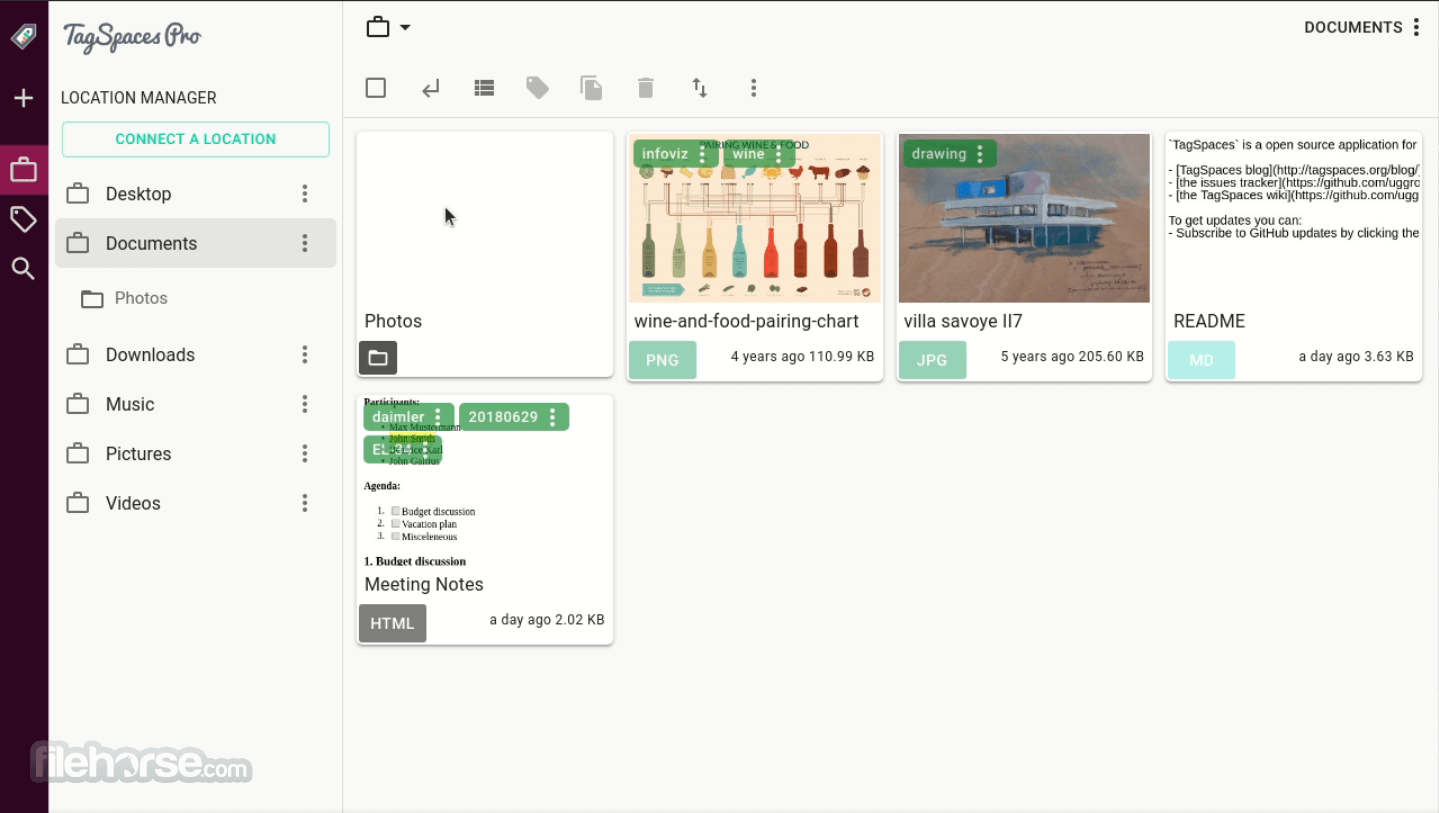
TagSpaces 6.12.1 Screenshots
The images below have been resized. Click on them to view the screenshots in full size.
-

-

-

What's new in this version:
New Features:
- New import/export functionality — completely reimplemented for more reliable settings and data migration
- General support for symlinks across locations
- Brand new move/copy entries dialog with quick access to recent files
- Full-text search on plain text files is now a free feature — previously part of Pro, now available to everyone
- Configurable folder color in settings and extension config
- Existing perspectives are now configurable in the settings and extension config
- File/folder picker added for creating relative and ts links, with corrected relative-link navigation
- Open with sub-menu added to the file context menu
- Experimental encryption for sensitive information in the desktop app configuration, using the Web Crypto API
- Basic handling for offline/online S3 locations
- Extensions can now open the file picker dialog and use it to create links to files and folders
Improved:
- New splitter component — now usable on touch devices, with corrected cursor styling
- Advanced settings tab merged into the General tab for a simpler settings layout
- iOS-style switches — migrated to the new TsSwitch component
- Improved usability of full-text search and link extraction
- Hardened link opening and consolidated generation of sharing (ts) links
- The opened file now scrolls into view in the Grid perspective
- Correct scrolling after changing pages in pagination
- Improved display of datetime tags
- File/folder picker added to the create link dialog
- Files opened from the command line now always open in full width
- Reworked file selection in the tagging dialog
Fixed:
- Fixed file properties incorrectly reloading on rename
- Fixed switching between remote locations — clicking one remote location and then quickly another now switches cleanly; slow S3/WebDAV responses from the first click are properly cancelled
- Improved support for UNC paths for thumbnails on Windows
Developer / Experimental:
- Upgraded MUI (Material UI) 7.3.9 → 9.0.1 (#2440)
- Integrated new splitter component (#2437)
- Modern error handling with error boundaries
- Adjustments for the Android app icons
 OperaOpera 132.0 Build 5905.73 (64-bit)
 LDPlayerLDPlayer - Android Emulator
 PhotoshopAdobe Photoshop CC 2026 27.7 (64-bit)
 BlueStacks AIBlueStacks AI
 NitradoNitrado - Rent a Gaming Server
 CapCutCapCut Desktop 8.7.0
 PC RepairPC Repair Tool 2026
 Hero WarsHero Wars - Online Action Game
 TradingViewTradingView - Trusted by 100 Million Traders
 Forza HorizonForza Horizon 6
Comments and User Reviews