




 Keeprix
 YTD Download
 PRTG
PRTG Streaming
 WTFast
 4K Download
 RemotePC
 CleverGet
-
Latest Version
-
Operating System
Windows 7 64 / Windows 8 64 / Windows 10 64 / Windows 11
-
User Rating
Click to vote -
Author / Product
-
Filename
tagspaces-win-x64-6.7.2.exe
Sometimes latest versions of the software can cause issues when installed on older devices or devices running an older version of the operating system.
Software makers usually fix these issues but it can take them some time. What you can do in the meantime is to download and install an older version of TagSpaces 6.7.2.
For those interested in downloading the most recent release of TagSpaces or reading our review, simply click here.
All old versions distributed on our website are completely virus-free and available for download at no cost.
We would love to hear from you
If you have any questions or ideas that you want to share with us - head over to our Contact page and let us know. We value your feedback!
-
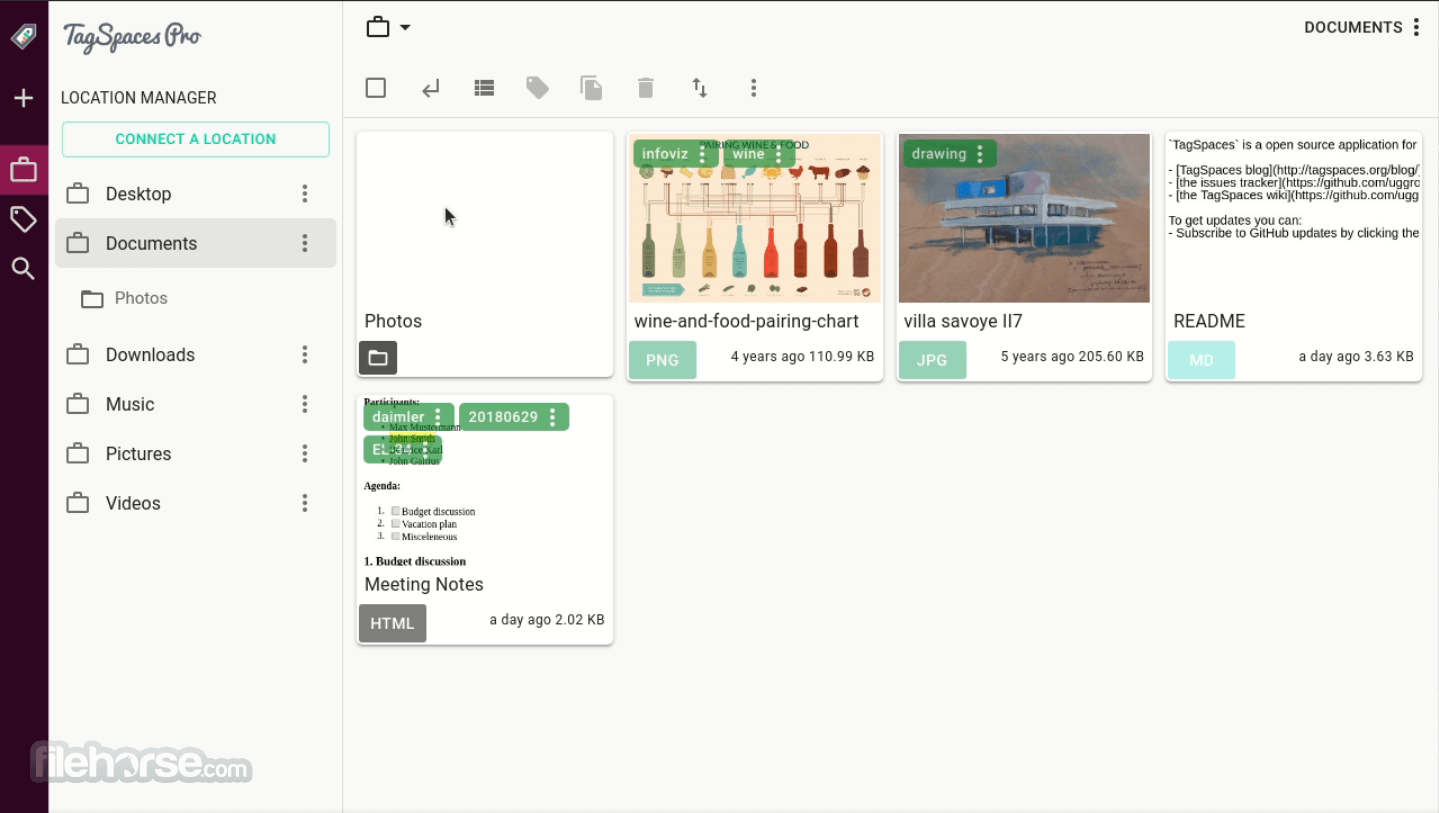
TagSpaces 6.7.2 Screenshots
The images below have been resized. Click on them to view the screenshots in full size.
-

-

-

What's new in this version:
New Features:
- New User Interface Themes TagSpaces now includes 7 brand new user interface themes
- Folder Description Revisions TagSpaces includes revision support for folder descriptions, providing better safety and version tracking
Fuzzy Search in Tag Descriptions:
- You can now search inside tag descriptions, making it even easier to find and organize your files
Calendar Perspective [BETA]:
- The Calendar Perspective is now officially released and available for all users (in BETA status)
Open Files from the Command Line:
- On macOS and Windows, you can now launch files directly into TagSpaces via the command line
Register TagSpaces as Default File Opener:
- TagSpaces can now be set as the default application for .md, .html, .mmd, and .txt files
- Thumbnails Generation All thumbnails are now generated with the free LITE version
Improved:
- Performance Enhancements
- Faster and smoother UI thanks to optimized React/MUI rendering and improved overall responsiveness.
- Improved Markdown Editor
- Updated editor libraries and refined usability for a more comfortable writing experience.
AI Chat Usability Enhancements:
- Cleaner design and improved reliability when exporting chats and AI sessions.
- Added author information to chat history
- Reversed message order for a natural conversation flow
- Improved scrolling behavior
- Refined folder AI chat menu
Updated Perspective Switcher:
- Redesigned for better clarity, accessibility, and ease of use
Improved Tag Group Color Handling:
- More accurate coloring for tag groups originating from locations
General UI & UX Refinements:
- Cleaner settings filters, updated UI components, and smoother extension interactions
Fixed:
- Fixed tagging issue from the context menu of the tag library
- Updated all extensions with new libraries and improved usability
- Fixed layout issues where content shifted in the entry viewer during certain extension actions
 OperaOpera 129.0 Build 5823.44 (64-bit)
 Kling AIKling AI - Text or Image to Video
 PhotoshopAdobe Photoshop CC 2026 27.4 (64-bit)
 BlueStacksBlueStacks 10.42.167.1001
 OKXOKX - Buy Bitcoin or Ethereum
 CapCutCapCut 7.9.0
 PC RepairPC Repair Tool 2026
 Hero WarsHero Wars - Online Action Game
 TradingViewTradingView - Trusted by 100 Million Traders
 AdGuard VPNAdGuard VPN 2.9.0
Comments and User Reviews