




 iTop Browser
 Brave
Brave Opera GX
 Firefox
 Chrome
 Incogniton
 Norton Browser
-
Latest Version
Vivaldi 7.8.3925.56 (64-bit) LATEST
-
Review by
-
Operating System
Windows 10 (64-bit) / Windows 11
-
User Rating
Click to vote -
Author / Product
-
Filename
Vivaldi.7.8.3925.56.x64.exe
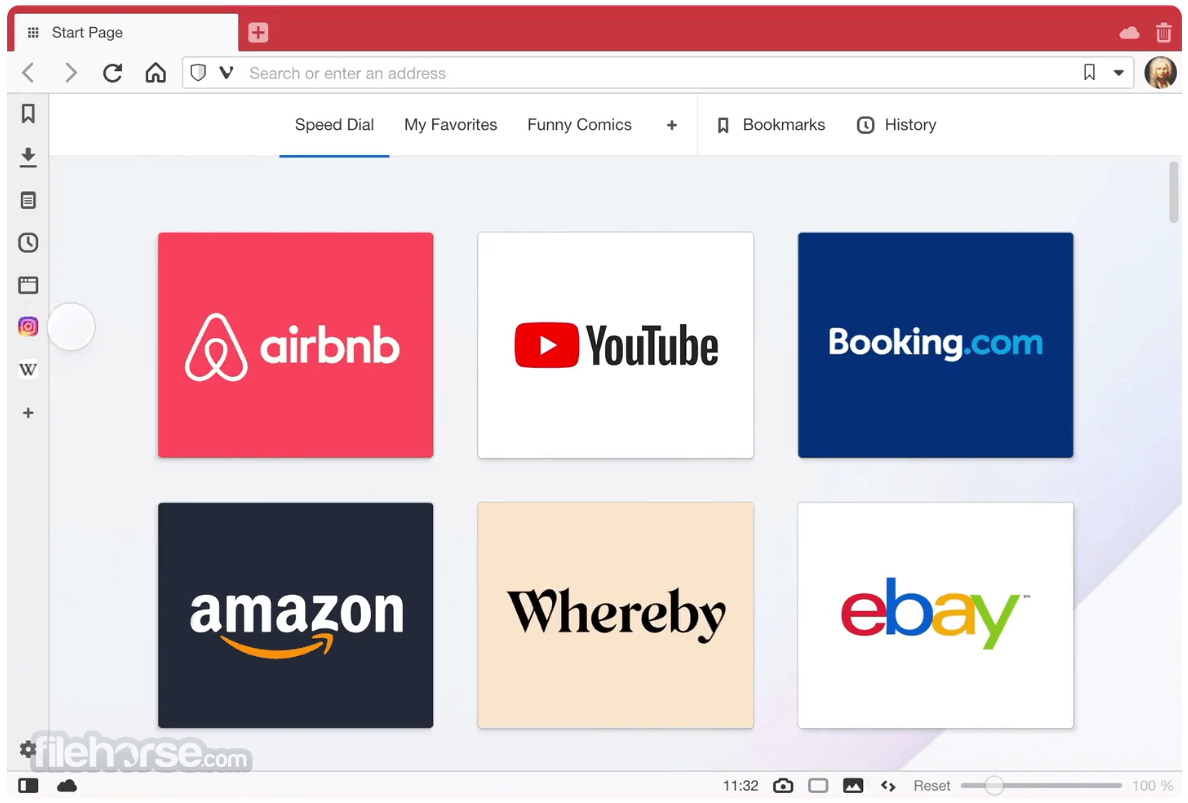
Developed by Vivaldi Technologies, a company co-founded by former Opera CEO Jon Stephenson von Tetzchner, it stands out in a crowded market by emphasizing personalization and innovation. Built on the Chromium engine, it offers compatibility with Chrome extensions while delivering a unique browsing experience tailored to individual needs.
From the creators of Opera, a Vivaldi Browser 64-bit that is fast, but also a web browser that is rich in functionality, highly flexible, and puts the user first. A browser that is made for you. Finally, you can surf your way.
The web browser adapts to you, not the other way around. Do you like the browser tabs placed at the bottom or on the side of the window? Maybe you prefer a different address bar location too?
With this program you’ll be able to customize all that plus much more, such as your keyboard shortcuts, mouse gestures, and so on.
Are you a keyboard person? Then you’re in luck. Quick Commands lets you search through open tabs, bookmarks, history, settings and more with one single keyboard shortcut. The tool aims to make the Quick Commands menu highly customizable, allowing you to create your own commands and run them instantly.
Too many unorganized tabs in your internet browser can quickly become a bit messy, making it hard to find the tab you are looking for. Organize your tabs using Tab stacks! They let you group multiple tabs under a single tab. Just drag a tab over to another for easy grouping.
Take notes and add screenshots of web pages while browsing right in the Notes panel. The notes can remember relevant web sites, store attachments such as screenshots, or allow you to add tags to easily organize and locate it later. Download Vivaldi Browser offline installer for PC from FileHorse.com now.
Features
- Customization: Nearly every aspect of the browser can be personalized, including the appearance, layout, and functionality of the interface.
- Tab Management: Advanced tab tools include tab stacking, tiling, and grouping, allowing users to manage multiple tabs efficiently.
- Built-In Tools: Features like a built-in email client (Vivaldi Mail), calendar, and note-taking functionality eliminate the need for additional apps.
- Keyboard Shortcuts & Mouse Gestures: Extensive support for custom shortcuts and gestures enhances productivity.
- Privacy and Security: The app emphasizes privacy by blocking trackers and ads and avoids collecting user data.
- Split-Screen View: Users can view multiple tabs side-by-side, ideal for multitasking.
- Reader View: Simplifies web pages for distraction-free reading.
- Periodic Tab Reload: Automatically refresh tabs at set intervals, handy for tracking live updates.
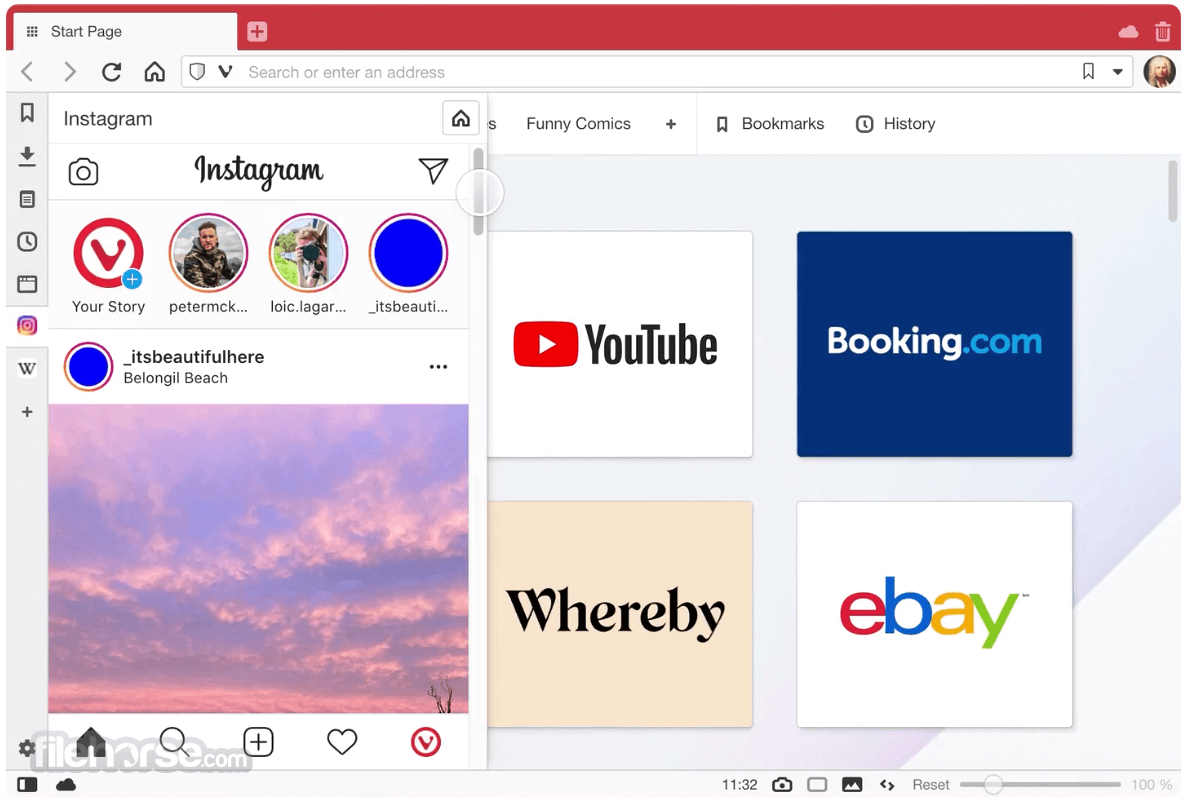
- Web Panels: Sidebar panels let users access social media, messaging apps, or other websites without opening new tabs.
Appearance: The browser offers adaptive themes that change based on website colors, time of day, or user preferences.
Speed Dial: The customizable new tab page displays favorite websites and frequently visited pages for quick access.
Side Panel: A sidebar provides easy access to bookmarks, downloads, notes, and web panels.
Compact vs. Spacious Layout: Users can choose between a minimalist or detailed interface.
The intuitive design caters to both casual users and those who enjoy tweaking settings to the nth degree.
What`s New
- Speed Dials: Quickly access favorite websites from a customizable Start Page.
- Notes: Take and sync notes securely across devices while browsing.
- Sync: Synchronize browser data across multiple devices with security.
- Translate: Instantly translate web pages with a private, built-in tool.
- Capture: Snap screenshots of entire web pages or selected areas.
- Pop-out Video: Watch videos in a floating window while multitasking.
- History: View a visually detailed and statistical overview of browsing history.
- Mouse Gestures: Perform actions like opening or switching tabs with mouse movements.
- Command Chains: Create custom shortcuts and workflows for efficient browsing.
- Razer Chroma: Integrate with Razer Chroma on Windows for a personalized browsing experience.
- Visit the official website or FileHorse.
- Download the installer for your operating system.
- Run the installer and follow the on-screen instructions.
- During the first launch, a setup guide helps users configure the browser according to their preferences, including importing bookmarks and setting up themes.

Customize the Interface: Access the settings menu (Ctrl + , on Windows) to explore themes, layouts, and toolbars.
Organize Tabs: Drag tabs into stacks or tiles for grouped browsing.
Utilize Web Panels: Add frequently visited websites like WhatsApp or Twitter as panels for instant sidebar access.
Use Built-In Tools: Take notes directly in the browser, manage emails via Vivaldi Mail, or sync your schedule with the built-in calendar.
Keyboard & Mouse Efficiency: Create custom keyboard shortcuts or use mouse gestures to streamline navigation.
FAQ
Is Vivaldi compatible with Chrome extensions?
Yes, since Vivaldi is based on Chromium, it supports all Chrome extensions available on the Chrome Web Store.
Does Vivaldi collect user data?
No, this program does not collect user data or sell it to third parties. It is committed to user privacy and transparency.
Is Vivaldi available on mobile?
Yes, it has a mobile version available for Android and iOS, offering similar customization features as the desktop version.
How does Vivaldi handle updates?
The software frequently releases updates to improve performance, add features, and enhance security.
Can I sync my data across devices?
Yes, it allows you to synchronize bookmarks, passwords, history, and settings across devices securely.

Alternatives
Chrome: Offers simplicity and fast performance but lacks advanced customization and privacy features.
Firefox: Focuses on privacy and extensibility but has fewer built-in tools than this app.
Opera: Similar roots to this program with a focus on additional features like a free VPN and integrated social media apps.
Brave: Prioritizes privacy and ad-blocking with a focus on speed and cryptocurrency incentives.
System Requirements
OS: Windows 11, 10, 8 or 7
It requires minimal disk space and operates efficiently, even on low-end hardware.
PROS
- Highly customizable and feature-rich
- Advanced tab management tools
- Strong privacy and security focus
- Built-in productivity tools (mail, calendar, notes)
- Compatibility with Chrome extensions
- May feel bloated for users seeking simplicity
- Resource usage can be higher than minimalist browsers
Vivaldi is a powerhouse browser that caters to users who demand flexibility, control, and privacy. It’s an excellent choice for those who enjoy personalizing their software and multitasking effectively.
While it may not suit users who prefer minimalistic browsing experiences, its robust feature set, privacy-first approach, and free availability make it a top contender in the browser market.
Whether you’re a tech enthusiast, a productivity guru, or simply tired of generic browsers, this app is worth exploring. Its ability to blend functionality and customization truly sets it apart.
Also Available: Vivaldi (32-bit) and Vivaldi Browser for Mac
-
Vivaldi 7.8.3925.56 (64-bit) Screenshots
The images below have been resized. Click on them to view the screenshots in full size.
-
-
-
What's new in this version:
New:
- [New][Tab][Tiling] Allow tab tiling via drag and drop
- [New][Daily Image][Dashboard] Offer to automatically replace background
- [New][Tabs] Pinned tabs contained to one domain
- [New][Windows][Installer] UI redesign
- [New][Mail] Allow in multiple tabs and windows
- [New][Mail] Pin mail tabs across Workspaces
- [New][Tabs] Add copy and paste of tabs
Address Field:
- [Address Field] Don’t fill Address Field when opening item in background tab
- [Address Field][Settings][Search] When “Search in Address field” is disabled, do not search
- [Address Field][Settings] Search engine nicknames can appear in query string
Bookmarks:
- [Bookmarks] Keep selected item visible when clearing filter
- [Bookmarks] Nickname disappears when switching folder
- [Bookmarks] Search that matches folder name no longer displays folder contents
- [Bookmarks] Searching does not work in the bookmarks drop down
- [Bookmarks] ‘Add Page to Bookmarks’ always creates two duplicate bookmarks
Crash:
- [Crash] Accessing website settings in private window
- [Crash] Check that infobar’s delegate exists before using it
- [Crash] Drag out stack with tiles
- [Crash] In Extension Function Dispatcher
- [Crash] In report NC mouse position
- [Crash] JavaScript callback handling
[Crash] On chrome:new-tab-page and tabs.create
- [Crash] On various confirmation dialogs
- [Crash] Opening a Speed Dial folder on the Dashboard
- [Crash] Pointer lock event handling
- [Crash] Socket API cleanup during shutdown
[Crash] TypeError: Cannot read properties of undefined (reading ‘length’)
- [Crash] When autofill show update address profile bubble is to be shown
- [Crash] When displaying a password bubble
- [Crash] When dragging file after download
- [Crash][Ad Blocker] During Request Handling
- [Crash][Extensions] Tile tab extension
- [Crash][Linux] When importing passwords created from a very old Chromium
- [Crash][Mail] Errors when turning off/on mail
- [Crash][Mail] On deleting label
- [Crash][Mail] When clicking Mail from NTP navbar in secondary window
- [Crash][Menus] Context menu handling
- [Crash][Search] Dialog to suggest alternative providers crashes when list is empty
- [Crash][Spatial Navigation] On a local mHTML page
- [Crash][Sync] Whenever I try and log in
Crash reporting:
- [Crash Reporting] Opt-in toolbar after crash
- [Crash Reporting] Crashpad handler not launched on first run
- [Crash Reporting][Settings] Crash Report checkbox not working
Keyboard:
- [Keyboard] F2 to rename bookmark/note/session etc also opens Quick Commands
- [Keyboard][A11Y] Support caret browsing
- [Keyboard][Settings] “Prioritize Website Shortcuts” blocks Ctrl+C and Ctrl+V
Mail:
- [Mail] Add affiliate links to account setup
- [Mail] Add your first account dialog looks broken
- [Mail] Attempting to delete one e-mail that is in multiple IMAP inboxes displays UI without any option selected
- [Mail] Changing sorting of list not reflected in list header until selecting a message
- [Mail] Clear all Labels not for multiple selections
- [Mail] Columns removed are not persisted
- [Mail] Date Sent column information not consistent
- [Mail] Date column information in Trash is not consistent
- [Mail] Duplicating e-mails in folders
[Mail] Error in Mail Search Database: prompt to rebuild
- [Mail] Error when adding first account
- [Mail] Incorrect sorting when switching folders
- [Mail] List entry thread not updated correctly when threading data changes
- [Mail] Mark as read button disabled on starting with a mail tab
- [Mail] Messages sent to self are not threaded
- [Mail] Missing gap below thread
- [Mail] Overlapping buttons with address bar hidden and tabs on side
- [Mail] Remove border under collapsed threads
- [Mail] Save as filter from “see messages to and from” does not work
- [Mail] Some messages not found found in search
- [Mail] Sorted data not maintained correctly
- [Mail] Strange delete confirmation dialog behaviour
- [Mail] There are two Date entries for column selection
- [Mail] Update unseen regardless of its current state
- [Mail] Wrong order on incoming mails
- [Mail][Calendar] Delete of mail and calendar accounts fail
- [Mail][Welcome] Add proton certificate step to adding new account steps
- [Mail][Workspaces][Settings][Tabs] Allow to pin tabs across Workspaces
Menus:
- [Menus] Hot keys always open menu in the latest window
- [Menus] Second click on the Vivaldi menu does not close it
- [Menus][Bookmarks] Right click menu doesn’t work in the bookmark bar, “Add Active Tab”
Settings:
- [Settings] Added calendar view looks identical to add calendar view
- [Settings] Cannot delete a website from the Declined Sites option in Passwords
- [Settings] Disabling “Allow Vertical Text Direction” leaves you stuck in vertical mode
- [Settings] Improvements and fixes to the site permissions
- [Settings] Password list is truncated to single line
- [Settings] Restore Default Keys resets mouse gestures
- [Settings] Restore button cannot be pressed
- [Settings] Set as Default button overlaps its column in Spanish
- [Settings] Sync settings may steal search field focus
- [Settings][Search] Search engine setting requires reopening search to update
- [Settings][Tabs] Restrict pinned tab to domain menu setting does not stick on first attempt
- [Settings][Themes] Check boxes in theme editor do not work
- [Settings][Themes] Dropdown menu in the editor does not work
- [Settings][Themes] Theme editor UI not updated with changes
Start Page:
- [Start Page] Folder selection flickers when opening new tab
- [Start Page] Jerky animation with thumbnails
- [Start Page] Show only the Speed Dial folder can cause bookmark popup to close on selection
- [Start Page] Speed Dial transitions are jerky, won’t respect reduce-motion setting
- [Start Page] Speed Dial folders order resets on restart
- [Start Page] When moving Speed Dial in folders everything disappears
- [Start Page] Widgets disappear after adding a bookmark via the Dashboard
- [Start Page] Widgets should not appear when you navigate to a sub folder
- [Start Page][Bookmark] Widget’s folder choice and scrolling broken
- [Start Page][Settings] Quick Settings panel does not close when clicking on the background
Tabs:
- [Tabs] Clicking on speaker button activates the tab
- [Tabs] Sharing banner not disappearing if stopped and duplicates when tab switches
- [Tabs] Switch tabs on mouse down again
- [Tabs][Keyboard] Cannot cycle tabs when browser is full screened or chrome-less
- [Tabs][Media] Narrow tabs and audio-icon conflicting
- [Tabs][Media] Too easy to accidentally mute tab
- [Tabs][Menu] Stacking is visible in context menu even when disabled
- [Tabs][Settings] Wrong text in Settings for stacking tabs
- [Tabs][Settings] “Tabs → Tab Features → Minimise Active Tab” is broken
Widgets:
- [Widgets] Add Mini calendar in the date widget
- [Widgets] Privacy widget flickers and goes out of view
- [Widgets][Performance] Privacy Statistics widget flashes
Other:
- [AdBlocker] Not retrieving and updating the ad and tracker blocker sources
- [Calendar] Alarm description not encoded on export
- [Chromium] Update to 144.0.7559.114
- [Commands] Focus panel command fails to focus panel
- [Commands] Missing command “Copy page address”
- [Dashboard] Bookmark widget not showing correct title
- [Downloads] Can’t download files in pop-up windows
- [Downloads] Download chart animates incorrectly
- [Extensions] Installed Screen freezes browser
- [Gestures][Tabs][Commands] Make “Open Link in Tiled Tab (Over a Link)” an option that can be mapped
- [Linux] Rotate keys in packaging and add KEY12
- [macOS][Import] Safari not visible on Welcome page
- [macOS][Popout Video] Picture in Picture on Google Meet doesn’t work
- [macOS][Toolbars] Add a “share” button
- [Media][Popout Video] PiP Volume control in the separate video window does not work
- [Notes] Create Note with Selection output option in Capture Tool dialog fails to create a note
- [Profiles] Open popup window on Guest Profile
- [Profiles] Opening Settings in one profile freezes the other profile windows
- [Quick Commands] Order of tabs shown is random
- [Search] Confusing message when trying to delete a search engine
- [Status bar] Prevent menu content calculation on each render
- [Themes][Settings] Reset button for default themes is unresponsive after making a change
- [Thumbnails] Update thumbnail on page refresh
- [Touch] Dialogs and pop-outs not dismissed when clicking outside them but on a web page
- [UI] Redesign the session recovery interface to make it cleaner and easier to understand
- [Windows Panel] Invisible text in panel during mouse drags
- [Workspaces] Avoid layout shift when moving between Workspaces
 OperaOpera 127.0 Build 5778.14 (64-bit)
 Kling AIKling AI - Text or Image to Video
 PhotoshopAdobe Photoshop CC 2026 27.3 (64-bit)
 BlueStacksBlueStacks 10.42.163.1003
 OKXOKX - Buy Bitcoin or Ethereum
 CapCutCapCut 7.9.0
 PC RepairPC Repair Tool 2026
 Hero WarsHero Wars - Online Action Game
 TradingViewTradingView - Trusted by 60 Million Traders
 AdGuard VPNAdGuard VPN 2.8.2
Comments and User Reviews