




 PDFelement
 Genspark AI
 Adobe Acrobat
 BookFab
 Day One
 Transkriptor
 Wispr Flow
 Accio Work
-
Latest Version
WordPress 7.0.4 LATEST
-
Review by
-
Operating System
Windows 7 / Windows 8 / Windows 10 / Windows 11
-
User Rating
Click to vote -
Author / Product
-
Filename
wordpress-7.0.4.zip
Famous for its advanced online dashboard framework (compatible with countless plugins, template systems, and other expansions), accessible from inside any modern browser, developers from WordPress Foundation have also created a standalone application that can allow users of Windows desktop and laptop PCs to easily manage all aspects of their WP projects.
The application for the PC serves the role of the powerful control panel that provides instant access to the full toolset and services found in the browser dashboard.
Built for speed and intuitive access to your content, this standalone app can help you focus on design and content management without the possibility that other browser tabs will distract you elsewhere.
Any user of the online Word Press dashboard will feel at home when using this standalone PC app, which re-uses all the UI and visual design choices of the online version, but is now powered by the enhanced speed that is powered by local caching of all service elements.
- Customizable Designs
- SEO Friendly
- Responsive Mobile Sites
- High Performance
- Manage on the Go
- High Security
- Powerful Media Management
- Easy and Accessible
As expected, the app supports all popular services for collaboration, including multi-user login and multi-blogging.
Since websites that are managed by WordPress Offline are viewed on a large array of internet-connected devices, the app can easily morph into any size you want, automatically scaling content for the display type of your choice – from large desktop areas to small mobile displays.
Extend WP with over 54,000 plugins to help your website meet your needs. Add an online store, galleries, mailing lists, forums, analytics, and much more!
WordPress CMS for PC is 100% FREE and is optimized for all modern versions of Windows OS (Windows 7 and newer).
To use the app, you will need to create or log in using your free WordPress.com profile.
System Requirements for Windows
- Windows 10 or Windows 11
- XAMPP or WAMP for local installation (PHP, MySQL)
- At least 4GB RAM (8GB recommended)
- 2 GHz dual-core processor or better
- 1GB free disk space (more for media-rich sites)
- Web browser: Chrome, Firefox, Edge
- Easy to use for beginners
- Wide range of themes available
- Large plugin ecosystem
- SEO-friendly structure
- Strong community support
- Regular updates required
- Can be vulnerable to attacks
- Performance may need tuning
- Plugins can cause conflicts
- Learning curve for advanced features
-
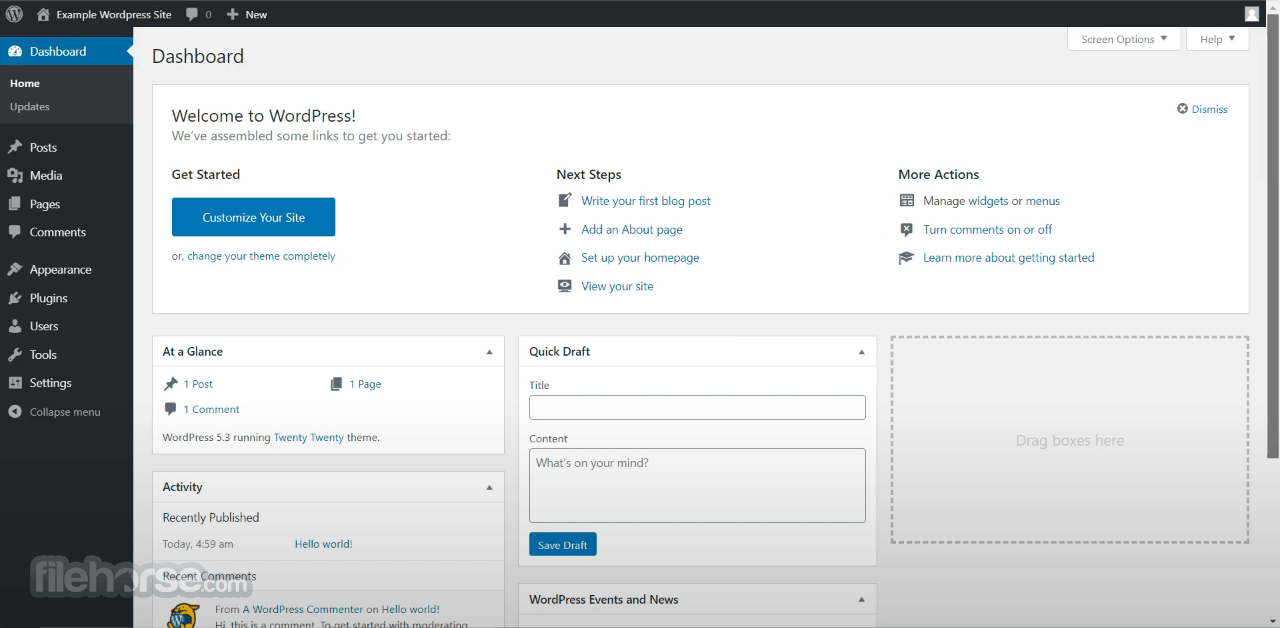
WordPress 7.0.4 Screenshots
The images below have been resized. Click on them to view the screenshots in full size.
-

-

What's new in this version:
The security team would like to thank the team at pwn.ai for responsibly reporting the following vulnerability and allowing it to be fixed in this release:
- Authenticated Author+ remote code execution via malicious file upload on sites that use Imagick and Ghostscript.
Backports:
- As a courtesy, these fixes are being backported through to the 4.7 branch and the 7.1 RC3 release that’s due later today. As a reminder, only the most recent version of WordPress is actively supported. The backports are in progress and will ship as they become ready.
 OperaOpera 134.0 Build 5954.56 (64-bit)
 BlueStacksBlueStacks 10.42.255.1002
 PhotoshopAdobe Photoshop CC 2026 27.9.1 (64-bit)
 LDPlayerLDPlayer - Android Emulator
 GTA 6GTA 6 for PS5
 CapCutCapCut Desktop 9.1.0
 PC RepairPC Repair Tool 2026
 Hero WarsHero Wars - Online Action Game
 TradingViewTradingView - Trusted by 100 Million Traders
 Halo: CampaignHalo: Campaign Evolved
Comments and User Reviews