




 BookFab
 Genspark AI
 Adobe Acrobat
 WPS Office
 PDFelement
 Edraw AI
-
Latest Version
LibreOffice 26.2.2 (64-bit) LATEST
-
Review by
-
Operating System
Windows 7 64 / Windows 8 64 / Windows 10 64 / Windows 11
-
User Rating
Click to vote -
Author / Product
-
Filename
LibreOffice_26.2.2_Win_x86-64.msi
-
MD5 Checksum
efee02771ac991cf594277f492866173
It offers a robust alternative to commercial software like Microsoft Office, featuring a wide array of tools for word processing, spreadsheets, presentations, database management, and more.
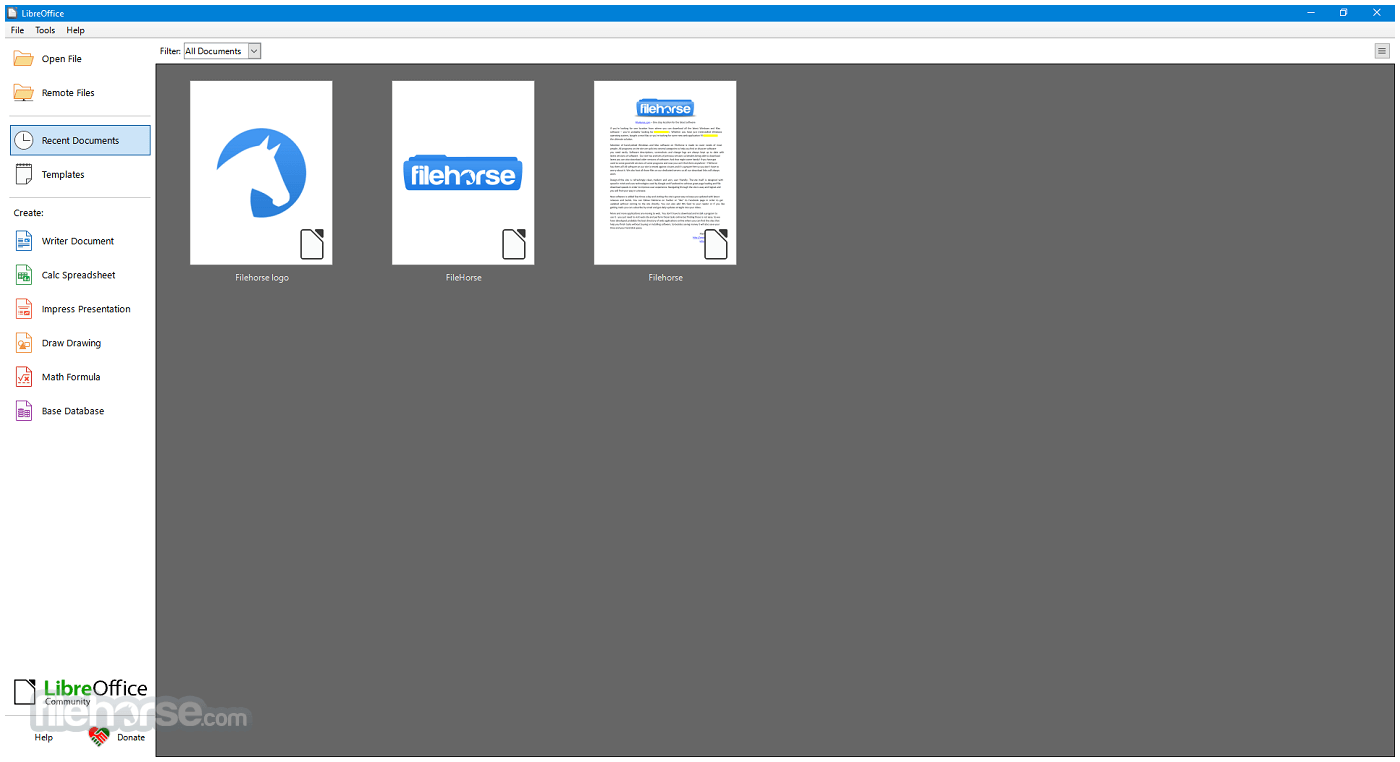
Available for Windows, macOS, and Linux, LibreOffice is particularly popular among users looking for a cost-effective, feature-rich, and privacy-respecting productivity solution.
LibreOffice 64bit is built upon the legacy of OpenOffice and continues to be actively developed by a large community of contributors. For Windows users, it presents an excellent option for both personal and professional use.
What`s New
- Improved compatibility with Microsoft Office file formats (DOCX, XLSX, PPTX).
- Enhanced performance when opening large documents and spreadsheets.
- Refined user interface with updated icons and theme improvements.
- Writer updates with better comment handling and change tracking.
- Calc improvements including new functions and faster recalculation.
- Impress enhancements with smoother slide transitions and export options.
- Improved PDF export with added security and accessibility options.
- Stronger interoperability with modern OpenDocument (ODF) standards.
- Better spell-checking and language support updates.
- Bug fixes and stability improvements across all modules.
Writer: A word processor for creating letters, reports, books, and more.
Calc: A spreadsheet program similar to Microsoft Excel, supporting complex formulas, charts, and data analysis tools.
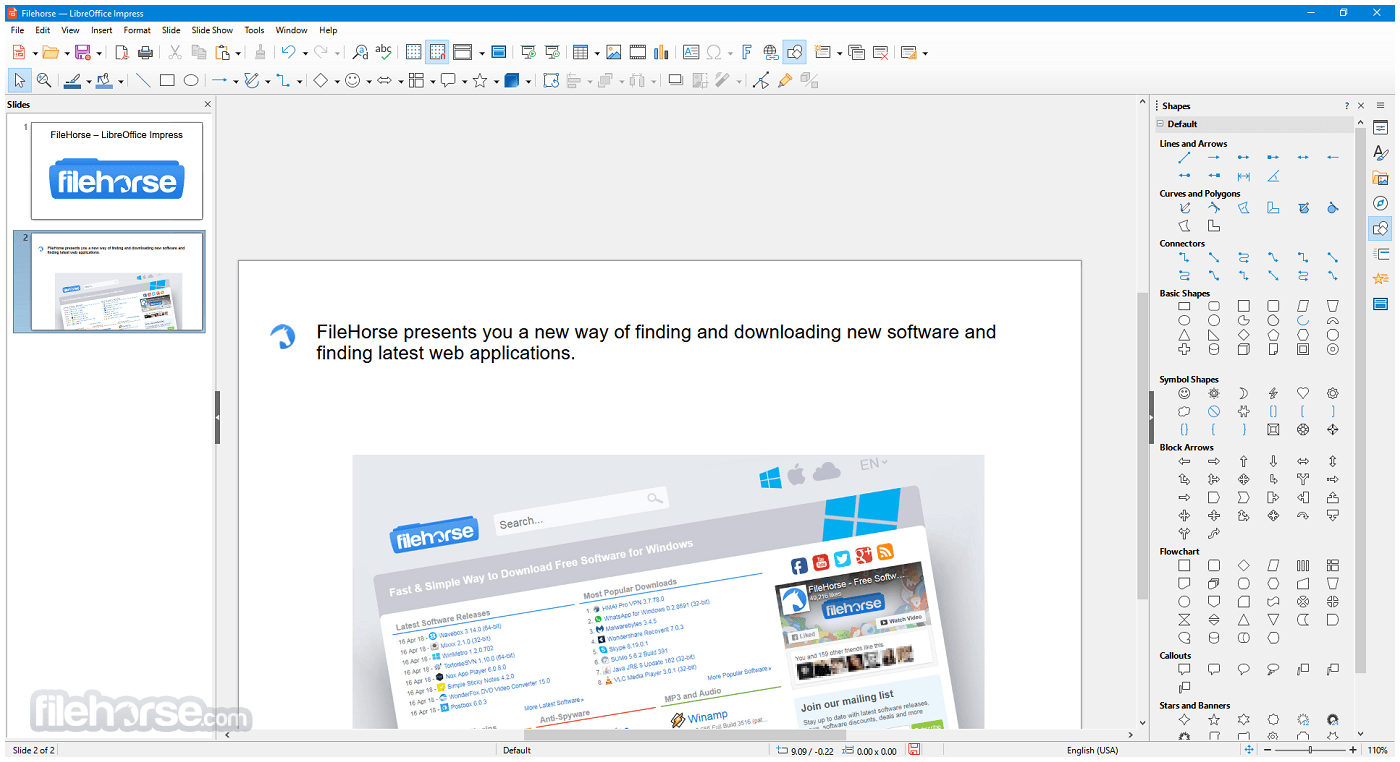
Impress: A presentation tool for creating slideshows, supporting multimedia integration and animation.
Draw: A vector graphics editor that allows diagramming, flowcharts, brochures, and technical drawings.
Base: A database front-end similar to Microsoft Access, useful for creating and managing databases.
Math: A formula editor for writing mathematical and scientific equations.
It also supports a wide range of document formats, including Microsoft Word (.doc/.docx), Excel (.xls/.xlsx), and PowerPoint (.ppt/.pptx), as well as its own native Open Document Format (ODF).
User Interface
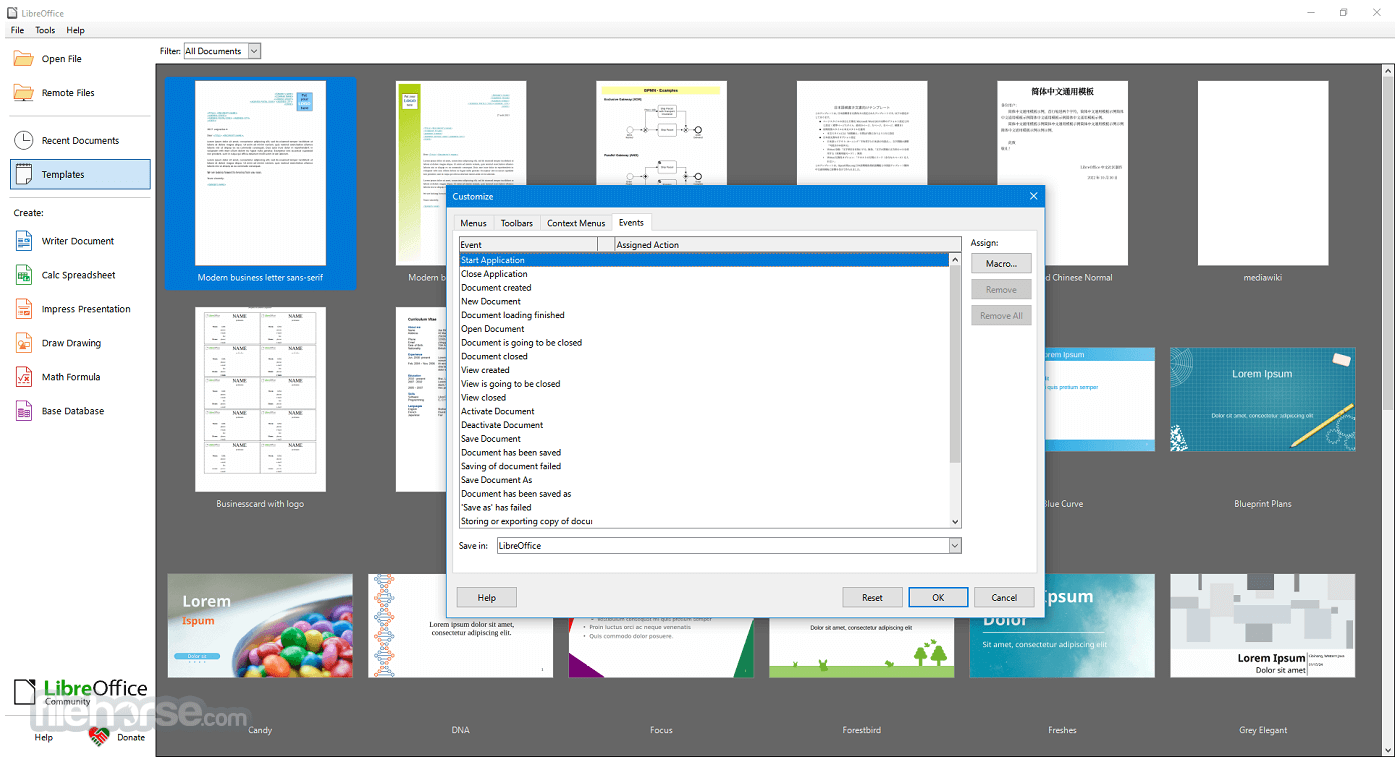
The app sports a traditional desktop application UI, ideal for users who prefer a more classic, menu-driven interface over ribbon-style layouts. However, for those who enjoy a more modern look, LibreOffice includes an optional “Tabbed” interface that mimics the feel of Microsoft Office’s ribbon.
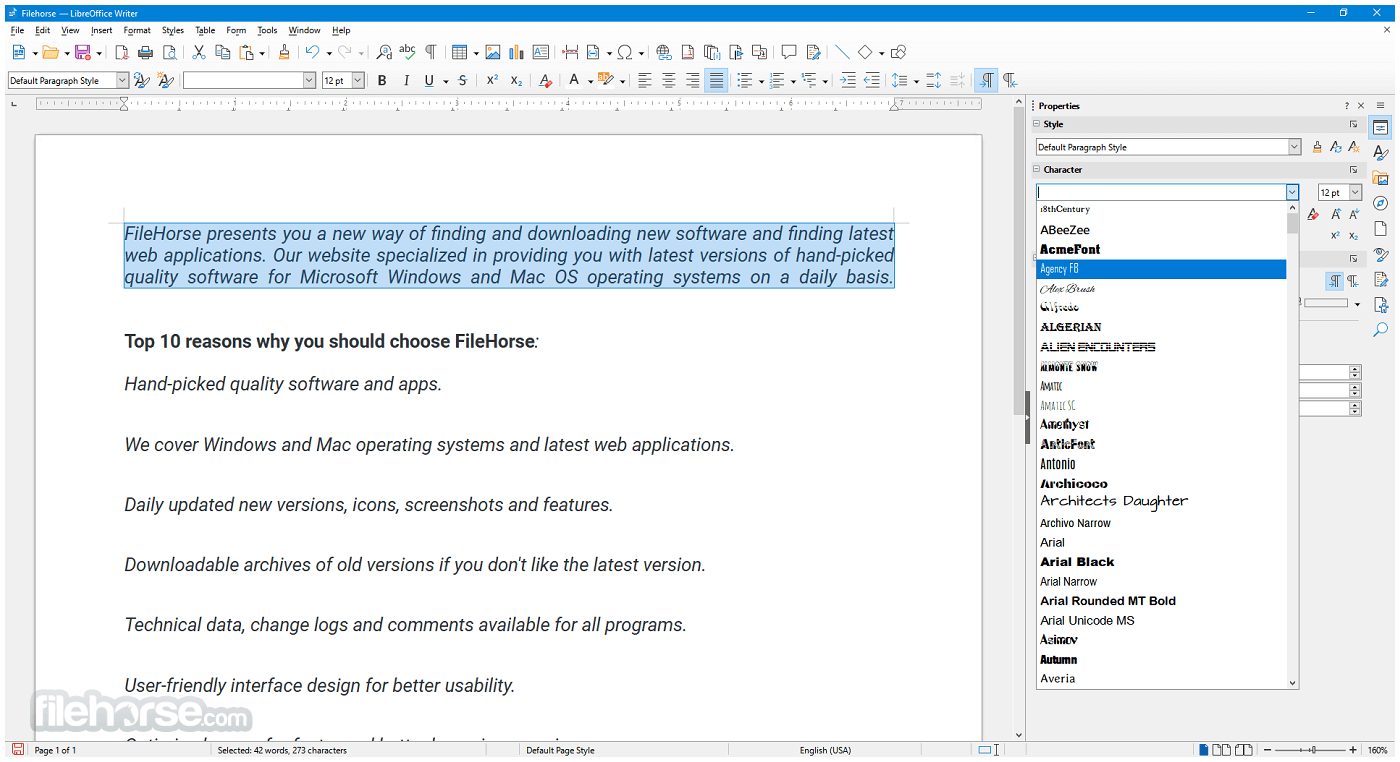
The UI is generally consistent across all modules, which makes learning the suite easier. Customization options are extensive, with the ability to personalize toolbars, menus, keyboard shortcuts, and themes.
While not as sleek or polished as some proprietary alternatives, the interface is functional, intuitive, and gets the job done.
Installation and Setup
- Download the latest stable version for Windows.
- Run the installer file and follow the step-by-step setup instructions.
- Choose between a Typical or Custom installation.
- The software installs all modules by default, but users can select specific components if needed.
- The entire installation typically completes within a few minutes. No additional bloatware or third-party software is included.
Launching Applications: After installation, you can open individual components like Writer, Calc, or Impress directly from the Start Menu or the LibreOffice launcher.
Creating Documents: Create a new document by selecting a template or blank file. Each module includes templates to get started quickly.
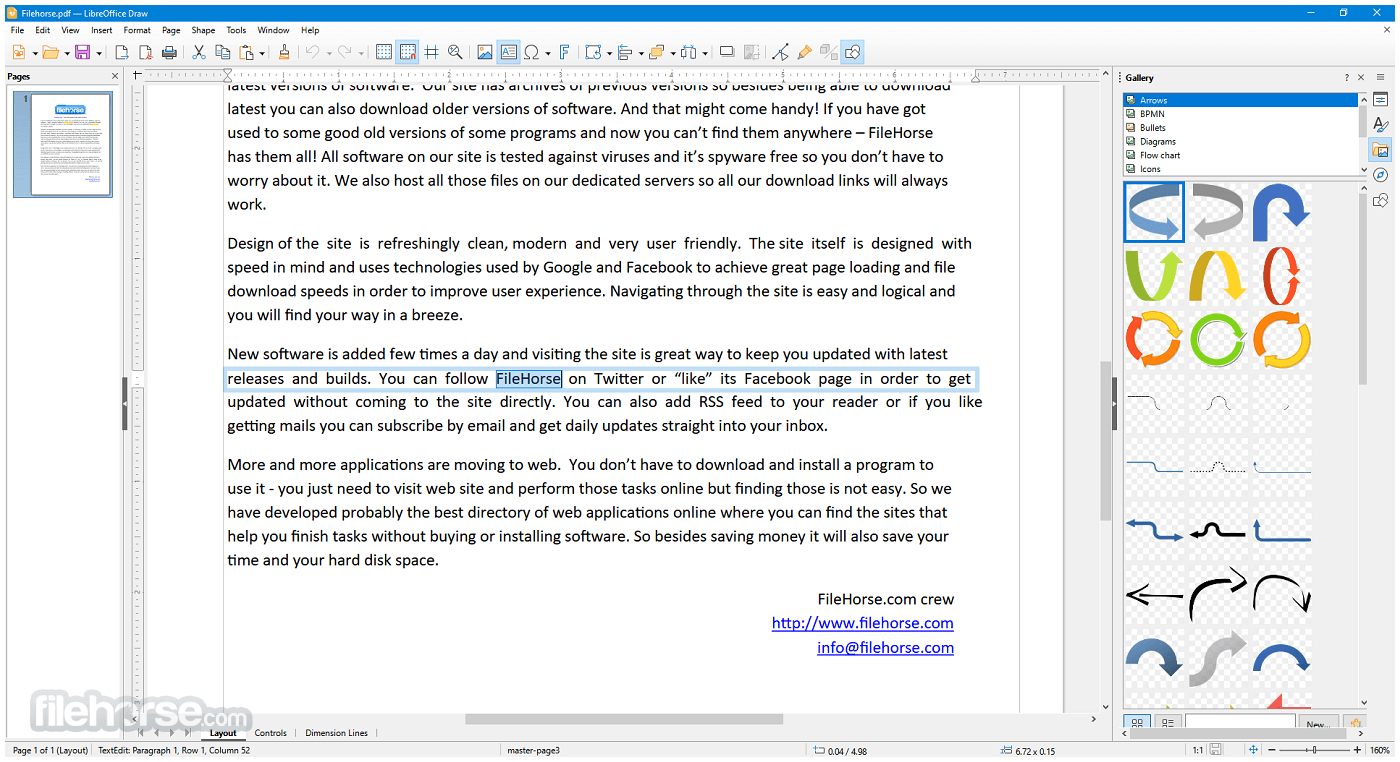
Saving and Exporting: Documents can be saved in ODF format or exported to Microsoft formats or PDF.
Collaboration: While LibreOffice doesn’t offer real-time cloud-based collaboration, it supports comments, change tracking, and version comparison.
It provides helpful documentation and a vibrant community forum for new users. There's also a built-in help system and tooltips for guidance.
FAQs
Can LibreOffice open Microsoft Office files?
Yes, it can open and edit Word, Excel, and PowerPoint files, including both older (.doc, .xls) and newer (.docx, .xlsx) formats.
Is LibreOffice 64bit completely free?
Yes, this program is 100% free to download and use, with no subscriptions, ads, or licensing fees.
Does LibreOffice work offline?
Yes, all applications in LibreOffice are desktop-based and work fully offline.
Can I use LibreOffice for business?
Absolutely. LibreOffice is licensed under the Mozilla Public License, making it suitable for both personal and commercial use.
Are there updates or support available?
The software receives regular updates from The Document Foundation. While community support is free, professional support is available via certified partners.
Alternatives
Apache OpenOffice: Similar origins to LibreOffice but less actively developed.
WPS Office: A lightweight, freemium office suite that offers a UI similar to Microsoft Office.
OnlyOffice: Another open-source alternative focused on collaboration and Microsoft format compatibility.
Microsoft Office: The industry standard, with robust features and cloud integration, but requires a paid license.
Google Workspace: Cloud-based and ideal for collaboration, but dependent on an internet connection and less powerful for complex tasks.
Pricing
This program is entirely FREE. It is open-source software, which means there are no hidden costs, license renewals, or advertisements.
You can download, install, and use it for as long as you like.
Users and organizations who benefit from LibreOffice are encouraged to contribute to its development, either through donations or code contributions.
System Requirements
- Operating System: Windows 11, 10, 8 or 7 (64-bit)
- Processor: Pentium-compatible PC (Pentium III or later)
- RAM: Minimum 256 MB RAM (512 MB recommended)
- Hard Drive: At least 1.5 GB of free space
- Display: 1024x768 resolution (higher recommended)
PROS
- Free and open-source
- Rich feature set comparable to paid alternatives
- Excellent compatibility with Microsoft Office formats
- Regular updates and strong community support
- Cross-platform support
- No built-in cloud collaboration tools
- Slightly outdated interface compared to competitors
- Compatibility issues with some complex Office documents
- Lacks integrated email client or scheduling features
- Occasional performance lag with large files
LibreOffice 64bit for Windows PC is a powerful, versatile, and completely free office suite that continues to improve with every release. It covers the full spectrum of office productivity needs—from writing and number crunching to presentations and database management.
While it may lack some of the polish and integrated cloud features of commercial alternatives, its strengths lie in its flexibility, strong document compatibility, and active community-driven development.
Note: Requires Java Runtime Environment. Administrator rights are needed for the installation process.
Also Available: LibreOffice (32-bit) and LibreOffice for Mac
-
LibreOffice 26.2.2 (64-bit) Screenshots
The images below have been resized. Click on them to view the screenshots in full size.
-
-
-
-
What's new in this version:
Fixed:
- sw redline render mode: handle moves
- timeout
- timeout
- integer-overflow
- timeout
- direct-leak
- integer-overflow
- direct-leak
- FILESAVE: Slide transistion sound(other sound) is not included in presentation file
- RTL: Status bar fields aligned to the left
- FILEOPEN: XLSX - Pointer to sheet with dotted name in cyrillic has incorrect reference format
- Freezes when I open a ODT document
- EMF+ Images with textured brushes are not drawn
- Incorrect current page after changing the layout, undo and redo
- Erratic behaviors in Basic IDE with multiple controls selection
- The content of DOCX content control is no longer updated when opened (unless resaved in MSO)
- DOCX SDT: support for
- LibreOffice Draw 7.6 draw lines thinner than 7.4
- Defined Ranges in a single column with delimiting row corrupted by 7.6.5 (STR comment 5)
- Landscape writer docs print in truncated Portrait
- Relationship between "Show expand/collapse buttons" and "Enable drill to details" options in pivot table is unclear
- FILEOPEN PPTX: Text appears right aligned instead of centered
- FILEOPEN PPT Hanging indent not imported in bulleted paragraph
- FILESAVE DOCX Word fails to open roundtripped document (issue with shape guides/glue points)
- UI: right-click action on master file item acts on selected item, not item under mouse cursor
- Since version 24 of LibreOffice, the PDF/A-1 export is invalid
- no-break-space disappears when wrapping to another line
- PDF/UA-2 generation is incorrect
- Slide thumbnail isn't shown in notes view, when 'draw:page-number' attribute is missing in 'draw:page-thumbnail' element in ODF markup
- LibreOffice crashes with Skia/Raster on X11 (gen) VCL backend
- FILESAVE DOCX Certain document with invalid date in date picker can't be opened in Word after roundtrip
- About dialog: build ID is missing in WSL daily build
- FILESAVE DOCX Certain document with data binding in date picker can't be opened in Word after roundtrip
- FILESAVE: PPT->PPTX invalid value in a:ext
- FILESAVE PPTX Paragraph styles Above/Below paragraph spacing value saved as direct formatting
- Only one page is displayed if a string has a large font and uses certain Split Options
- FILESAVE: PPT -> PPTX invalid values in a:off element
- FILESAVE: ODP -> PPTX Charts are not properly exported
- Hidden fields and footnotes - footnote anchor hidden, but not footnote text
- Some UI text color is influenced by the Windows appearance settings
- LibreOffice 25.8.x and 26.2.x crashes often when WritingTool (Java) is used
- FILESAVE PPTX OLE objects on different slides get overwritten on save
- FILESAVE: XLSX - Handle labels in formulas
- FILESAVE: XLS -> XLSX Skip import of external formulas
- FILESAVE: ODS/XLS -> XLSX font name exceeds max length of 31
- FILESAVE: XLS -> XLSX Handle cell references in definedNames
- ANR loading document
- Thumbnails for protected (and some unprotected) documents are rendered with artifacts
- FILESAVE: XLS -> XLSX Import of external functions
- Transcribing properties from a Writer file to PDF: problem with the apostrophe in LO 25.8.4
- FILESAVE: XLS -> XLSX external references in Data Validation are not exported in workbook.xml
- bullet editing dialog gets broken in changing the width
- A specific document hangs after fix to bug 170381
- XLSX - Export dataOnRows attribute in Pivot Table
- FILESAVE XLSX SUM/MAX/MIN formula without arguments saved invalid
- FILESAVE DOCX: bookmark starts do not always match bookmark ends
- Slide transition IconView shows as cramped two columns upon initial display even though there is space for more (Qt UIs)
- A floating table moves to the next page in a certain DOCX
- A floating table splits to move second part to next page, but keeps it on the first page, overlapping with first part
- If the file is saved while the cursor is in a comment, the cursor disappears and is not recovered by Esc, arrow keys, etc.
- FORMATTING Calc mangles single "-" in number format code after file is closed and then re-opened
- FILESAVE DOCX: corrupt document report by MS Word when certain content controls contain a fly
- Tabbed toolbar visible in presentation view
- Impress templates: master page name should not contain minus sign
- Writer & Calc crash when upgrade icon is clicked
- Opening a document fails an assertion after a recent change
- unprotect sheet dialog has two icons "show password"
- A floating table stays on page 1 (partially off-page)
- Portrait Letter / A4 page switches to Landscape, when Microsoft XPS Document Writer is selected in Print dialog
- Ship LibreOfficeKit headers and examples with LibreOffice SDK on macOS
- FILEOPEN PPTX: elements with 3D rotations don't render any longer
- Find: red color wrongly remains when with similarity new results are found
- Landscape page: print preview switches to portrait on printer change
- PDF Whole Sheet export feature only exporting data up to 1022 rows
- Add glyph scaling to paragraph justification
- LibreOffice crashing when tiling with option key and drag on MacOS
- send document by email does not hand over the document to mac mail
- Document created in earlier version looses frmatting in version 26.2.1.2
 OperaOpera 129.0 Build 5823.28 (64-bit)
 Kling AIKling AI - Text or Image to Video
 PhotoshopAdobe Photoshop CC 2026 27.4 (64-bit)
 BlueStacksBlueStacks 10.42.167.1001
 OKXOKX - Buy Bitcoin or Ethereum
 CapCutCapCut 7.9.0
 PC RepairPC Repair Tool 2026
 Hero WarsHero Wars - Online Action Game
 TradingViewTradingView - Trusted by 100 Million Traders
 AdGuard VPNAdGuard VPN 2.9.0
Comments and User Reviews