




 Wispr Flow
 Day One
 BookFab
 Genspark AI
 Adobe Acrobat
 PDFelement
 Accio Work
 Transkriptor
-
Latest Version
Ashampoo PDF Pro 5.0.0 LATEST
-
Review by
-
Operating System
Windows 7 64 / Windows 8 64 / Windows 10 64 / Windows 11
-
User Rating
Click to vote -
Author / Product
-
Filename
ashampoo_pdf_pro_5_5.0.0.exe
Ashampoo PDF Pro is the complete desktop software to manage and edit your PDF documents. The program has everything you need to create, convert, edit, and protect your files.
Create perfectly sized documents that are readable on any device and use encryption to protect your property when needed. Your PDFs are now as easily editable as Word documents!
It converts your PDFs into text documents editable with MS Office or Ashampoo Office. HTML, EPUB, JPG, or RTF are also supported as output formats. Ashampoo PDF Professional furthermore supports optical character recognition to convert your scans into editable and searchable documents.
What`s New
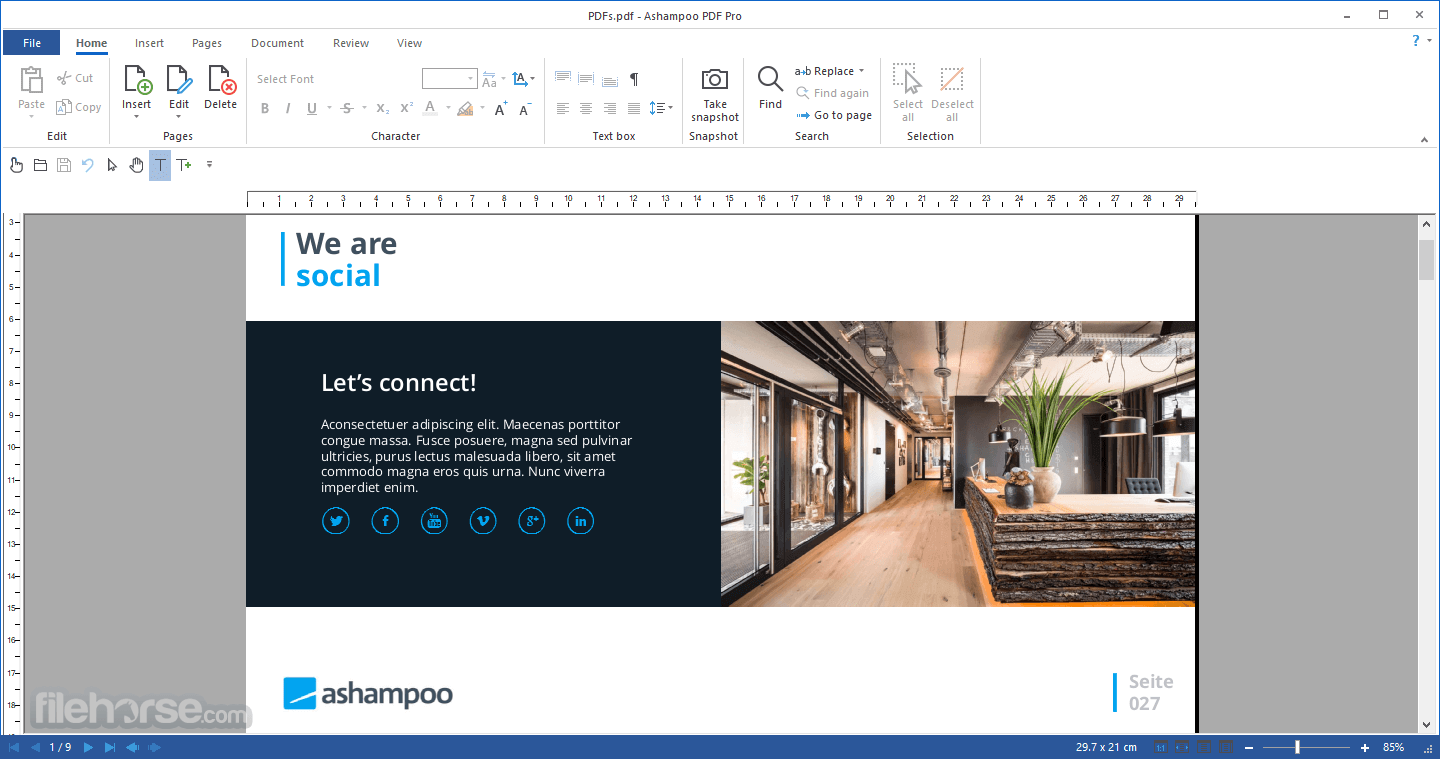
Edit PDFs as comfortably as MS Word documents
With this program, creating, editing, and annotating PDF documents becomes just as easy as exporting them for further processing in Microsoft Word or other applications. It always delivers excellent results - whether you're working with text and images, replacing fonts, modifying layouts, or rearranging the pages in a document.
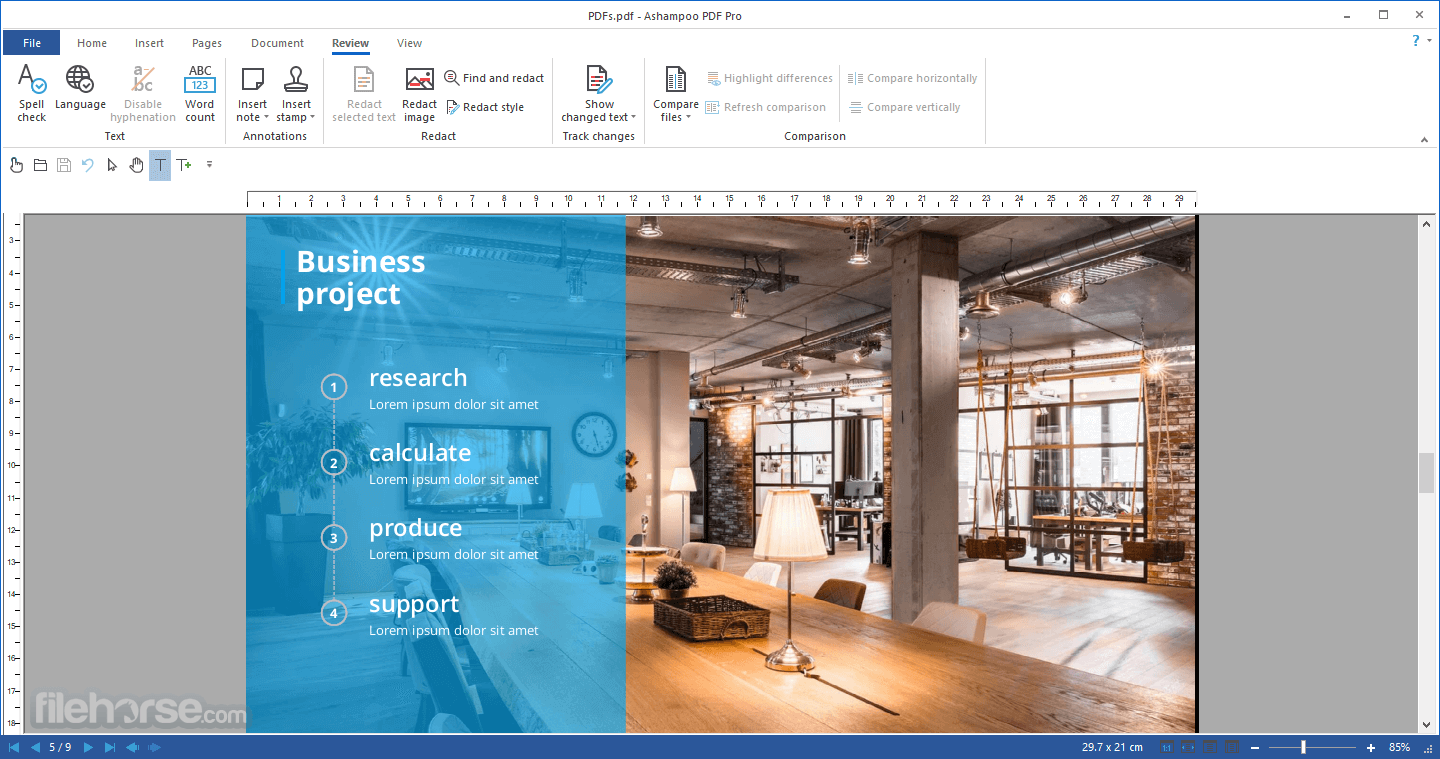
Built-in revision control and spell checker
It allows you to modify, add, delete, and format entire paragraphs and pages of text. If required, the built-in change log will highlight all modifications for easy revision. The integrated spell checker does away with typos, and auto-hyphenation ensures your texts will look good.
Format, revise, and recompose with ease
Revising documents is a breeze with Ashampoo PDF. Rearrange and delete or crop and rotate individual pages as you see fit. You can even insert pages from other PDF documents or combine multiple documents into a single file.
Built-in PDF printer driver for maximum flexibility
It can create high-quality PDFs from any Windows application. Simply click "Print" and select the included app virtual printer. If size matters, it can automatically downsample images, e.g,. to facilitate online publishing.
Edit and annotate PDFs collaboratively
It makes it easy to add comments to PDF documents, illustrate important details, and highlight individual passages with the marker tool. It also comes with ready-to-use stamps like "Approved!" or "Confidential!".
Insert and edit graphics and drawings
Working with graphics and drawings is easy with this program. Insert, edit, move, and crop objects as needed. You can even use them as watermarks to protect your intellectual property or clone them for easy reuse.
Replace single words or phrases in just seconds
The find and replace feature in this app goes beyond that of other PDF applications. Aside from text, you can also replace fonts to quickly modify the visual appearance of your documents. The program even enables you to apply this feature across multiple files, e.g., to replace or update hyperlinks globally.
Instantly access and use text blocks
It comes with a powerful OCR engine to recognize and convert images of text, e.g., on-screen or scanned documents, into computer-editable text. You can then edit the results in this app or send them to Microsoft Word for further processing.
Fill out and print the forms inside the application
Not only does Ashampoo PDF allow you to fill out interactive forms, but it also supports the more common forms that were created as PDF documents, as used by various government agencies. Save time and fill out your forms on your PC instead of printing and filling them out the old-fashioned way.
128-bit AES encryption for your documents
It can protect your documents with strong 128-bit AES encryption to prevent others from opening, editing, or printing them. You decide what readers will be able to do with your documents!

Alternatives
PDFelement - It offers a user-friendly interface with comprehensive PDF editing capabilities.
Soda PDF - Complete PDF solution for desktop and lightning-fast load time!
iTop PDF - Edit PDF with an easy and full-featured PDF editor on PC.
Languages
British English, Chinese (simplified), Chinese (traditional), Czech, Danish, Dutch, English, Finnish, French, German, Hungarian, Italian, Polish, Portuguese, Portuguese (Brazilian), Romanian, Russian, Serbian, Slovakian, Slovenian, Spanish, Swedish, Turkish.

System requirements
Windows 11, Windows 10 (x64), Windows 8 (x64), Windows 7 (x64)
PROS
Create perfectly sized documents that are readable on any device and use encryption to protect your property when needed. Your PDFs are now as easily editable as Word documents!
It converts your PDFs into text documents editable with MS Office or Ashampoo Office. HTML, EPUB, JPG, or RTF are also supported as output formats. Ashampoo PDF Professional furthermore supports optical character recognition to convert your scans into editable and searchable documents.
What`s New
- Full 64-bit architecture ensures maximum speed and stability, even with very large documents
- Flexible viewing modes: tabbed interface, detached windows, or a unified workspace
- Edit PDF files secured with a master password
- Realistic book-style layout with double-page viewing
- Precision page-by-page scrolling for easier navigation
- Automatic document comparison simply by dragging and dropping two files
- Automatically applies your most recently used font and text size
- New documents open in convenient tabbed views
Edit PDFs as comfortably as MS Word documents
With this program, creating, editing, and annotating PDF documents becomes just as easy as exporting them for further processing in Microsoft Word or other applications. It always delivers excellent results - whether you're working with text and images, replacing fonts, modifying layouts, or rearranging the pages in a document.
Built-in revision control and spell checker
It allows you to modify, add, delete, and format entire paragraphs and pages of text. If required, the built-in change log will highlight all modifications for easy revision. The integrated spell checker does away with typos, and auto-hyphenation ensures your texts will look good.
Format, revise, and recompose with ease
Revising documents is a breeze with Ashampoo PDF. Rearrange and delete or crop and rotate individual pages as you see fit. You can even insert pages from other PDF documents or combine multiple documents into a single file.
Built-in PDF printer driver for maximum flexibility
It can create high-quality PDFs from any Windows application. Simply click "Print" and select the included app virtual printer. If size matters, it can automatically downsample images, e.g,. to facilitate online publishing.
Edit and annotate PDFs collaboratively
It makes it easy to add comments to PDF documents, illustrate important details, and highlight individual passages with the marker tool. It also comes with ready-to-use stamps like "Approved!" or "Confidential!".
Insert and edit graphics and drawings
Working with graphics and drawings is easy with this program. Insert, edit, move, and crop objects as needed. You can even use them as watermarks to protect your intellectual property or clone them for easy reuse.
Replace single words or phrases in just seconds
The find and replace feature in this app goes beyond that of other PDF applications. Aside from text, you can also replace fonts to quickly modify the visual appearance of your documents. The program even enables you to apply this feature across multiple files, e.g., to replace or update hyperlinks globally.
Instantly access and use text blocks
It comes with a powerful OCR engine to recognize and convert images of text, e.g., on-screen or scanned documents, into computer-editable text. You can then edit the results in this app or send them to Microsoft Word for further processing.
Fill out and print the forms inside the application
Not only does Ashampoo PDF allow you to fill out interactive forms, but it also supports the more common forms that were created as PDF documents, as used by various government agencies. Save time and fill out your forms on your PC instead of printing and filling them out the old-fashioned way.
128-bit AES encryption for your documents
It can protect your documents with strong 128-bit AES encryption to prevent others from opening, editing, or printing them. You decide what readers will be able to do with your documents!
Alternatives
PDFelement - It offers a user-friendly interface with comprehensive PDF editing capabilities.
Soda PDF - Complete PDF solution for desktop and lightning-fast load time!
iTop PDF - Edit PDF with an easy and full-featured PDF editor on PC.
Languages
British English, Chinese (simplified), Chinese (traditional), Czech, Danish, Dutch, English, Finnish, French, German, Hungarian, Italian, Polish, Portuguese, Portuguese (Brazilian), Romanian, Russian, Serbian, Slovakian, Slovenian, Spanish, Swedish, Turkish.
System requirements
Windows 11, Windows 10 (x64), Windows 8 (x64), Windows 7 (x64)
PROS
- User-Friendly Interface: Intuitive and easy to navigate, suitable for all user levels.
- Comprehensive Features: Offers a wide range of tools for editing, converting, merging, and protecting PDFs.
- Affordable Pricing: Competitive pricing compared to similar PDF editing apps.
- Fast Performance: Quick processing speeds for editing and converting files.
- OCR Support: Includes optical character recognition for converting scanned documents into editable text.
- Multiple Language Support: Available in several languages, enhancing usability for non-English speakers.
- Regular Updates: Frequent updates ensure new features and improvements.
- Windows Only: Not available for macOS or Linux users.
- Resource Intensive: Can be heavy on system resources, particularly when handling large files.
- Basic Collaboration Tools: Limited features for real-time collaboration or document sharing.
Why is this app published on FileHorse? (More info)
-
Ashampoo PDF Pro 5.0.0 Screenshots
The images below have been resized. Click on them to view the screenshots in full size.
-
-
-
-

 OperaOpera 134.0 Build 5954.56 (64-bit)
 BlueStacksBlueStacks 10.42.255.1002
 PhotoshopAdobe Photoshop CC 2026 27.9.1 (64-bit)
 LDPlayerLDPlayer - Android Emulator
 GTA 6GTA 6 for PS5
 CapCutCapCut Desktop 9.1.0
 PC RepairPC Repair Tool 2026
 Hero WarsHero Wars - Online Action Game
 TradingViewTradingView - Trusted by 100 Million Traders
 Halo: CampaignHalo: Campaign Evolved
Comments and User Reviews